I wanted to automate google sheets data and send it in email
Status: Open · Asked by Digital Nissan on · 0 views
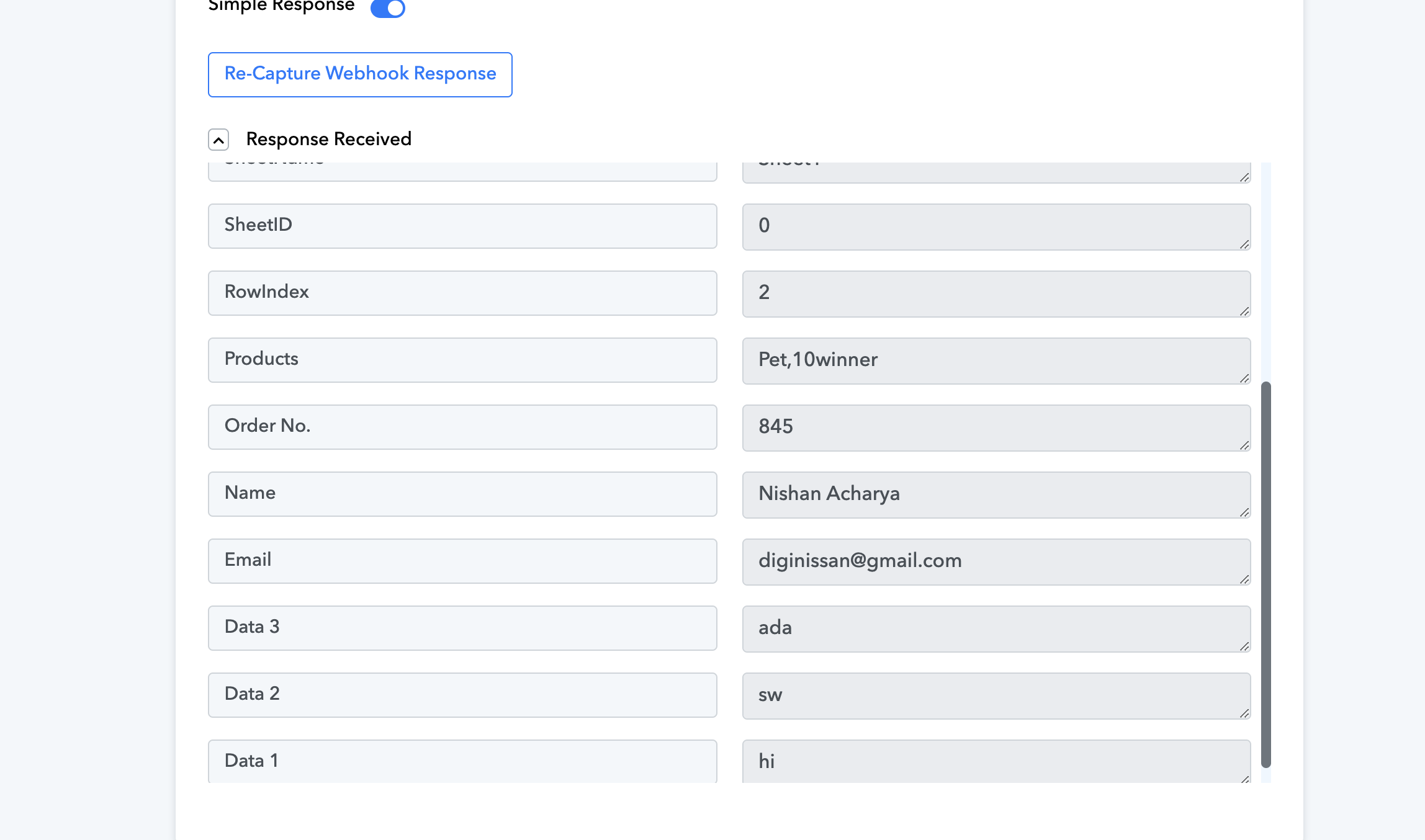
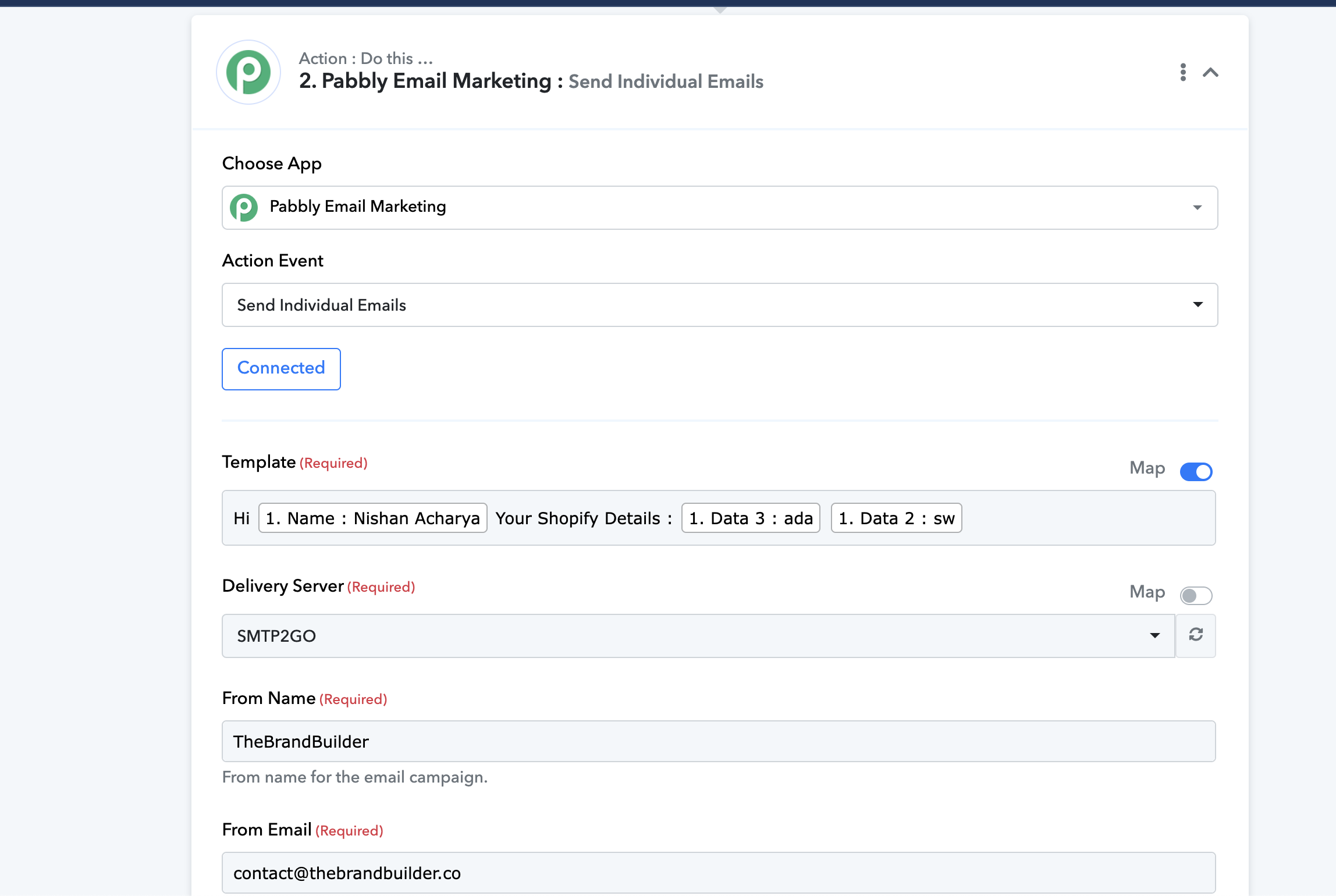
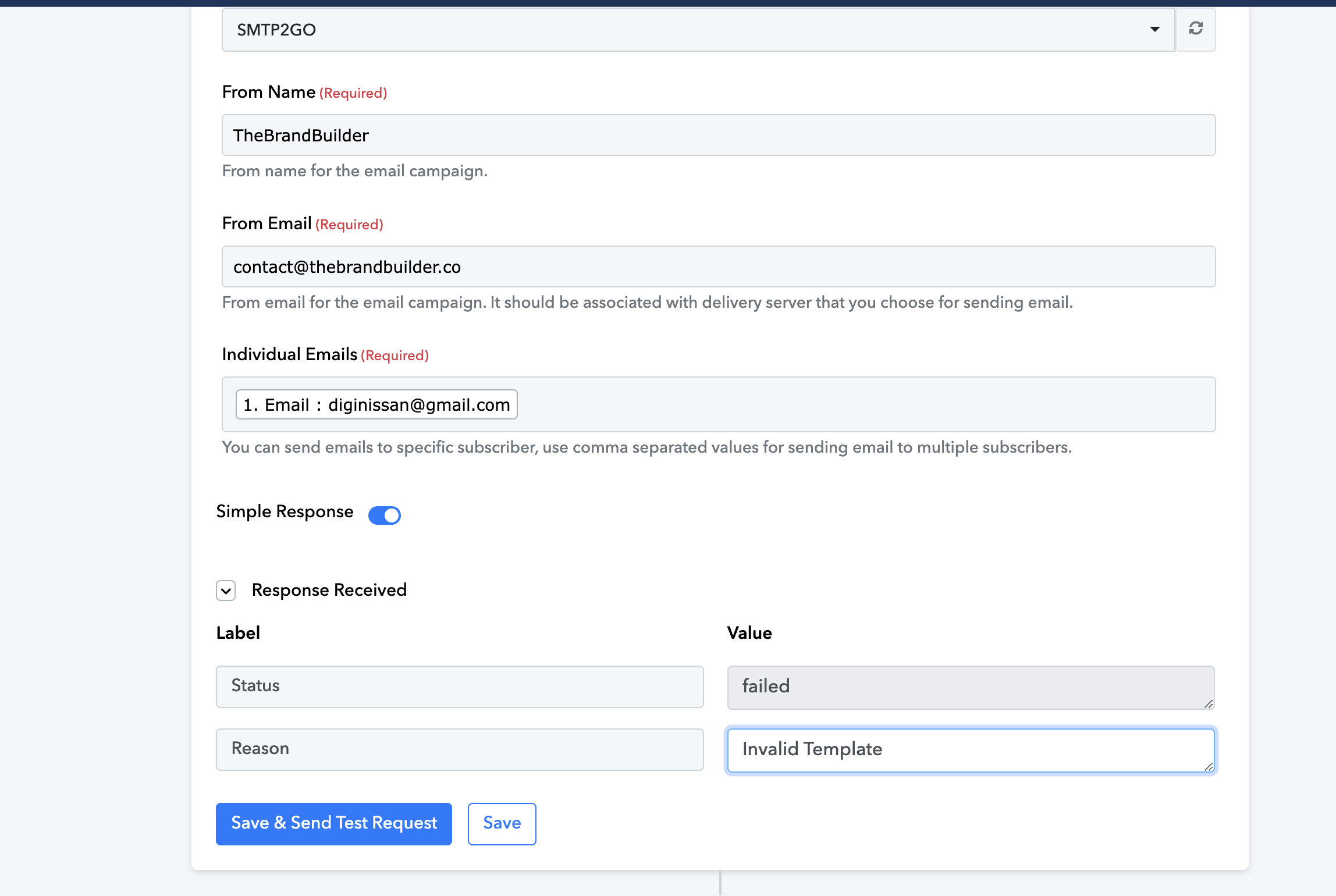
I completed SMTP setup, installed pabbly extension in google sheet and everything. Webhook is extracting data finely but I cannot use those extracted data and map it in email. It gives error " Invalid Template ". Please help me asap.
Please see the screenshots below :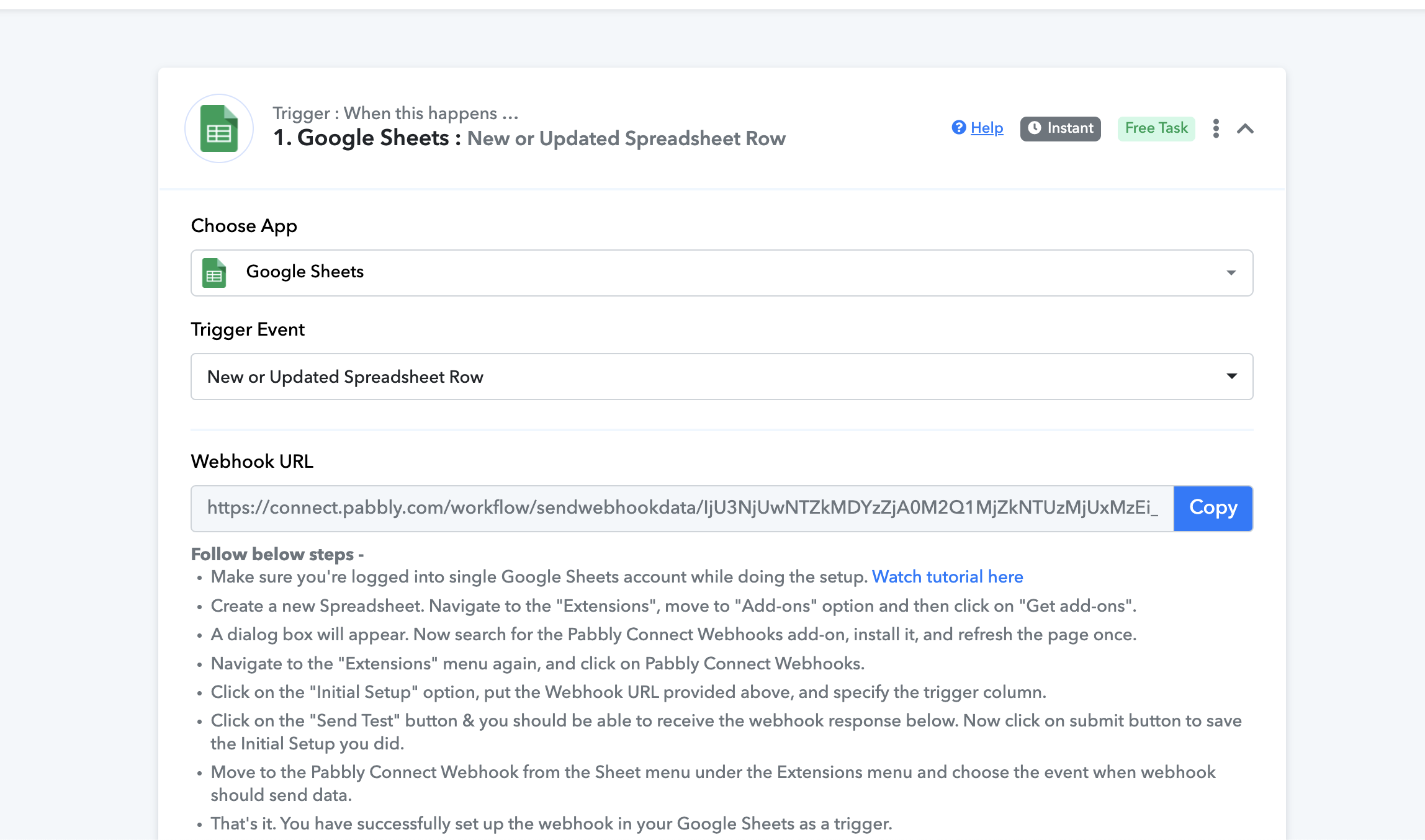
Hey @Nishan Acharya,
Please grant me access to your workflow by adding me as a team member. This will allow me to gain a better understanding of your issue.
Once you have added me as a Team Member, do let us know the name of your workflow.
Email: arshil.ahmad@pabbly.com
Also, remember to revoke access once your query has been resolved.
Attaching a video for your reference:
Added! Will be waiting for your reply, would really appreciate you guys if we're able to speed up the process.
It seems like you are entering your email content in the Template field. Please note that in the Template field, you need to select a template that is already present in your Pabbly Email Marketing account.
Kindly watch the video attached below to understand how you can set up Pabbly Email Marketing as your action application:
It seems like you are entering your email content in the Template field. Please note that in the Template field, you need to select a template that is already present in your Pabbly Email Marketing account.Kindly watch the video attached below to understand how you can set up Pabbly Email Marketing as your action application:
okay so If I want to use the data retrieved by webhook from the google sheet in my email content, can it be done, if yes can you guide me how ?
Please allow me some time to look into this. I will get back to you shortly.
I'm waiting please brother, I want to put data retrieved from web hook into email body field. thats it, I'm not being able to map data in email body.
Hello anyone can help me please..
Please map the content of your email in the "Create Email Template" action step, and then send that template using the "Send Individual Emails" action step.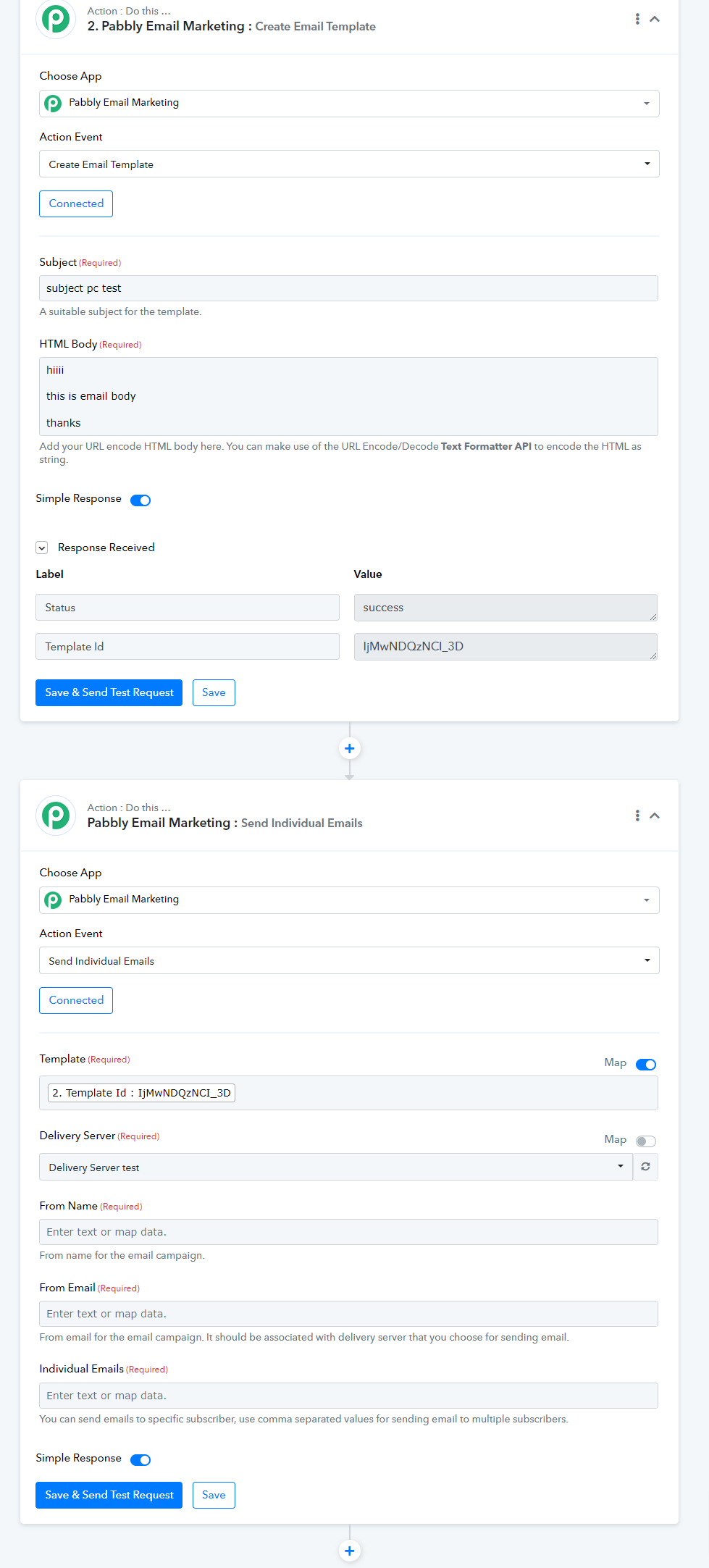
Hi I have a question if I'm sending emails this way, I have already setup smtp, do the email receiver have to subscriber or generally I can send as much emails as my smtp allows if I'm not subscribed to pabbly email marketing right ?
Hi I have a question if I'm sending emails this way, I have already setup smtp, do the email receiver have to subscriber or generally I can send as much emails as my smtp allows if I'm not subscribed to pabbly email marketing right ?
To resolve this, you will need to get in touch with Pabbly Email Marketing's support team, as they are best equipped to handle this query.