IFTTT Webhook POST issue - getting the body as label and an empty value :(
Status: Closed · Asked by natabu on · 0 views
I am using IFTTT's webhook to send a POST to Pabbly's webhook url.... all good there... this is how the setup looks on IFTTT side of things:
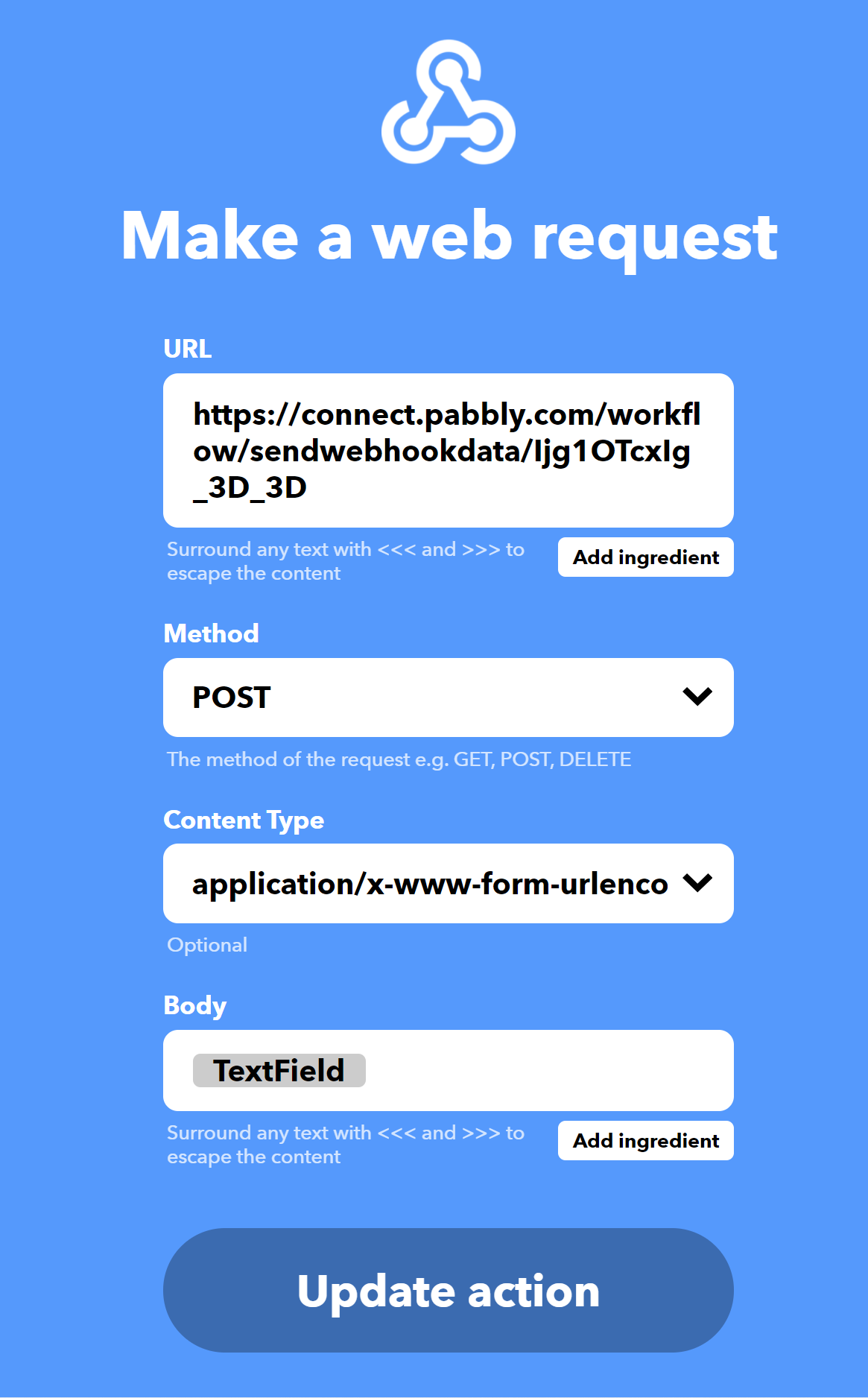
pretty simple...now the issue comes up when I get it in Pabbly. Notice that the {{TextField}} becomes a 'Label', while the value is empty.
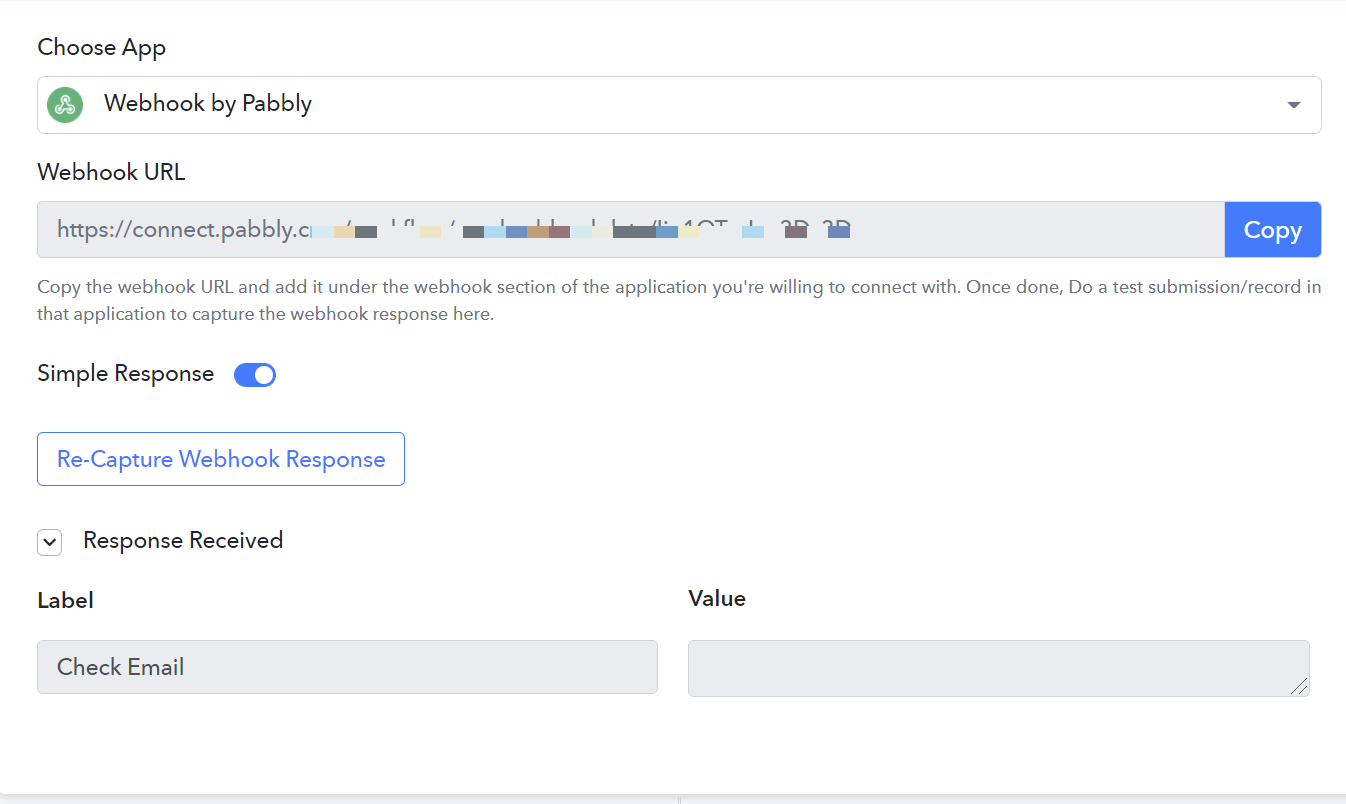
QUESTION: how can I get the body to go into the Value field?
When I check the activity, I see the following webhook info in IFTTT:
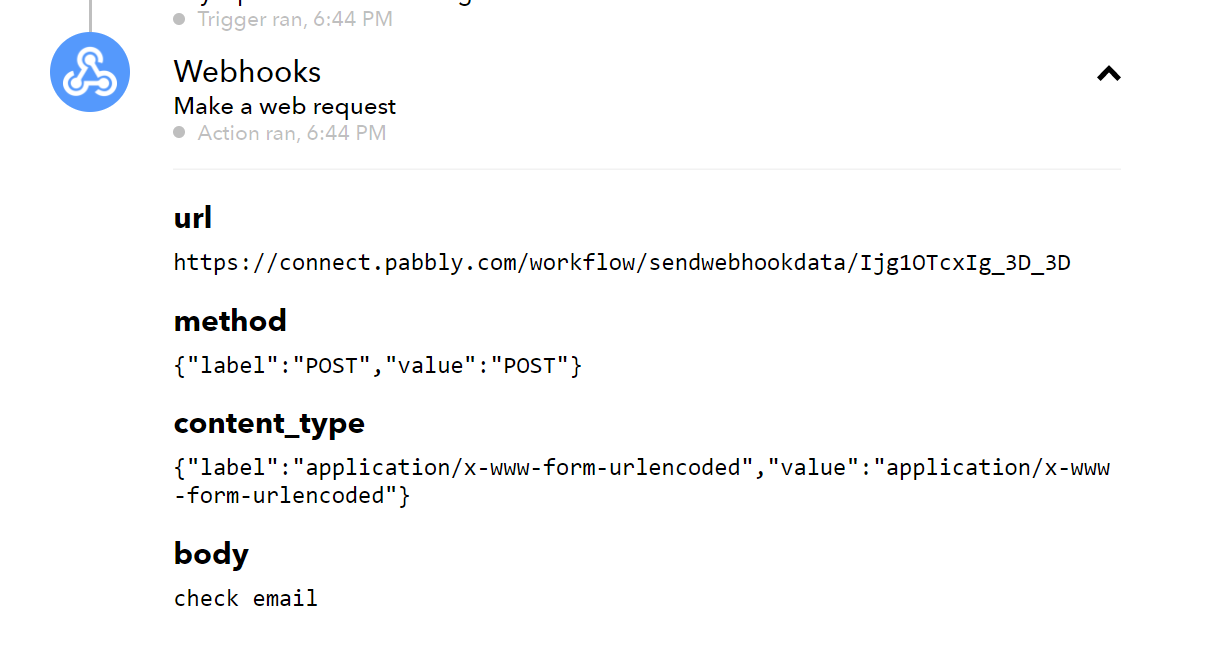
You will ask, "Why did she use 'application/x-www-form-urlencoded" instead of plan text? Answer: that's the only option that sends the body over. Plain text option did not work.
I am able to make this in automate.io and checked the webhook with the help of https://webhook.site/ - it all looks like it should be working.
Please help me get my Value field filled out.
Thank you!
What type of data does body accepts inside IFTTT?
Do we have to put JSON data in body?
If it's a JSON data that is accepted on the body. Try doing this and test the response.
{"name": "Natabu"}
What type of data does body accepts inside IFTTT?Do we have to put JSON data in body?
If it's a JSON data that is accepted on the body. Try doing this and test the response.
{"name": "Natabu"}
Such an elegant solution! Thank you very much! It worked. IFTTT includes 'Ingredients" and I did not think to check JSON data straight in the body.
Bingo!
{
"task": " {{TextField}}"
}
Such an elegant solution! Thank you very much! It worked. IFTTT includes 'Ingredients" and I did not think to check JSON data straight in the body.Bingo!
{
"task": " {{TextField}}"
}
I am glad it's all sorted. Thank you.