I'm getting "Condition is false" in Filter
Status: Closed · Asked by Bilal on · 0 views
Hi,
My Workflow is Google Sheets + Filter + Send SMS by ClickSend
The Google Sheet Rows are like this:
[TABLE]
[TR]
[TD]First Name[/TD]
[TD]Mobile Number[/TD]
[TD]Send SMS (type "yes)[/TD]
[/TR]
[TR]
[TD]John Doe[/TD]
[TD]+123456789[/TD]
[TD]yes[/TD]
[/TR]
[/TABLE]
I want an SMS to be sent to the customer's mobile number when we add him as a new customer record in Google Sheets after writing yes & hitting enter.
So, I've created the filter but I'm getting the error. Please help!
Attachments
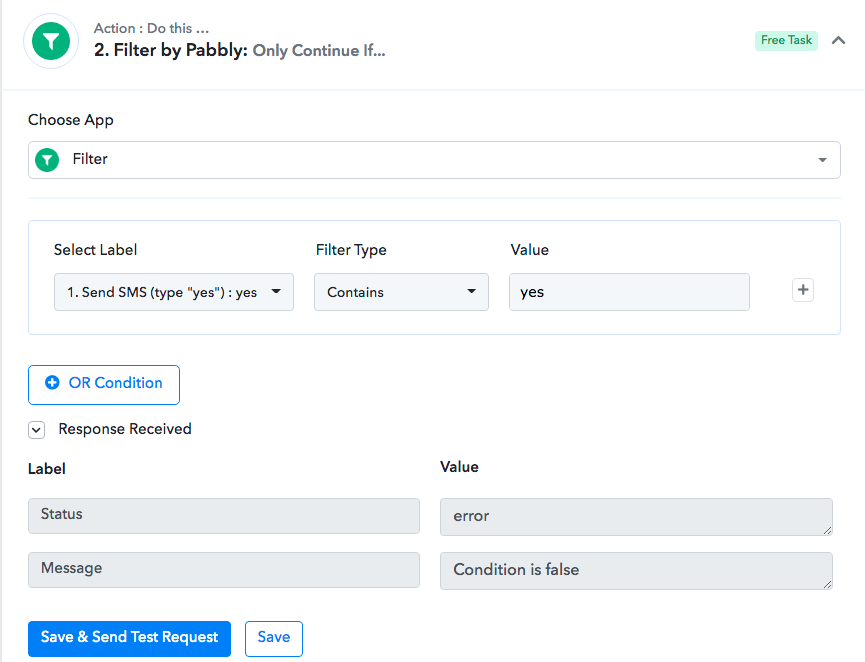
Hi,My Workflow is Google Sheets + Filter + Send SMS by ClickSend
The Google Sheet Rows are like this:
[TABLE]
[TR]
[TD]First Name[/TD]
[TD]Mobile Number[/TD]
[TD]Send SMS (type "yes)[/TD]
[/TR]
[TR]
[TD]John Doe[/TD]
[TD]+123456789[/TD]
[TD]yes[/TD]
[/TR]
[/TABLE]I want an SMS to be sent to the customer's mobile number when we add him as a new customer record in Google Sheets after writing yes & hitting enter.
So, I've created the filter but I'm getting the error. Please help!
Try removing double quotes " -

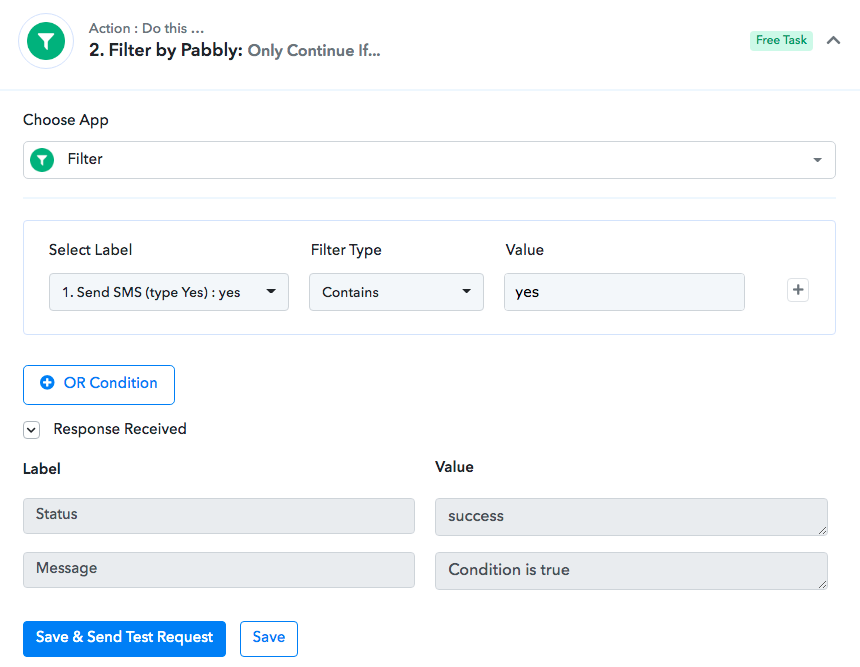
Many thanks, Fagun. Followed your tip. Condition is true now.
However, no SMS message gets sent after adding a new contact and hitting YES. Please note when I test ClickSend it sends an SMS to the first added contact.
Try removing double quotes " -
Check this blog - https://www.pabbly.com/common-problems-with-google-sheets-integration-in-pabbly-connect/
Also tagging @Pabbly and @Supreme Verma to help you.
Hey @Bilal
It seems like the label from your Google Sheets for the "Yes type" is changed" and because of that, the messages were not being sent whereas the filter is not getting the correct label.
Though you might need to capture the webhook response of Google Sheets again with the new label and then re-map the corresponding fields.
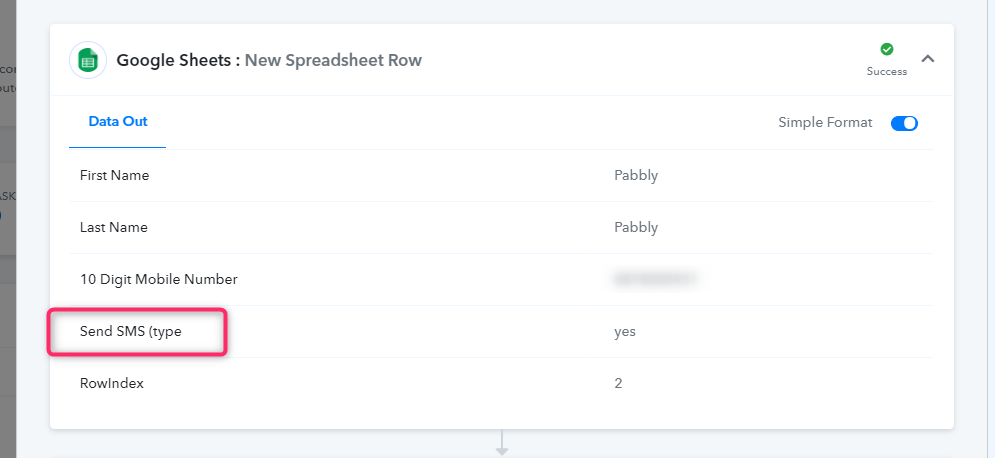
Hey @BilalIt seems like the label from your Google Sheets for the "Yes type" is changed" and because of that, the messages were not being sent whereas the filter is not getting the correct label.
Though you might need to capture the webhook response of Google Sheets again with the new label and then re-map the corresponding fields.
Hey @Supreme Verma
I've captured the webhook response again for Google Sheets, tested each workflow and all is fine. But still, the SMS message doesn't get sent after adding a new contact. Is there any chat support?
@Pabbly Team
Attachments
@Bilal feel free to PM me on FB if you want me to look at the issue over a zoom call - https://www.facebook.com/fagun.shah.7/