I'm not getting line items as a array to use in line itemzier
Status: Closed · Asked by sachin11 on · 0 views
hi there i'm connecting my shopify order to google sheets but I'm not getting line items as a array forum from shopify i have multiple items in order how i should connect multiple items in google sheet under one customer i checked a video of your channel but I'm not getting in array form all I'm getting is individual items but I'm how many item customer will order so i want all products detail item can be 10pc or more depend on customer order looking for help in this
Hey @sachin11
In terms to get the line items in a JSON array, you need to capture your webhook in advance response first by toggling the "Simple Response" button.
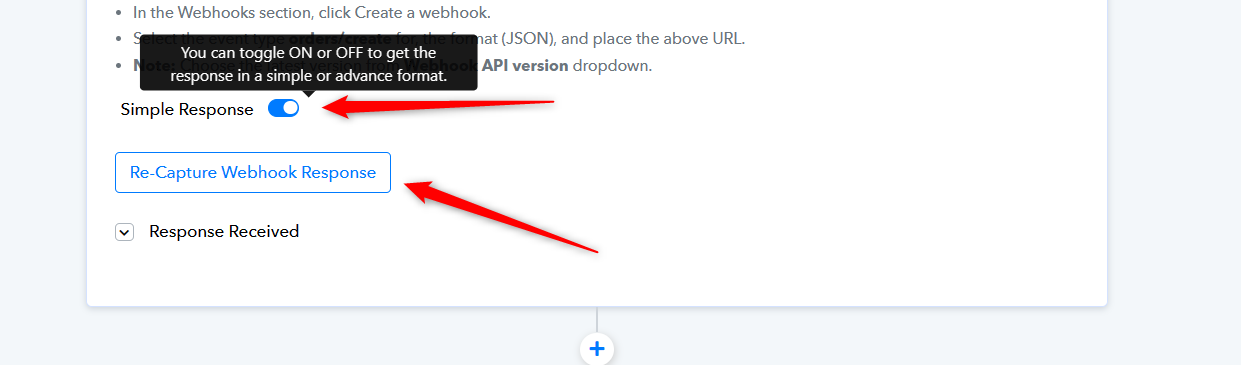
Kindly refer to the following video lesson on how you can capture the JSON array and use it in the Line Itemizer action step.
Hi thank you for your quick response really appreciate now what i want is can we make each product item in each raw like if customer buy 3 products then i want to make 3 raw for product item only where we can make list in each raw and also if you know some other app to use for shopify orders where team can see new order and can mark as finished
thank you
Hey @sachin11
You can refer to the following video lesson on how you can pass multiple line items to Google Sheets.
(Watch the second part of the video)
Quick question at @Supreme - This is a great explanation of how to receive and break down data in an array but how do we send data that in an array?
For example, if I wanted to add the address of a contact I have to do it as shown below, but how do I do that in pabbly? 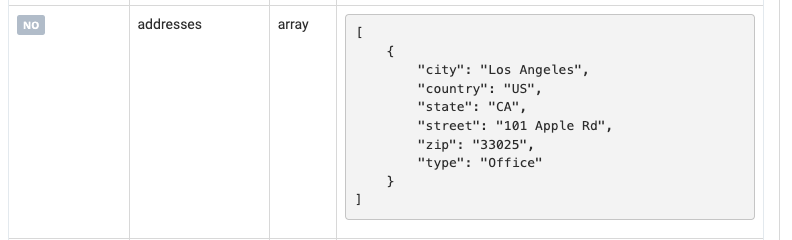
Quick question at @Supreme - This is a great explanation of how to receive and break down data in an array but how do we send data that in an array?For example, if I wanted to add the address of a contact I have to do it as shown below, but how do I do that in pabbly?
Can you please share the name of the application and the field in which you are trying to pass that JSON array? So that we can look into it.
Can you please share the name of the application and the field in which you are trying to pass that JSON array? So that we can look into it.
Sure thing, the application i'm trying to send the data to if called Flowtrack.
I know there is currently an integration with Flowtrack but it doesnt allow me to send all the data I need - for example when using the integration with Pabbly, there is no way to add a "note"
Sure thing, the application i'm trying to send the data to if called Flowtrack.I know there is currently an integration with Flowtrack but it doesnt allow me to send all the data I need - for example when using the integration with Pabbly, there is no way to add a "note"
Please elaborate in detail on which endpoint of Flowtrack and in which field of the endpoint you want to pass the data is it the Address field?
Do you want the note field in the same endpoint or an additional action event?
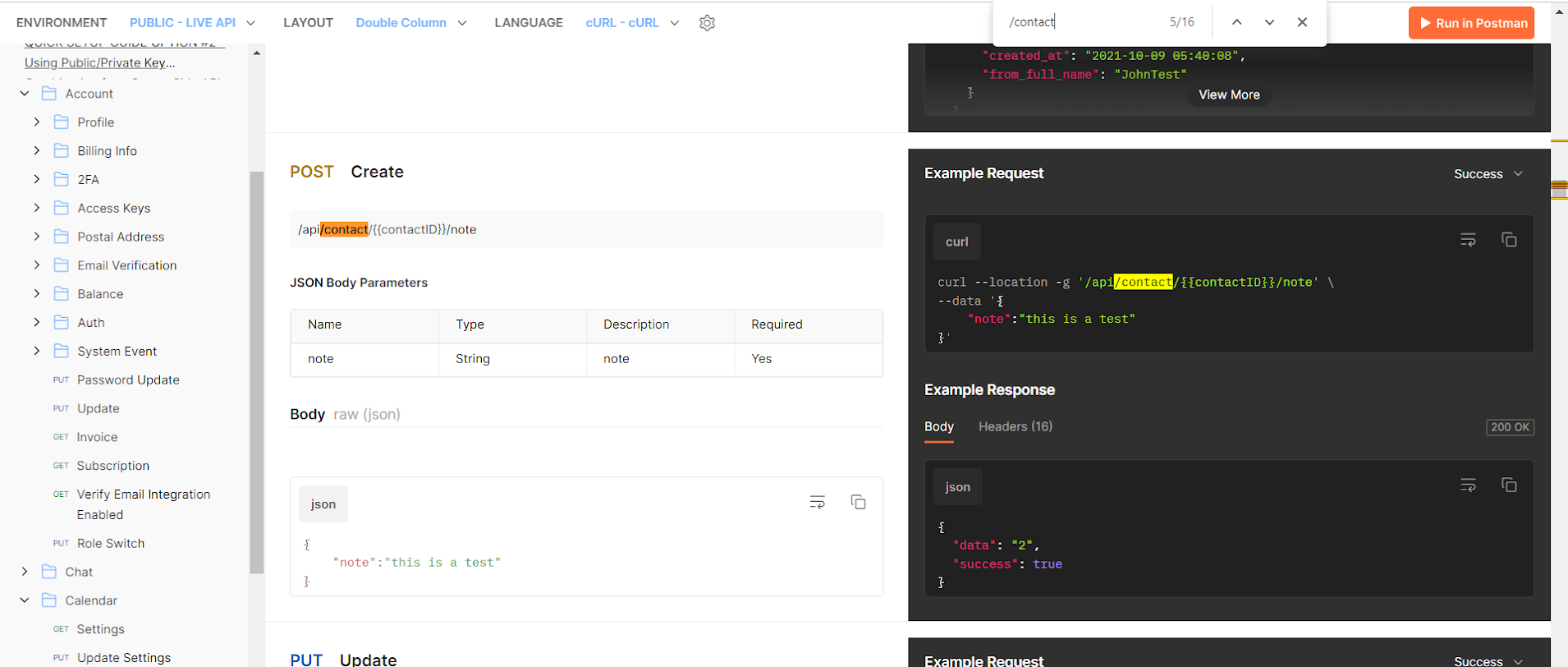
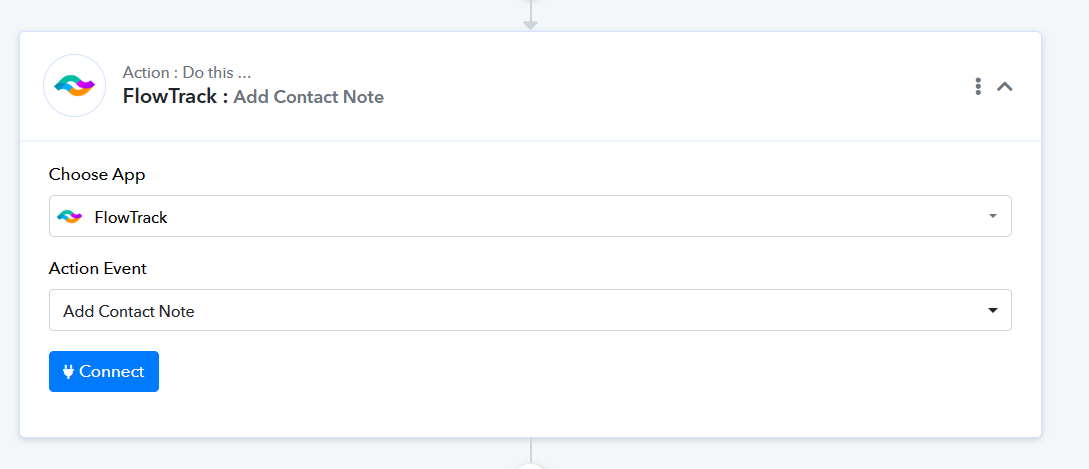
Further, you also make use of the "FlowTrack: Add Contact Note" action step.
Please elaborate in detail on which endpoint of Flowtrack and in which field of the endpoint you want to pass the data is it the Address field?Do you want the note field in the same endpoint or an additional action event?
Further, you also make use of the "FlowTrack: Add Contact Note" action step.
Im using the following endpoint to add a contact to the crm:
https://app.flowtrack.co/api/input/ksof4q/contact?public_key={my_key}
Im trying to add the address to the crm but I can't get it to work correctly because the address is shown in an array. How do I send the information from pabbly to my crm in an array?
Attachments
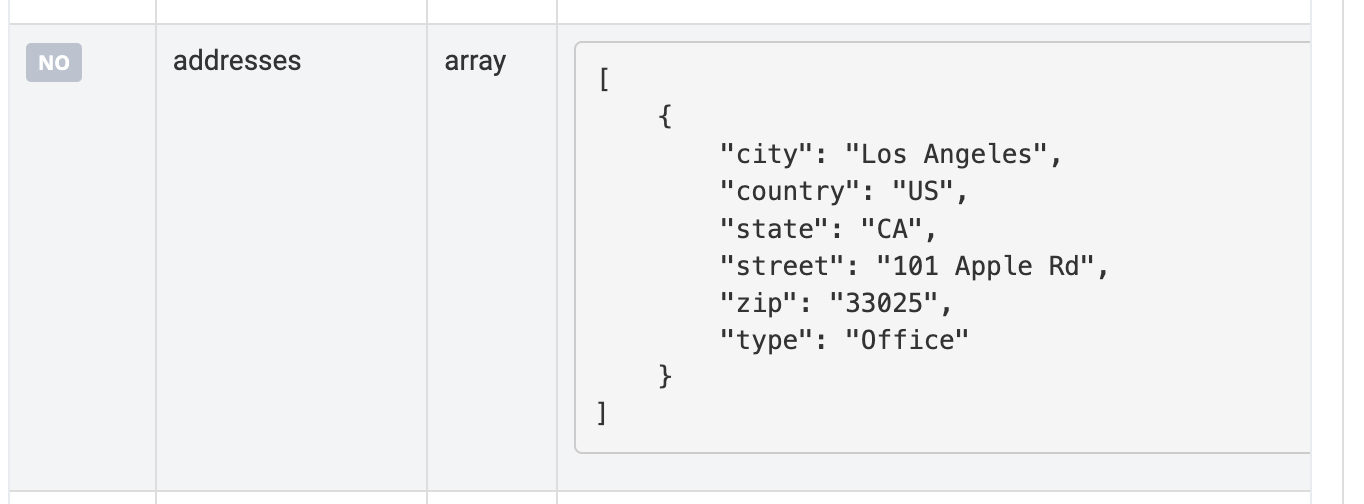
As we see from the Flowtracks API documentation, you can simply use the following API request to pass the same data.
Further, if your need still didn't get fulfilled please share the API documentation.
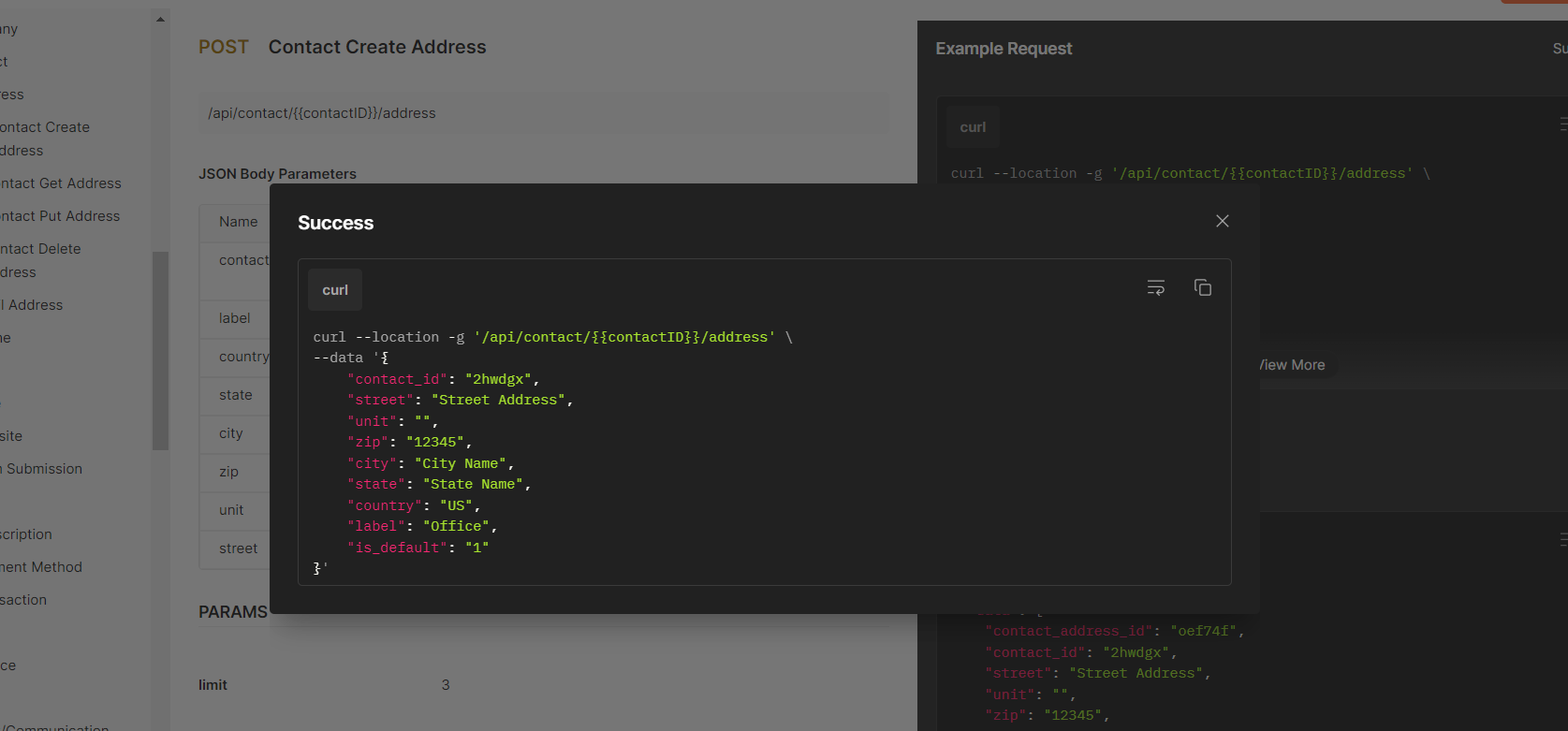
Okay, thanks for sharing that screenshot. Can you share the link so I can view that page live?
Thanks in advance!
Can you share the link so I can view that page live?
There you go -https://api.flowtrack.co/
Hi @Supreme - the last question I have is how would I add a second address. For example, a personal address and a work address?
After ready those docs and trying many different requests, I cannot seem to figure it out.
Thanks in advanced,
William
After ready those docs and trying many different requests, I cannot seem to figure it out.
Checking the API documentation we suggest you try the "Contact Create Address" action step once to add the addresses.
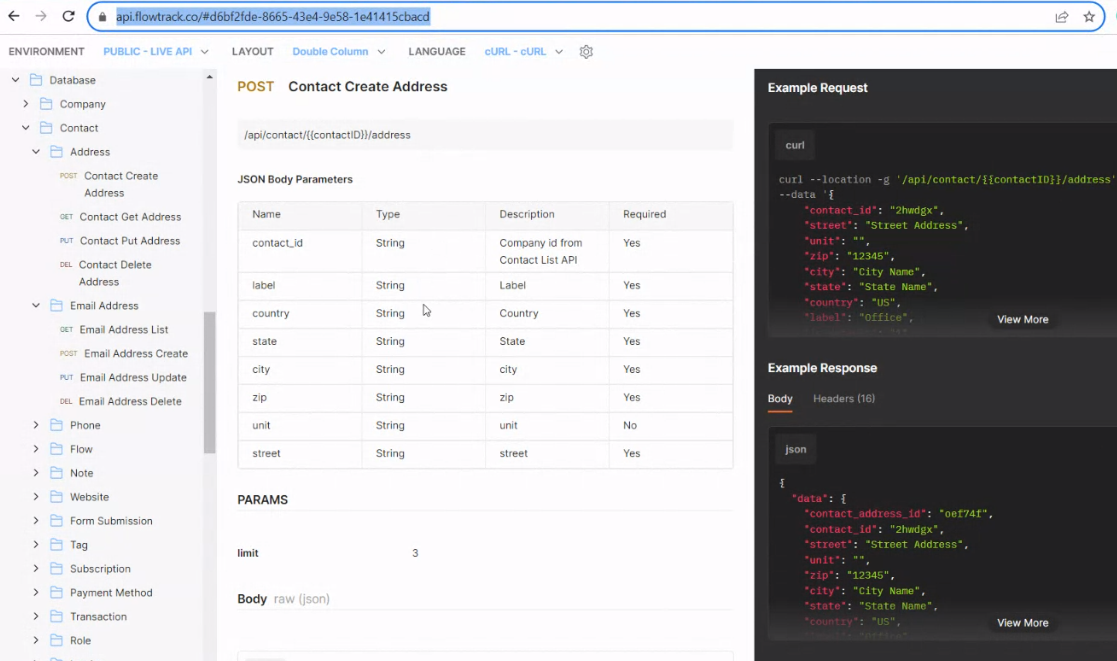
Additionally, if the problem persists, we suggest reaching out to the API support team. They may be able to assist you in finding alternative solutions for your API request.