I'm trying to send scheduled Messages
Status: Closed · Asked by DME Moti Packaging on · 0 views
I want to send my daily messages on WhatsApp between 9:30am to 6:30pm via Google Sheet using your app script or webhook.
Hey @DME Moti Packaging
We already have a video related to this use case on our YouTube Channel. You can refer to the same below.
As explained in the video, you can set the timing for sending messages in Google Sheets.
Refer to the following screenshot and the shared workflow to enable you to start the workflow at a specific time.
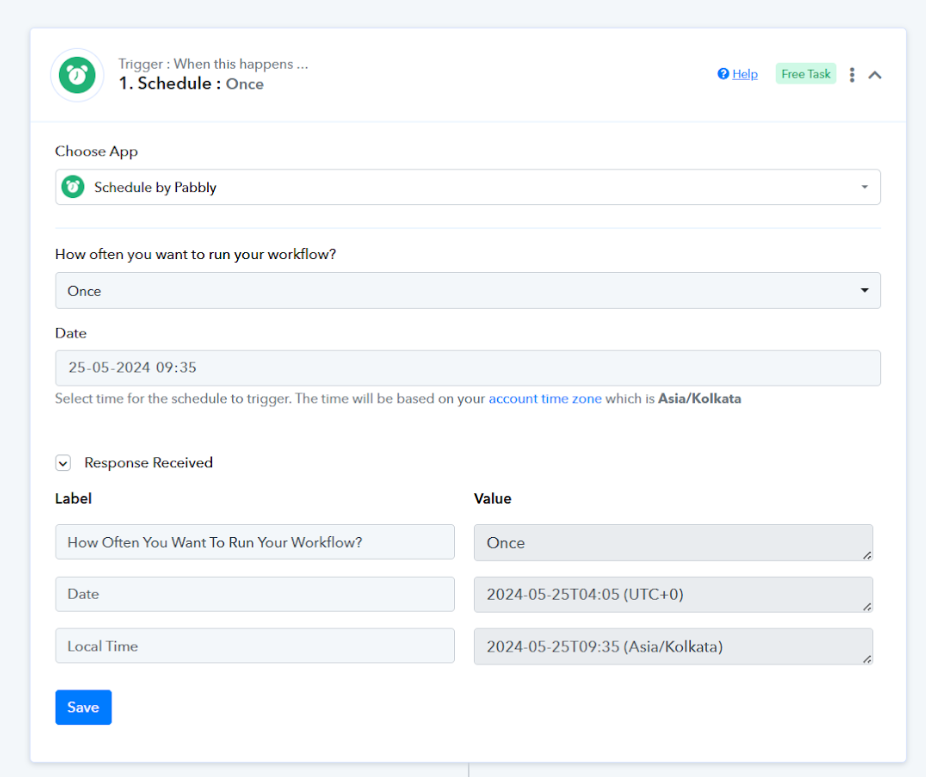
Workflow for reference - https://connect.pabbly.com/workflow...ZVjYPG1BUAlQGdVROBTkDAFYsAUwEf1caX2xYBlhwVTQ#
Similarly, you can create two workflows to start and stop your main workflow.
Please set up your workflows accordingly, and feel free to reach out if you encounter any issues at any step.
hi Pabbly team,
i want to create Whenever a new task is assigned, that task should be sent between 9 am to 6 pm and whenever a new row is updated in Google Sheets, it should automatically be sent between 9 am to 6 pm. Should be sent to the middle.
Hey @DME Moti Packaging
We have created a workflow for this use case here - https://connect.pabbly.com/workflow/share/DUVTYVADUDBfFQFFUTQNaQseVVZTGVQCUDdTQQ##
Kindly refer to this thread for reference - https://forum.pabbly.com/threads/how-can-i-run-task-only-during-working-hours-conditional-filters.6841/#post-32109
Although, you will have to set up the timing in the workflow according to the timing you want. As shown in the image below, you can do this in both the routes accordingly.
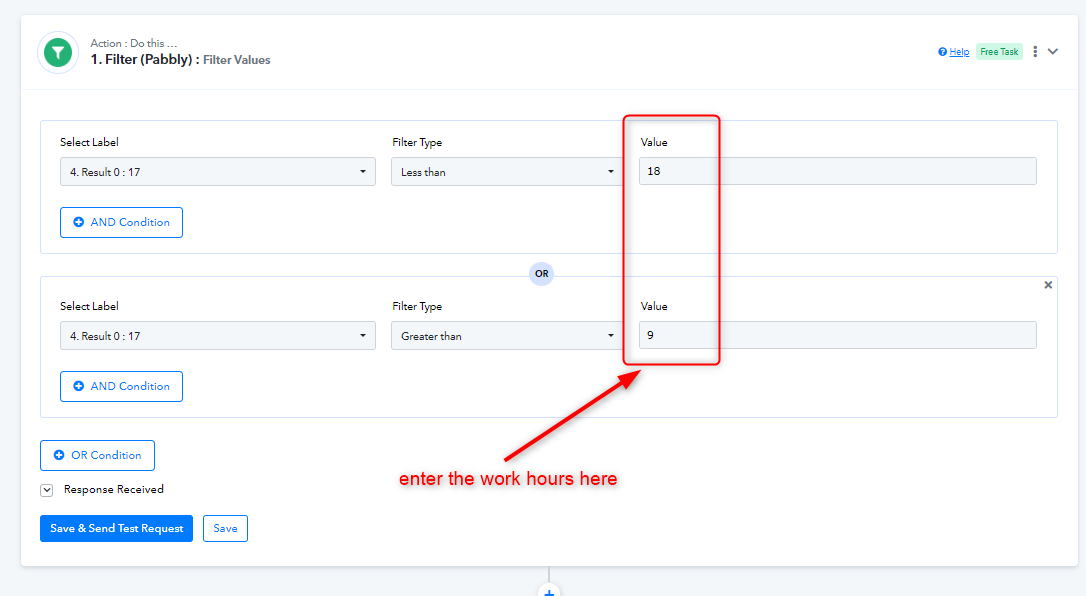
You will have to set up the webhook in your Google Sheet. You can follow the instructions from the video below.
youtube.com/watch?v=0RxOJQg2Emw
Let us know if you get stuck at any step.