In zapier, I have already created my official 5 Stars Reputation Zap integration, how do I do it in Pabbly?
Status: Closed · Asked by 5 Stars Reputation on · 0 views
Hi, I have developed my own SAAS and to make it easier for the users in Zapier ( via the development portal), I have already created my official 5 Stars Reputation Zap integration and several templates:
you can see them here: https://zapier.com/apps/stars-reputation/integrations
how do I create them in Pabbly?
This is why I have just purchased the Ultimate Plan
Thank you so much
Hey @5 Stars Reputation
At present, the integration for 5 Star Reputation is unavailable on the platform. However, you have the option to submit a request for the integration to be added by posting it here on the platform. Your contribution will aid in expanding the platform's capabilities to include the desired 5 Star Reputation integration. https://pabbly.featureos.app/
Hi, thank you for getting back to me...but maybe I am confused or I did not explain myself correctly before. . It is not for Pabbly to do it. I need to implement my platform ( 5 Stars) to work with Pabbly.
In Zapier I went to the development mode and I did this. I created the 5 Stars Reputation template, so that other users can use zapier to connect their crm, gsheet... to 5 Stars Reputation and 5 Stars will be able to import all the contacts on a regular basis.
What I need to do is to be able to have the contacts imported via Pabbly app into 5 stars. Similar to what I have already done with zapier.
For example, wishes to connect their Gsheet or their Crm, they go to Zapier and create the connection between gsheet/crm with 5 stars reputation via zapier, and when this zap is done, 5 stars can import all the data automatically.
https://app.screencast.com/hFb0r8xzl0pny
This is the main reason why I purchased Pabbly, so I can develop this connection and offer Pabbly as a way to connect with 5 Stars. thank you again :)
If you want to run your application on the platform to send the data via API then you can simply try suing the API by Pabbly action step.
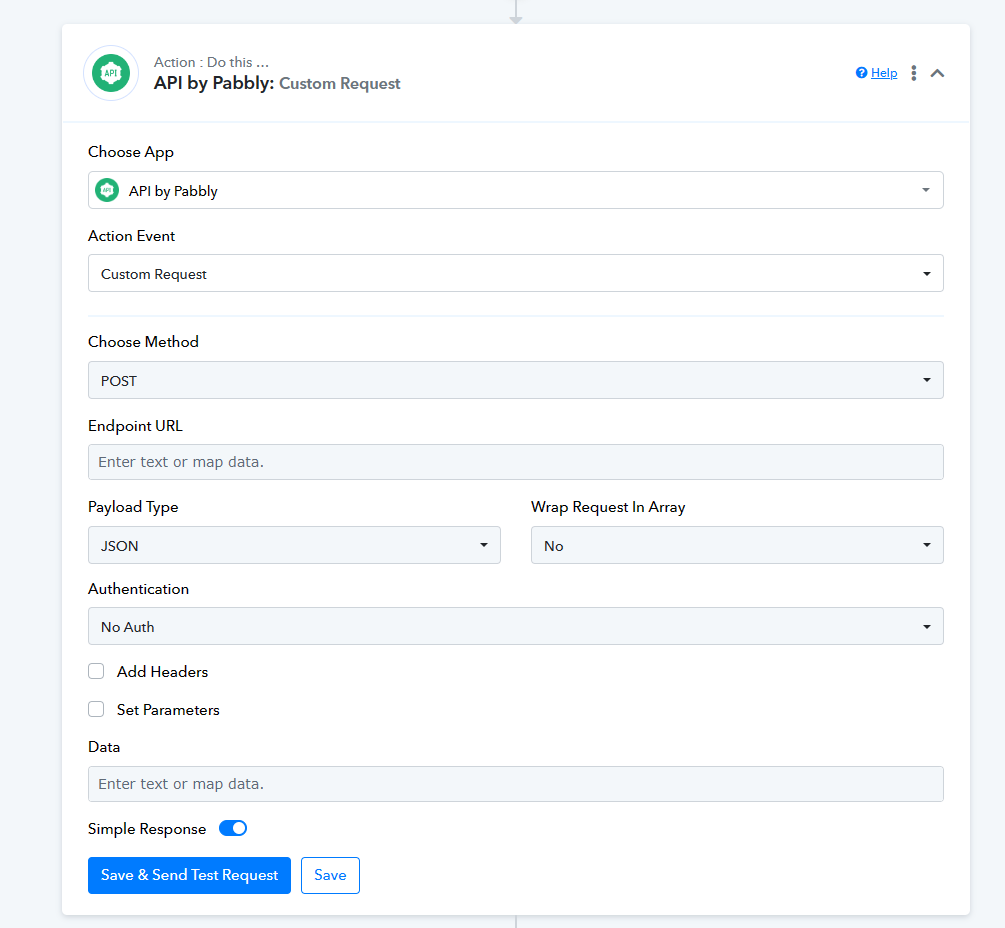
Amazing, this is exactly what I was looking for, thank you so much :)
Amazing, this is exactly what I was looking for, thank you so much :)
You actually need to create a custom app and then get it published.
Here is the documentation on how to create your own custom app - https://forum.pabbly.com/forums/pabbly-connect-app-integration-guide/