Incoming Email (Outlook) will trigger Mautic action
Status: Closed · Asked by Jonathan | Rio Grande Home Offers on · 0 views
Hi
I am sending cold emails via mautic from email address A (sender email) and receive all responses to email B (receiver email). Is it possible to add all incoming email addresses to a google sheet (preferably emails with a specific word in the subject line) and then check if the email exists in mautic contacts and then if the email exists to add a tag to that contact in mautic?
Thanks
Jonathan
Hey @jonwooten
Please check the following screenshot and apply the action steps as mentioned. Kindly try this on your end and let us know if you get stuck at any step.
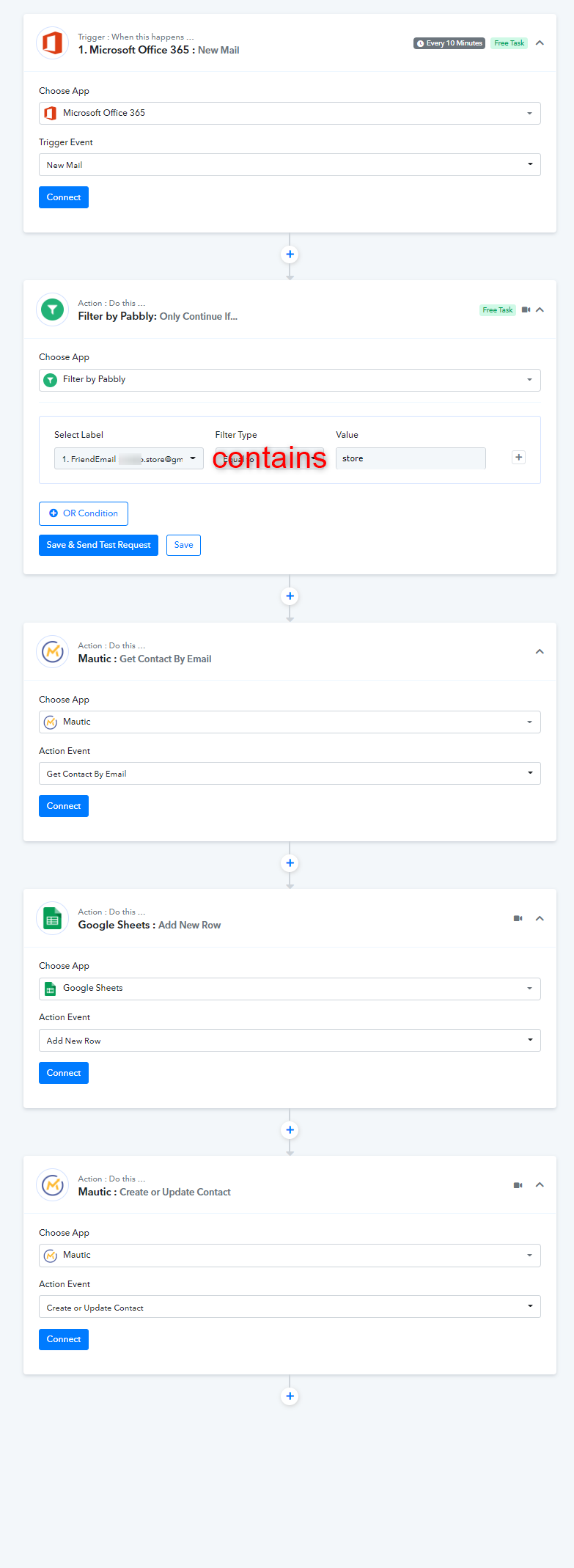
Thank you @Supreme
Question - my outlook is connected to my domain's email address via imap/smtp which is different from the outlook account email address. Is there a work around for that scenario?
Thanks
my outlook is connected to my domain's email address via imap/smtp which is different from the outlook account email address. Is there a work around for that scenario?
You could use the "Email Parse" trigger event to fetch new emails from your mail account.
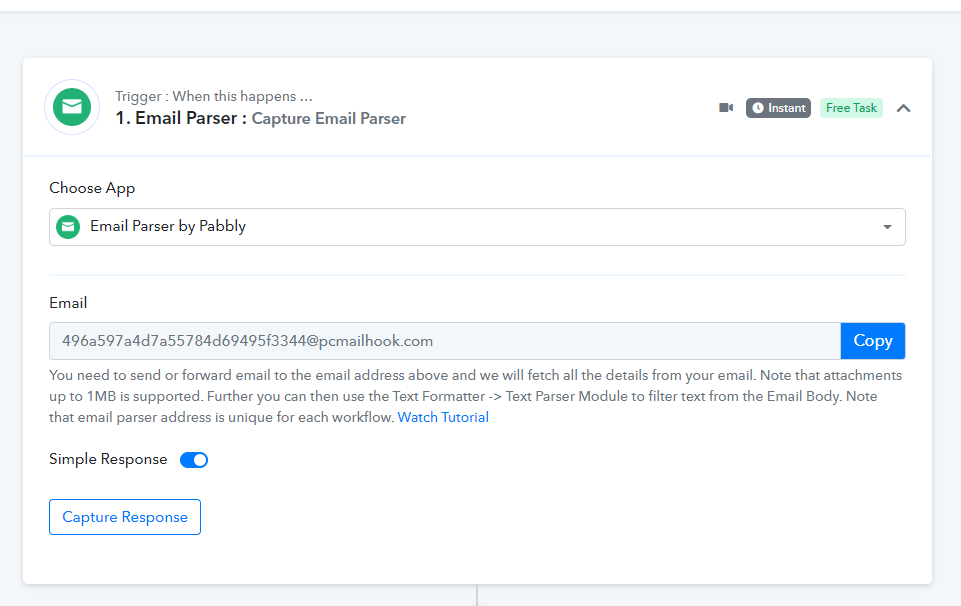
@Supreme thanks for that tip.
I connected my mautic and enabled api access but now I am getting this access_denied error in pabbly.
Any advice?
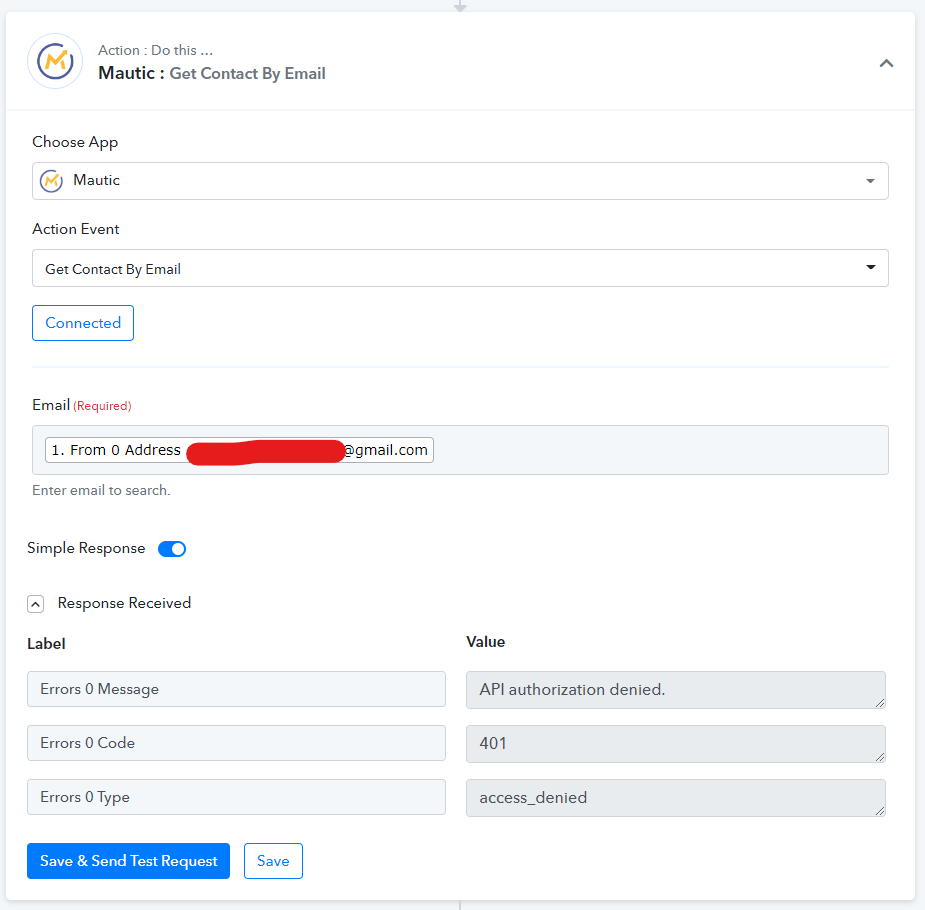
Hey @jonwooten
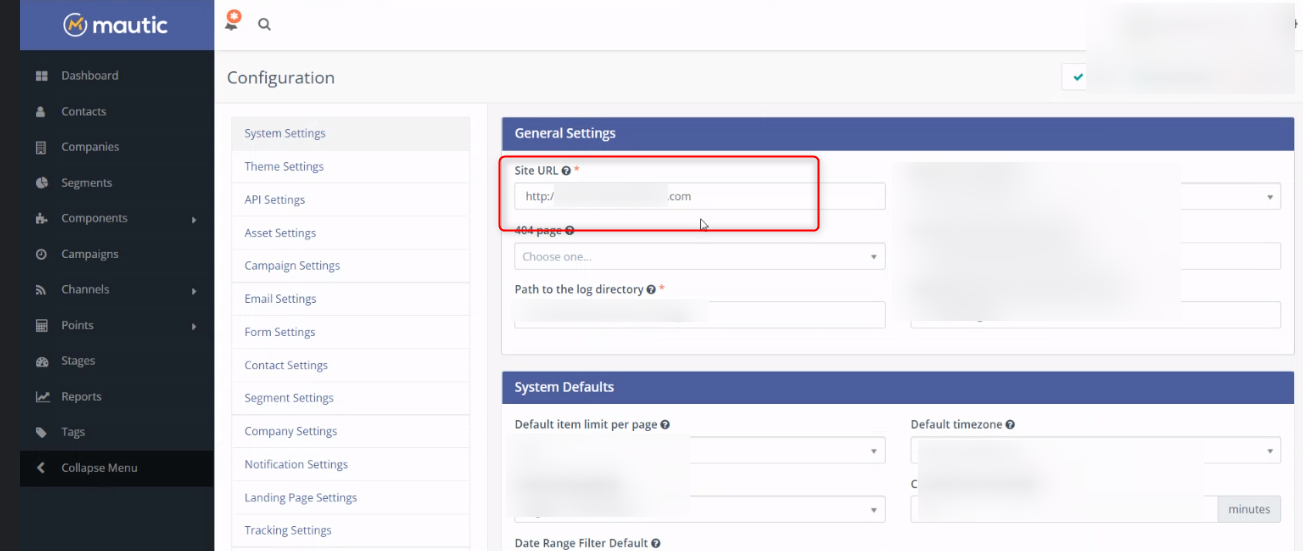
Seems like you might have passed the credentials of Mautic incorrectly and because of that, you are getting an access_denied message.
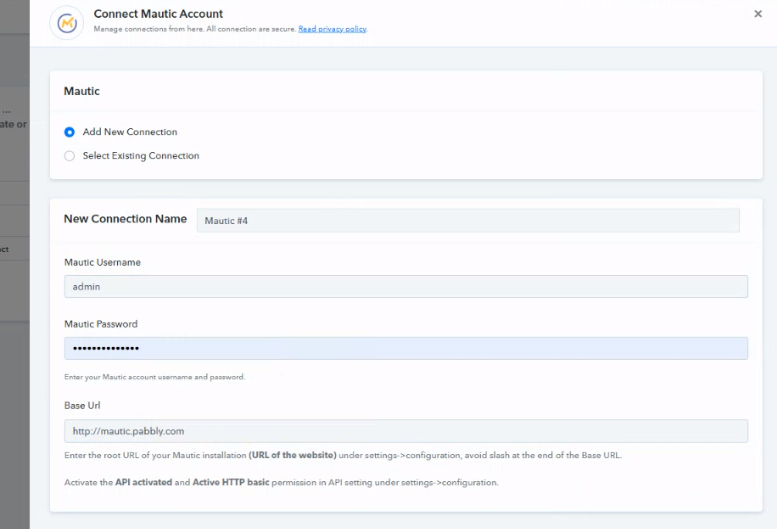
Please refer to the following screenshot on how you should pass the credentials of Mautic.
E.g. -