Incorrect Date Formatting
Status: Closed · Asked by Causality Admin on · 0 views
I seem to have an issue with the Date Formatter. When I run through a test, it seems to format the date correctly but when contacts run through the workflow, it is formatting the date to 2021-1-1 every time. Not sure why it seems to work correctly in the test yet defaults to 2021-1-1 every other time.
Hey @havengakm
Could you please tell us the workflow name for which you are concerned? So that we can assist you accordingly.
Thanks
Hey @havengakmCould you please tell us the workflow name for which you are concerned? So that we can assist you accordingly.
Thanks
Hi @Supreme Verma the workflow is called : F45 Bryanston - New Class Booking
When I press "send and send test request" it seems to be formatting the test correctly but when I look in the spreadsheet, it's all defaulting to 2021-1-1
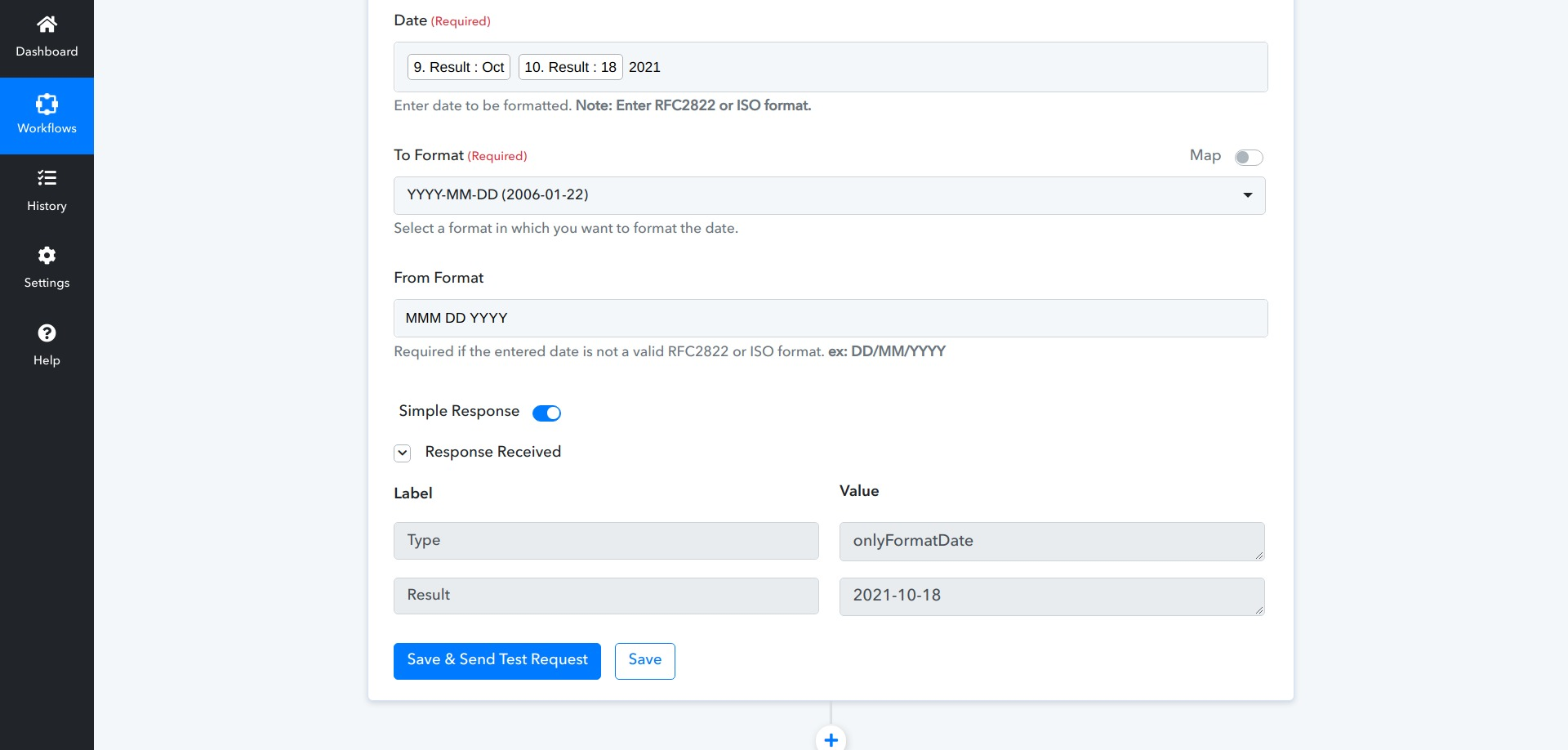
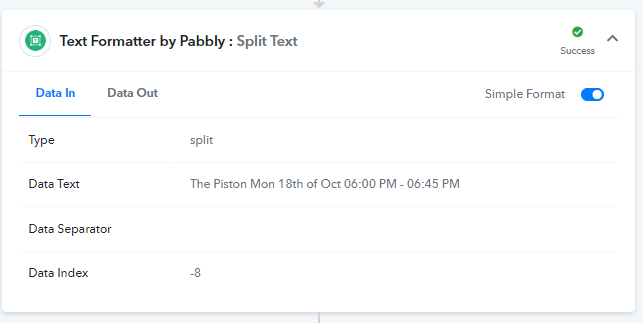
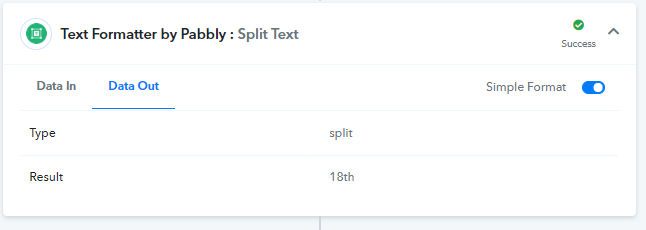
I think it's the split text formatter function that's actually the problem. Again, it works fine when I test but the data out is incorrect and hence why the date is not being formatted correctly and defaulting to 2021-1-1
I think it's the split text formatter function that's actually the problem. Again, it works fine when I test but the data out is incorrect and hence why the date is not being formatted correctly and defaulting to 2021-1-1
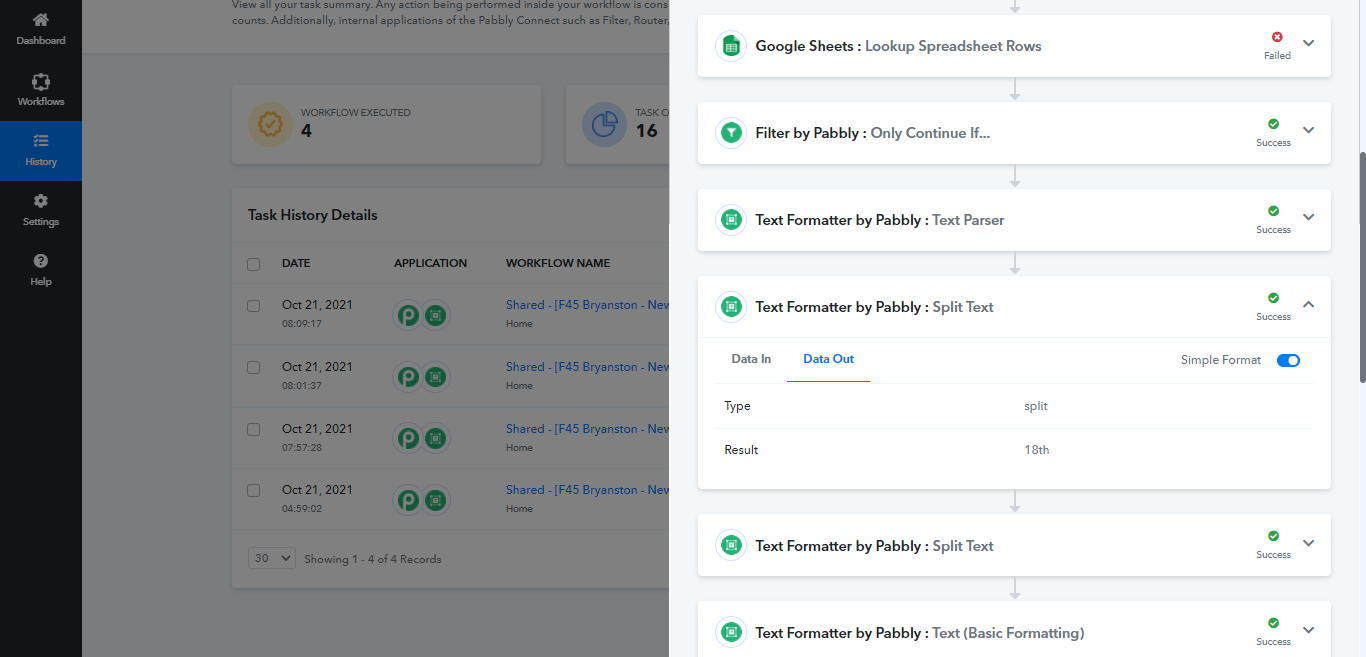
I have been to your workflow history and found that, your step 8,9 and 10 is causing the problem because you manually configured the segment index field for the Text Formatter by Pabbly : Split Text action. Please use the 'all' option and map the result 2 in the following fields to get the desired results.
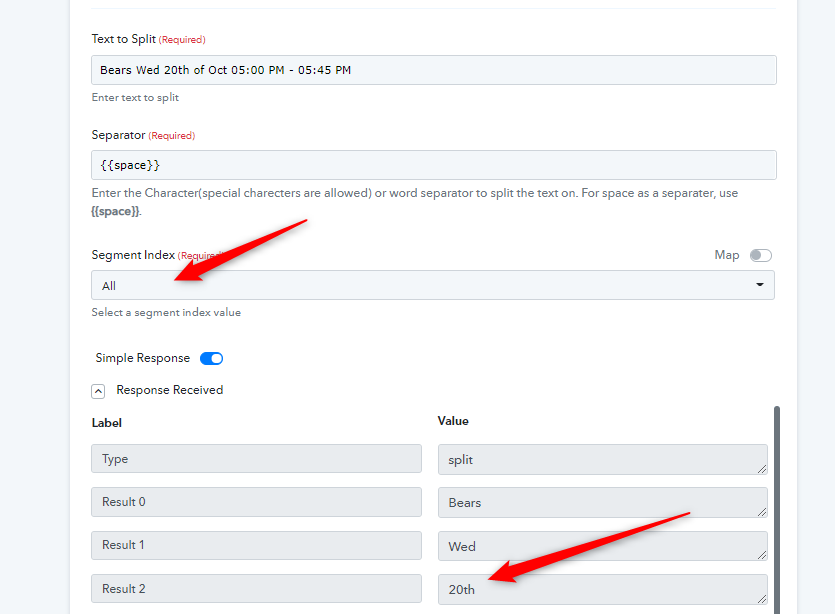
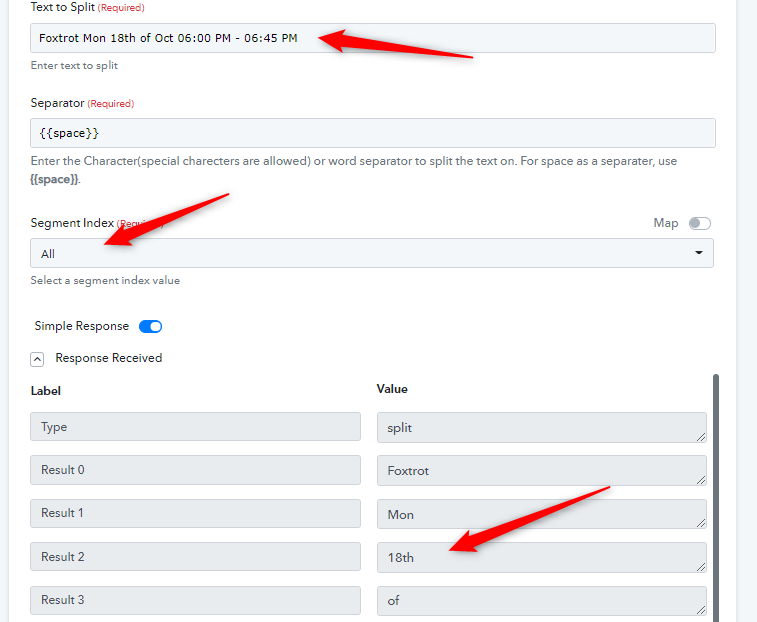
I hope that will work for you.
@Naveen thanks but what sometimes the class names are 2 words so Foxtrot and Bears are examples of classes with single names but "The Piston" would be an example of a class with 2 names. So the date won't always be Result 2, sometimes it will be Result 3. That's why I did -8 Segment because the rest of the info remains the same in every case. How would I handle this?
@Naveen thanks but what sometimes the class names are 2 words so Foxtrot and Bears are examples of classes with single names but "The Piston" would be an example of a class with 2 names. So the date won't always be Result 2, sometimes it will be Result 3. That's why I did -8 Segment because the rest of the info remains the same in every case. How would I handle this?
Let me check it and will get back to you.
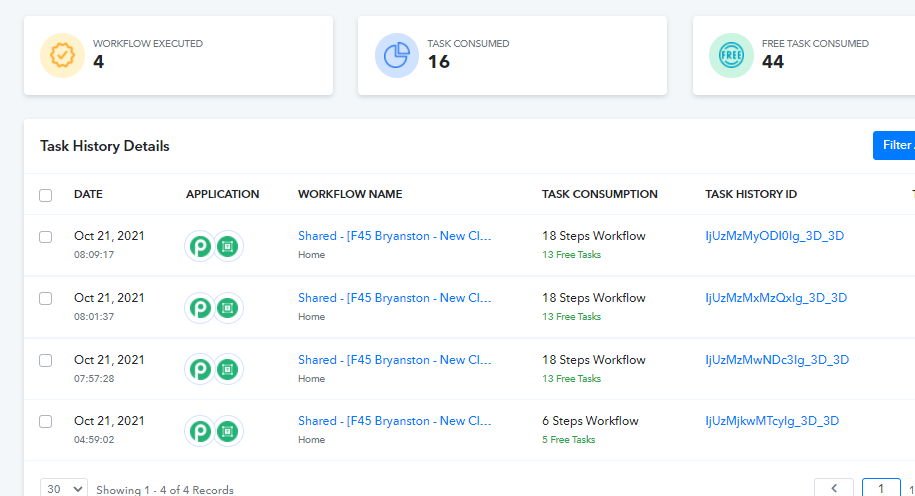
I have tried the same workflow by sharing from your account to my account and able to get the data properly on run time.
I would request you to clone your workflow once and try to execute it once at your end.
I hope that may fix the issue.
@Naveen if I press "send and send test" on my workflow, it also delivers a correct data out result but looks like when contacts are running through the workflow naturally once the workflow is turned on, then it seems to break and there's no data in data out when I look at the workflow history. So I'm not sure why the "-8 segment" condition works when I test the workflow but not when contacts flow through the live workflow.
@Naveen if I press "send and send test" on my workflow, it also delivers a correct data out result but looks like when contacts are running through the workflow naturally once the workflow is turned on, then it seems to break and there's no data in data out when I look at the workflow history. So I'm not sure why the "-8 segment" condition works when I test the workflow but not when contacts flow through the live workflow.
Did you try cloning the workflow and testing it again as I have asked above?
I'm still having issues even with the cloned workflow @Naveen - it works in the test case but not when actual leads run through the workflow
The data out is just blank
This is the new workflow name -
F45 Bryanston - New Class Booking V.2
As you can see, the data is not being processesd out correctly. However, If I test the data out in the actual workflow, it does create the correct result. So don't understand why it's correct in a test case but not in an actual live case.
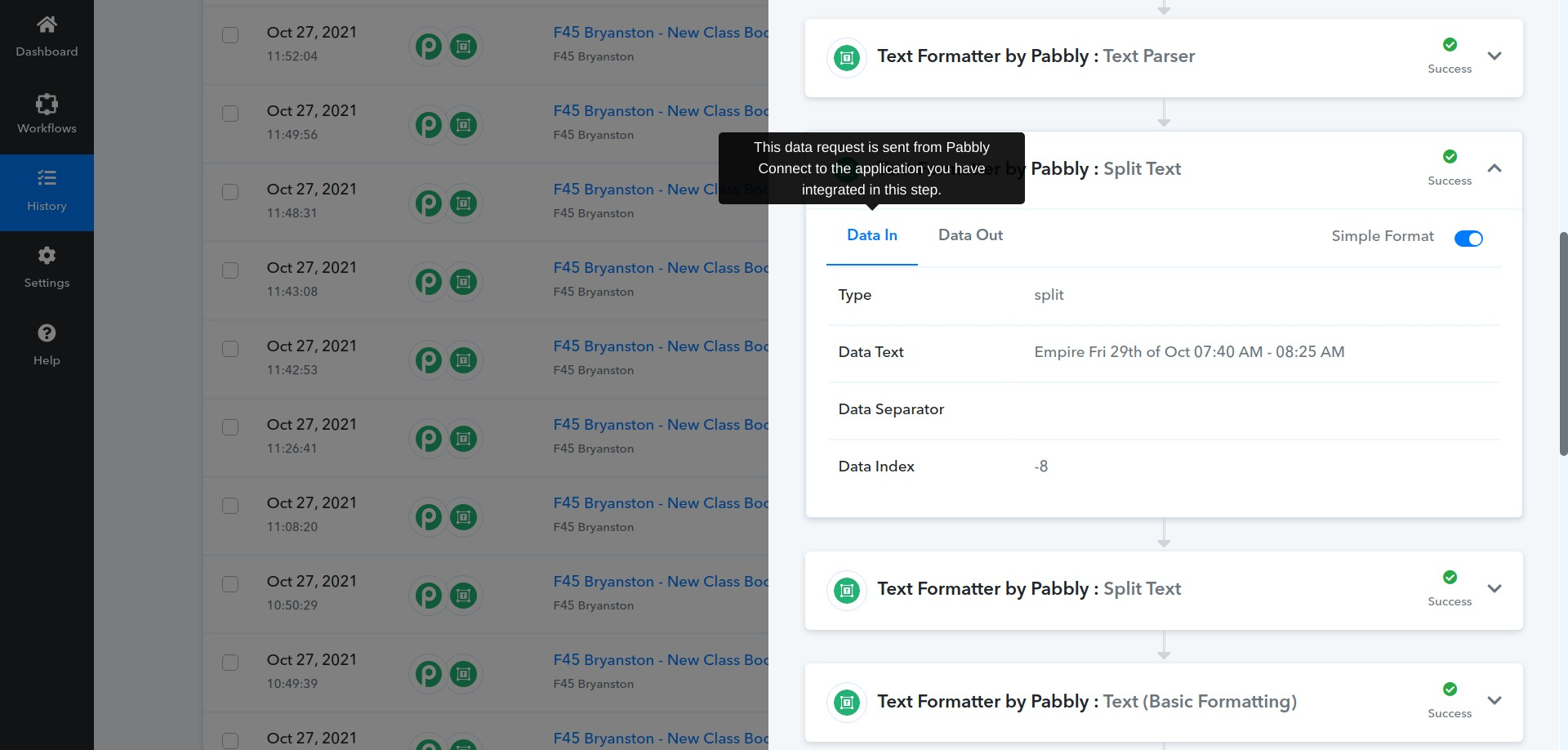
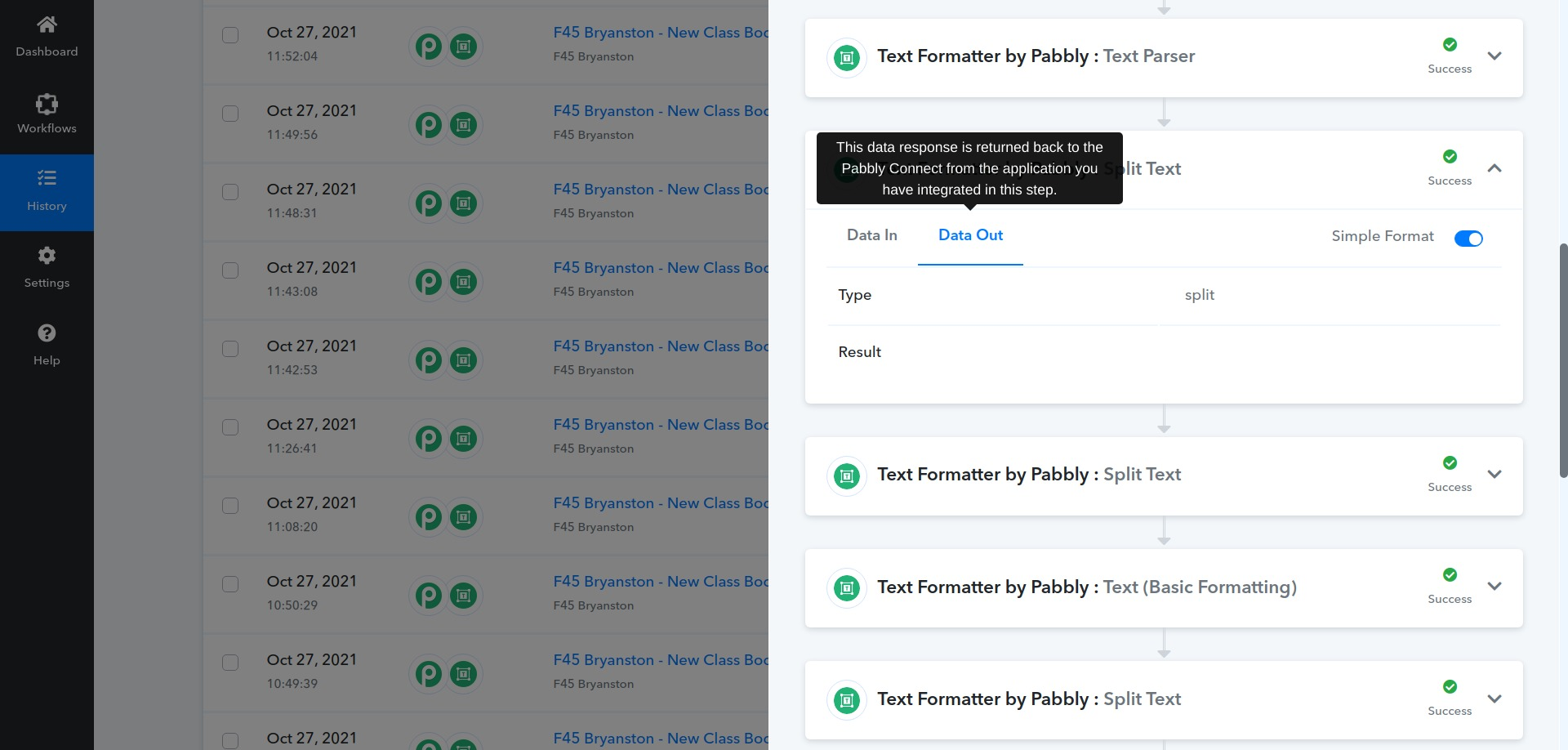
@Naveen is there any way to get this fixed?
Hey @havengakm
Kindly allow us some time, we are currently looking into it.
Regards!
@Naveen just checking in here. Did your team ever find a resolution to this problem?
Hey @havengakm
The problem is while using the splitting action step the text is actually contains multiple {{space}} in between and it is giving the index which is causing the issue because when the workflow is in automation the text used for mapping consists of multiple spaces and the Index -8 which will work fine for text which has proper single {{space}}
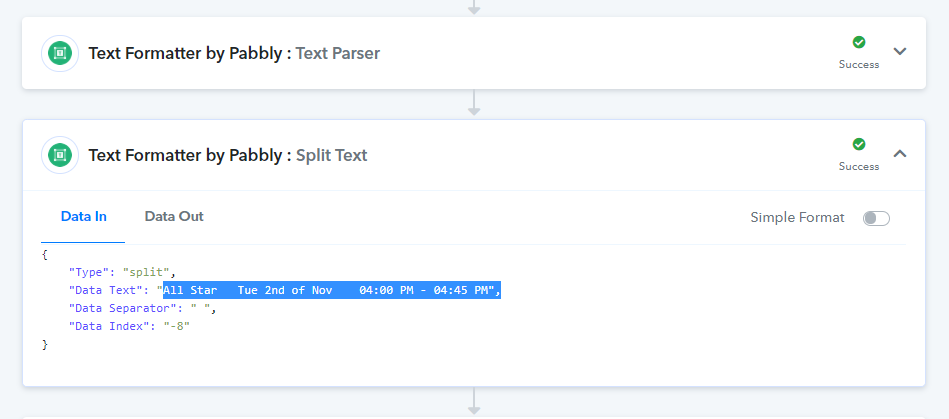
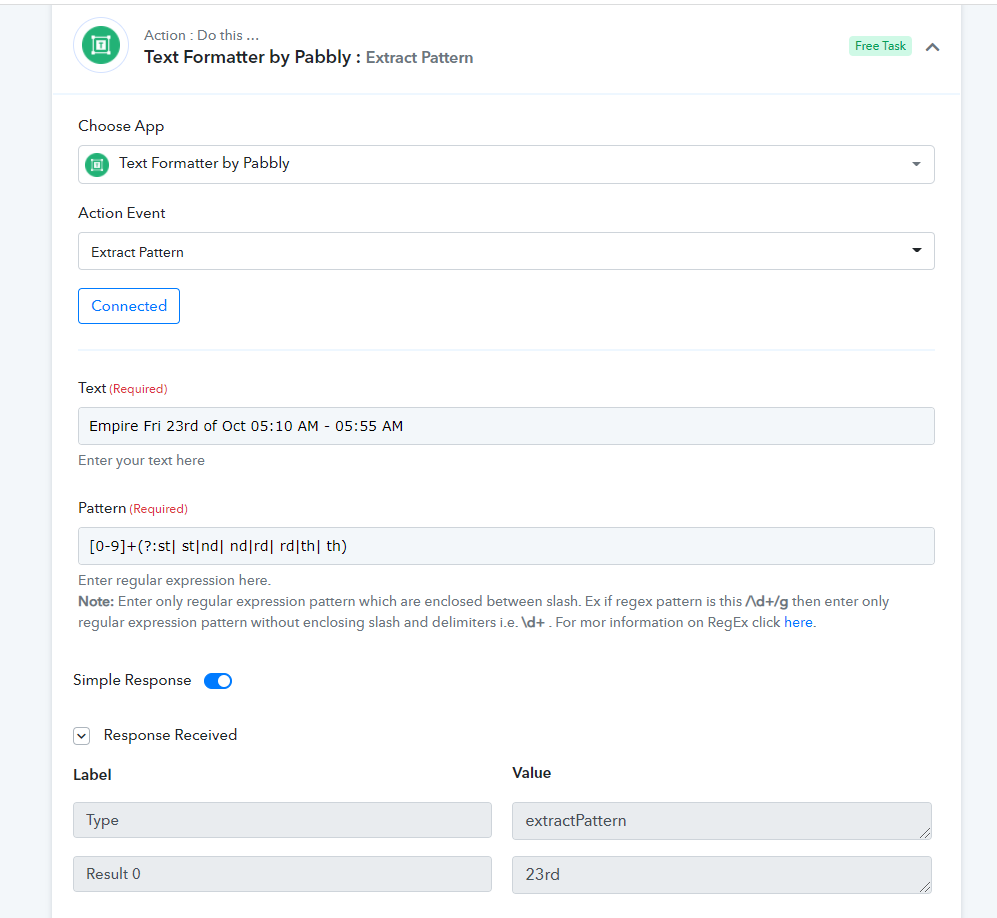
So to resolve your concern, we would suggest you try the Regex to extract the proper date. And one of the regexes is \d+th and \d+nd.
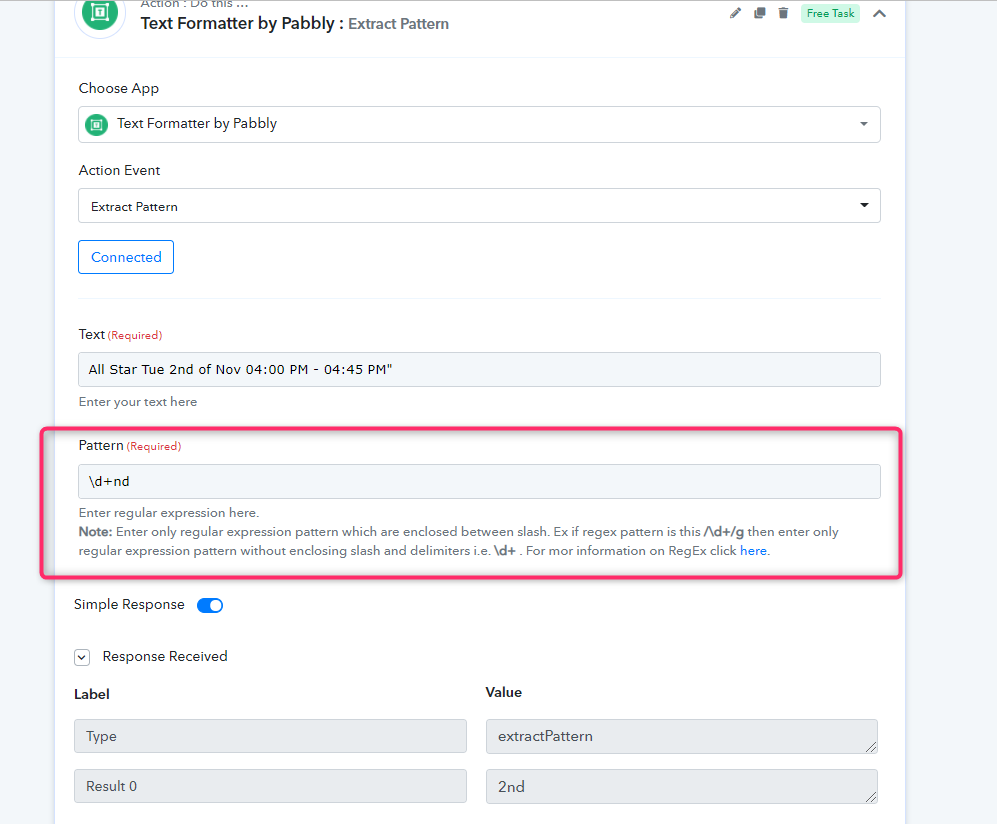
So how would I write this in as a pattern @Naveen?
\d+nd AND \d+th?
How would I find the month?
Hey @havengakm
Please check out the following screenshot for your desired work.
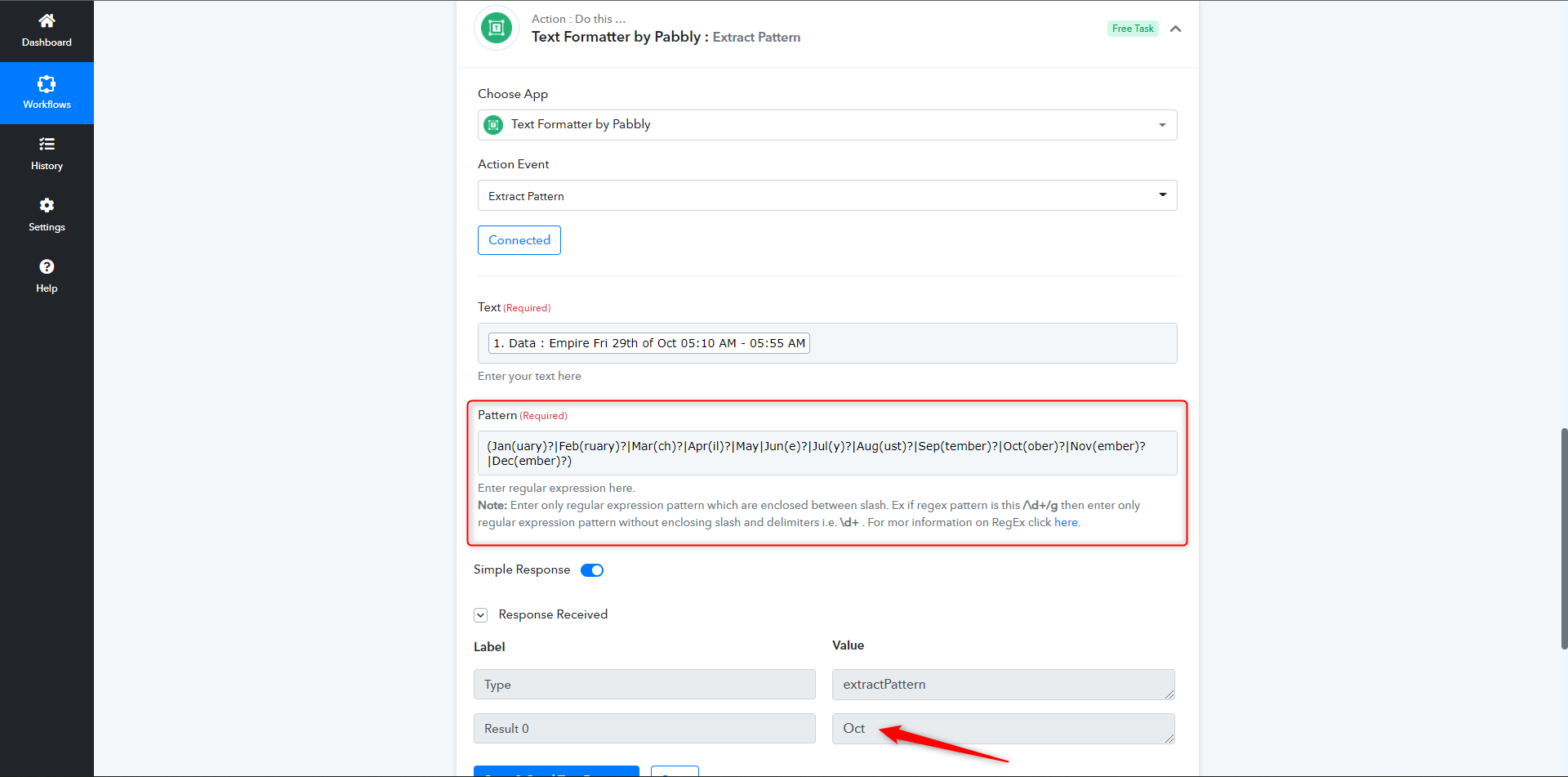
Further, you can also check out the regex according to your need here - https://regexr.com/3cq3j
I hope this might help you out.
Thank you @Naveen / @Supreme - just confirming that if I want to find the days, I'd do the following formula:
\d+nd AND \d+th
Is that correct?
@Supreme please can you just provide some assistance on how I would write the formula to extract the day so I extract both days with "st" and "nd" in the same formula.
Because obviously I need to account for instances such as "1st"; "2nd" "3rd"; "4th" all within the one formula
Hey @havengakm
Please check out the following screenshot for your concern.
You can also refer to the following website to the given Regex.
https://stackoverflow.com/questions/6182290/regex-to-remove-ordinals