Incorrect Get Current Day
Status: Open · Asked by truckinsurance on · 0 views
Hello,
We have our timezone set to UTC -7 Phoenix in our Pabbly settings, but in the following workflow, it just went and grabbed the current date and it's showing tomorrow 6/11, even though it's only 5:30PM on 6/10/24 here.
I don't see a way to specify timezone when editing that step of the workflow and when I check the history, it shows it's sending the time as ETC/GMT so how do I control that?
Even the task history shows the correct time.
Thanks!
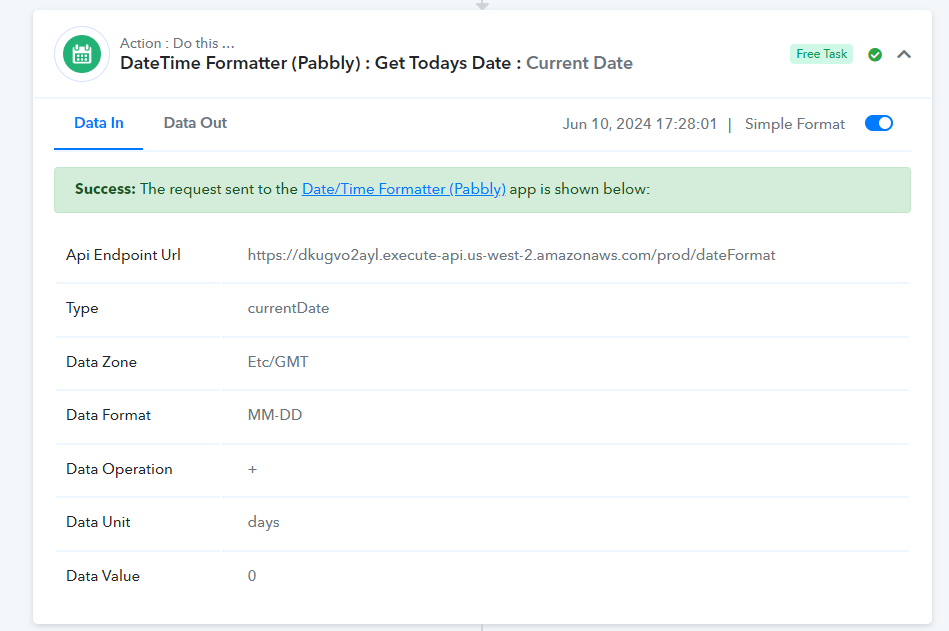
Account level timezone settings doesn't apply on Date and Time formatter action, you can use this action instead to select your timezone - 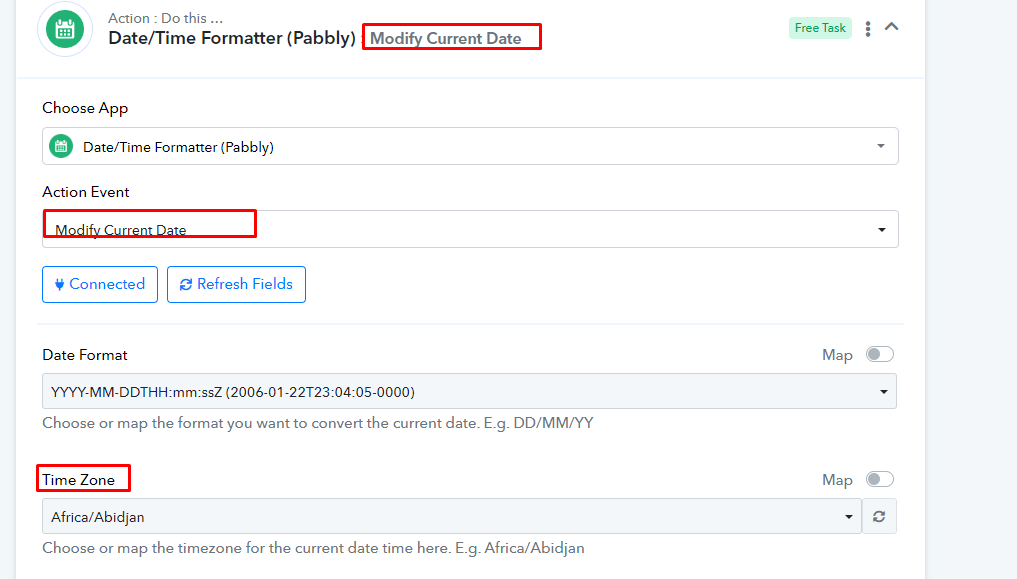
Account level timezone settings doesn't apply on Date and Time formatter action, you can use this action instead to select your timezone -
Ok thanks.
Since it's a really simple worfklow step, it would be nice if they just integrated the timezone into the Get Today's Date function instead of requiring another step. I realize it's a free task, but it does make sense to include that option in the original action step.
Thanks!
Thank you for your suggestion. I will pass it on to our team.