Infinite Loop When Google Sheet Auto Send on Schedule is Met
Status: Closed · Asked by IChild Company on · 0 views
Dear Support and Communities
We are facing some weird results when we are trying to update a Google Sheet Row range P:Q
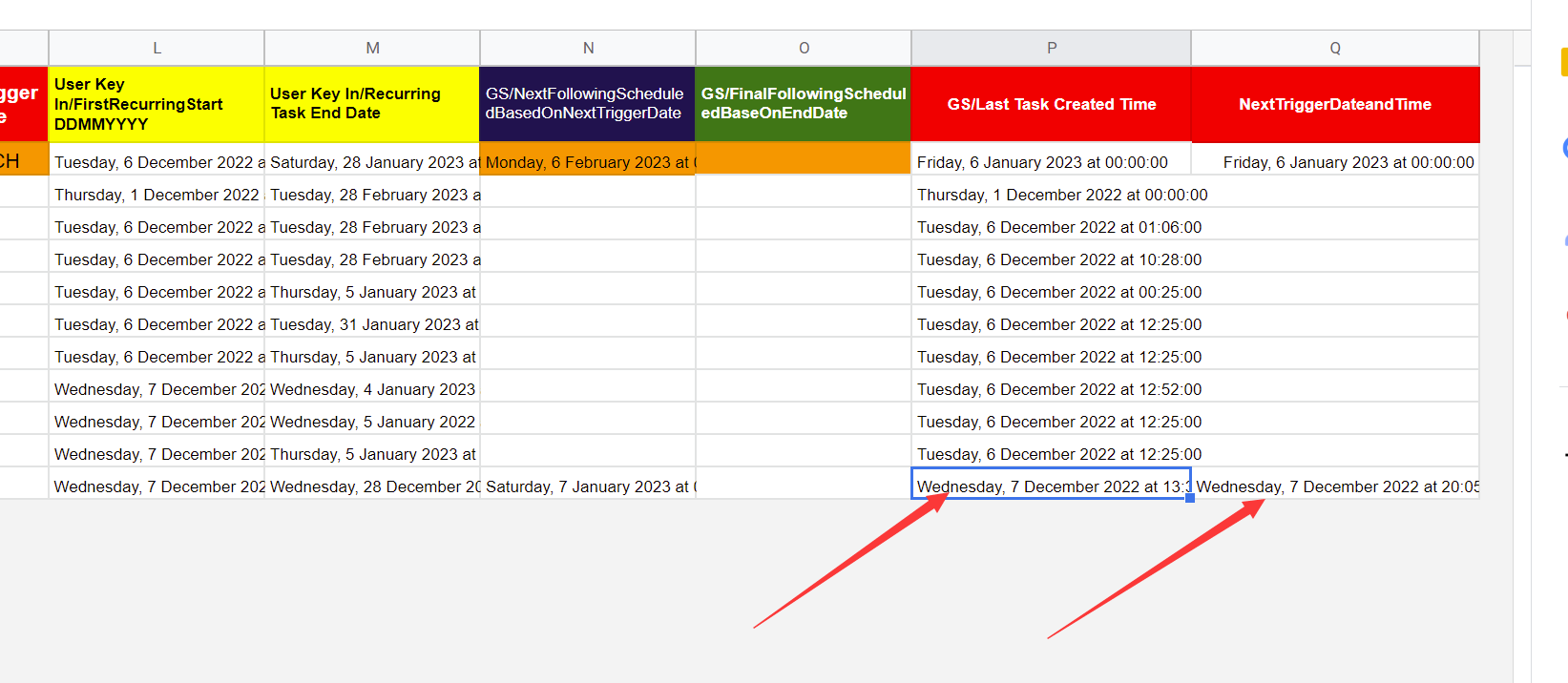
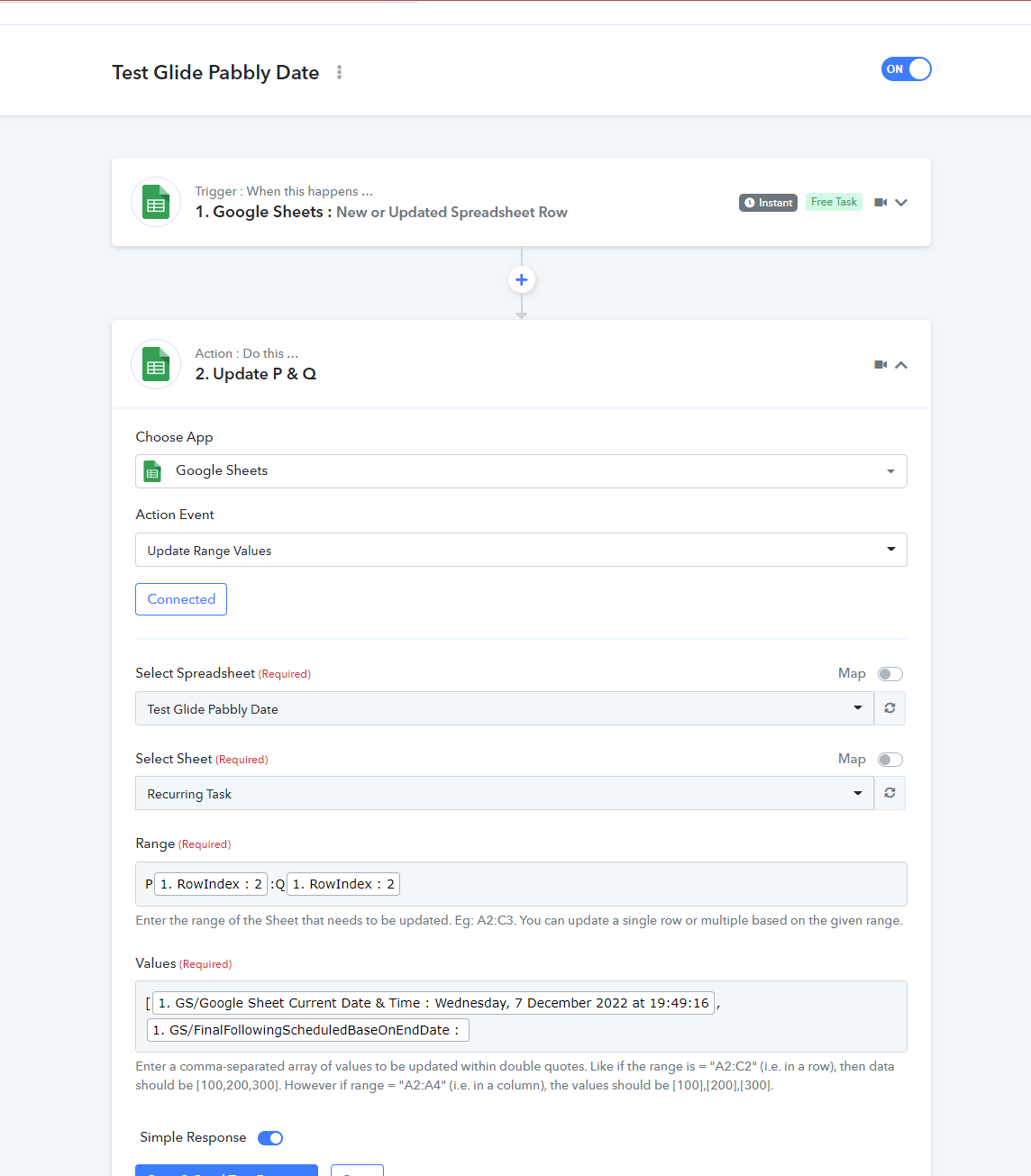
The Flow is as such
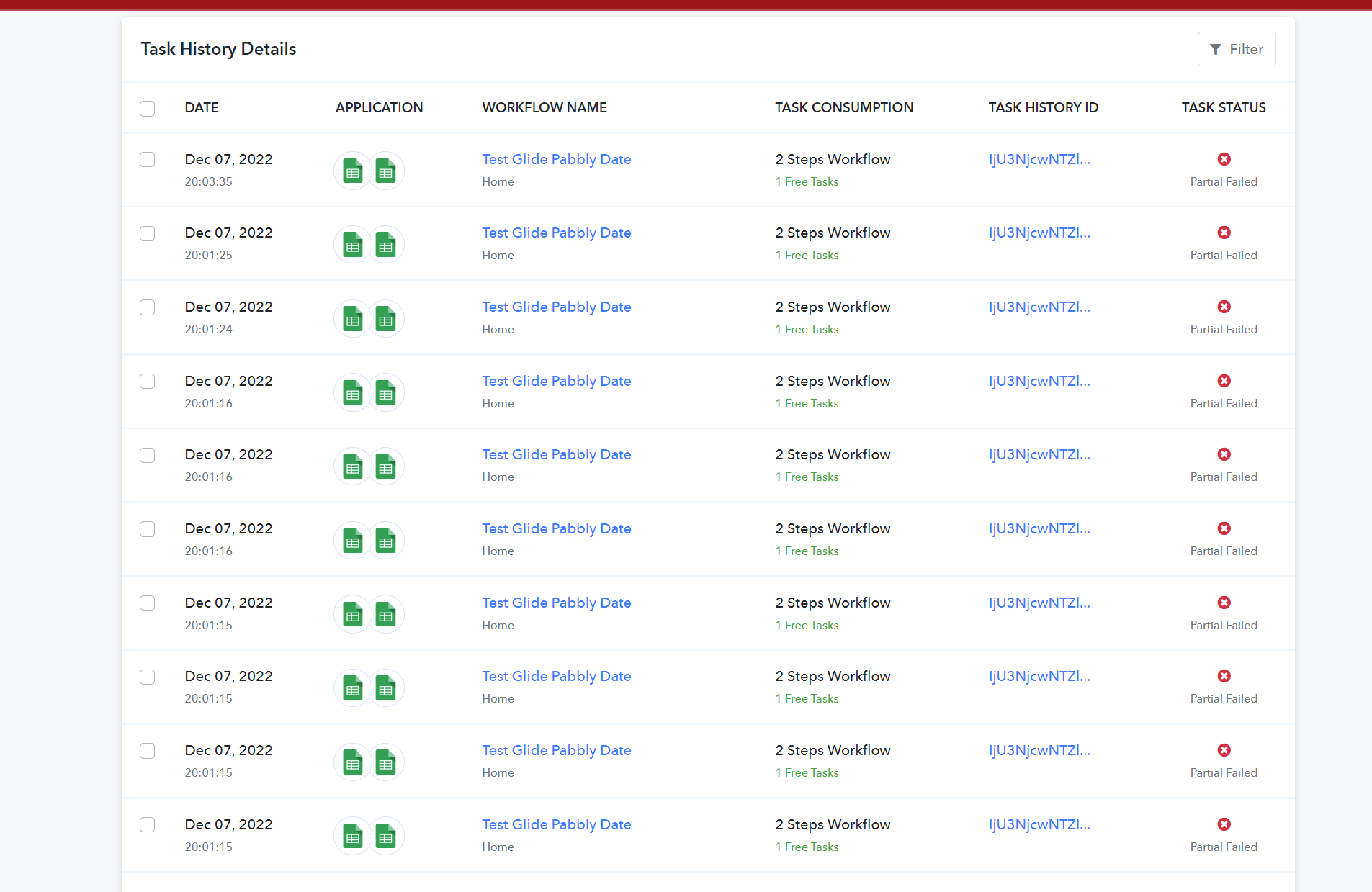
The Result activities. Not sure why there's so many triggers!
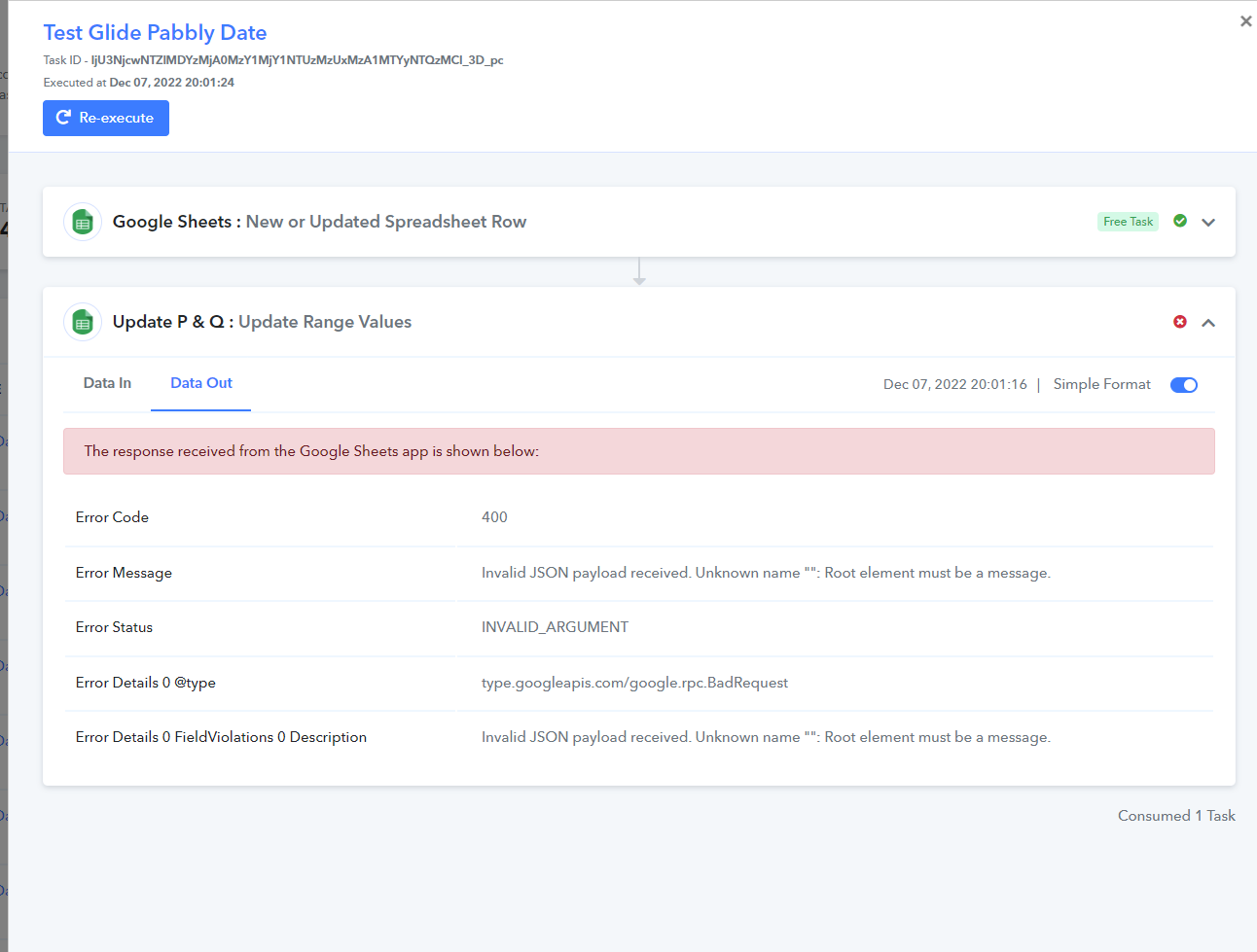
The issues given:
Looking forward to your kind expertise and advise!
Hey @ichilddev
We are checking the details. Kindly allow us some time to reply back with an update.
Hey @ichilddevWe are checking the details. Kindly allow us some time to reply back with an update.
hi we have found the issue.
We need to use " " when providing the Range of Values. We have used Update Row Values, and it works
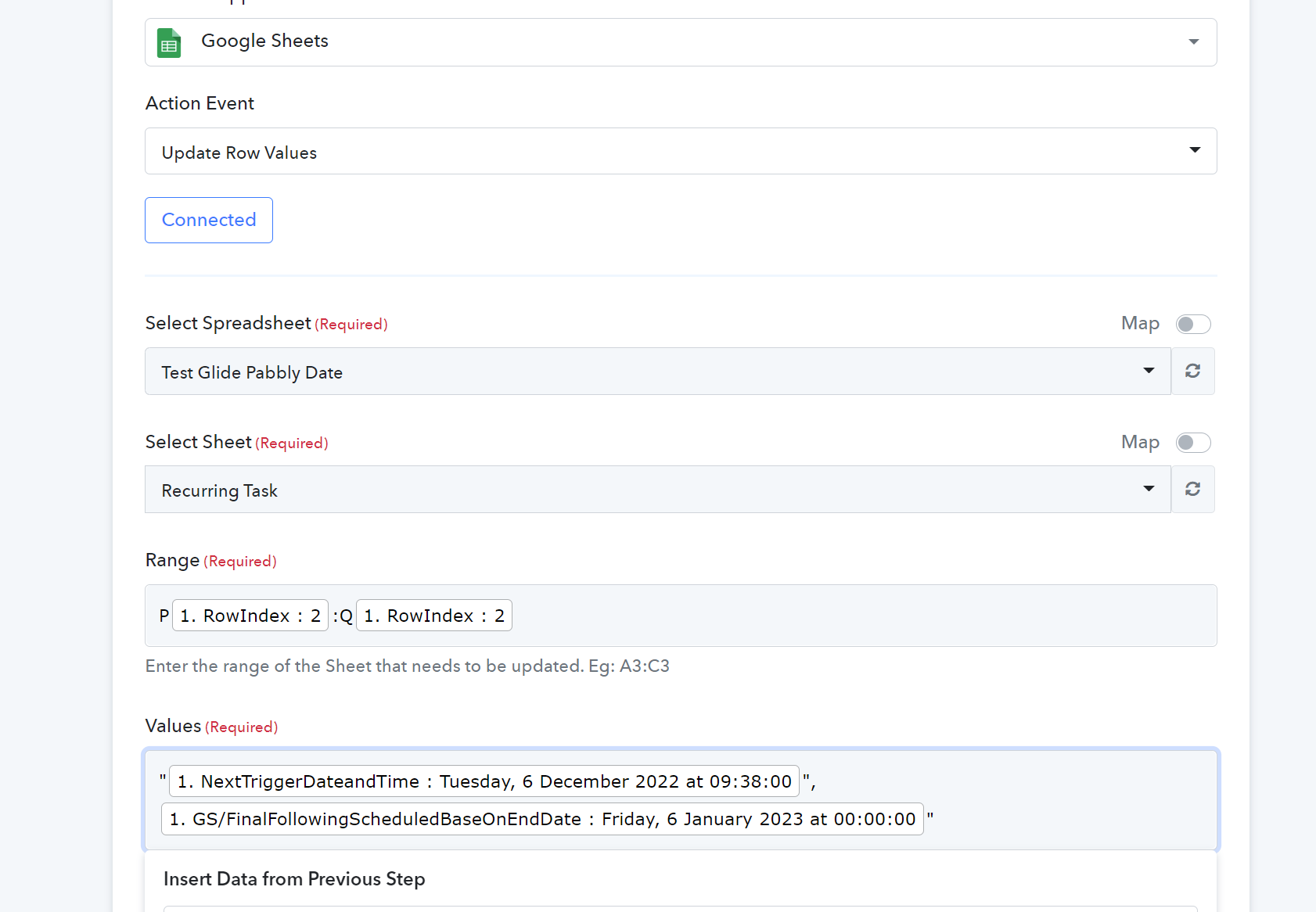
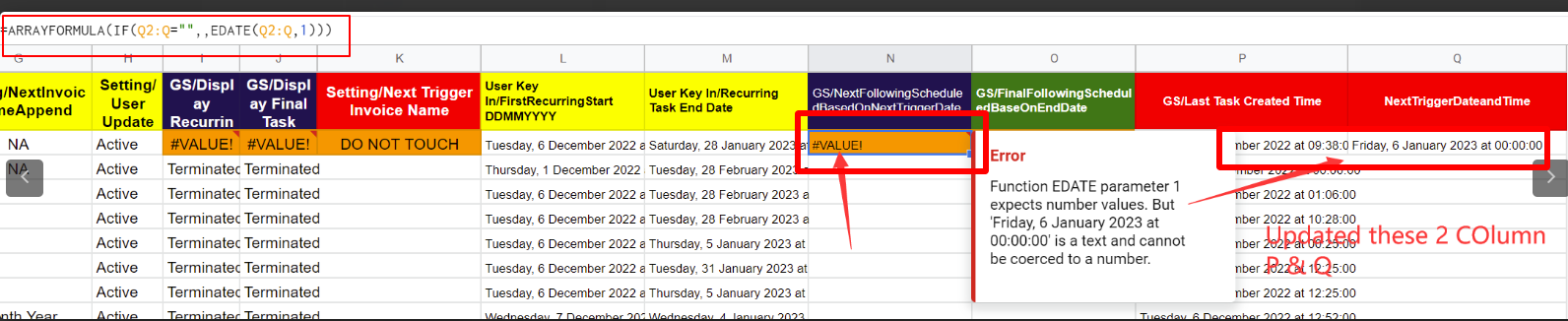
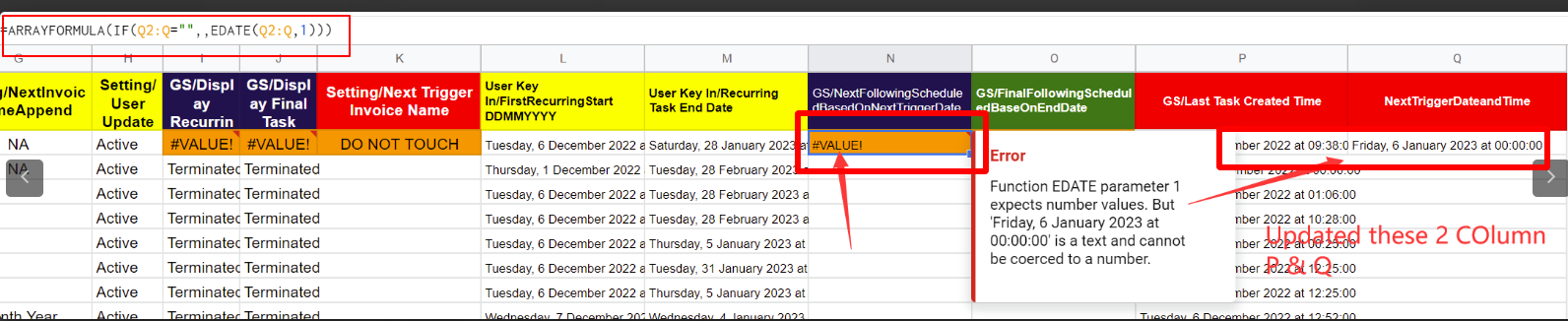
However the values updated to the Google Sheet will break the sheet logic as data need to be in Date format instead of string/text:

Any good suggestion to work around?
Hey @ichilddev
Please let me know if in the header part you are using formulas. If yes, then kindly note that we are not supporting the formulas in the Google sheet. All the headers should be plain text.
Hey @ichilddevPlease let me know if in the header part you are using formulas. If yes, then kindly note that we are not supporting the formulas in the Google sheet. All the headers should be plain text.
Header is Row 1?
Row 1 does not have any formula.
Hey @ichilddev
We are enquiring about column N. Please let me know if you are using any formula in the header part.
Column N Header is not a formula. Row 1 is.
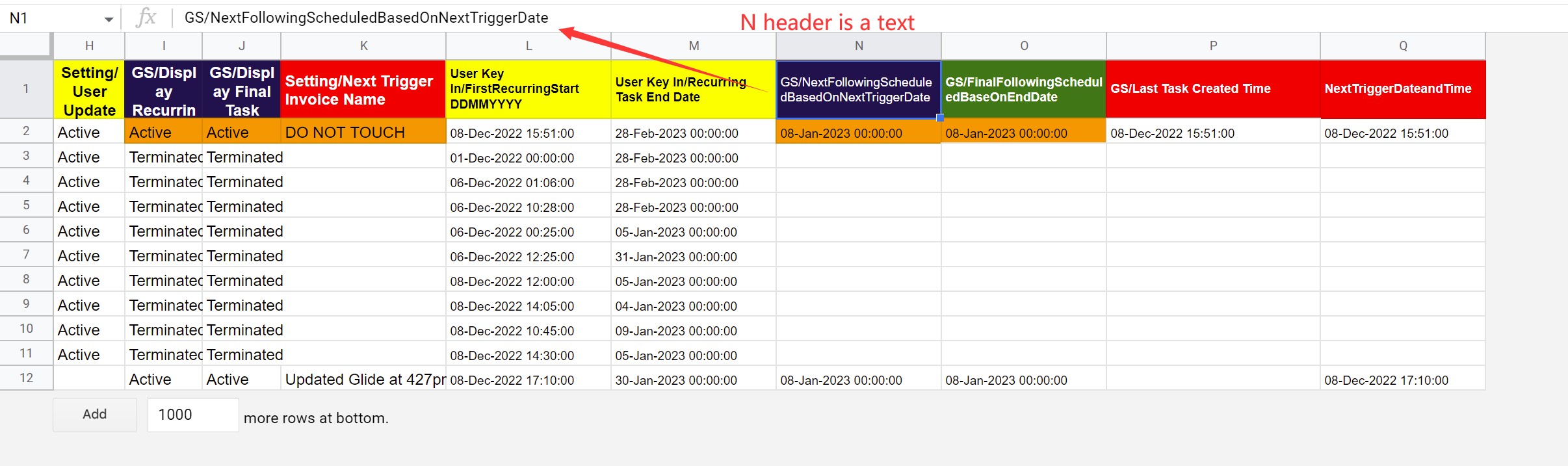
Btw for Header, do you mean Row 1 ? or Row 2?
All the Row 1 in the google sheet, does not have any formula. FYI.|
Btw, we have resolved this issue. We are not using update rows values, but Update Cell value.
It works now. Thanks.
Okay, Thanks for the confirmation :)