Initial Setup Error
Status: Closed · Asked by igris on · 0 views
There seems to be an issue on the initial setup due to blank column from my google sheet. The error shown was 'No data found in Row 2'. Some of the blank column are left unfilled because of choice related question.
EX: If a person choose 1 for the question A, then the next question would direct them to question C instead of question B. Hence the data in column B in the response spreadsheet would be empty.
Is there a solution for this?
Attachments
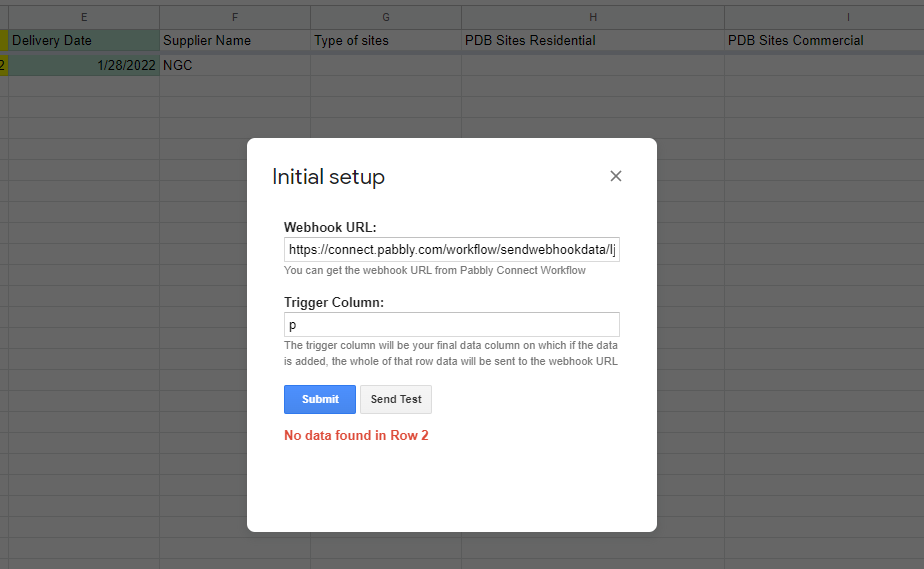
All the columns need to have data in 2nd row when you do initial setup. Just add dummy test data in2nd row for all the columns with headers and that should solve the issue.
All the columns need to have data in 2nd row when you do initial setup. Just add dummy test data in2nd row for all the columns with headers and that should solve the issue.
1. Still facing the same issue after filling in a few rows.
2. Webhook only capture the data up to column F only instead of P.
Attachments
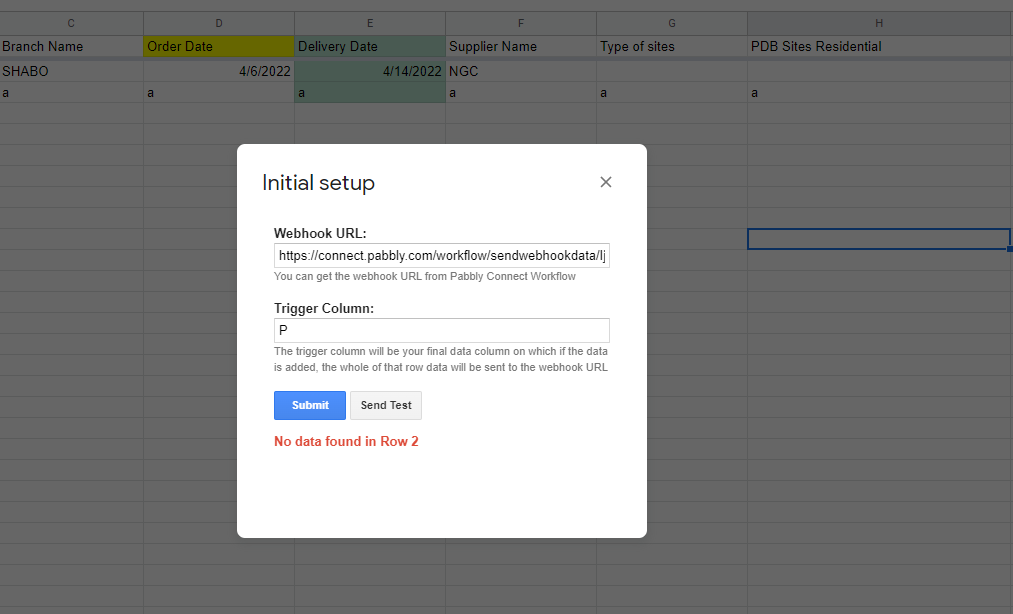
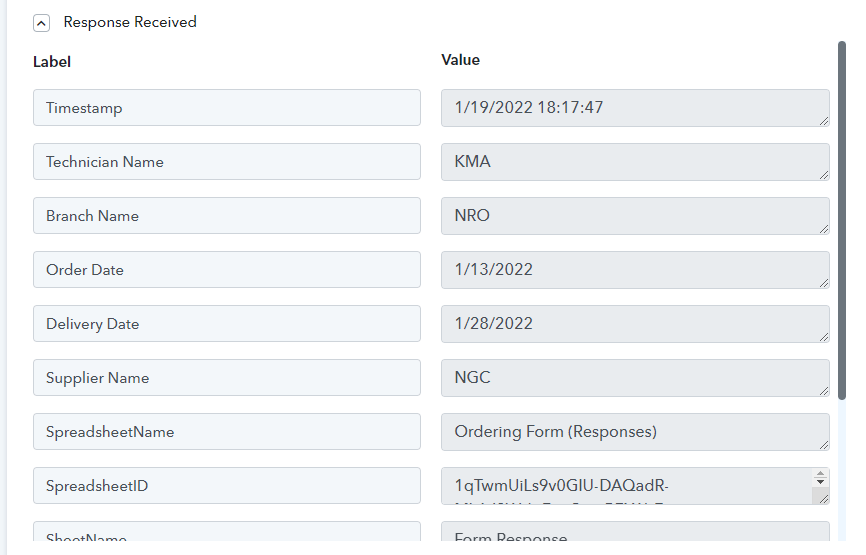
1. Still facing the same issue after filling in a few rows.
2. Webhook only capture the data up to column F only instead of P.
Can you record a video and show us how you're doing at your end?
You can make use of Loom for recording a video - https://www.loom.com/
TIA!
Can you record a video and show us how you're doing at your end?You can make use of Loom for recording a video - https://www.loom.com/
TIA!
https://www.loom.com/share/3314eb7005a44dc08f2967883b8163f8
Let me know if you have a problem to view the recording.
Here are the things to keep in mind while creating google sheet as trigger integration,
1. All the columns with headers MUST have data in 2nd row for setting up the workflow and pabbly addon.
2. Trigger column(N for you) MUST have data for each row, else it will not send data to the workflow.
3. If you are not sure if there will be data in column N or not(bcoz that is optional) then add one extra column after Column N and use that as trigger and make sure it all have some kind of value when a new rows is added to gsheet.
4. Make sure you check mark "Send On Event" if data is added to sheet manually or by google form.
5. If data is added by third-party API then you need to check mark "Send On Event" and "Send on Schedule" both in pabbly addon.
Here are the things to keep in mind while creating google sheet as trigger integration,1. All the columns with headers MUST have data in 2nd row for setting up the workflow and pabbly addon.
2. Trigger column(N for you) MUST have data for each row, else it will not send data to the workflow.
3. If you are not sure if there will be data in column N or not(bcoz that is optional) then add one extra column after Column N and use that as trigger and make sure it all have some kind of value when a new rows is added to gsheet.
4. Make sure you check mark "Send On Event" if data is added to sheet manually or by google form.
5. If data is added by third-party API then you need to check mark "Send On Event" and "Send on Schedule" both in pabbly addon.
I see it now.
Is there a way I can auto generate a predefined value such as "N/A" for the blank cells?
Really appreciate if you could help me on this.
How are you adding data to google sheet
Also for setting up purpose you can use dummy data in blank cells.
In real execution-only Trigger Column needs to have the data, other cells can be blank.
How are you adding data to google sheet?Also for setting up purpose you can use dummy data in blank cells.
In real execution-only Trigger Column needs to have the data, other cells can be blank.
Thank you for your help sir.
Problem solved.
Hello!
I have a first start in Pabbly connect. I set connect in G.sheets and in Pabbly account.
I add data in google sheets from third-part API. But it's work very rarely.
I keep in mind all of your recomendation from youtube and this forum.
Could you help me with this problem?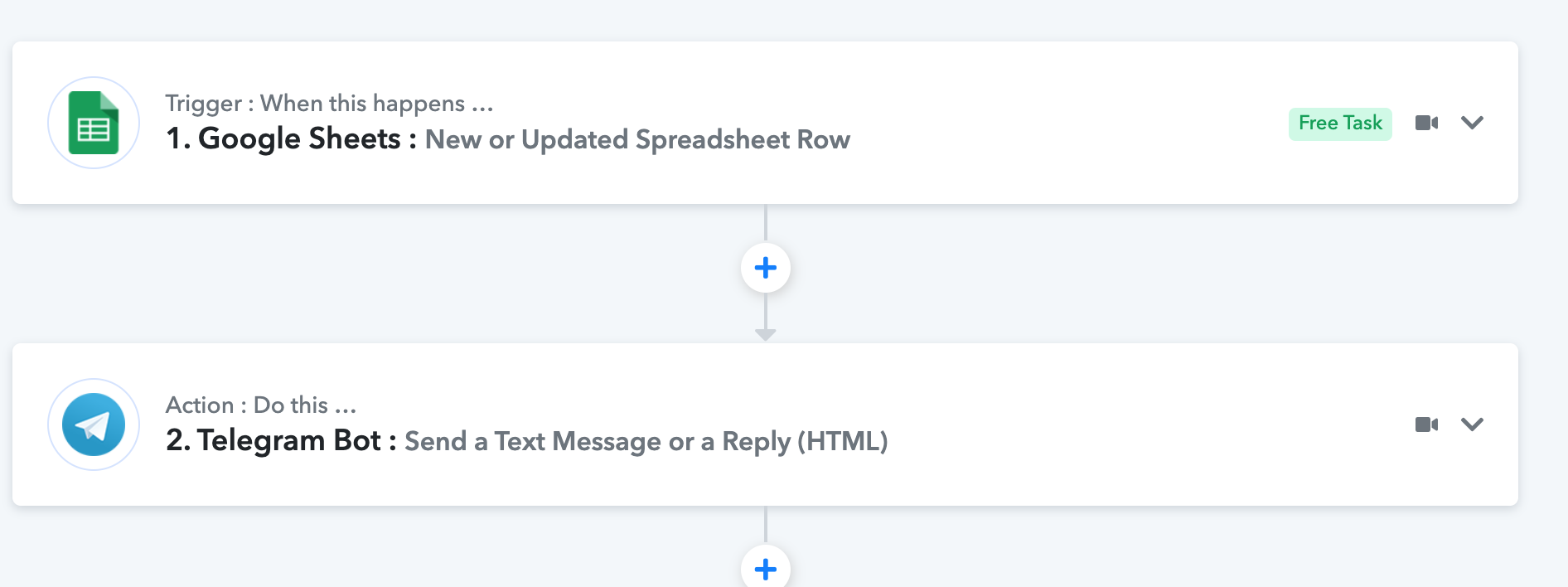
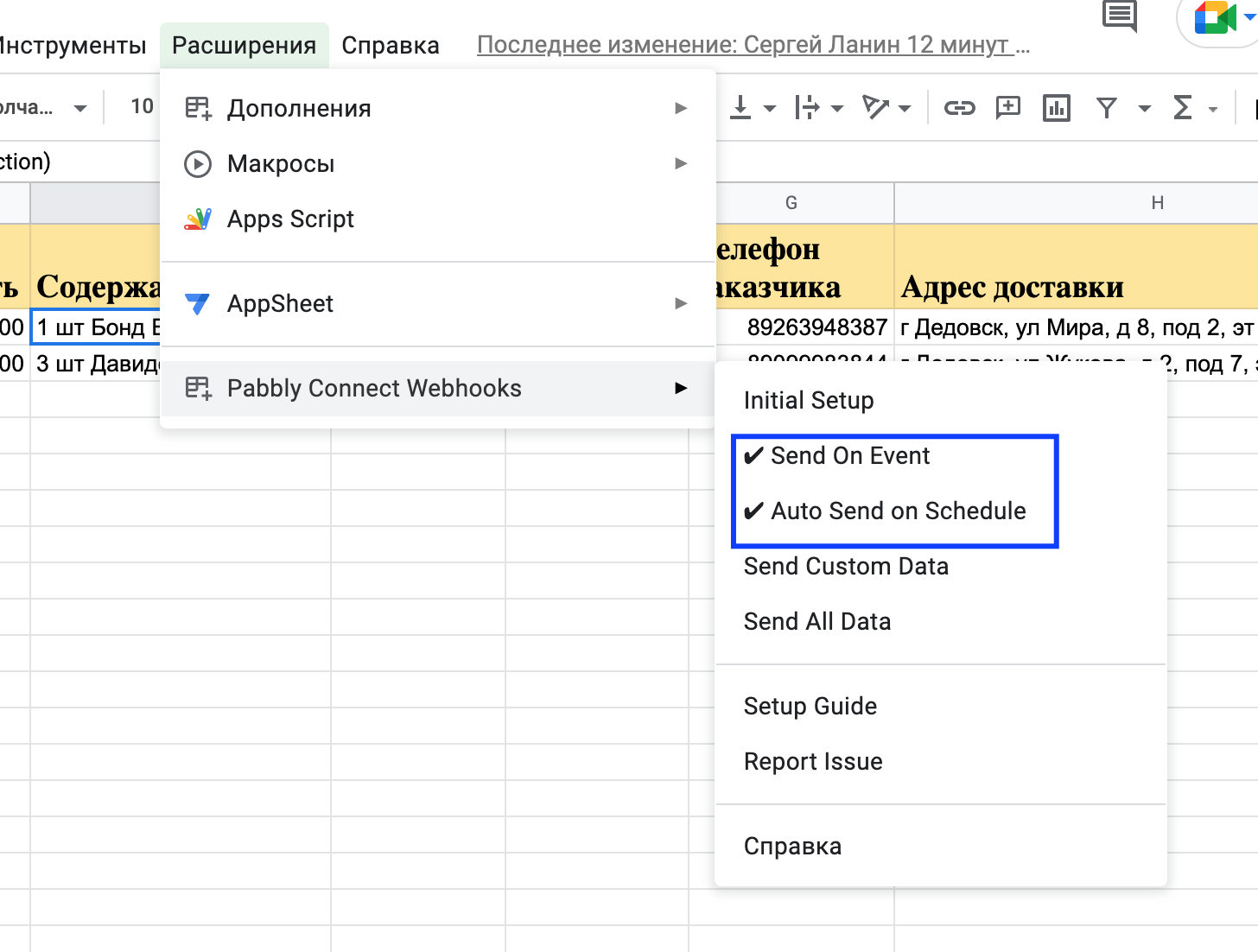
Hello!
I have a first start in Pabbly connect. I set connect in G.sheets and in Pabbly account.
I add data in google sheets from third-part API. But it's work very rarely.
I keep in mind all of your recomendation from youtube and this forum.Could you help me with this problem?
If i try add check box to "send all data" or "send custom data", Pabbly sent my message to telegram. But after stop again((
Hey @SALUTme
As we can see from your workflow you are getting data in your workflow properly, if you are getting confused with both the options of "Send On Event" and "Auto Send On Schedule" then the after Google Sheets receives the data from 3rd party application then it takes up to 1 hr to send the data to your workflow.
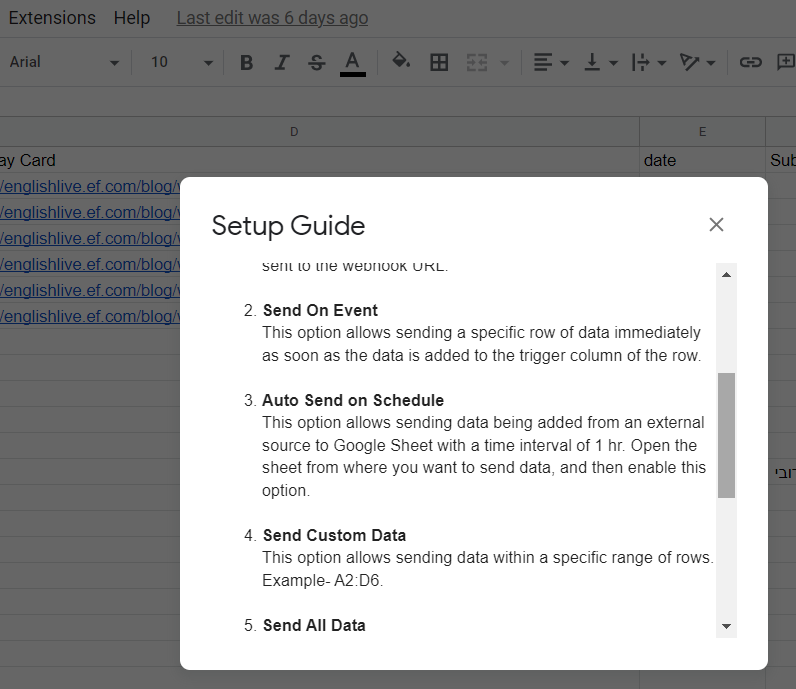
Hey @SALUTmeAs we can see from your workflow you are getting data in your workflow properly, if you are getting confused with both the options of "Send On Event" and "Auto Send On Schedule" then the after Google Sheets receives the data from 3rd party application then it takes up to 1 hr to send the data to your workflow.
Thanks for your answer.
How i can send the data immediately?
Hey @SALUTme
How i can send the data immediately?
If the data is coming from 3rd party application then you need to use both the options "Send On Event" and "Auto Send On Event" add-on in the Pabbly Connects' extinction which will forward the data in 1-hour only, it will not forward the data immediately.
While checking availability of WhatsApp No. by selecting Send all Data. I'm getting an error "Exception: Attribute provided with no value: url". Steps mention in the below video for process one I was following but even then getting same error again and again.
Reference link -
While checking availability of WhatsApp No. by selecting Send all Data. I'm getting an error "Exception: Attribute provided with no value: url". Steps mention in the below video for process one I was following but even then getting same error again and again.Reference link -
Please share the workflow name so that we can check how you have done the setup.
As shown in video by clicking on "Send All Data" the automation is working. That's why I'm not using any workflow.
Please share the workflow name so that we can check how you have done the setup.
Please share the workflow name so that we can check how you have done the setup.
This is the workflow I'm using- https://connect.pabbly.com/workflow/mapping/IjM2MTQ2OSI_3D
Hey @Dme12
Could you please share your respective Google Sheet with us at (admin@pabbly.com) by creating a new thread in Private Discussion? So that we can look into it and can configure your workflow accordingly.