Insert a googleapis QR code into a document
Status: Open · Asked by RafaExpert on · 0 views
When a user submits a form, a google sheet is automatically filled with the data form. In one cell I have a googleapi call to generate a QR
=IMAGE("https://chart.googleapis.com/chart?cht=qr&chl=" & ENCODEURL($N2) & "&chs=300x300&choe=UTF-8&chld=L|2")
The QR code is generated perfectly without any issue.
I have created an automation to create a google doc inserting some of the sheet fields, but the field "QR" (generated by above googleapis) is not inserted in the doc. Is blank.
Is there any way to insert this type of filed in a doc?
thanks
Attachments
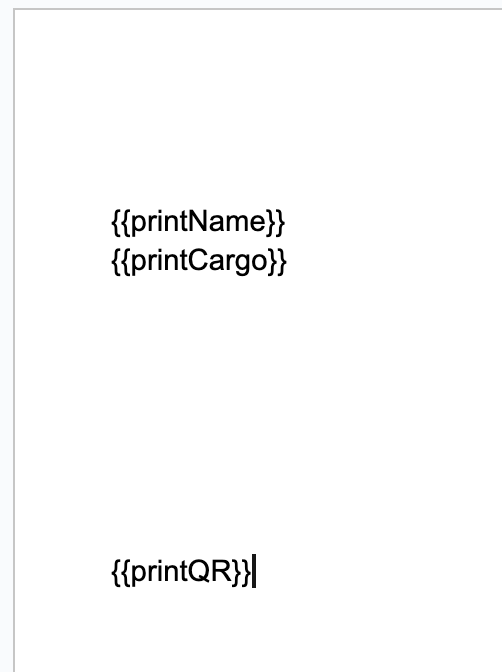
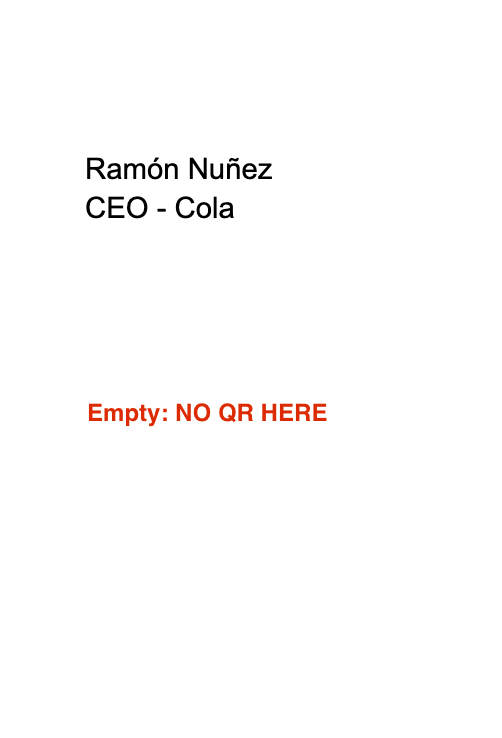
Hey @RafaExpert
Kindly refer to the following video tutorial once on how you can pass the QR code to further action steps.
youtube.com/watch?v=Yqvem2YFsn4
Further, it doesn't seem like you have passed the QR code in Google Docuemts to generate the QR code file.
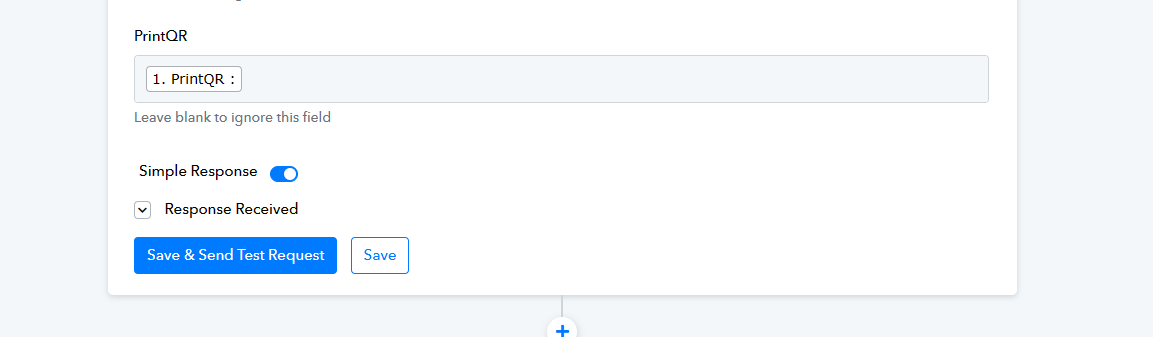
I'm trying to use "Replace image of a document" but as you can see there is no way to add the image URL
My doc has 2 images, but I can't add any url to replace the images.
Any idea why this is happening?
Attachments
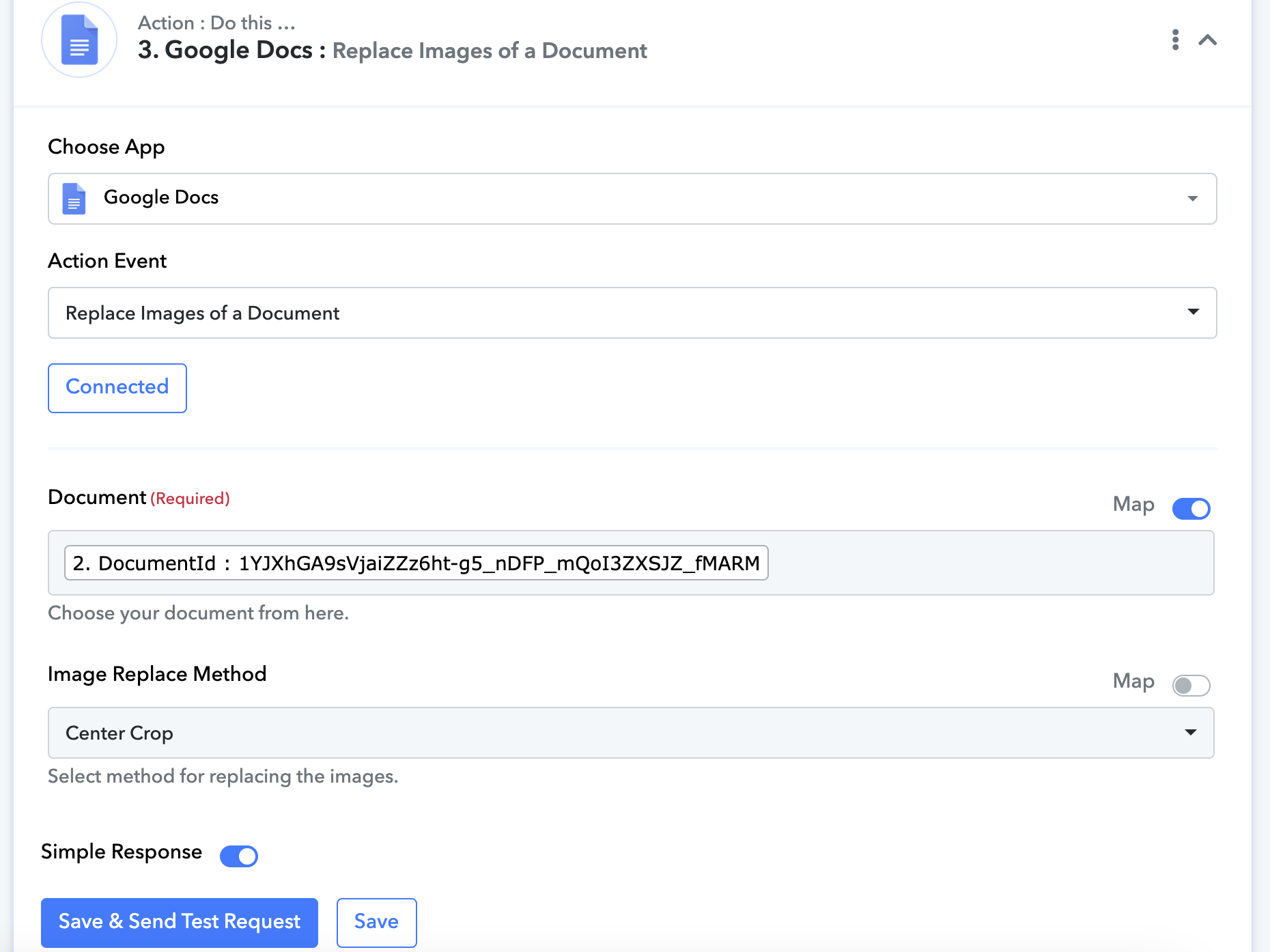
I'm trying to use "Replace image of a document" but as you can see there is no way to add the image URL
My doc has 2 images, but I can't add any url to replace the images.
Any idea why this is happening?
Please ensure that the Document ID you are trying to map is present in your Document list.
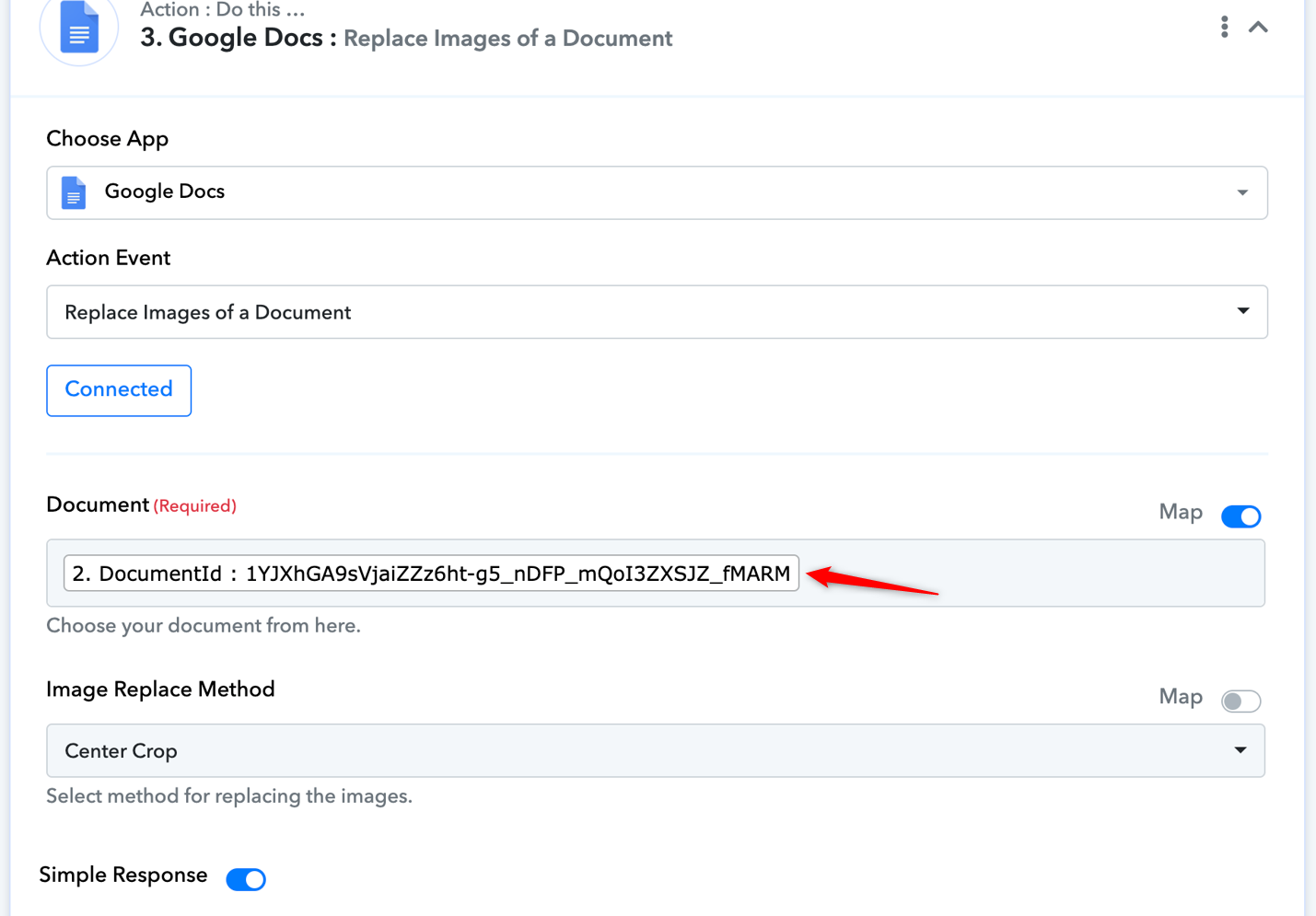
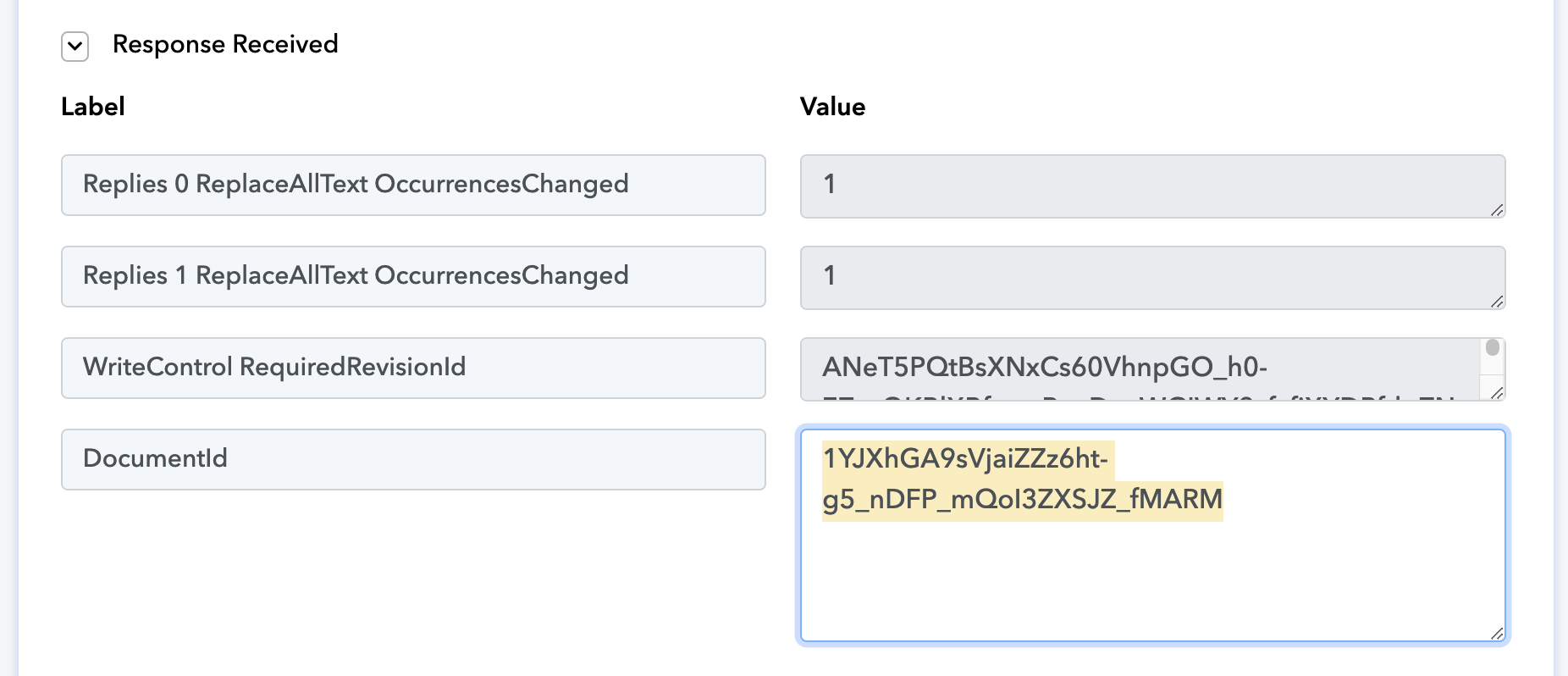
In step 2 I have created a document from template and the response received shows the DocumentID 1YJXhGA9sVjaiZZz6ht-g5_nDFP_mQoI3ZXSJZ_fMARM as you can confirm in the first image attached.
In step 3 (Replace images...) I selected the DocumentId from the dropdown.. But is not showing me the option to add the image URL.
I can't figure out what I'm missing here.
Attachments
Please grant me access to your workflow by adding me as a team member. This will allow me to gain a better understanding of your issue.
Once you have added me as a Team Member, do let us know the name of your workflow.
Email: arshil.ahmad@pabbly.com
Also, remember to revoke access once your query has been resolved.
Attaching a video for your reference: