Insert a Picture into Google Doc Specific Location
Status: Closed · Asked by IChild Company on · 0 views
hi all,
Would like some advise on the follow process.
1. We have gotten a set of data from Google form
2. Set of data is updated to Google Doc when there's a New Google Form Response i.e NewResponsefromGoogleForm attached
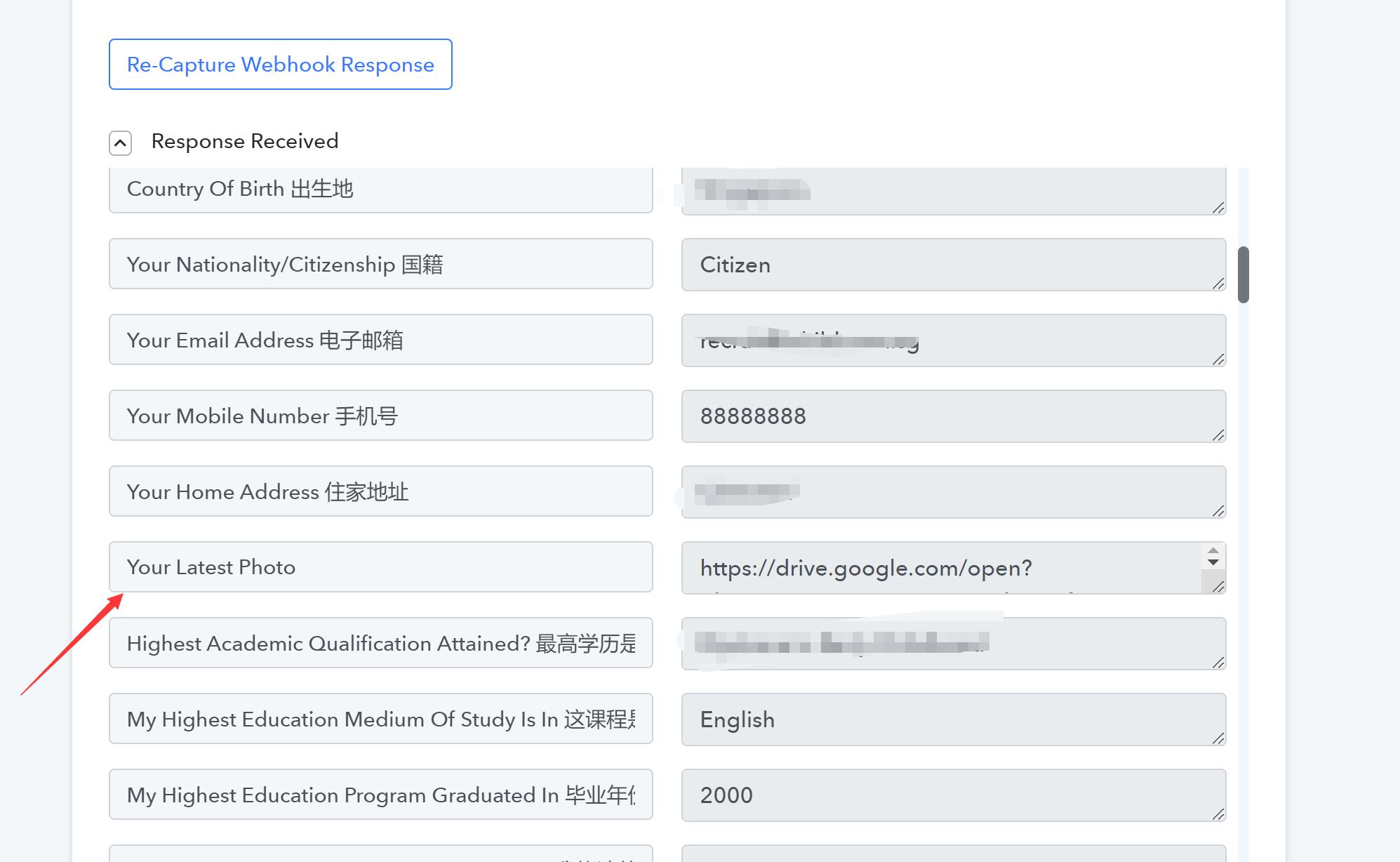
3. One of the data uploaded fromGoogle form is a picture uploaded to Drive (photo) i.e https://drive.google.com/open?id=1IXiNzWEpAaS6tEVJmrgdU_X1fRmmNPCA
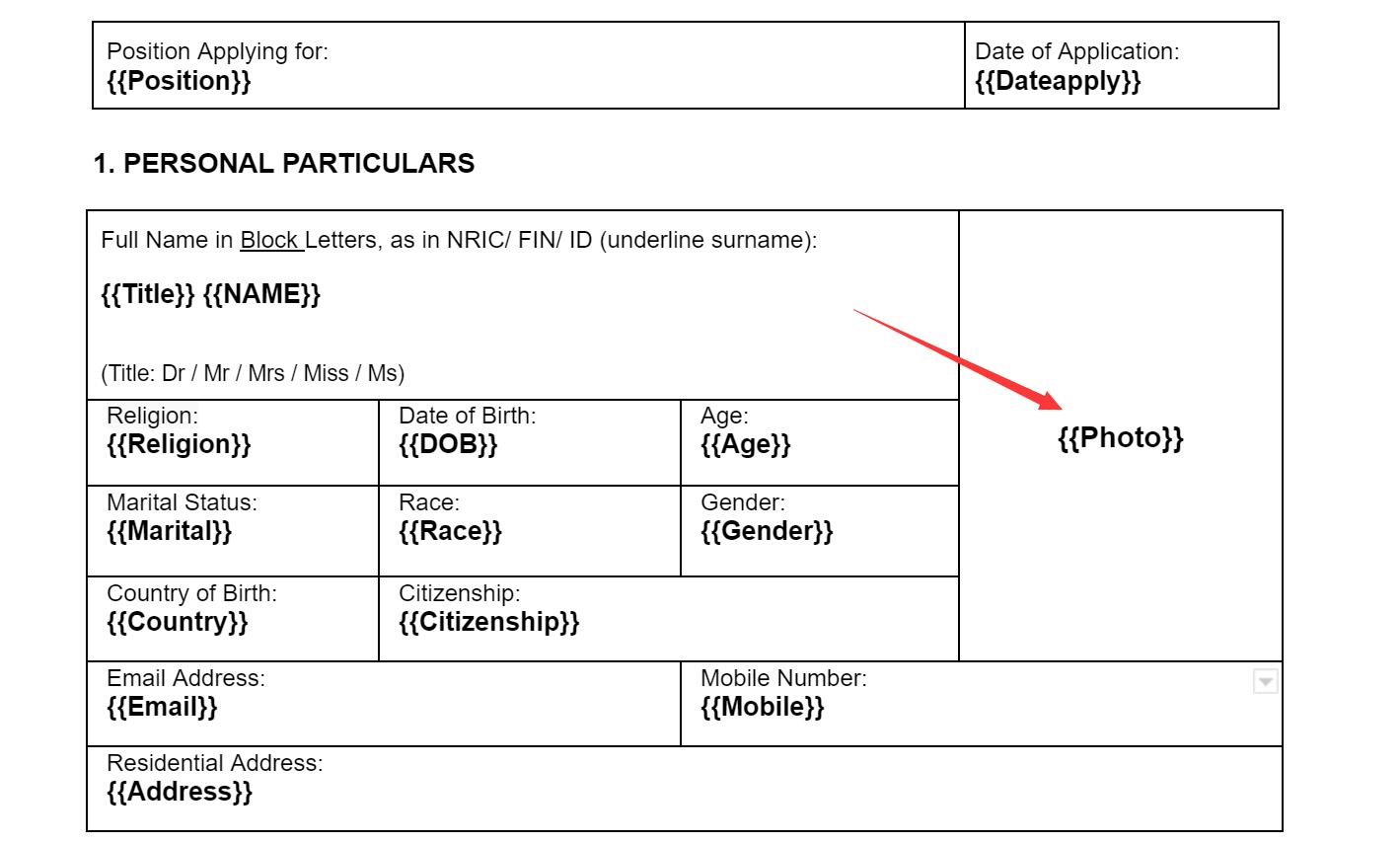
4. How can we set this photo into the specific location in the Google Doc. See attached GoogleDocSpecificLocation - with {{Photo}}
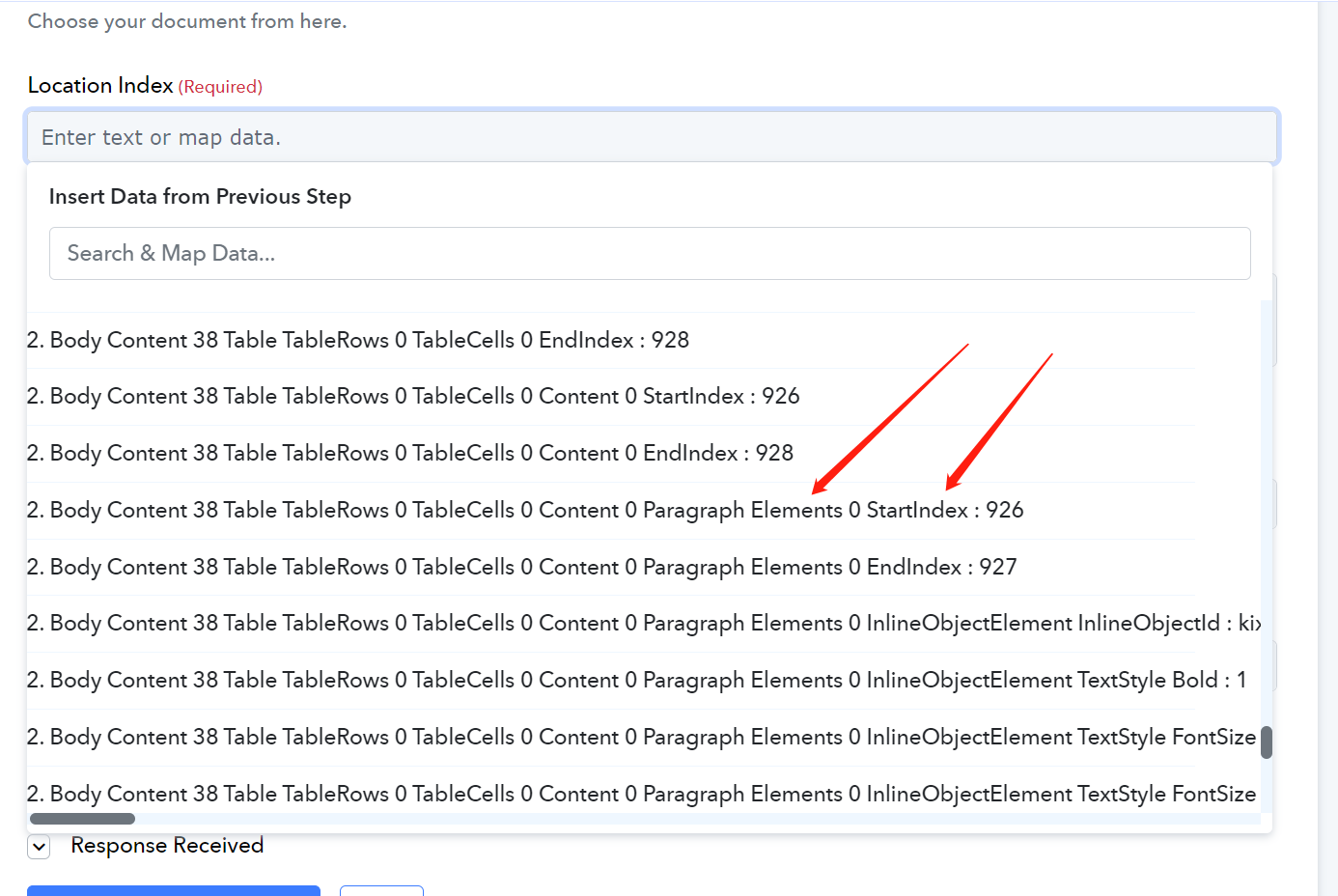
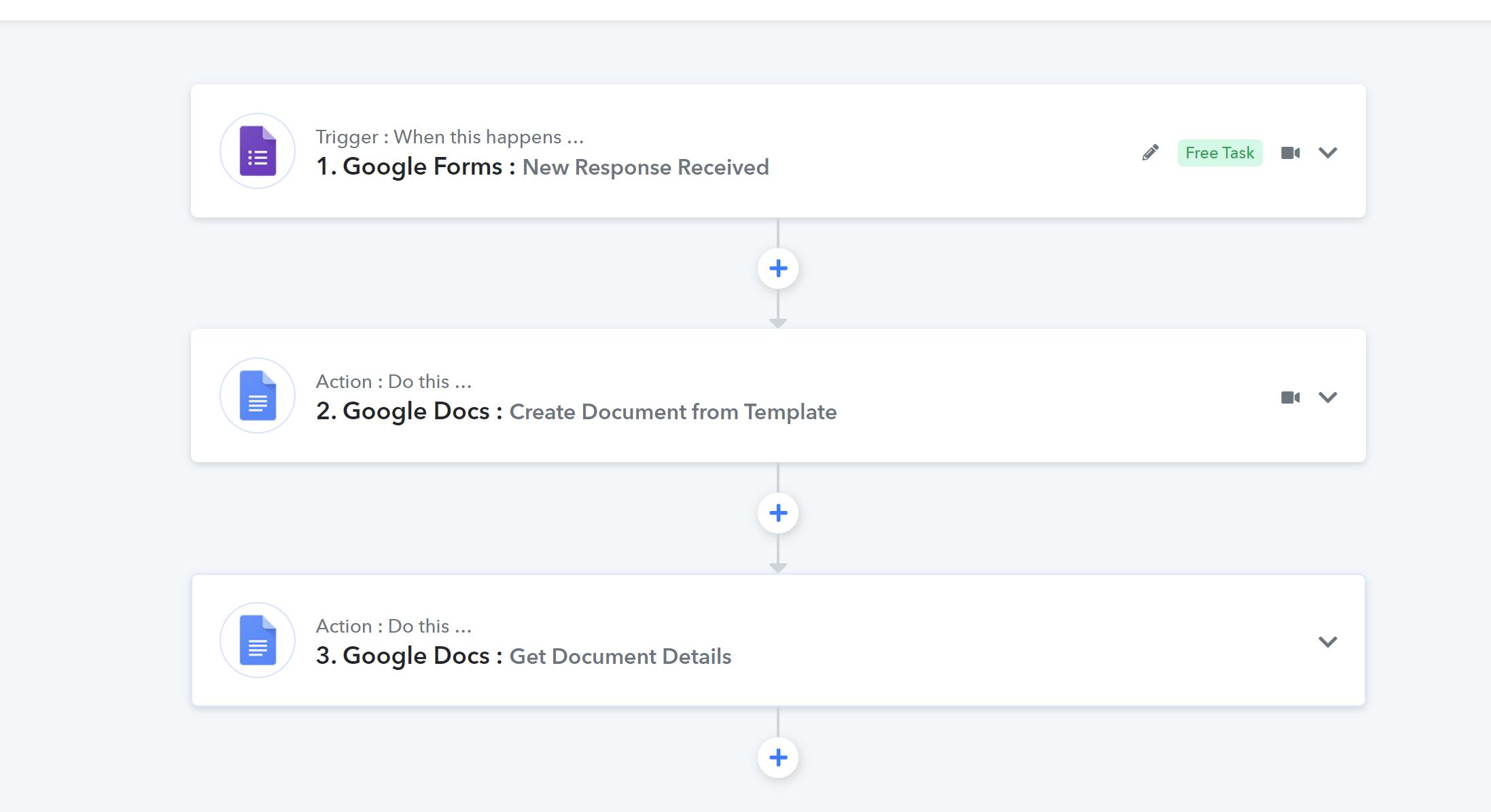
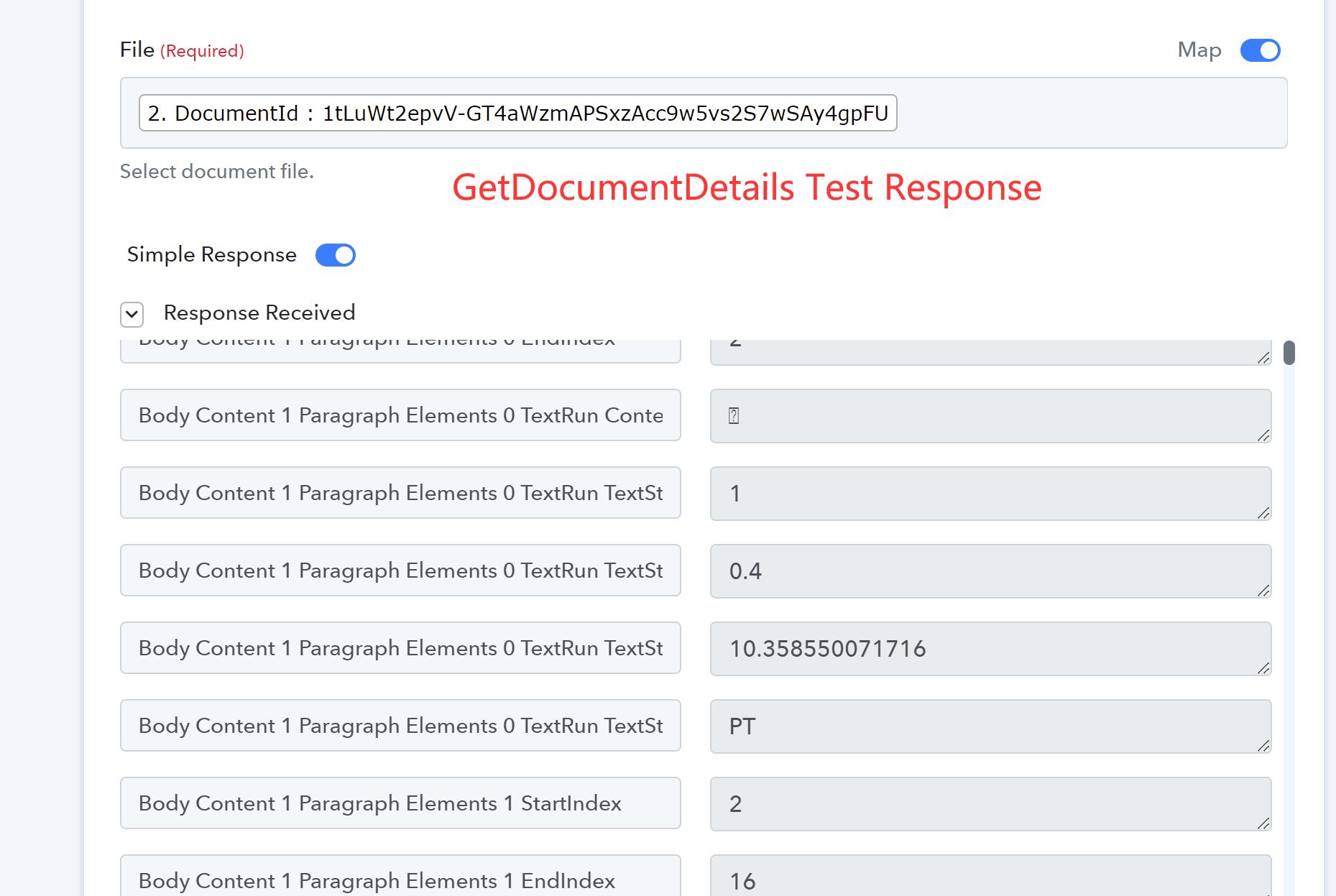
We have set up the Workflow Process so far as attached. Was prompted by the process to use GetGetdocumentDetails to get the specific locations on the Google Doc. However, we could not find any video guide on this, nor can we able to identify the correct parameter to choose from under the GetDocumentDetails Test Response to map to the correct location.
Please advise what's the best
Attachments
Hey @ichilddev
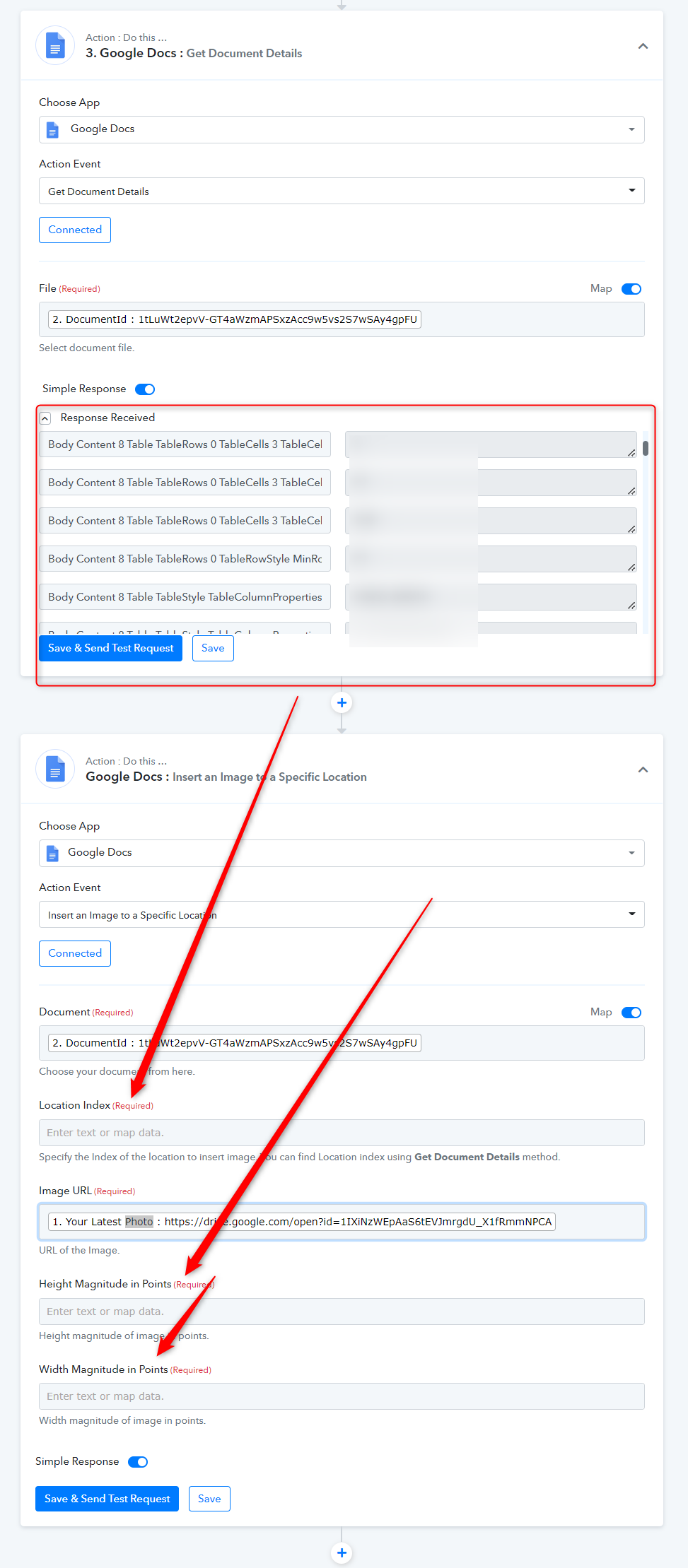
Kindly use the "Google Docs: Insert an Image to a Specific Location" action step to pass the image into the specific location of the Documentation.
You have to pass the Location Index and Magnitudes height with its width.
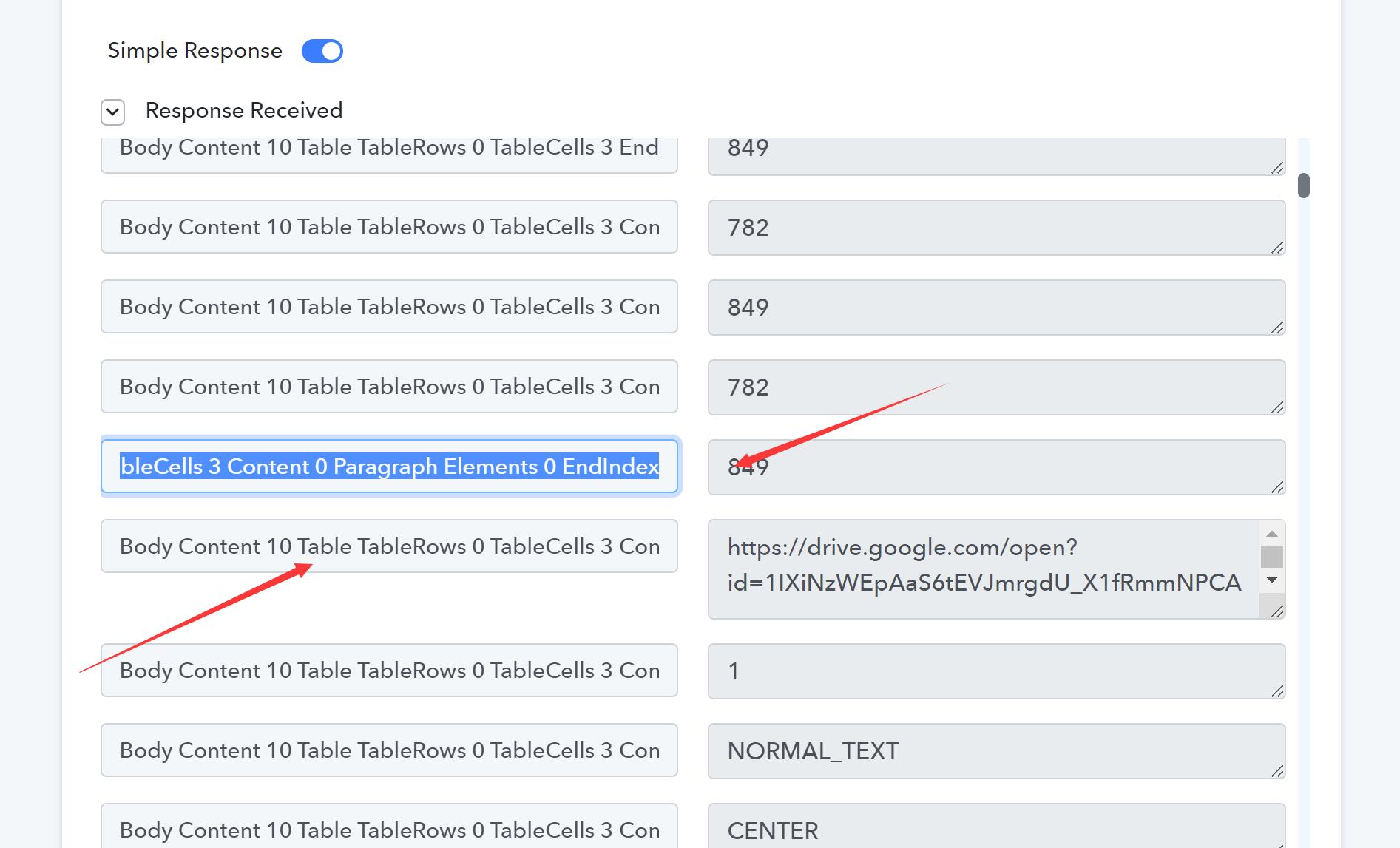
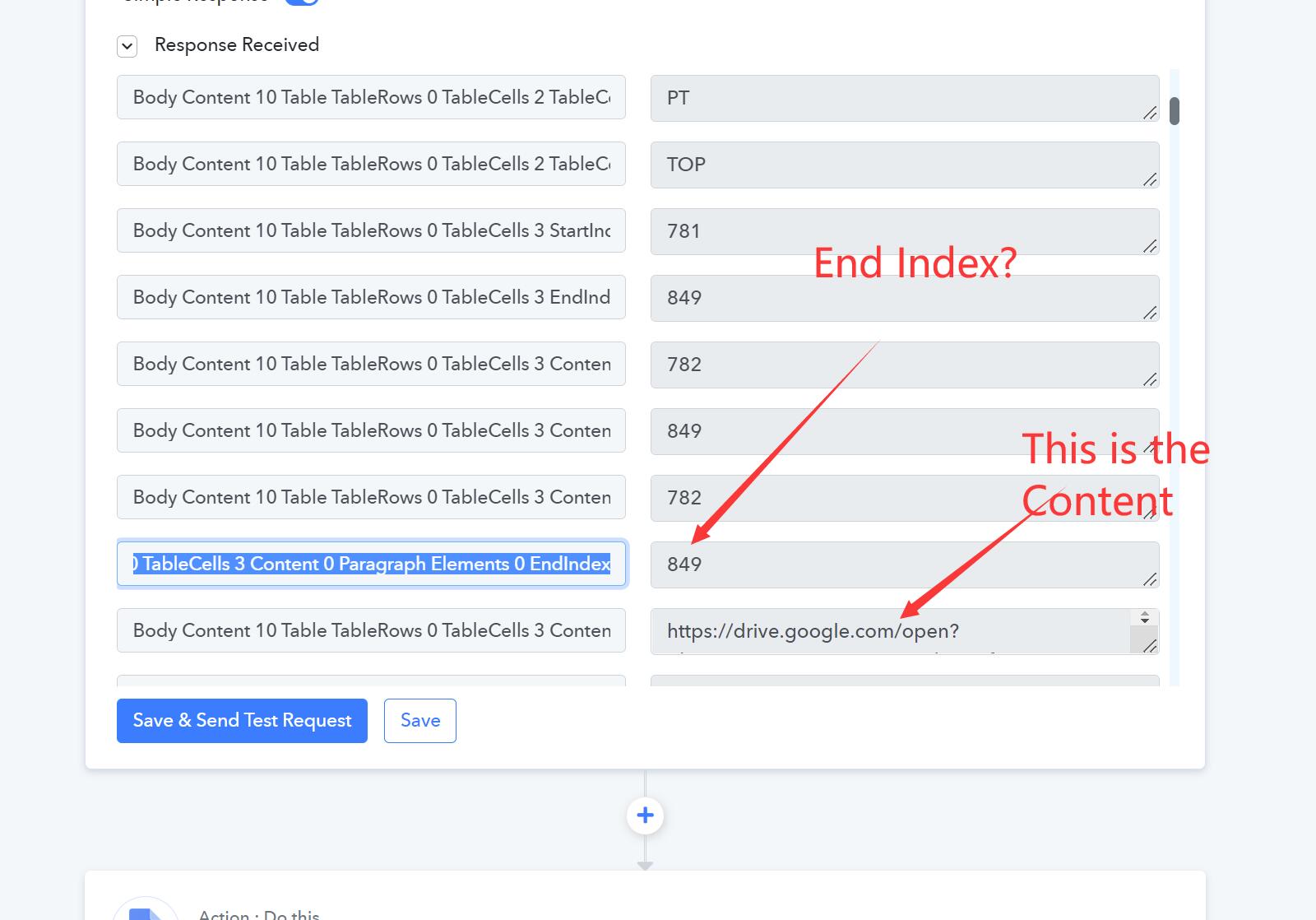
Just to confirm if the Location Index is the selection above the Link as shown in attached Body Content 10 End...?
Question:
1. https://drive.google.com/file/d/1IXiNzWEpAaS6tEVJmrgdU_X1fRmmNPCA/view
this is the link to the photo that is uploaded via Google Form. The link is initially restricted and i have changed the access rights.
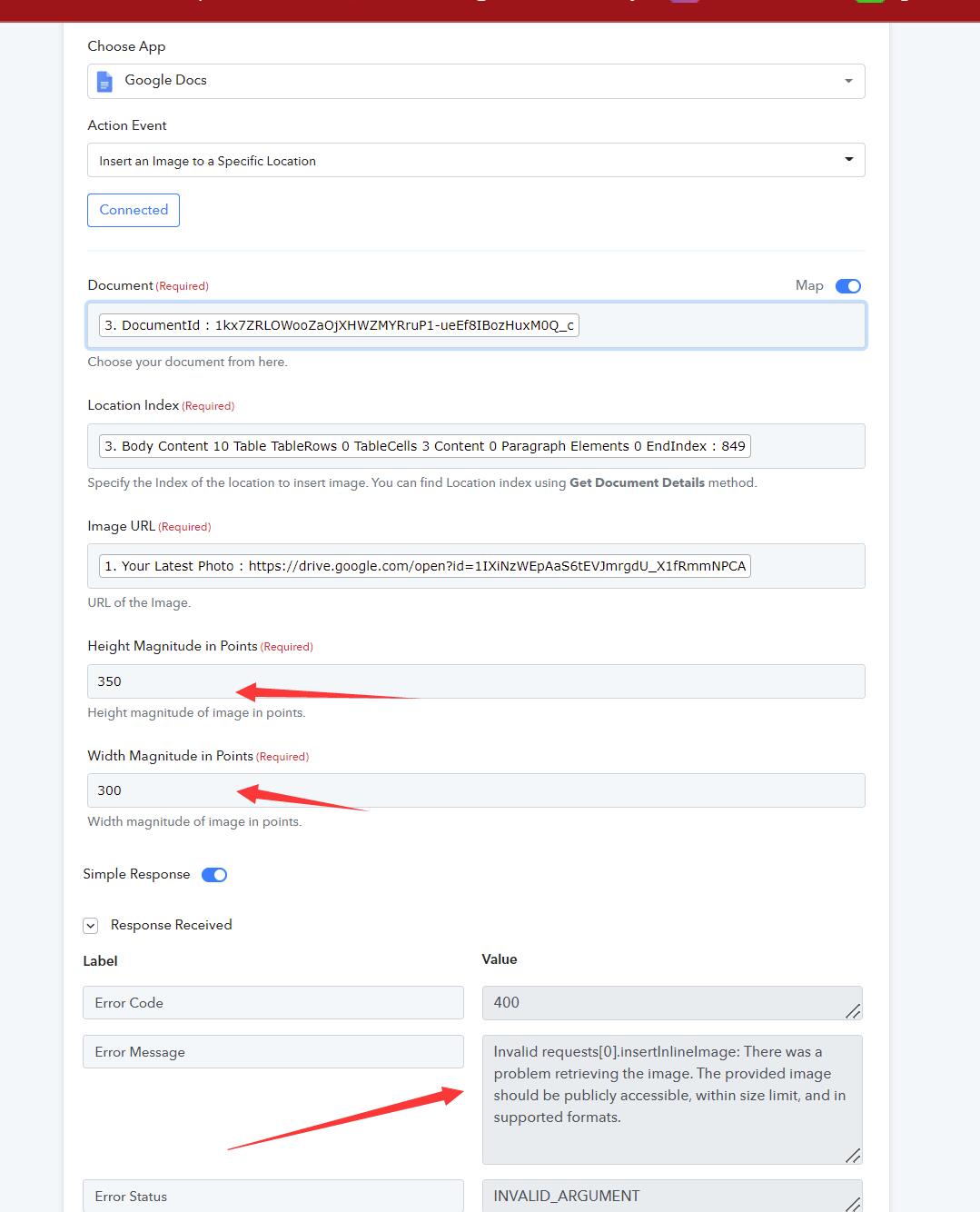
2.WHen i run the test, the Error was given in the attached.
3. See also Google Form: New response was received that the picture file was uploaded to drive. However the file is not able to be accessible by Pabbly.
4. How do determine the right Height and Width magnitude for the photo to be placed in a specific location {{Photo}} in the Doc?
Attachments
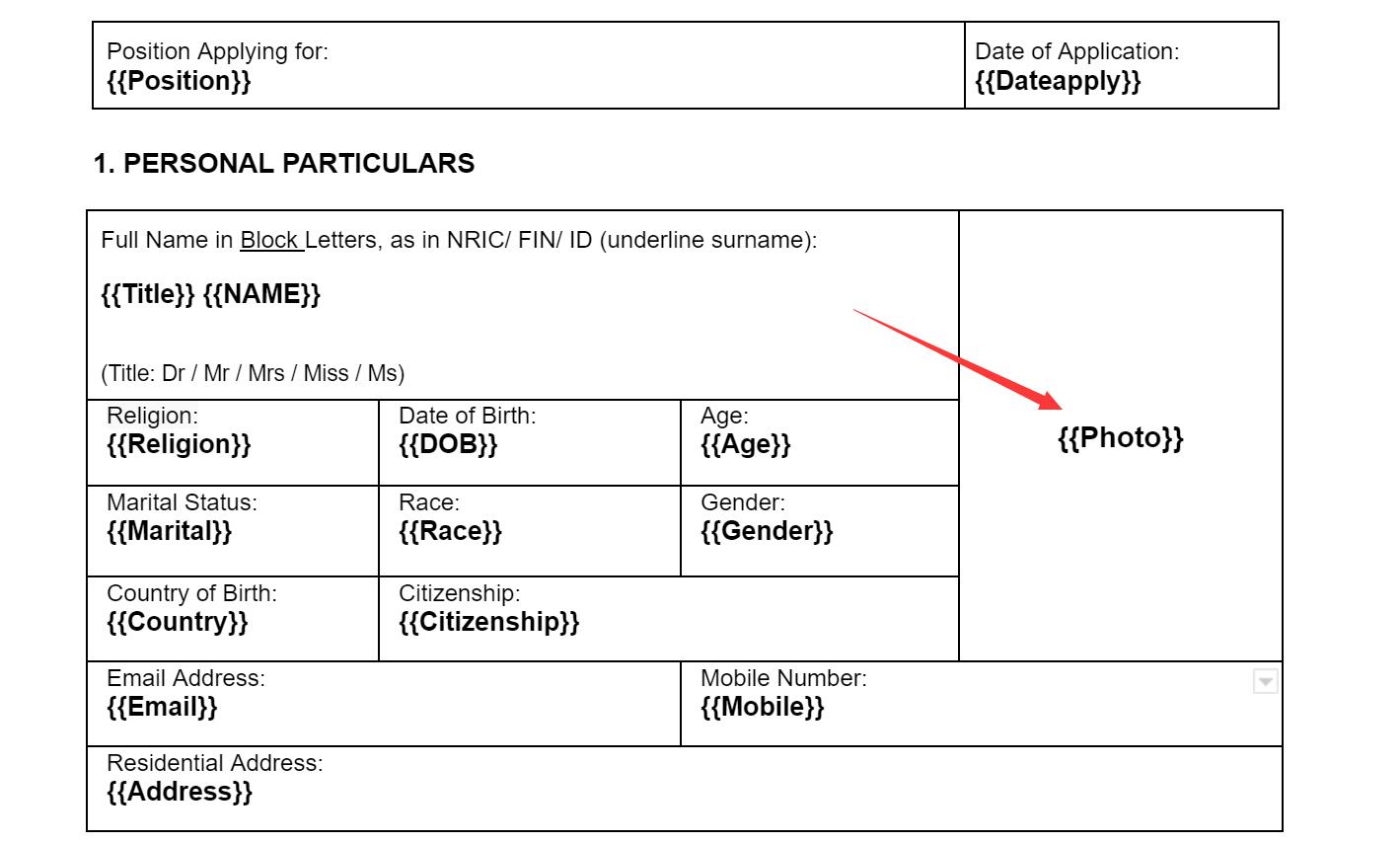
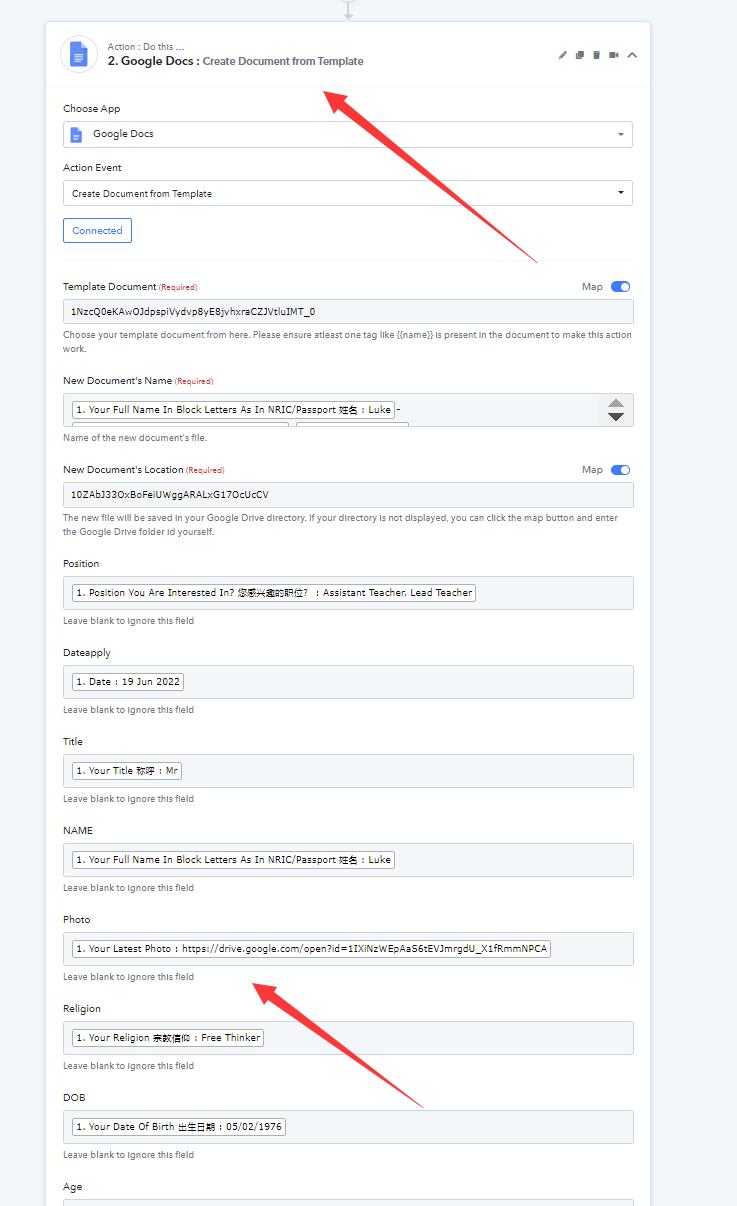
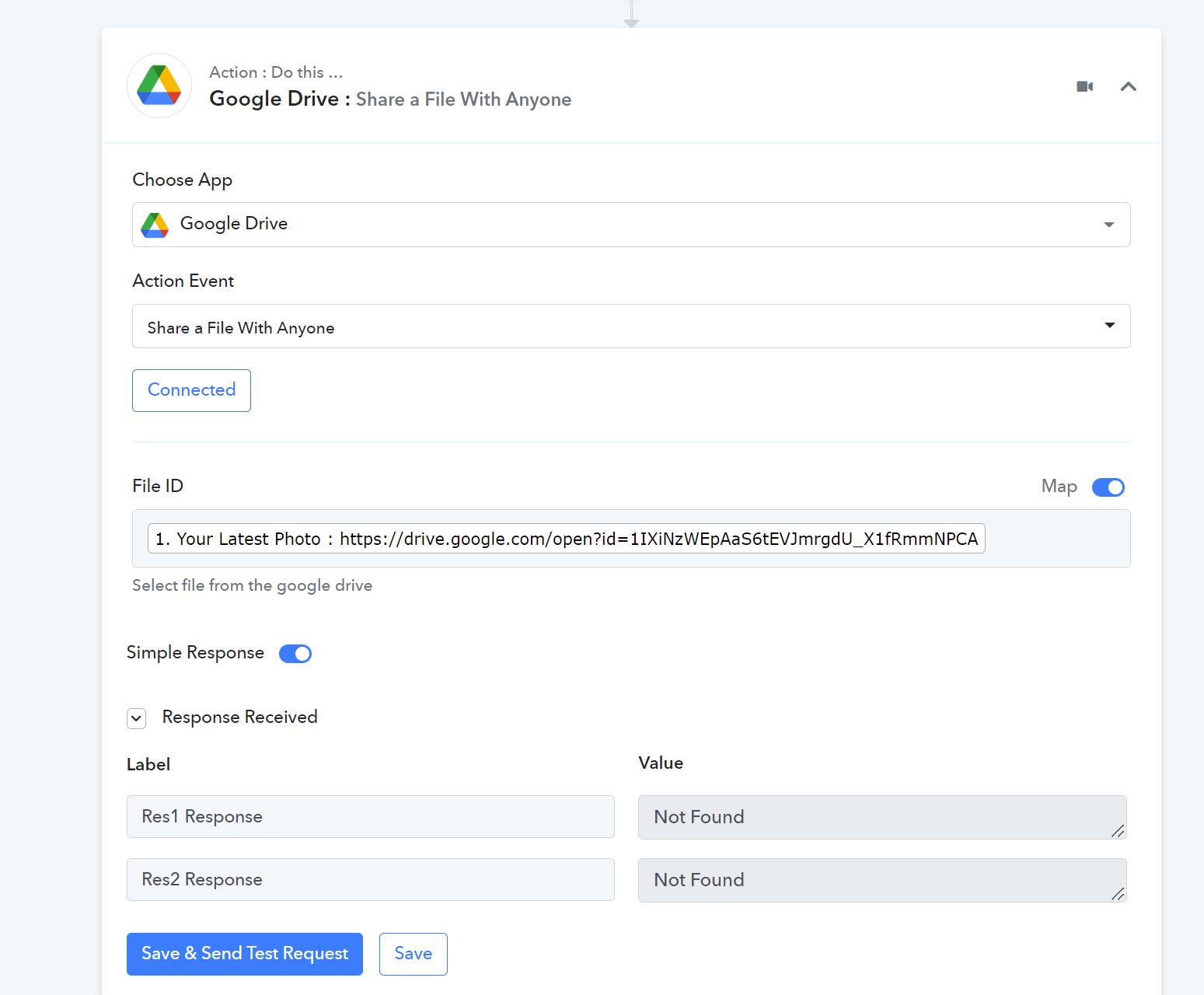
Hey @ichilddevKindly use the "Google Docs: Insert an Image to a Specific Location" action step to pass the image into the specific location of the Documentation.
You have to pass the Location Index and Magnitudes height with its width.
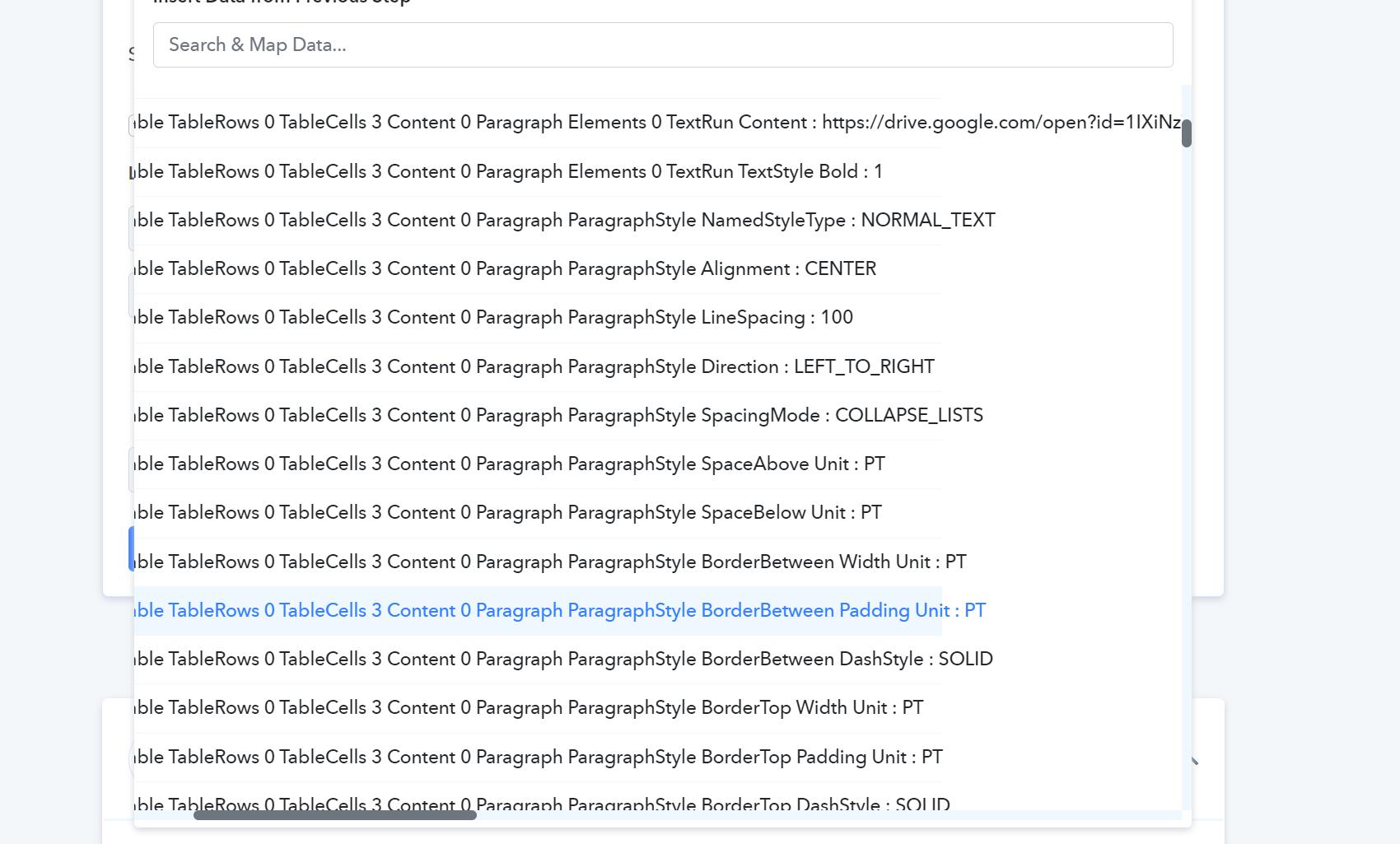
Is this the Magnitude height? I can't find the Magnitude Width
Attachments
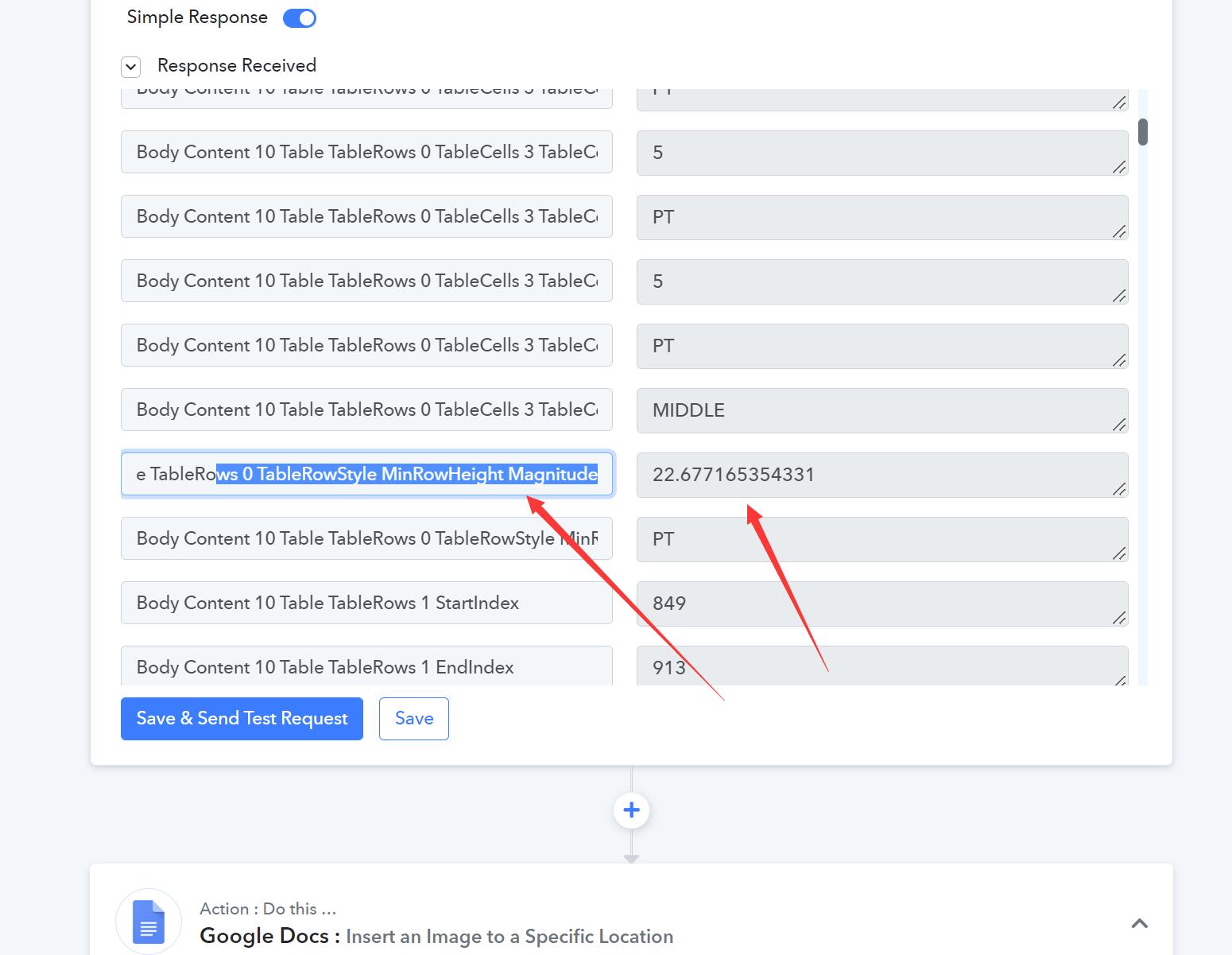
Hey @ichilddev
You have to check the Magnitude Width and dimension according to the documentation in which you are trying to passing.
Hey @ichilddevYou have to check the Magnitude Width and dimension according to the documentation in which you are trying to passing.
HI
What about this doc?
https://docs.google.com/document/d/1NzcQ0eKAwOJdpspiVydvp8yE8jvhxraCZJVtluIMT_0/edit?usp=sharing
How to check the Magnitude Width and Dimension for the column containing the {{Photo}}
Hey @ichilddev
You can check the dimension of the docs by manually passing the image to the location.
There is no tool available which can give you the exact location of the photo here you want to pass.
Hey @ichilddevYou can check the dimension of the docs by manually passing the image to the location.
There is no tool available which can give you the exact location of the photo here you want to pass.
You can check the dimension of the docs by manually passing the image to the location.
DO you mean i should put the photo into the Cell and check the magnitude dimension in the google doc cell?
Hi
We have manually inserted the photo into the google doc, and the parameters are as such.
How can we know the Magnitude Width and Dimension then?
This is the google doc link
https://docs.google.com/document/d/1nYbNWgC7YmrGWAxnHq6t85J6p6I6HT-9BHQ_l0DlVXs/edit?usp=sharing
Can refer us to someone who is able to solve this on a freelance basis? We can pay the rate.
Hey @ichilddevYou can check the dimension of the docs by manually passing the image to the location.
There is no tool available which can give you the exact location of the photo here you want to pass.
HiWe have manually inserted the photo into the google doc, and the parameters are as such.
How can we know the Magnitude Width and Dimension then?
This is the google doc link
https://docs.google.com/document/d/1nYbNWgC7YmrGWAxnHq6t85J6p6I6HT-9BHQ_l0DlVXs/edit?usp=sharingCan refer us to someone who is able to solve this on a freelance basis? We can pay the rate.
You can hire anyone from here any freelancers - https://forum.pabbly.com/threads/pabbly-connect-experts-and-consultants.22/
@Fagun Shah. Please check this thread as a customer wants to hire a freelancer.
HiWe have manually inserted the photo into the google doc, and the parameters are as such.
How can we know the Magnitude Width and Dimension then
This is the google doc link
https://docs.google.com/document/d/1nYbNWgC7YmrGWAxnHq6t85J6p6I6HT-9BHQ_l0DlVXs/edit usp=sharingCan refer us to someone who is able to solve this on a freelance basis We can pay the rate.
Hi @ichilddev , feel free to message me on Facebook to look into this - https://www.facebook.com/fagun.shah.7
You can hire anyone from here any freelancers - https://forum.pabbly.com/threads/pabbly-connect-experts-and-consultants.22/@Fagun Shah. Please check this thread as a customer wants to hire a freelancer.
Hi Thanks!
@i
Hi Thanks!
hello, did u solve this problem? I also have the same problems with the action "
Insert an Image to a Specific Location"
@ihello, did u solve this problem? I also have the same problems with the action "
Insert an Image to a Specific Location"
Hi Yes. But then there seems to be some issues after some time. I am trying out another tool via nocodeapi.com to perform this task and they are working on a new feature for this. So far their solution is good and fast.
@ihello, did u solve this problem? I also have the same problems with the action "
Insert an Image to a Specific Location"
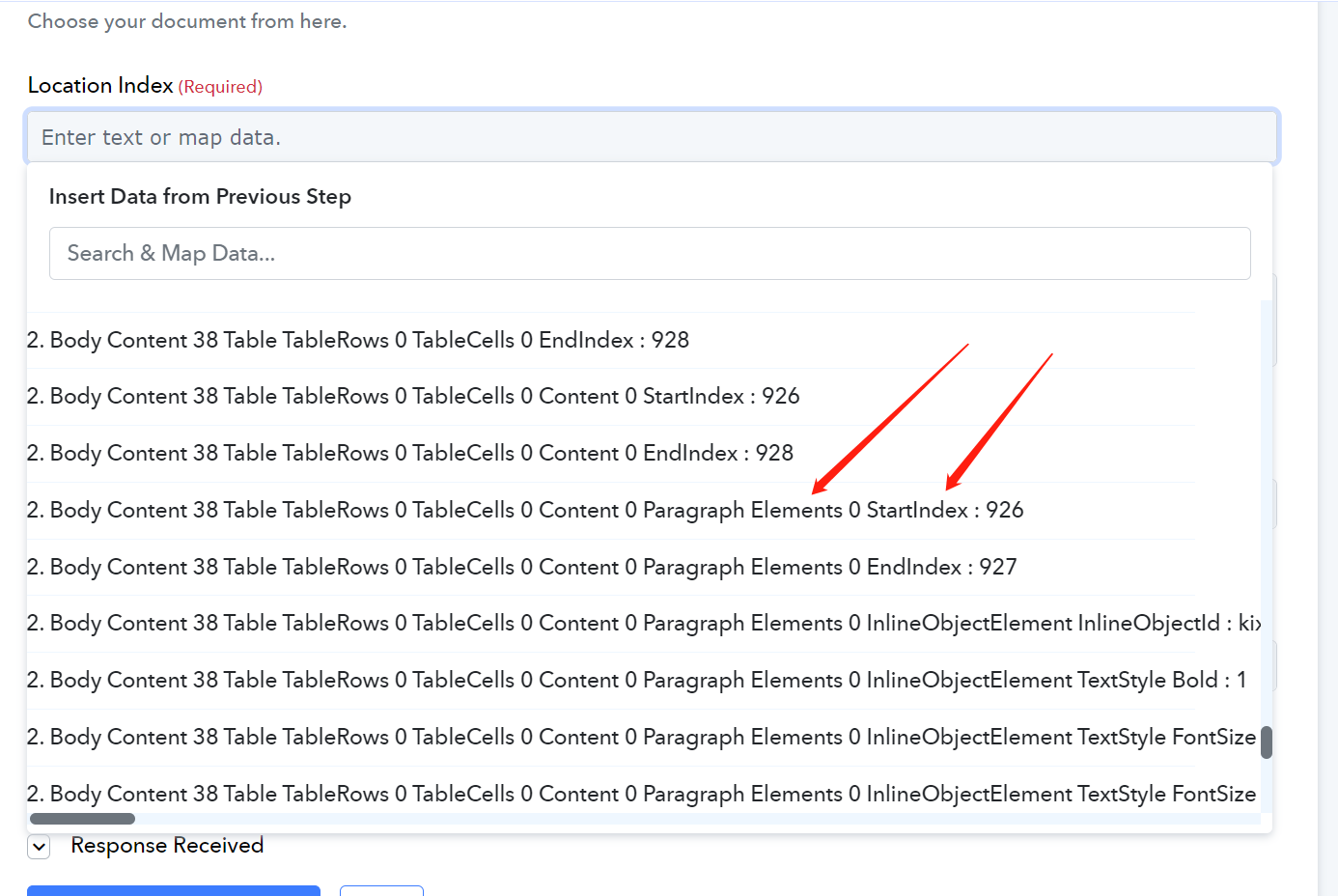
Hi i have managed to solve this issue. We are using table insert the picture. Use a landmark in the document as reference to gauge an approximate position, and then use this StartIndex to trial & error.

Attachments