Insert an image to a specific location in Docs
Status: Closed · Asked by Claudio Balbino on · 0 views
Hello,
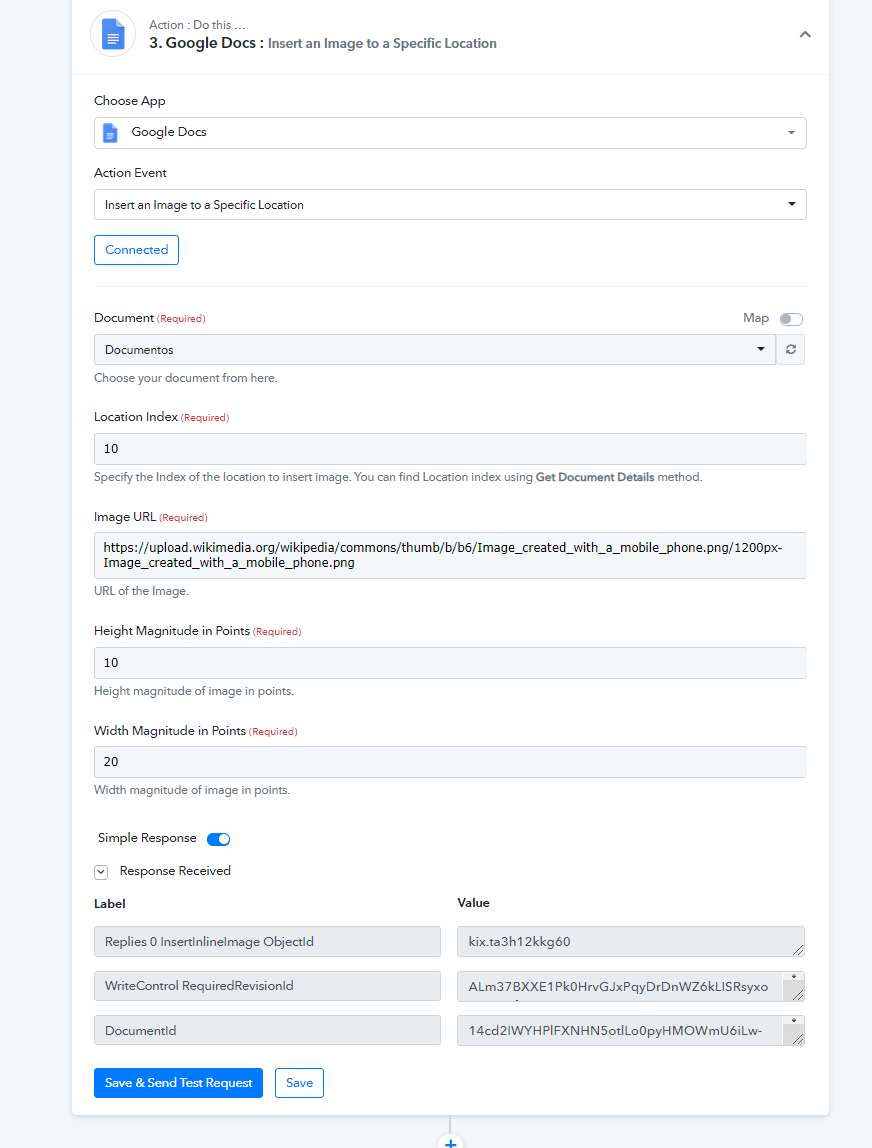
How to use this application Insert an image to a specific location
Specifically what to inform in the fields
1) Location Index
2) Height Magnitude in Points
3) Width Magnitude in Points
Could you give me an example?
Thanks
Attachments
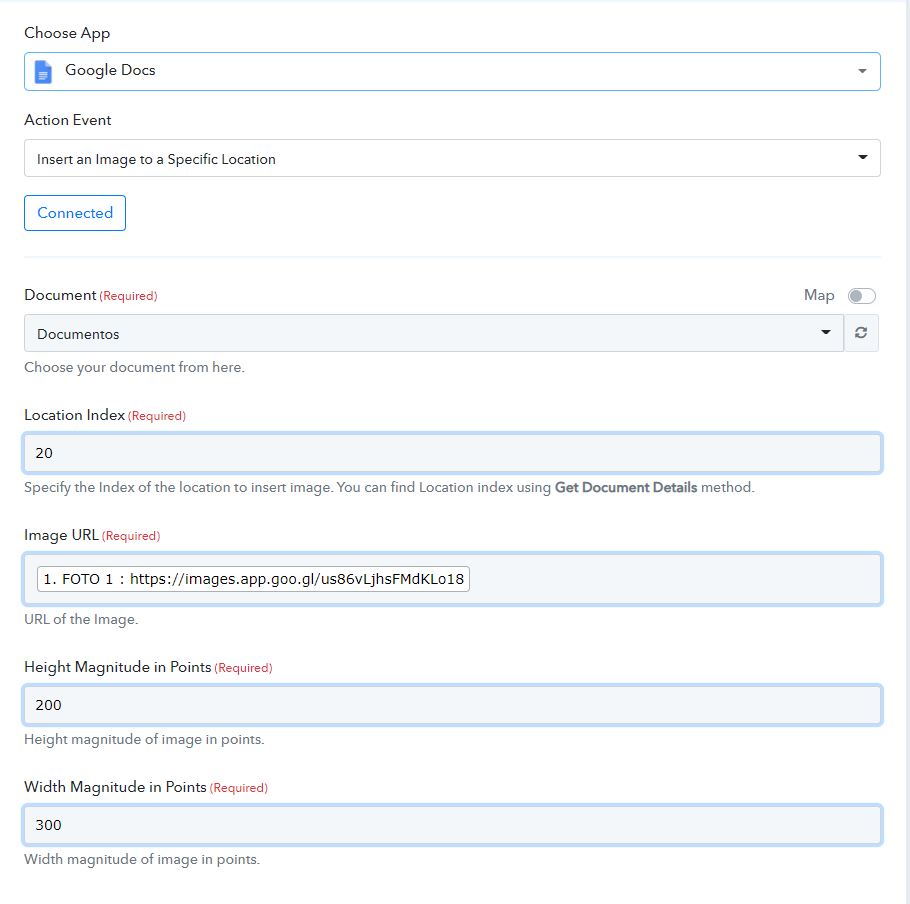
This is the error presented
Invalid requests[0].insertInlineImage: There was a problem retrieving the image. The provided image should be publicly accessible, within size limit, and in supported formats.
Hey @Claudio Balbino
We looked into your workflow and it seems like the picture URL which you are passing is not acceptable by Google Docs. So for this kindly try the picture URL in the image format.
Eg - JPEG, JPG, PNG, etc.