Instagram Business - Not able to Publish Videos
Status: Closed · Asked by digideals on · 0 views
Hi there,
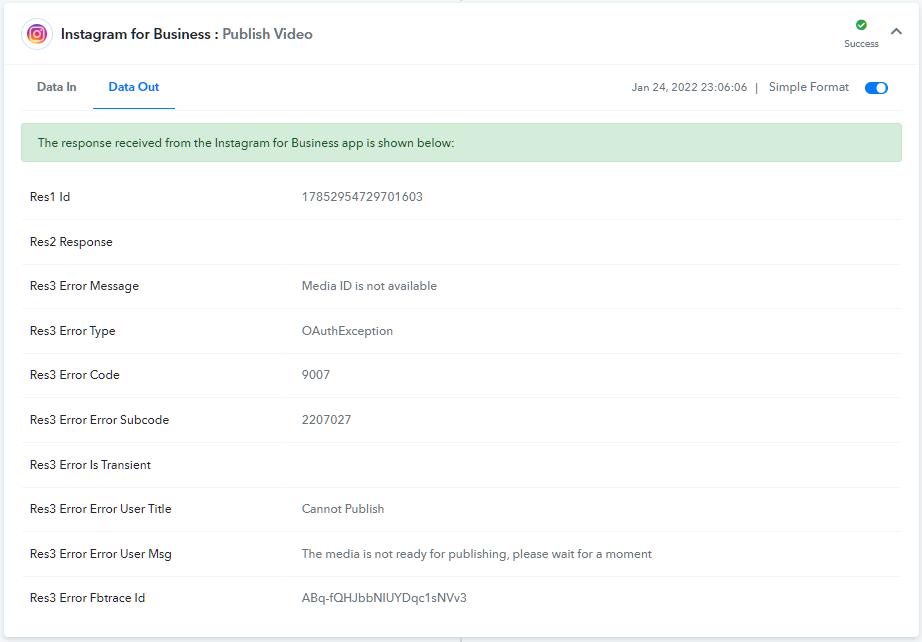
I was using IG Legacy for publishing videos (2-step). Now the Legacy API calls are deprecated and there is only one call, "Publish Videos". When I used that, I get an error ? response which said "The video is not read for publishing, please wait" and "Media ID is not available" (screenshot attached).
Though Pabbly shows this step as success?, the video was not published". (Same with Publishing Photo also, it expects creative id)
I understand that video publishing is still a two-step process (1.upload video - get container id & 2. publish) from the Graph API documentation, but it is missing in Pabbly Connect.
Please ? help!
"Publishing videos is a two-step process:
- Use the POST /{ig-user-id}/media endpoint to create an IG Container.
- Use the POST /{ig-user-id}/media_publish endpoint to publish the video using its container."
Response - Publish Video. (It failed, But Pabbly shows Success)
Please help
Hey @digideals
Could you please share the name of the workflow/ Task Id in which you are facing such concern?
Sure . Please find below.
Workflow Name:
CheatLayer-G360-Woxo-IG
Task ID -
Ijg2NzUzNzk0Ig_3D_3D
Hey @digideals
We are currently looking into it, please allow us some time.
Hey @digideals
Could you please check the video configuration which you are passing, since there is a format for that from Instagram?
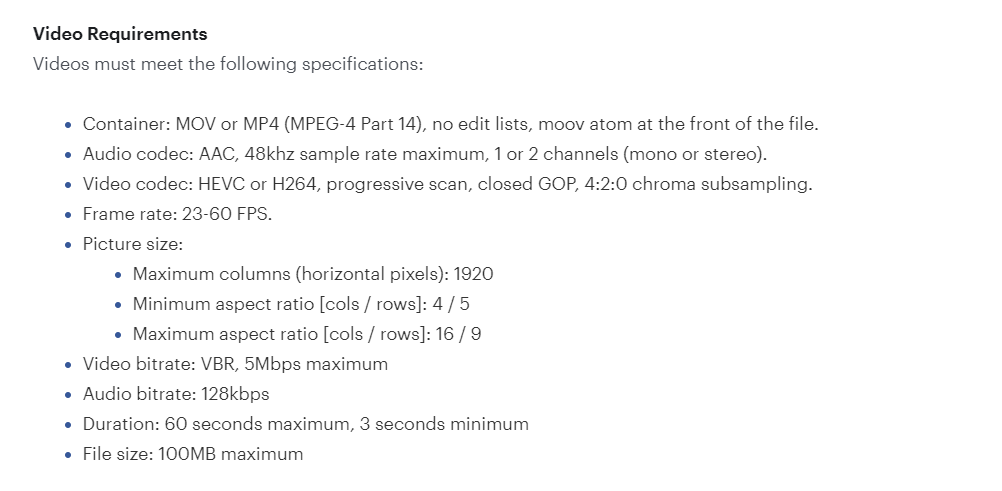
I was able to publish the same video with IG legacy API and also directly on IG. Could you please check if IG video publishing works with a Single API call. In Legacy API, it was a two - step process and now also document shows the same.
I can confirm that the video I uploaded is correct format and is also available at this link.
Video URL : https://vod.front10.cloud/output/60ef09e6a2ee6700154be190/JX-uEKgOtT2rN/VX-gZdQXgH-V9.mp4
Thank you!
Any finding please?
Hey @digideals
We are currently reviewing your concern and shall update you soon.
Hello @digideals ,
Since publishing media is a two step process in Instagram for Business. We've used the steps internally but that is not working efficiently so we have deprecated the new Publish Video action and re-activated the older actions i.e. Create Video and Publish Video.
Facebook takes some time after the create video API executes and then only we can fire Publish Video API for this, you need to use a delay for at least 1 min above the publish video action as shown in the screenshot.
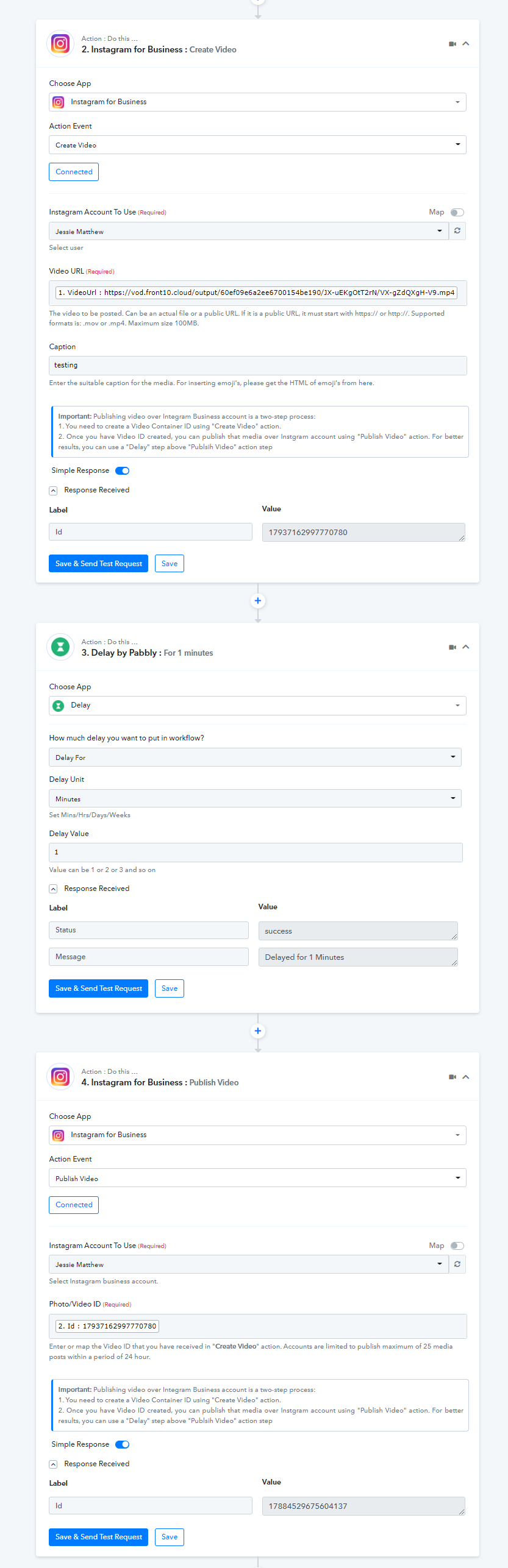
Try the above process in your workflow, It will work.
Thank you! This helps. ?