Instagram For Business WILL NOT POST
Status: Open · Asked by BPP_ColeSlaw on · 0 views
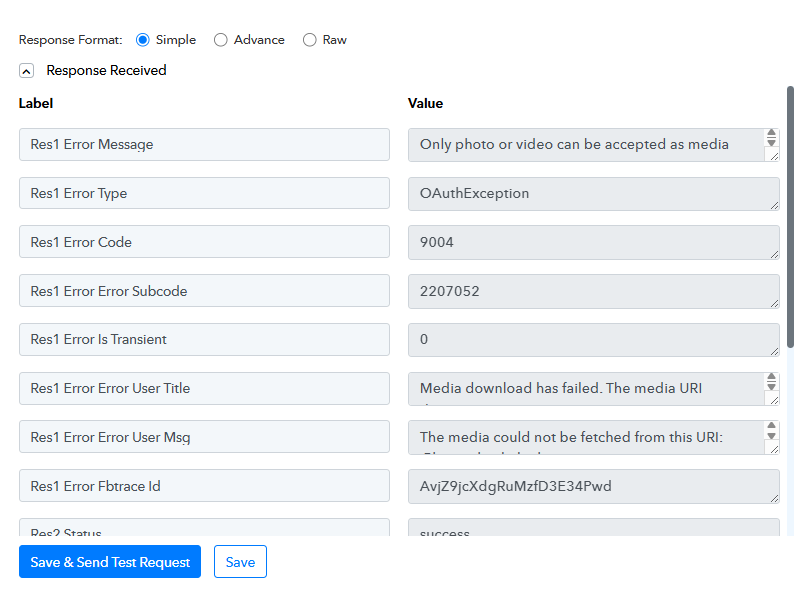
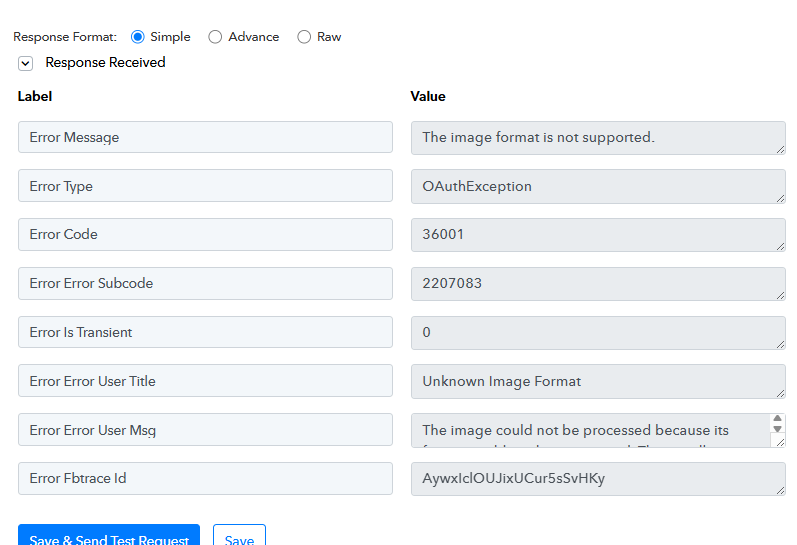
Tried everything I can think of and then some and keep landing between these two error sets.
Here is what I tried already
- Refreshed the Instagram connection
- Tried multiple image sizes to make sure it was not a size issue
- Tried multiple formats to make sure it was not a JPG vs. PNG vs JPEG issue
- Tried from Google Drive and Dropbox URLs
- Even tried triggering from when Facebook post is made and using that link.
I am getting image from Drive, posting to Facebook (working fine) then posting to Instagram, but the Instagram post will not work not matter what I try
Attachments
Hello @BPP_ColeSlaw,
I have investigated your workflow and found a solution to the posting issue.
It appears the direct URLs from your cloud storage were not being consistently accepted by Instagram's API. To resolve this, I have updated your NEW Facebook + Instagram workflow with the following steps:
- Added File Uploader Step: I inserted the File Uploader (Pabbly): Upload File & Get URL as Step 8. This step takes your image and generates a clean, high-speed direct link that is fully compatible with Instagram.
- Updated Instagram Mapping: I then mapped the output URL from the File Uploader into Step 9 (Instagram for Business: Create(Upload) and Publish Photo).
- Test Results: I ran a "Save & Send Test Request" for the Instagram step, and we received a success response.
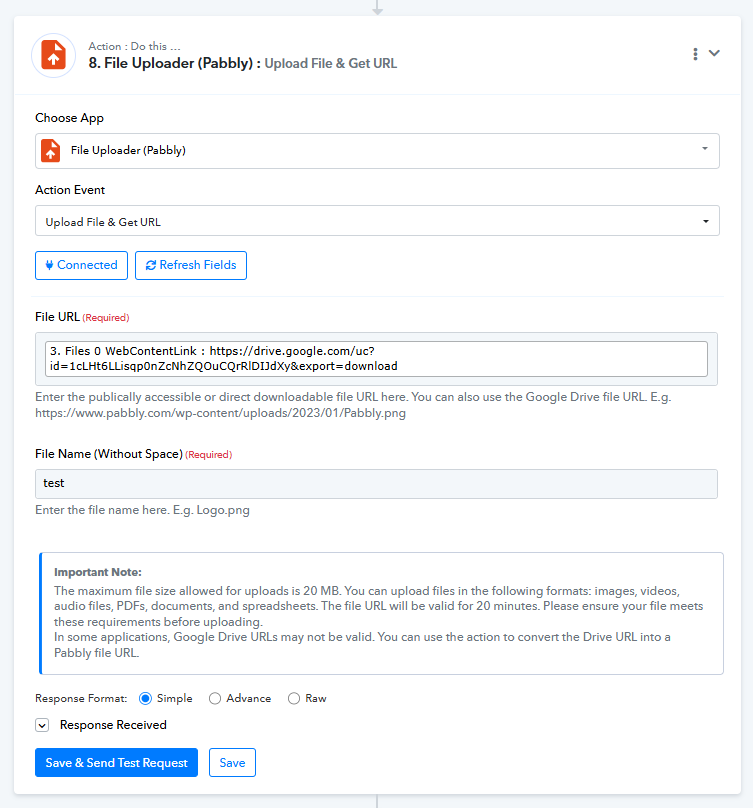
Your workflow is now properly configured to format the media before it hits Instagram. Please monitor your next automated run to confirm everything is appearing as expected!
Hello @BPP_ColeSlaw,I have investigated your workflow and found a solution to the posting issue.
It appears the direct URLs from your cloud storage were not being consistently accepted by Instagram's API. To resolve this, I have updated your NEW Facebook + Instagram workflow with the following steps:
- Added File Uploader Step: I inserted the File Uploader (Pabbly): Upload File & Get URL as Step 8. This step takes your image and generates a clean, high-speed direct link that is fully compatible with Instagram.
- Updated Instagram Mapping: I then mapped the output URL from the File Uploader into Step 9 (Instagram for Business: Create(Upload) and Publish Photo).
- Test Results: I ran a "Save & Send Test Request" for the Instagram step, and we received a success response.
Your workflow is now properly configured to format the media before it hits Instagram. Please monitor your next automated run to confirm everything is appearing as expected!
Thank you so much!