Instagram Reel Not Working
Status: Open · Asked by Real Estate Integrate Inc. St. Hilaire on · 0 views
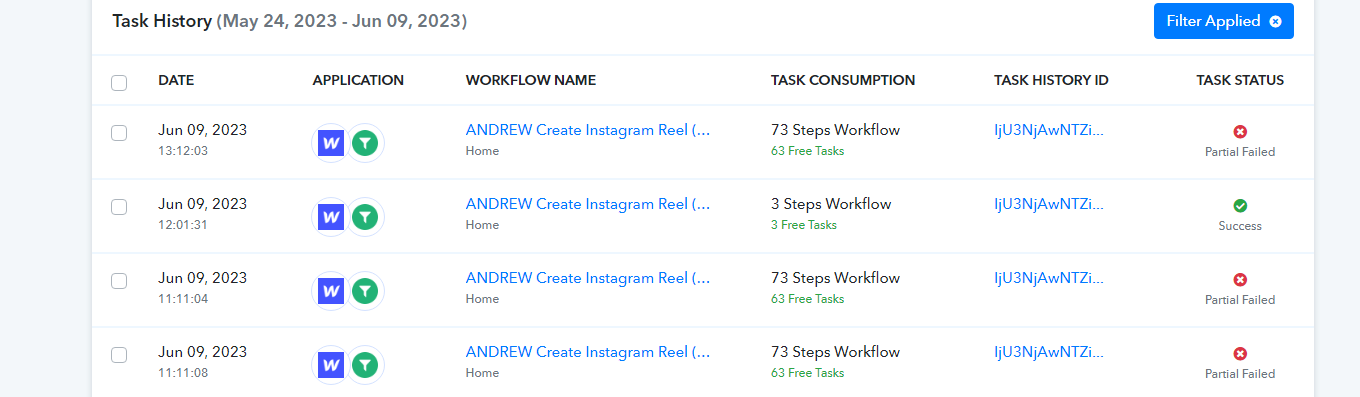
My workflow step to post an instagram video produced a resulting post ID but after a delay of 5 minutes in the first attempt and then a recent reattempt to publish the reel as the 2nd required step produced error saying it was not yet ready which makes no sense. Can you please fix the Instagram integration? See attached images.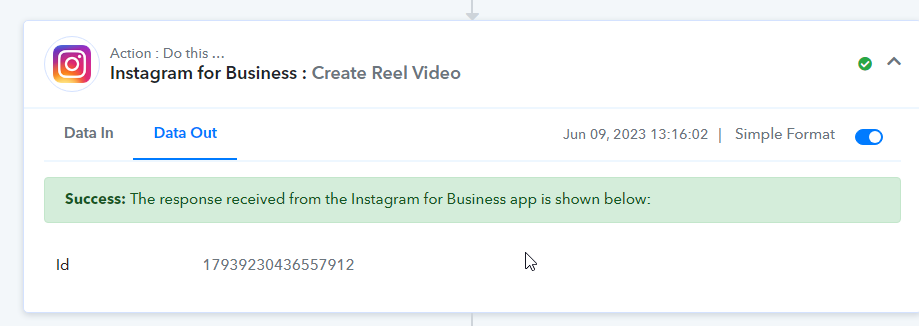
Instagram API seems to be not working. Why is this happening?
Attachments
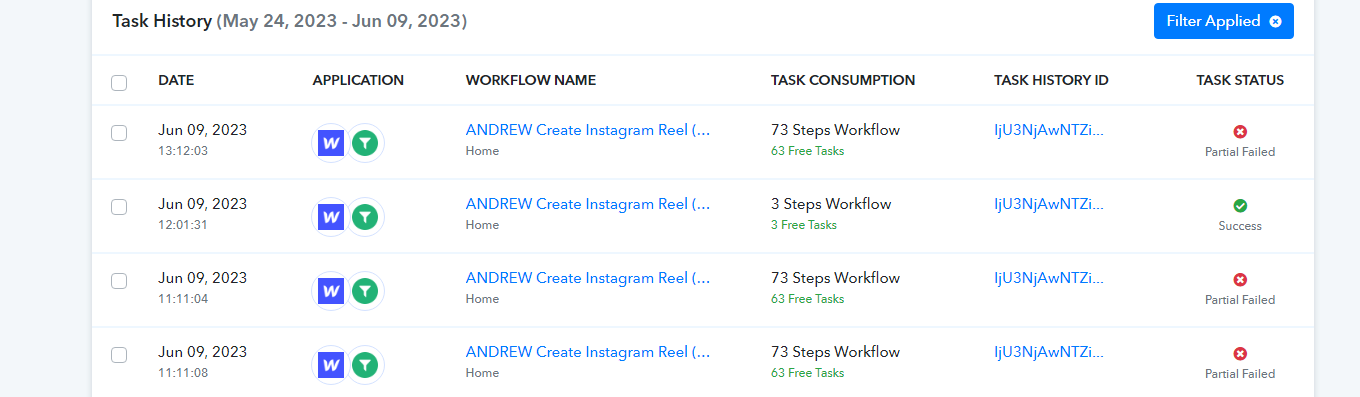
It costs me credits and money to generate the video and all the steps that lead up to that for multiple people. Why isn't it working correctly and who pays for these costs when your system don't work properly?
Please grant me access to your workflow by adding me as a team member. This will allow me to gain a better understanding of your issue.
Once you have added me as a Team Member, do let us know the name of your workflow.
Email: arshil.ahmad@pabbly.com
Also, remember to revoke access once your query has been resolved.
Attaching a video for your reference:
You were already given access to this workflow on May 30th.
Keep in mind that the issue is not the 5 minute delay since I have just tried the post step hours later and it still gives the same result.
You were already given access to this workflow on May 30th.
I do not have access to this workflow. The only workflow of yours to which I have access is 'New Listing Added to Databases'.
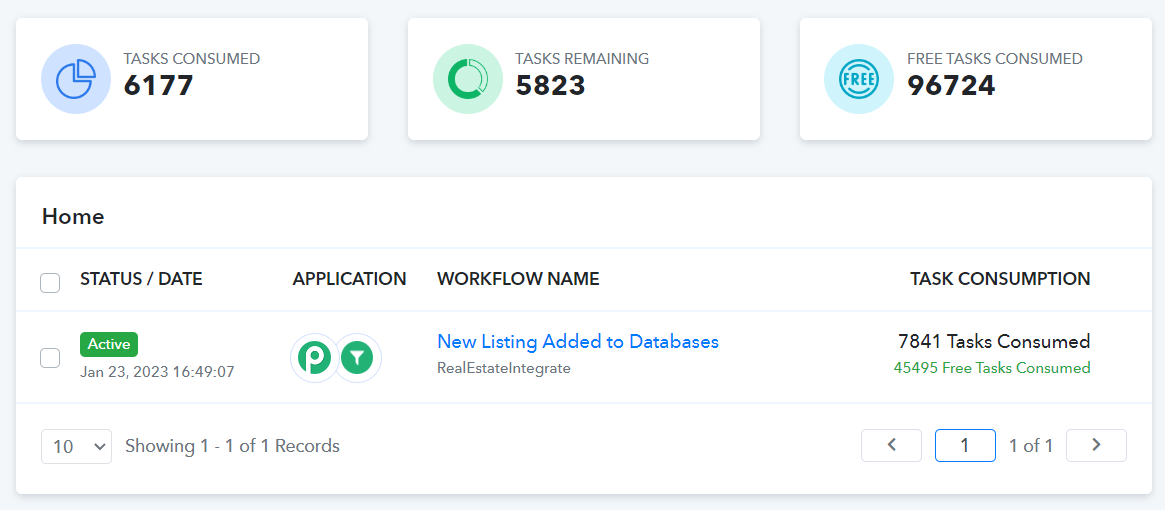
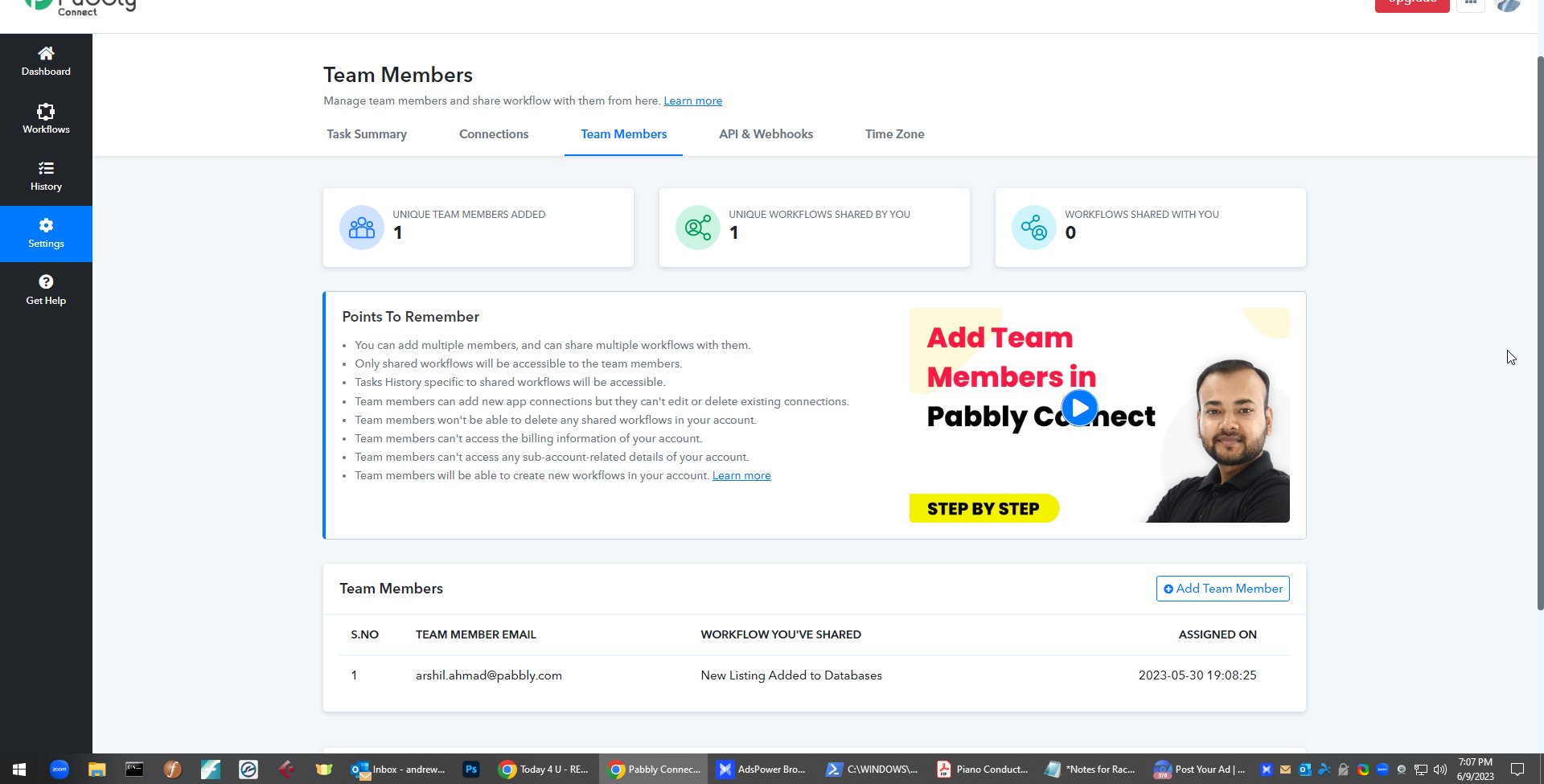
I've added you to the other workflow now then.
I have noted your concern. Please allow me some time to look into this. I will get back to you with an update soon.
As we can see from your task history Id it seems like IG has taken some time to process the video and didn't make it ready for publishing at that point in time. The processing time can vary depending on the size and length of the video, as well as the current load on the platform's servers.
So, request you to check the upload status of the reel from the Instagram end. Since Pabbly, the file URL has been passed to it successfully.
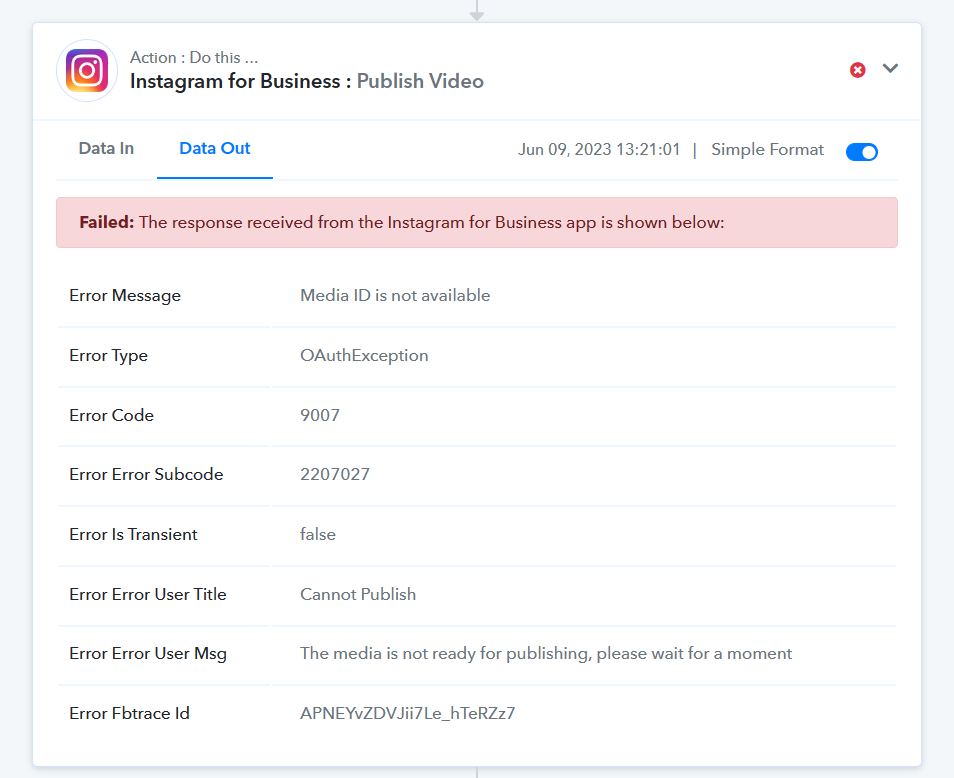
I already addressed this response on Friday at 2:17 p.m. before you even provided it since I knew that would be what you replied. This is not correct since I waited hours before attempting the publish step after receiving the error and then trying again later with the publish step. Please provide an accurate response as to the cause of the issue and a solution to prevent this from happening again.
Our team is currently investigating more on the issue, please allow us some time.
Failed again on task - IjU3NjAwNTZhMDYzNzA0MzM1MjZhNTUzMTUxMzY1MTZhNTQzMSI_3D_pc
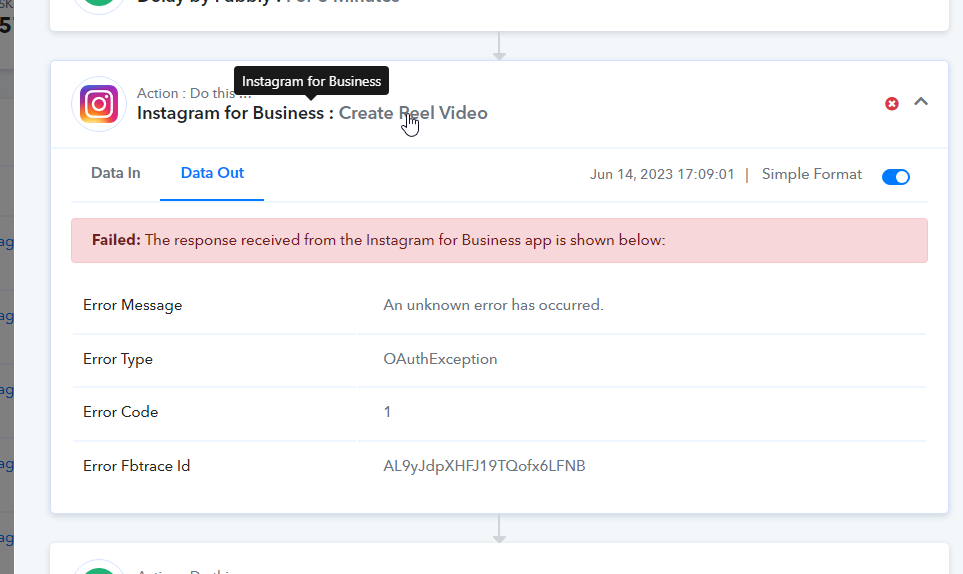
I have forwarded this to the team and will notify you with an update soon.
Failed again on task - IjU3NjAwNTZhMDYzNzA0MzM1MjZhNTUzMTUxMzY1MTZhNTQzMSI_3D_pc[IMG alt="chrome_qVp8qvv8mD.png"]https://forum.pabbly.com/attachments/chrome_qvp8qvv8md-png.27343/[/IMG]
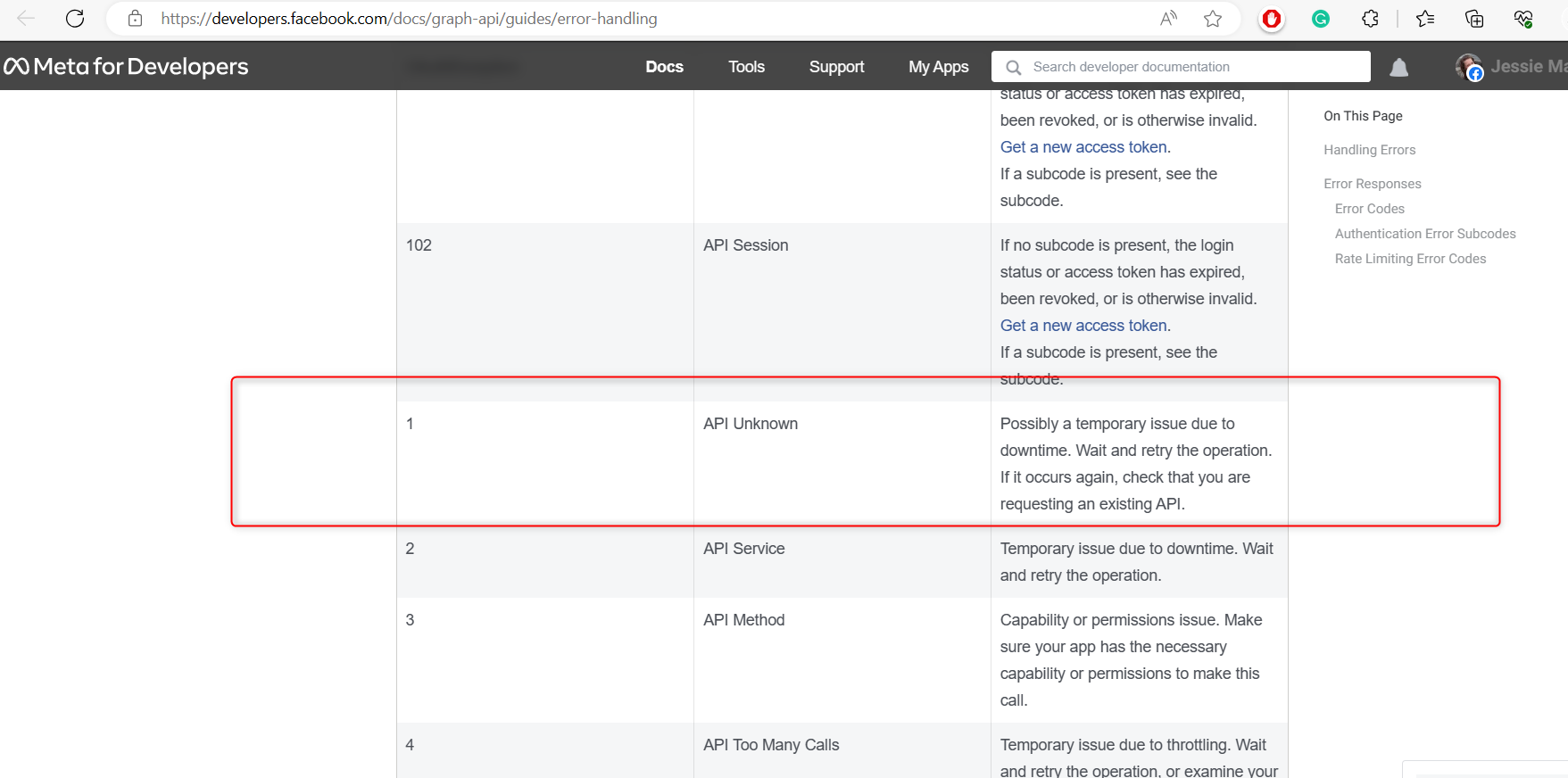
It appears that you may be experiencing a temporary issue with the service you are trying to access. This could be due to a downtime situation, which can occur for various reasons such as maintenance or server updates. I would recommend waiting for a little while and then trying the operation again.
In case the problem persists even after verifying the API's availability and confirming your requests, I suggest reaching out to the Instagram support team regarding the API request log. They will be able to assist you further and provide specific guidance based on the functionalities and current status of the API.
You may cross-check the same on the guide related to errors.
https://developers.facebook.com/docs/graph-api/guides/error-handling
Not working. Task ID - IjU3NjAwNTZhMDYzNTA0MzI1MjZiNTUzMDUxMzQ1MTYxNTQzMCI_3D_pc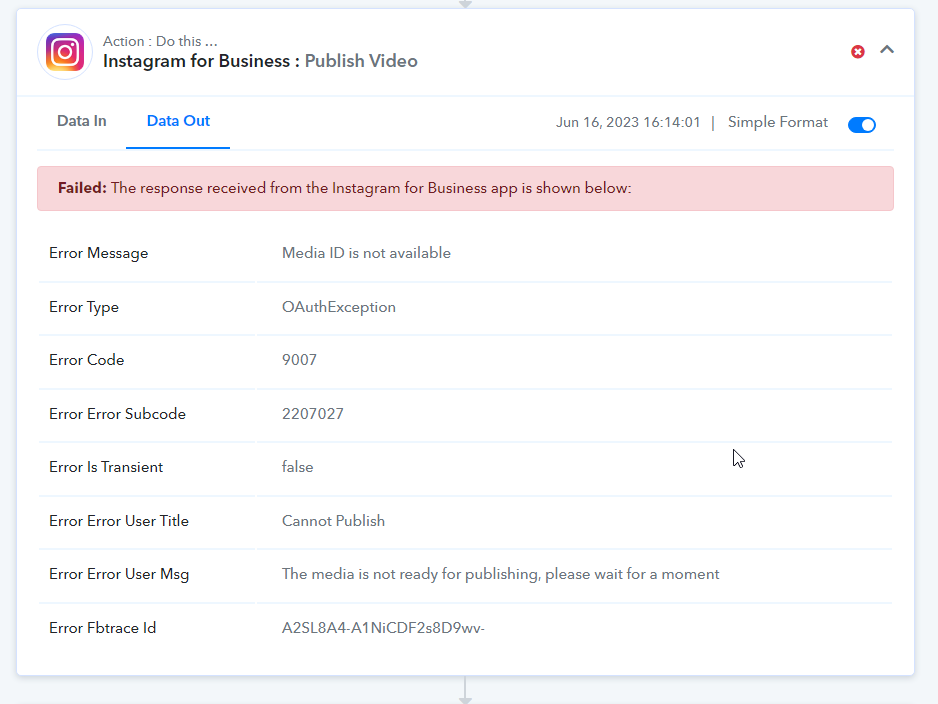
Hey @andrewstrealtor
After investigating the error in Instagram's API, we have determined that the error response is generated on their end. It appears that there are instances where they are unable to upload the media to their server. To further understand and address this issue, please refer to the provided Meta doc and reach out to Instagram's API support for assistance.
https://developers.facebook.com/docs/instagram-api/reference/error-codes/

This is your connection to the API, not mine. I would expect that you would contact Instagram and get your connections to work 100%.
I understand your expectation that we should take responsibility for resolving the issue with the API connection. However, it is important to clarify that the error message is being generated directly from Instagram's end and is not within the control of Pabbly Connect.
As a platform, we strive to provide seamless integration and reliable connections to various APIs, including Instagram. In this particular case, the error seems to originate from Instagram's server when uploading media. To gain a better understanding of and resolve this issue, we recommend referring to the provided Meta documentation and reaching out to Instagram's API support directly.
What you can do here is to contact Instagram support and inform them that even though the file format of reel uploading is correct, I'm getting that issue
While we are unable to directly resolve the error message on their behalf, we are here to assist you in any way possible error generated from our side.
Still not working properly. I've never seen an automation and integration platform experience so many issue. Zapier does not have this many issues. Instagram post was successfully received but then the request to publish it failed again.
Task History ID -
IjU3NjAwNTY1MDYzMDA0MzA1MjY1NTUzMDUxMzM1MTY2NTQzNiI_3D_pc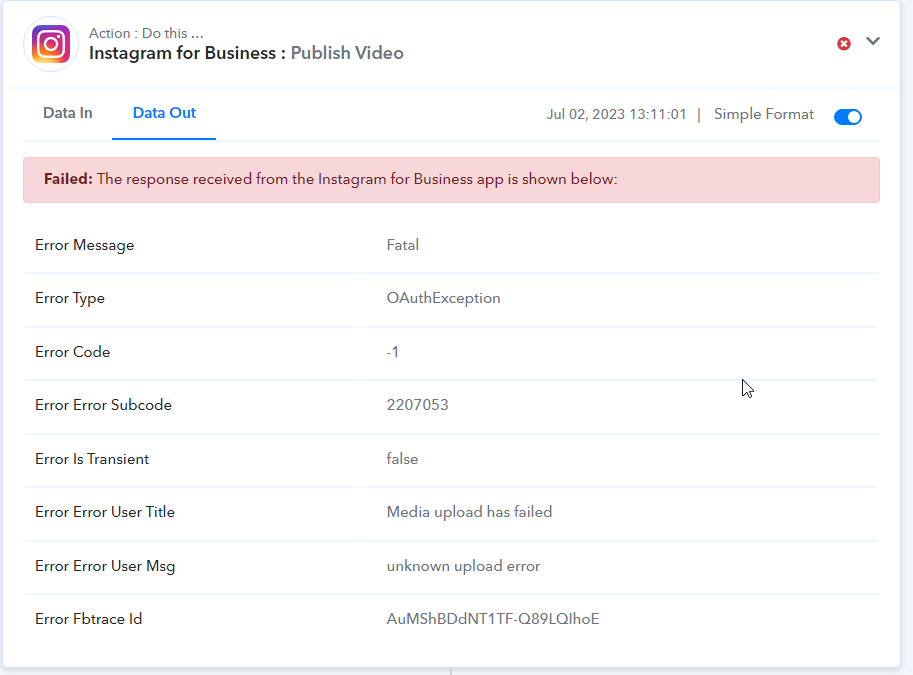
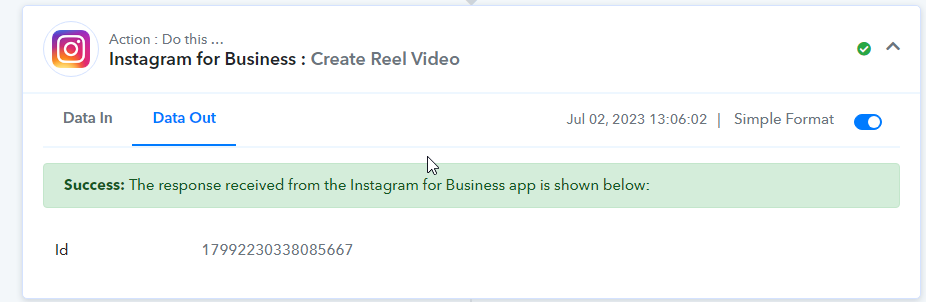
It failed again after trying again. I really need your integrations to work properly! I've built a business using your platform and it is failing over and over again.
Will you guys fix the APIs so they work more reliably or will you continue to tell me the issue is not on your end and you can't solve it? If you are not willing or able to solve it, I will be forced to abandon your platform.
@andrewstrealtor, I can completely understand your frustration with these errors, but even this issue is originating from Instagram's end.
https://developers.facebook.com/docs/instagram-api/reference/error-codes/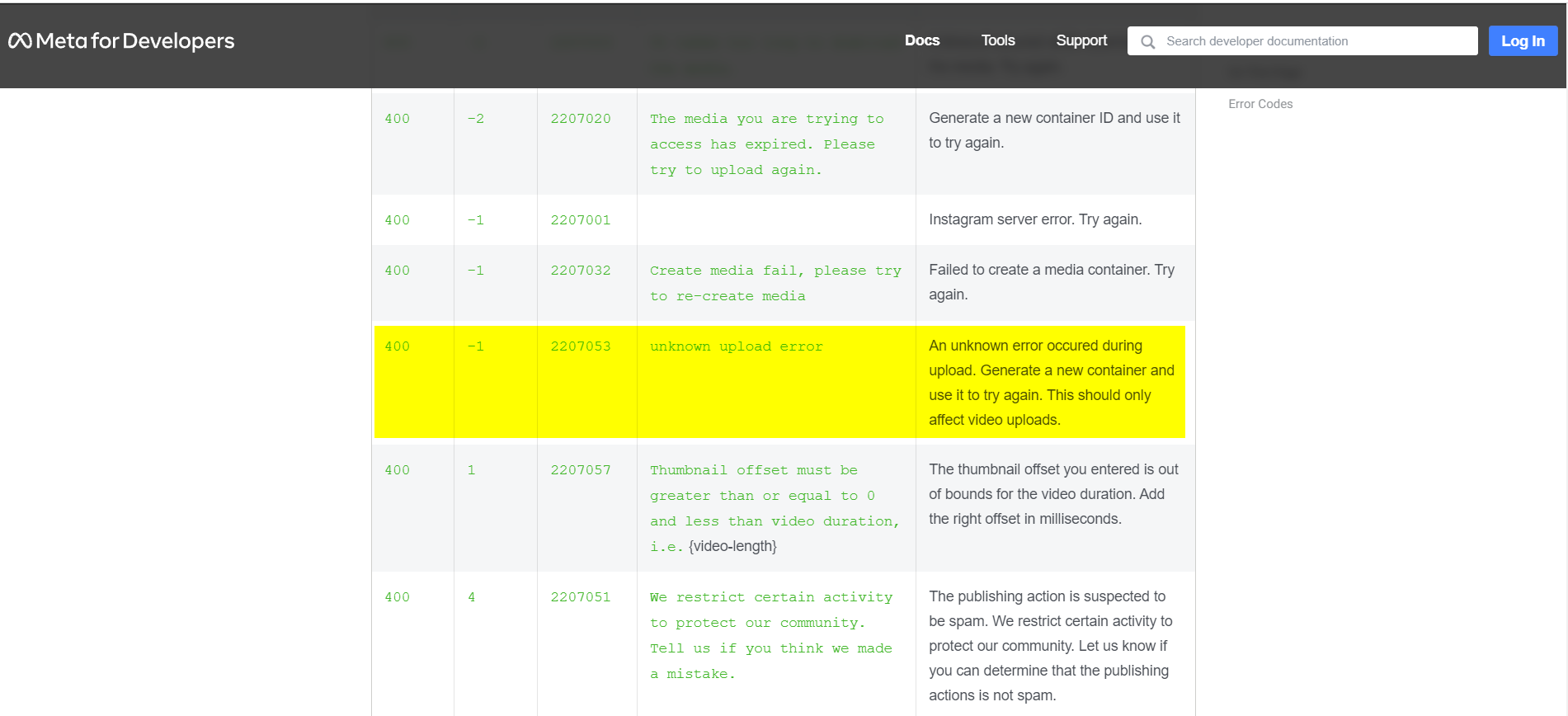
I have, however, transferred your concern to our technical team for them to look into this issue. If we can somehow fix it from our end, we will do so.
I have also been having problems with my reel automation for days, I now get error 500 when creating a new flow. The workflow can not be created.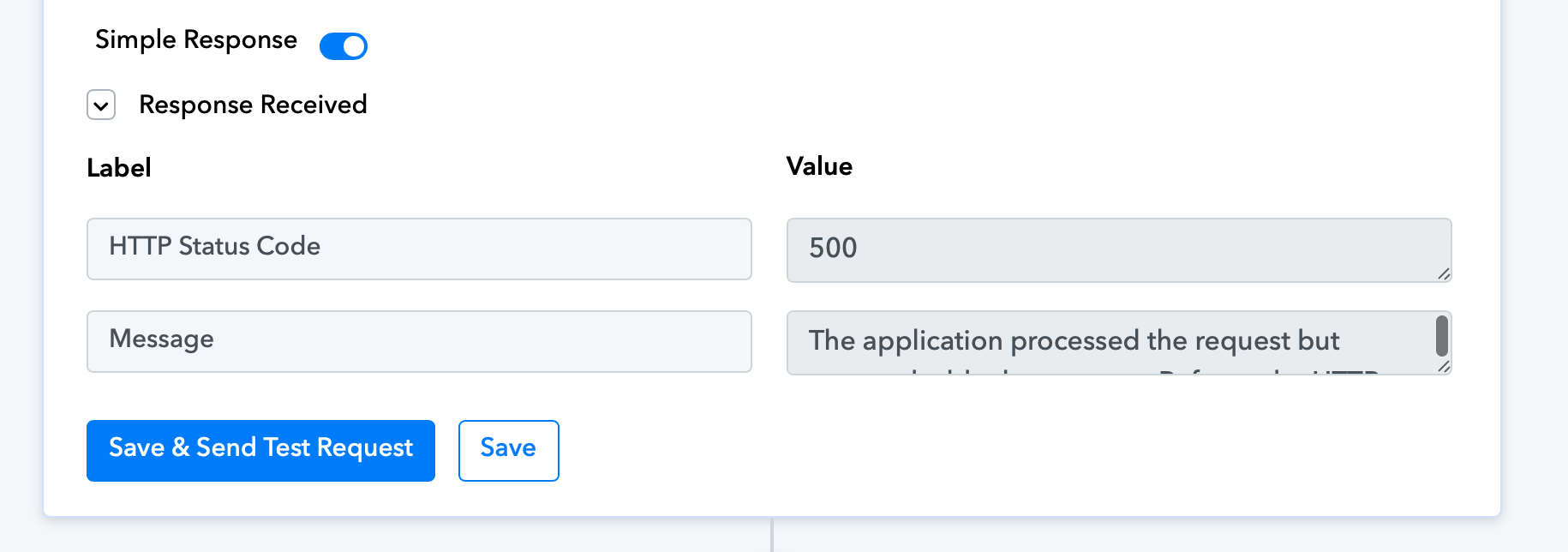
I have also been having problems with my reel automation for days, I now get error 500 when creating a new flow. The workflow can not be created.
@Stephen, Please grant me access to your workflow by adding me as a team member. This will allow me to gain a better understanding of your issue.
Once you have added me as a Team Member, do let us know the name of your workflow.
Email: [EMAIL]arshil.ahmad@pabbly.com[/EMAIL]
Also, remember to revoke access once your query has been resolved.
Attaching a video for your reference:
I simply don't believe instagram has an API that has so many errors and issues and if you are providing an integration platform, your platform should be able to handle such errors and work properly.
You already have access to both of the workflows that use this API.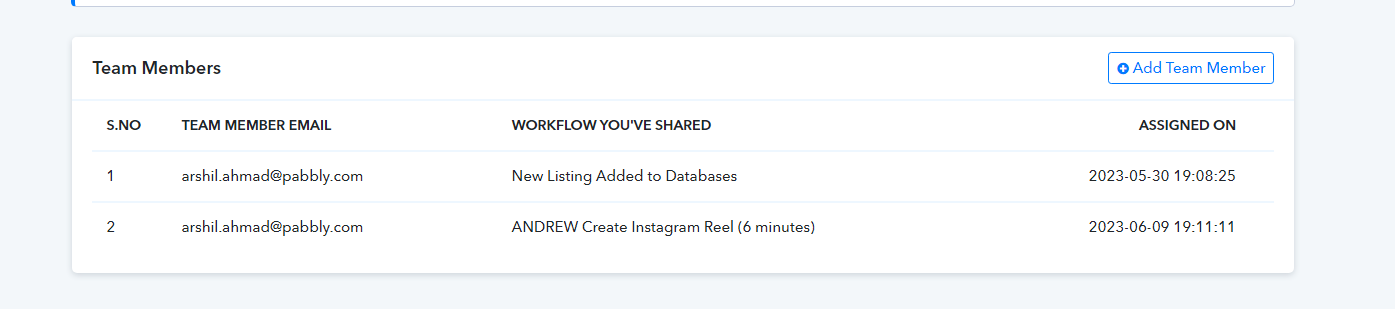
@
@Stephen, Please grant me access to your workflow by adding me as a team member. This will allow me to gain a better understanding of your issue.
Once you have added me as a Team Member, do let us know the name of your workflow.
Email: [EMAIL]arshil.ahmad@pabbly.com[/EMAIL]
Also, remember to revoke access once your query has been resolved.Attaching a video for your reference:
done
I have also been having problems with my reel automation for days, I now get error 500 when creating a new flow. The workflow can not be created.
@Stephen, Please allow us some time to look into this issue. We will get back to you shortly.
Hey @Stephen @andrewstrealtor,
We have implemented specific modifications to the action step "Publish Video" in order to address your inquiries. Please re-establish the workflow accordingly. We are confident that this will resolve your issue. However, if you encounter any further difficulties, please don't hesitate to inform us so that we may assist you further.
Best Regards,
Pabbly.com
It has just failed again. What does "Please re-establish the workflow accordingly" even mean? What are the instruction you want me to follow?
Task History ID -
IjU3NjAwNTY1MDYzMTA0Mzc1MjY4NTUzYzUxMzY1MTYyNTQzNyI_3D_pc
Attachments
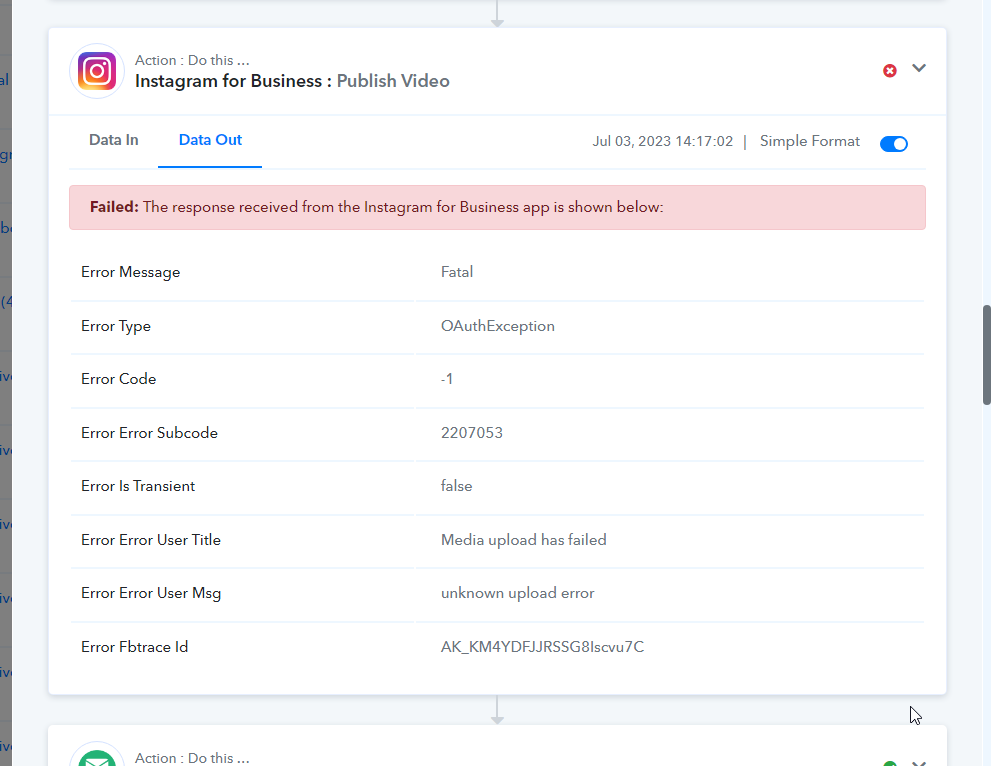
Failed again today. This is ongoing and not solved. What does your message mean that it was fixed? It's not fixed. I am now taking steps to leave Pabbly. You guys have ongoing issues that are not being resolved with YouTube quota, Instagram reels, and Facebook posts not producing a post id. All of these are essential and being paid by me to work and they don't work!
Is this fixed or not?
It has just failed again. What does "Please re-establish the workflow accordingly" even mean? What are the instruction you want me to follow?Task History ID -
IjU3NjAwNTY1MDYzMTA0Mzc1MjY4NTUzYzUxMzY1MTYyNTQzNyI_3D_pc
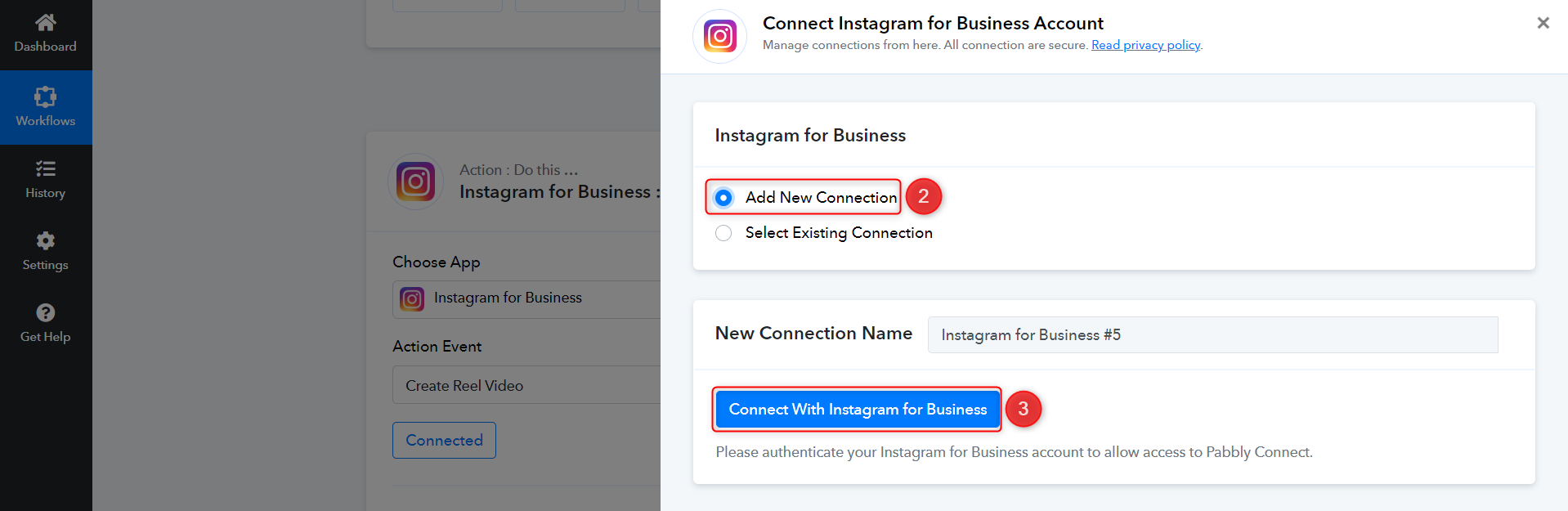
I have discussed this issue with the technical team, and they have also confirmed that the error is from the Instagram API. I would suggest that you re-establish the connection with your Instagram account, as this helped one of our users fix the "OAuthException" error.
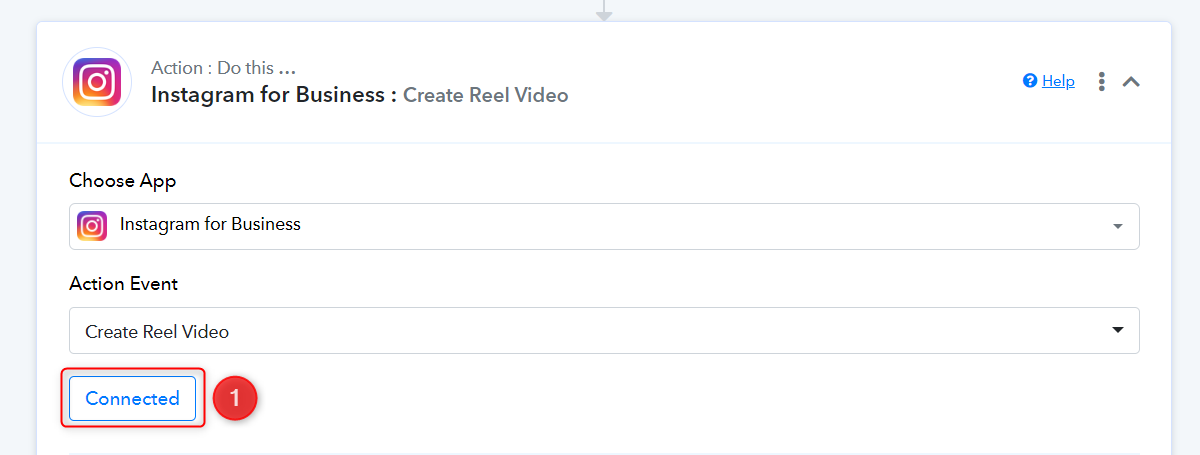
Are you going to credit my account back for all the failed workflows that used up my credits but couldn't do anything?
Failed again.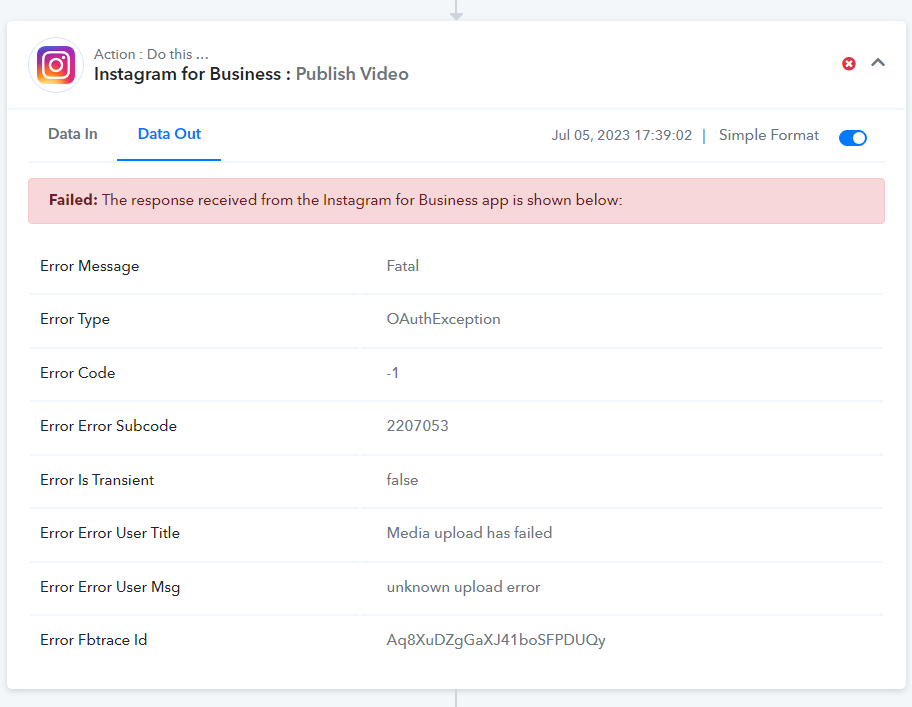
Hello Andrew. I too have had the same problem for a few days. I've found a solution that works for me. If step 1 "Create Reel Video" works fine, when step 2 "Publish Video" I get the same error as you. I've found a temporary solution. Keep your good Instagram connection for step 1, which already works, but for step 2, create a new connection and rename it differently from the first connection. You'll then have 2 connections, the first for step 1 and the second for step 2. So 2 different authorizations. There may be a scope problem that Pabbly needs to fix, I don't know. But having 2 different connections worked for me.
I appreciate it but this isn't our problem to solve and I have way too many workflows and router steps for different things for me to go in and just change this as you've suggested. They need to fix their product!
I am going to be leaving this bad platform.
I appreciate it but this isn't our problem to solve and I have way too many workflows and router steps for different things for me to go in and just change this as you've suggested. They need to fix their product!
Ok I understand! You're right, good luck to you!
I have discussed this issue with the technical team, and they have also confirmed that the error is from the Instagram API. I would suggest that you re-establish the connection with your Instagram account, as this helped one of our users fix the "OAuthException" error.
I have calculated there are about 160 tasks I would need to change if I follow your suggestion. This CAN NOT happen and you need to fix the issue.
You can try establishing the new connection through Settings; this will update the connection across all your workflows at once.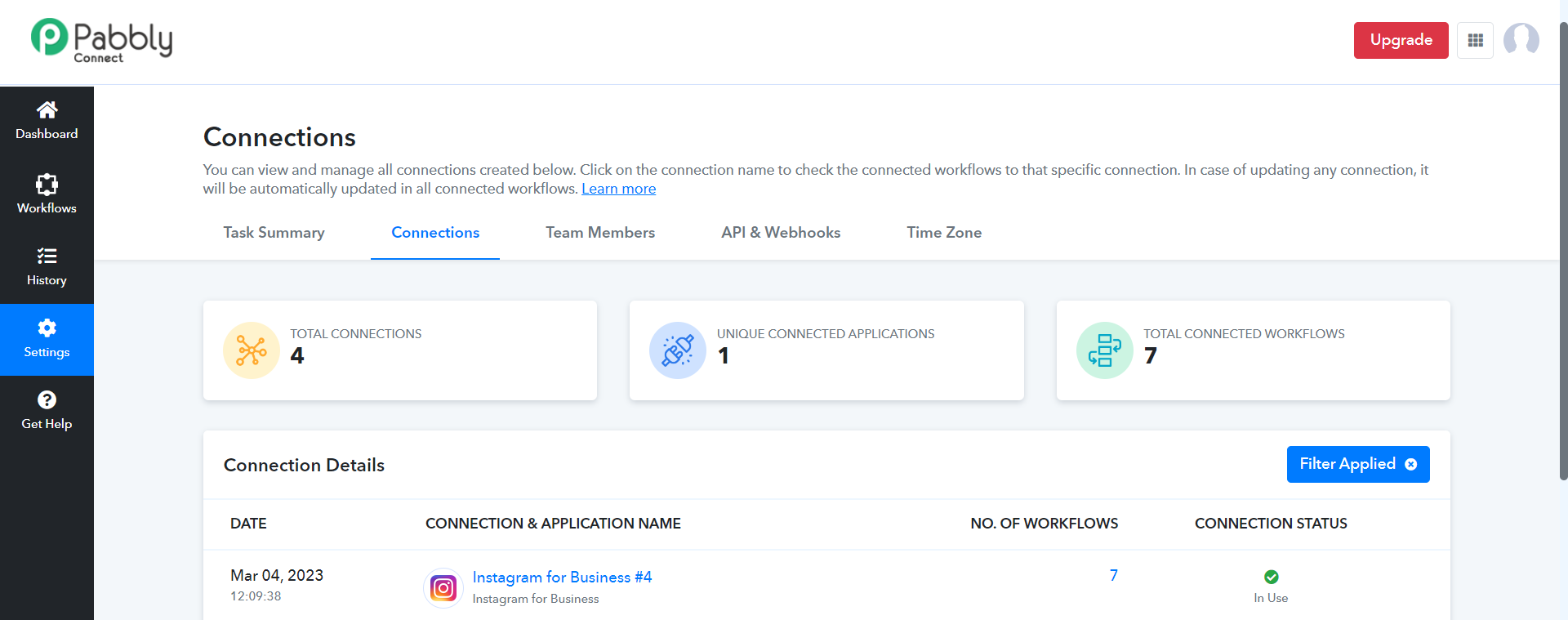
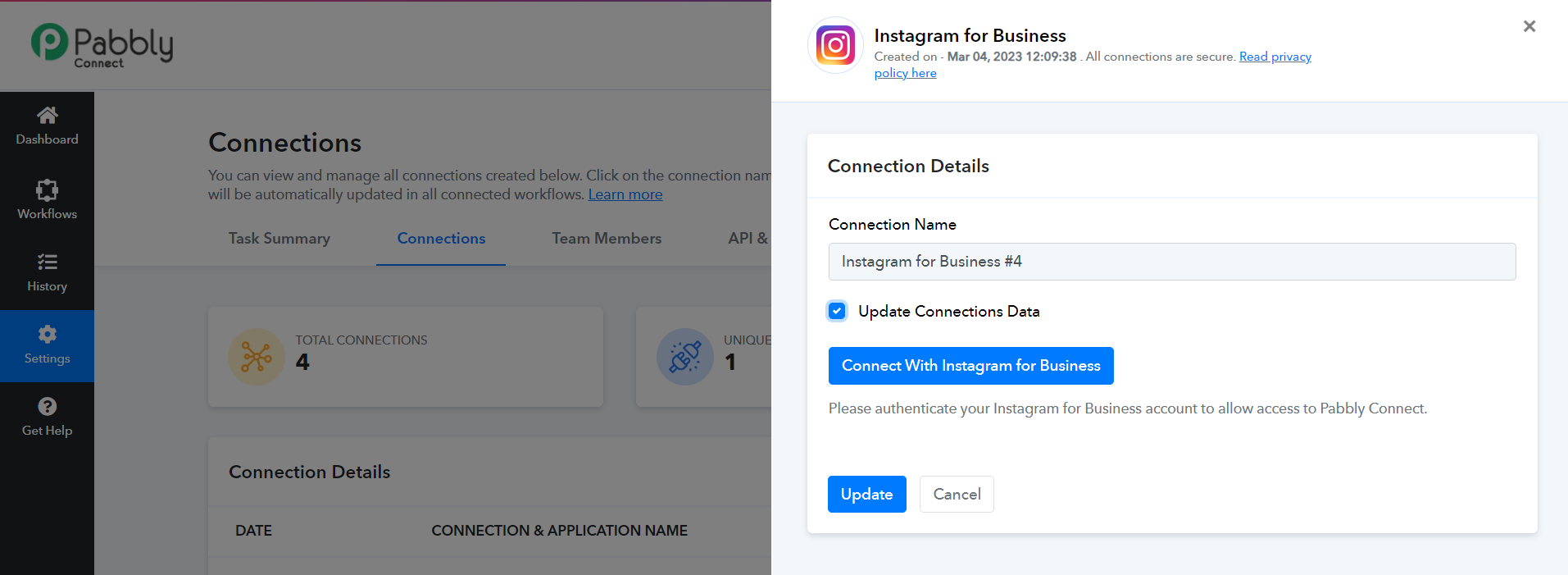
You can try establishing the new connection through Settings; this will update the connection across all your workflows at once.
I did try that and it didn't work.
I did try that and it didn't work.
Did connections not get updated?
I made a video but can't send it to you since it's too large. No that did not work.
See video here... https://andrewst.transfernow.net/dl/20230705k9rfECGX
I am afraid I don't have any other solution for your issue.
Still not fixed.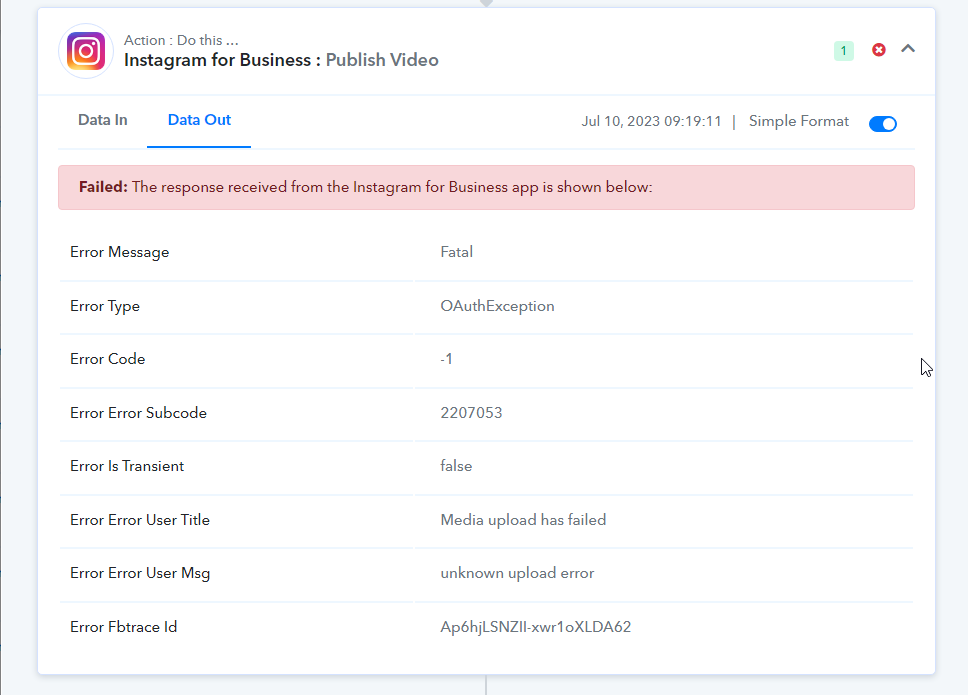
As mentioned previously, the issue is generated at Instagram's end, so it's not possible for us to fix this.
As a workaround, you can use our new Auto Retry function, which will help you re-execute failed tasks automatically.
.https://forum.pabbly.com/threads/how-to-enable-auto-re-execution-for-workflows-coming-soon.15088/
Using the auto re-execute task won't solve this issue. You need to fix the connection issue. How can you say it's been fixed when it isn't fixed? I don't understand how you can market connections that don't work and provide instructions for a fix that doesn't fix the issue. I've tried re-establishing the connection and that didn't solve the issue.