Instagram to Pinterest error- this site doesnt allow you to save pins
Status: Closed · Asked by shubhangi on · 0 views
I made a workflow to connect Instagram to pinterest, twitter, linkedin, google mys business.
https://connect.pabbly.com/workflow/share/XxdWZFUCA2BSGFM5BkEBJl9LAwcIUgE5VUwDEVZZXSUEXlM4AUALYQtHU3FQMVQ1URhQOgFdUGlcSAoOBVMIe1dOBQBWSQZbVWYEQQ1SDiRfPQ##
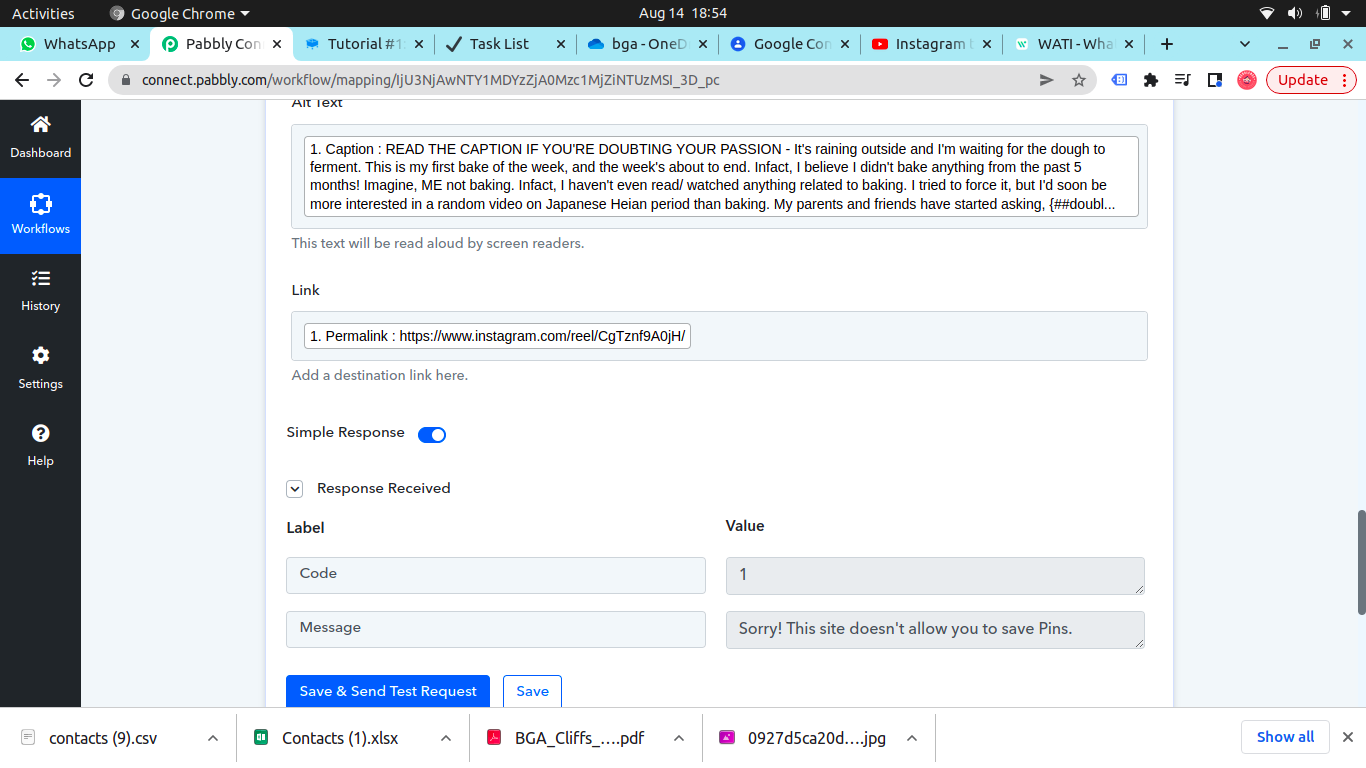
doesn't show any error for twitter and llinkedin but for Pinterest it shows code 1 error and says " Sorry! This ste doesn't allow you to save Pins!" Please help
Attachments
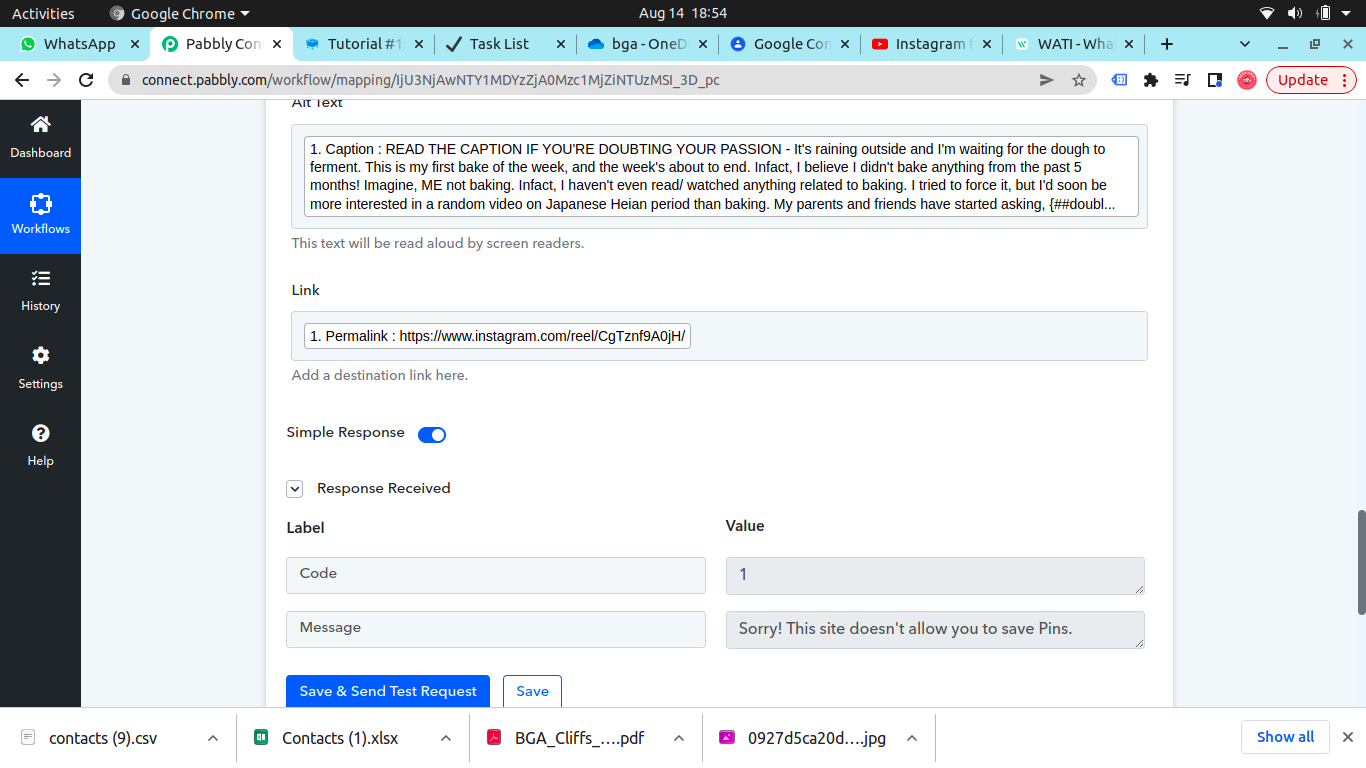
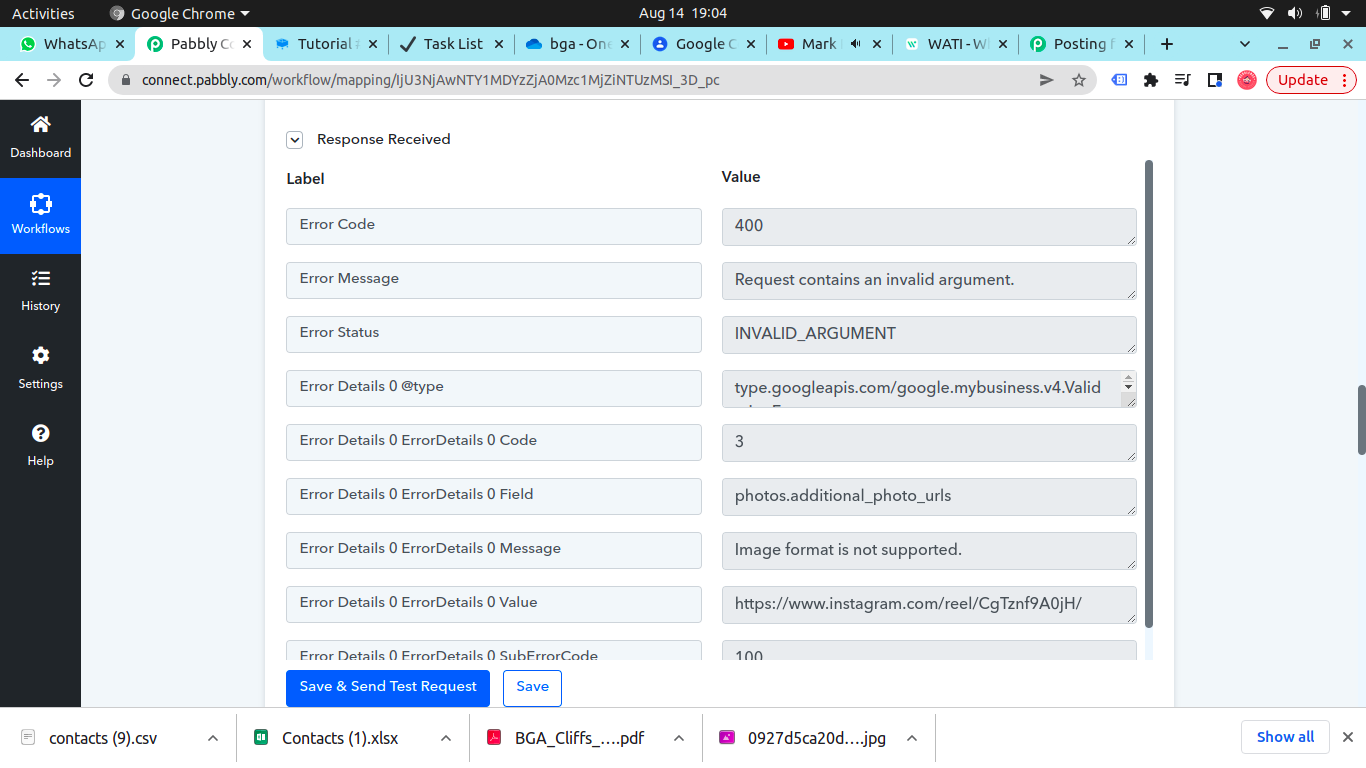
Update: On google my business too it gives an error 400, message- Request contains an invalid argument.
Is it because the latest post was a reel? If that's not possible, is there a way to separate instagram videos from static/ carousel posts?
Also, what about pinterest? That allows videos to be posted, but I am getting the error i mentioned in the beginning of the thread.
Attachments
Hey @shubhangi !
Pinterest concern-
On checking upon the concern for it, we can see that it might be a cache issue, so kindly clearout the cache from your browser ,also for more details on the issue which you have received at your end, do check here- https://whoihavetobe.com/site-doesnt-save-pins/
Google My Business concern-
You are entering the incorrect image URL inside the Media Source URL field-

Kindly map in the Media URL from the trigger response and then click on "Save" only.
It will start to work for you.
Do check on the suggested steps and let us know if this works for you now.
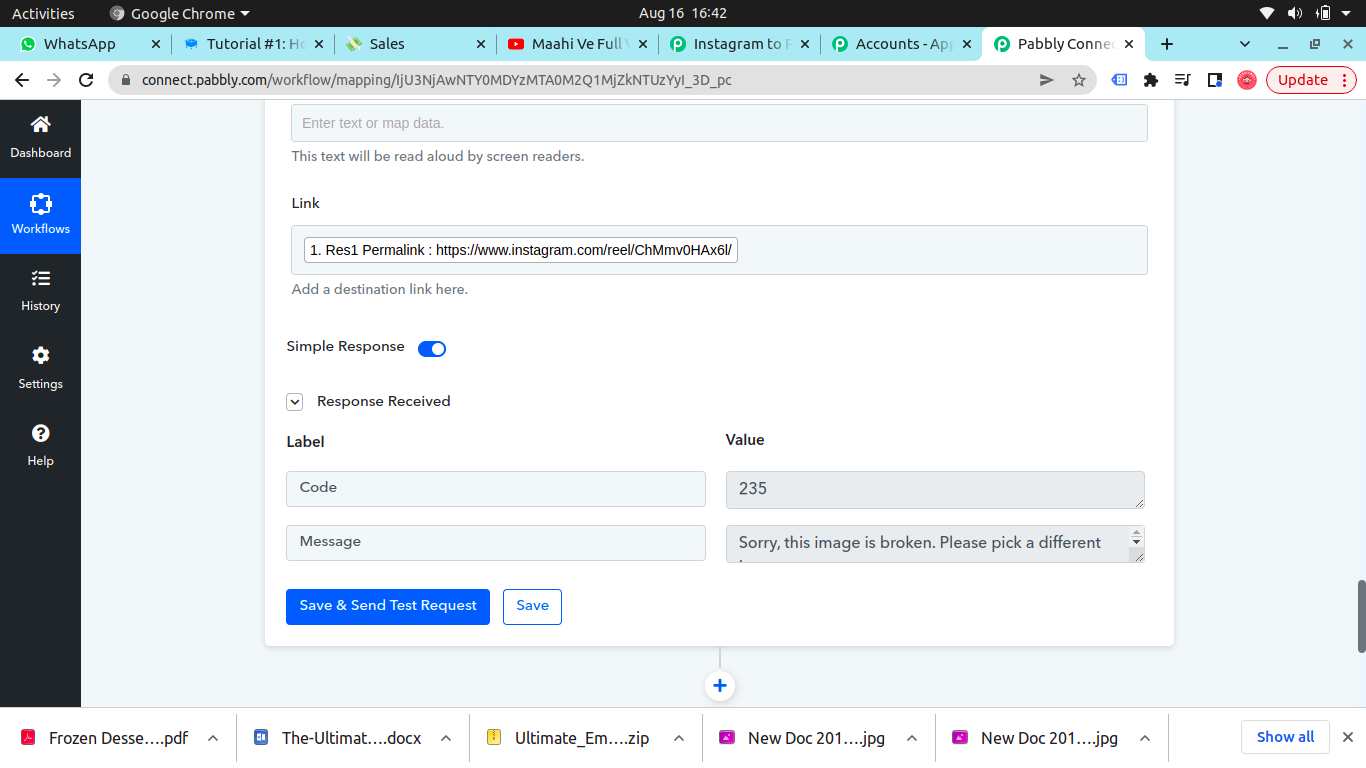
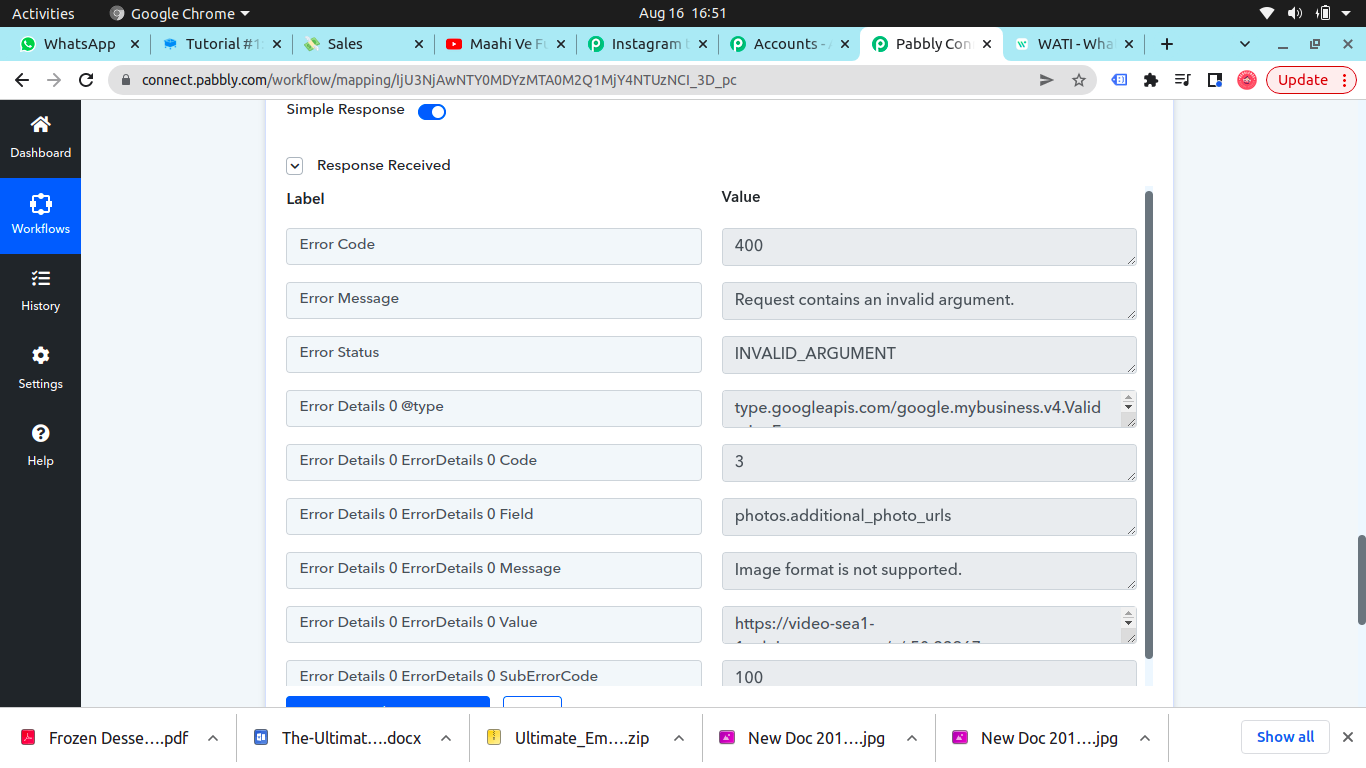
I tried that for Pinterest and it didn't work, even made anew workflow, here's the error-
Attachments
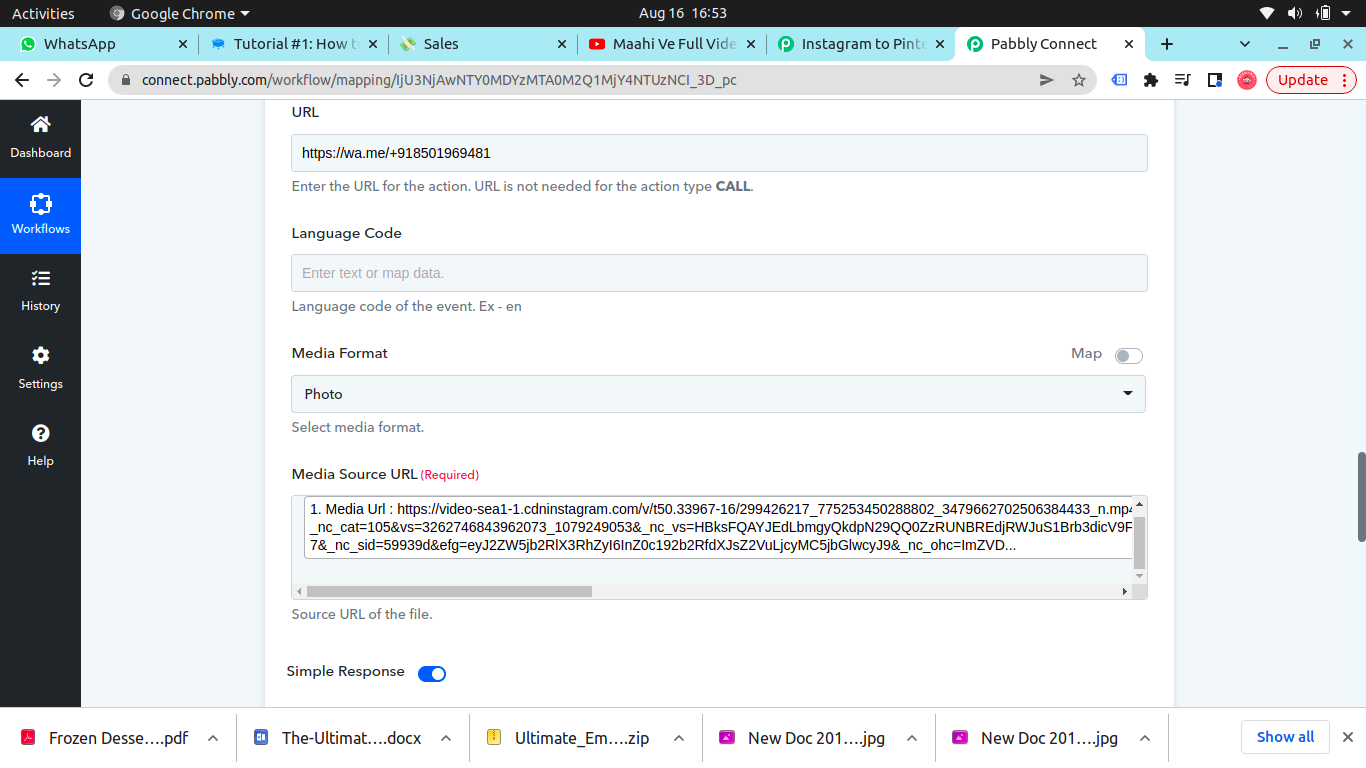
Same for google my business
Attachments
Hey @shubhangi !
Pinterest Concern-
Kindly check it once with Pinterest support, as we are not facing the issue with us at our end.
Do check and let us know what they let you know on this, so if anything is required at our end, we will make the changes.
Google My Business concern-
On checking upon your workflow, we can see that you have deleted the step, so we were not able to investigate on it.
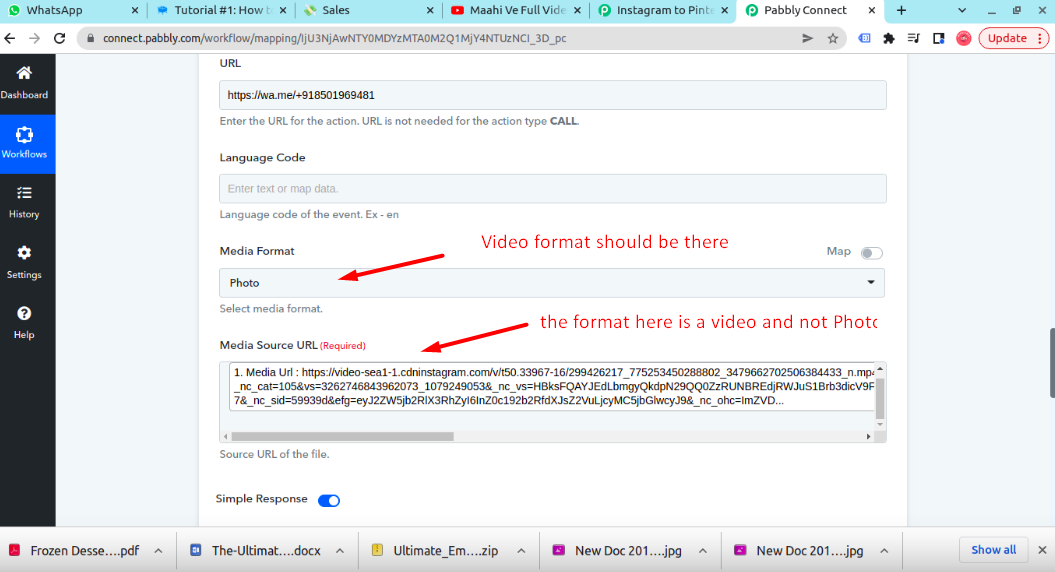
But by checking on the screenshot you have sent us, we can see that for the video format, you have passed Photo as the format-
Hope, we have mentioned your query.
Sure I'll reach out to pinterest.
About the Google issue, I don't get an option to select video, also what can I do so it automatically selects video/ photo? Plus, I believe GMB doesn't allow videos.
Hey @shubhangi !Pinterest Concern-
Kindly check it once with Pinterest support, as we are not facing the issue with us at our end.
Do check and let us know what they let you know on this, so if anything is required at our end, we will make the changes.
Google My Business concern-
On checking upon your workflow, we can see that you have deleted the step, so we were not able to investigate on it.
But by checking on the screenshot you have sent us, we can see that for the video format, you have passed Photo as the format-
Hope, we have mentioned your query.
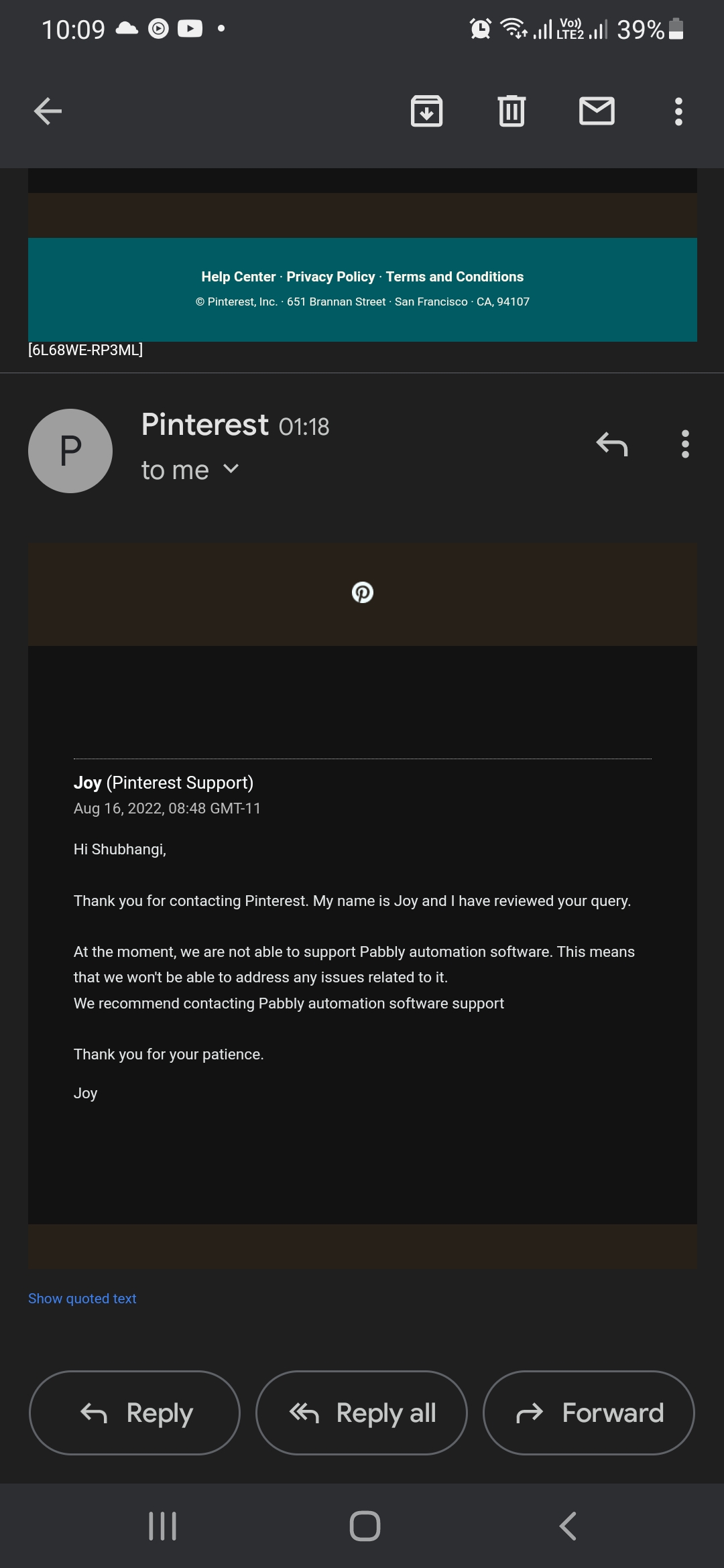
This is the reply I got from Pinterest
Attachments
@Subin any resolution?
Hey @shubhangi !
For Pinterest, when checking upon your workflow "instagram to pinterest ", we can see that you are trying to pass a video, because of which it didn't work.
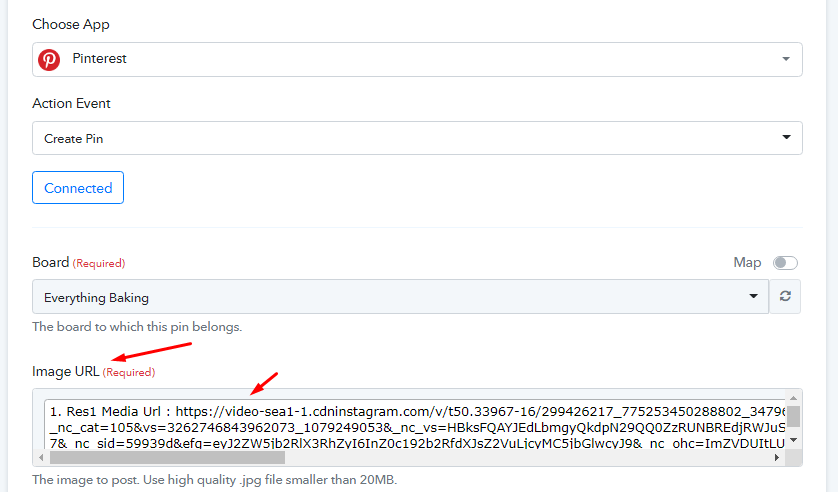
We do not have support for Video links for Pinterest at our end, so it will only work when an image URL will be passed.
Kindly do a test submission by adding an image inside your Instagram and then check if its executing in your Pinterest account now.
Hope, to hear from you soon.
Okay, so for both Google My business and Pinterest, we cannot pass videos, is there a way we can automatically make the workflow work when an image is posted? Like we can filter the posts which are images and not videos and the workflow can post them to GMB and Pinterest?
Hey @shubhangi !
Kindly use a Filter step after your Instagram by checking on the reference step below-
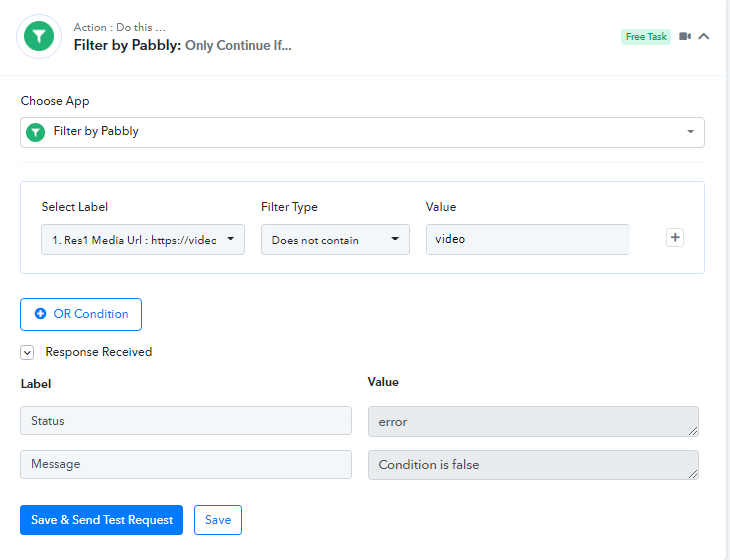
This step will stop the flow of the video link from forwarding further and will only image url to pass through it.
You can do the same for the Google My Business workflow as well.
Kindly check on this and let us know if this works for you now.
I'll check on this, and what about videos, is there no way to automate posting IG videos to pinterest, youtube shorts?
Hey @shubhangi
As of now uploading a video action event on Pinterest and on Youtube is not available.
Hey, I am also encountering the same issue as OP. Initially my Pinterest workflow worked (I am sending images), but suddenly Pinterest stopped working and I keep getting this error: Sorry! This site doesn't allow you to save Pins.
Not sure what happened...? Was the problem with OP resolved?
Hey, I am also encountering the same issue as OP. Initially my Pinterest workflow worked (I am sending images), but suddenly Pinterest stopped working and I keep getting this error: Sorry! This site doesn't allow you to save Pins.
Not sure what happened...? Was the problem with OP resolved?
Can you please share the workflow URL once in which you have experienced the same so that we can look into it?