Instagram + Ultramsg cannot post video propably
Status: Open · Asked by Ton Won on · 0 views
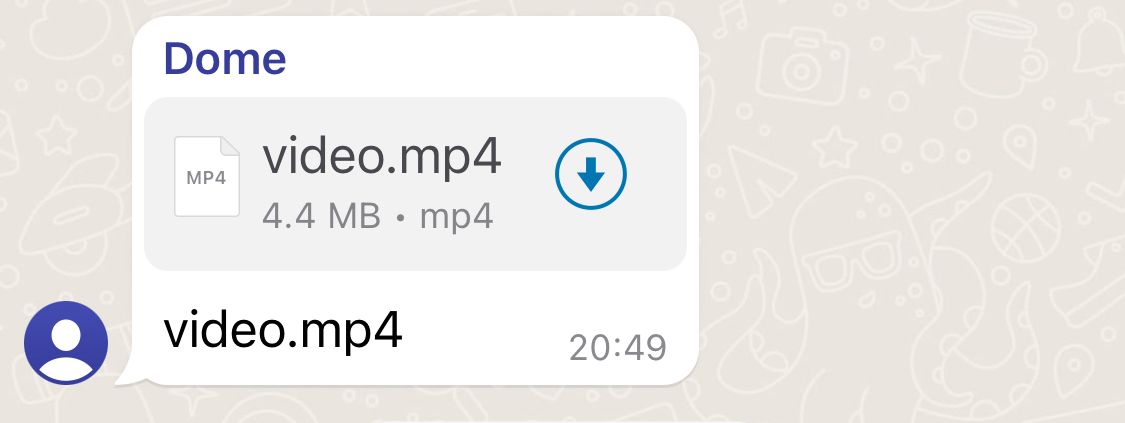
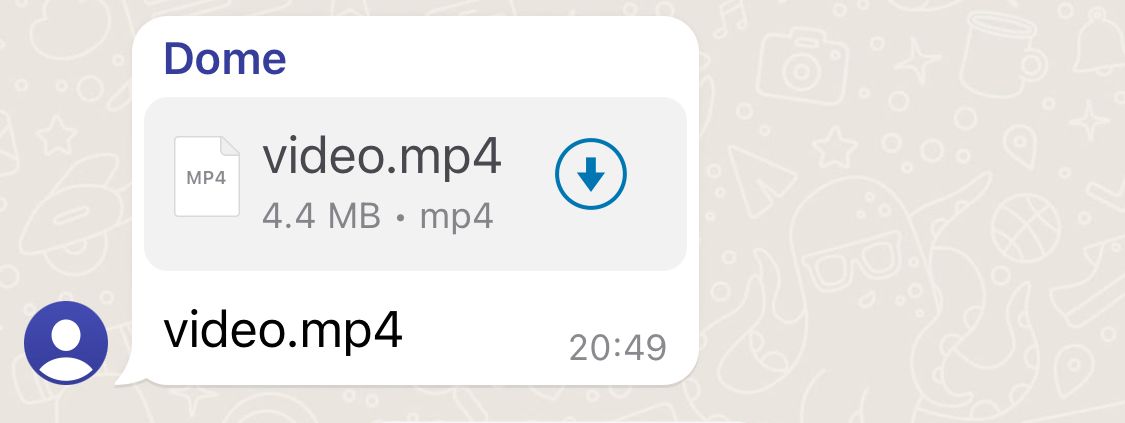
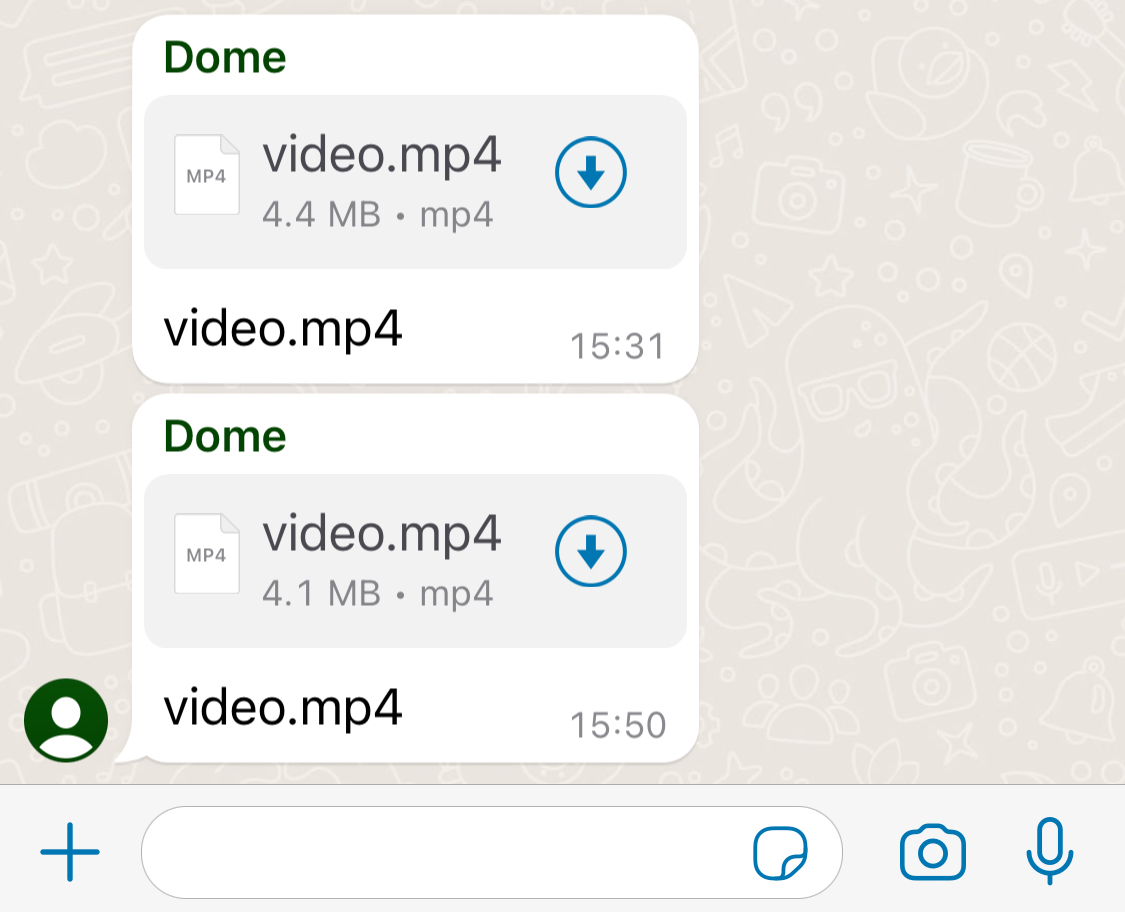
Recently, it will display the file only but not a video on WhatsApp.
Hi @gpro,
Could you please elaborate a bit more on your exact concern and also share the Workflow URL in which you have this concern?
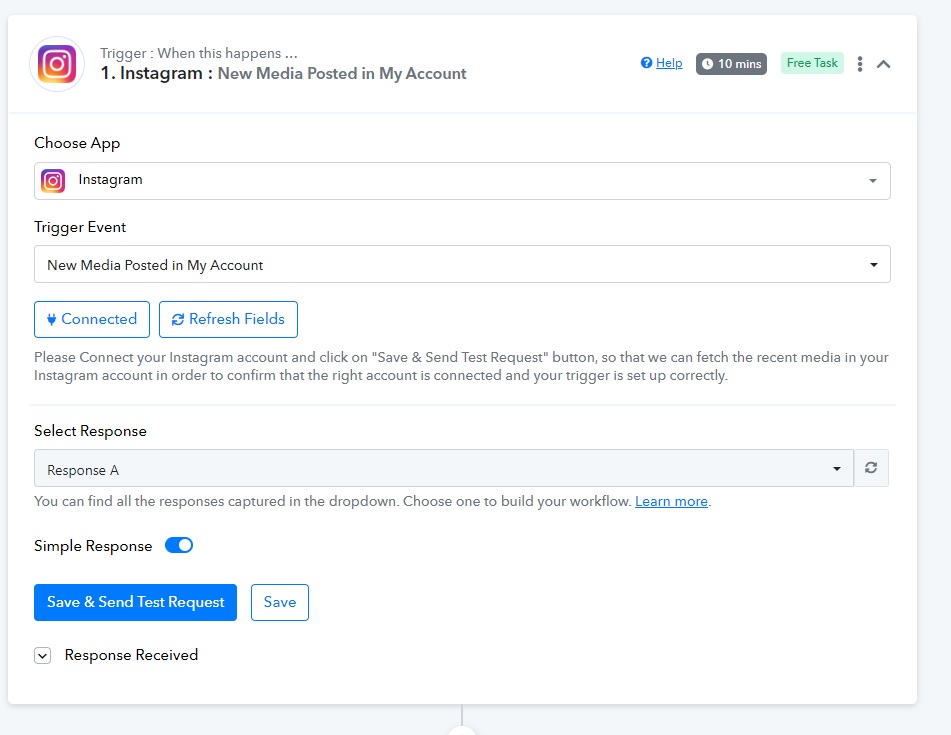
Step 1: Instagram
Detect new media post on IG account.
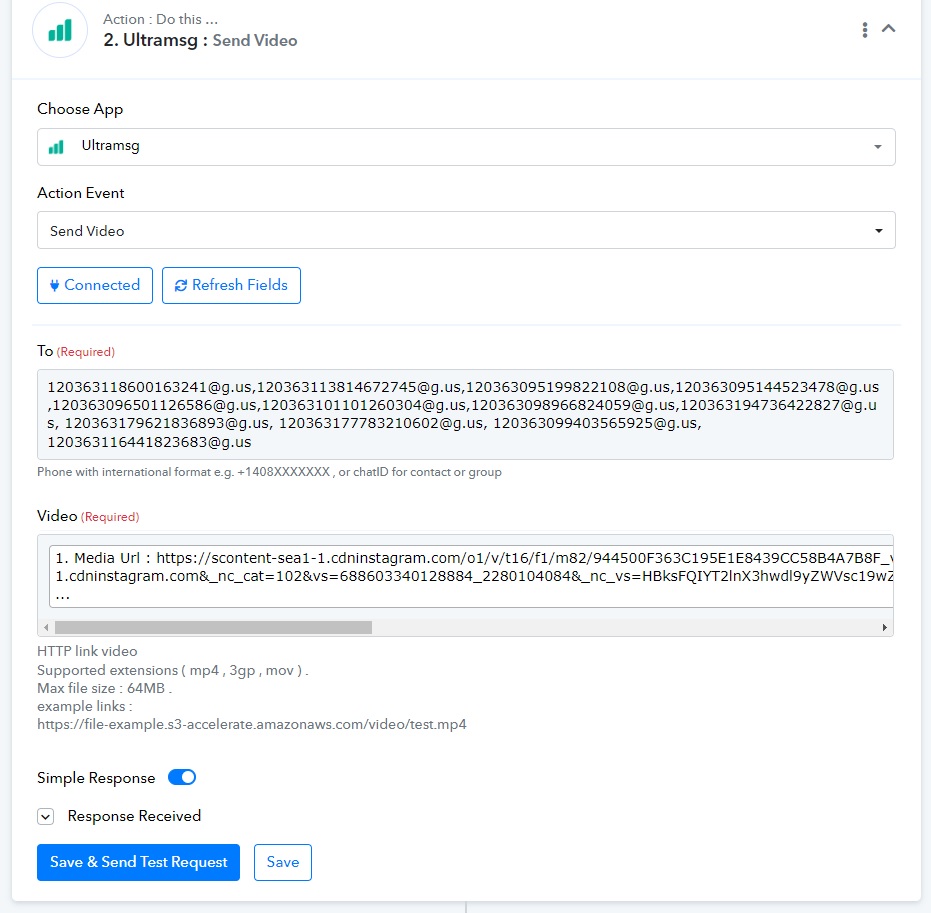
Step 2: Ultramsg
Post IG video to WhatsApp Groups.
Result: file only but not a video
Before, it can display as video on whatsapp groups. But it just can display file name only.
Hi @gpro,Could you please elaborate a bit more on your exact concern and also share the Workflow URL in which you have this concern?
https://connect.pabbly.com/workflow/mapping/IjU3NjUwNTY5MDYzNzA0MzQ1MjZlNTUzMzUxMzYi_pc
Do you want to share a link to the Instagram post? If so, you can try sharing this link instead.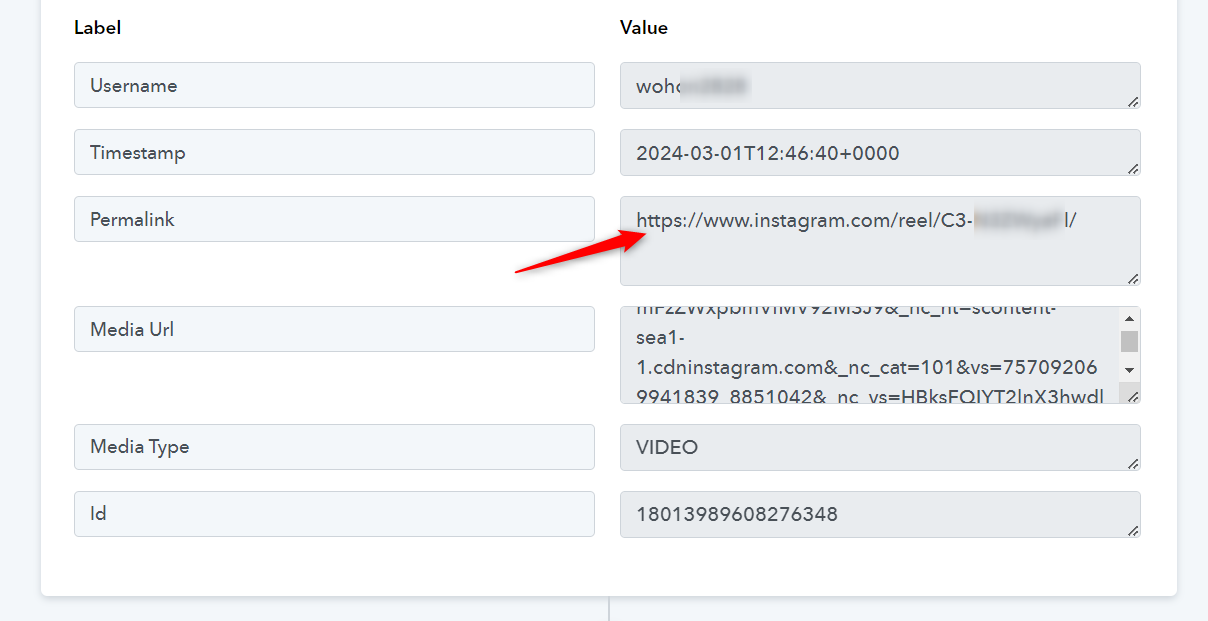
Do you want to share a link to the Instagram post? If so, you can try sharing this link instead.
It doesn't work since the file extension doesn't work!
I want to post video directly but not a link.
Attachments
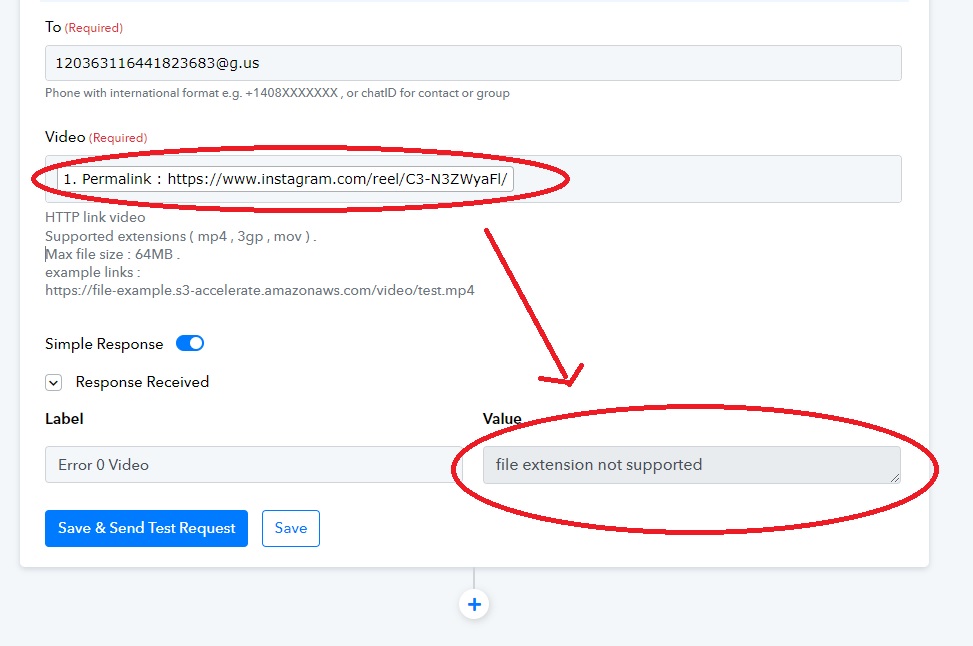
Before, it can display as video on whatsapp groups. But it just can display file name only.
You mentioned that previously the videos were being displayed in WhatsApp groups. Could you please share a screenshot as an example of how they were displayed before?
You mentioned that previously the videos were being displayed in WhatsApp groups. Could you please share a screenshot as an example of how they were displayed before?
When the video uploaded to IG, the video will auto post in WhatsApp groups. Pls find the screenshots.
Attachments
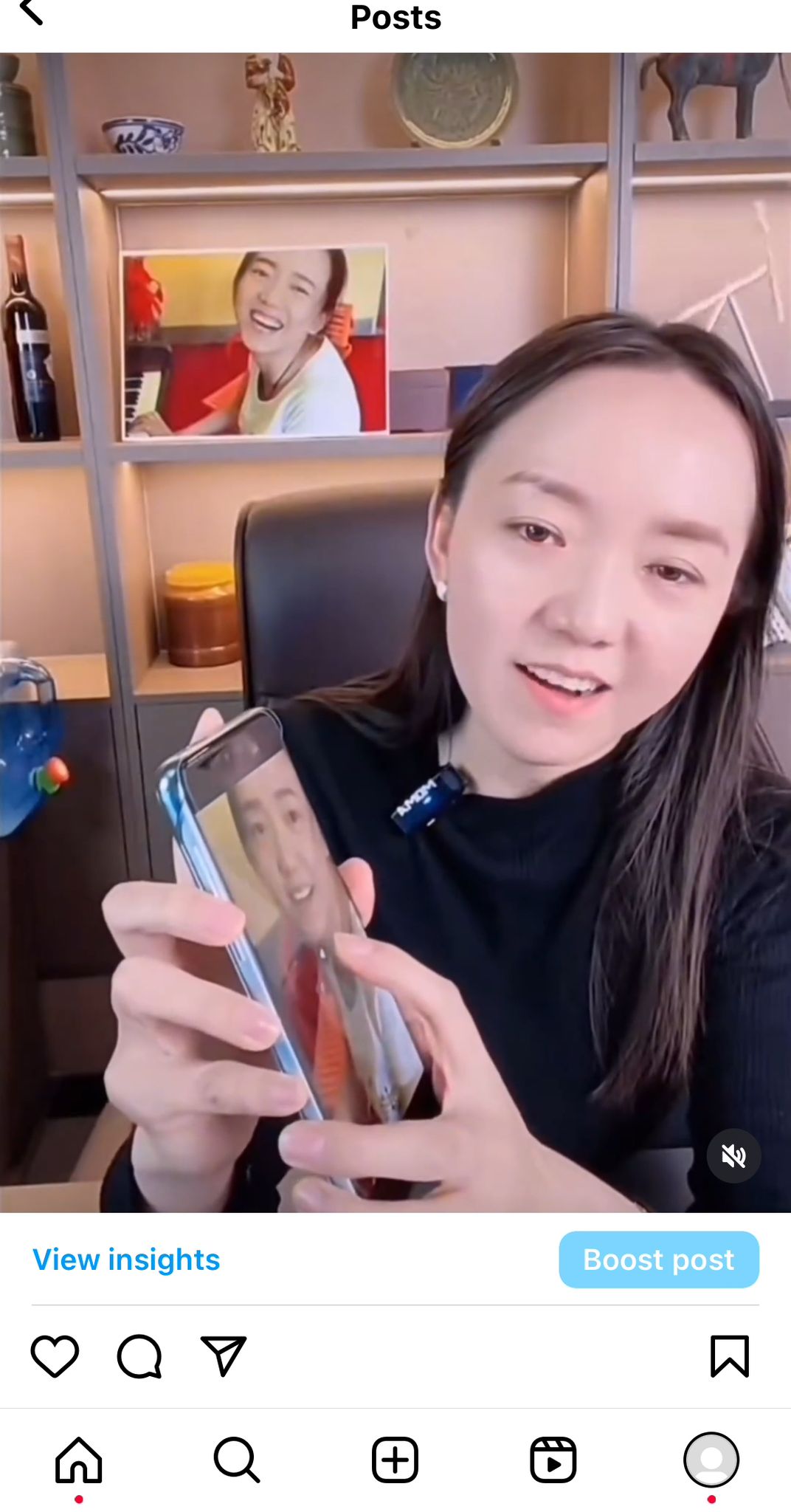
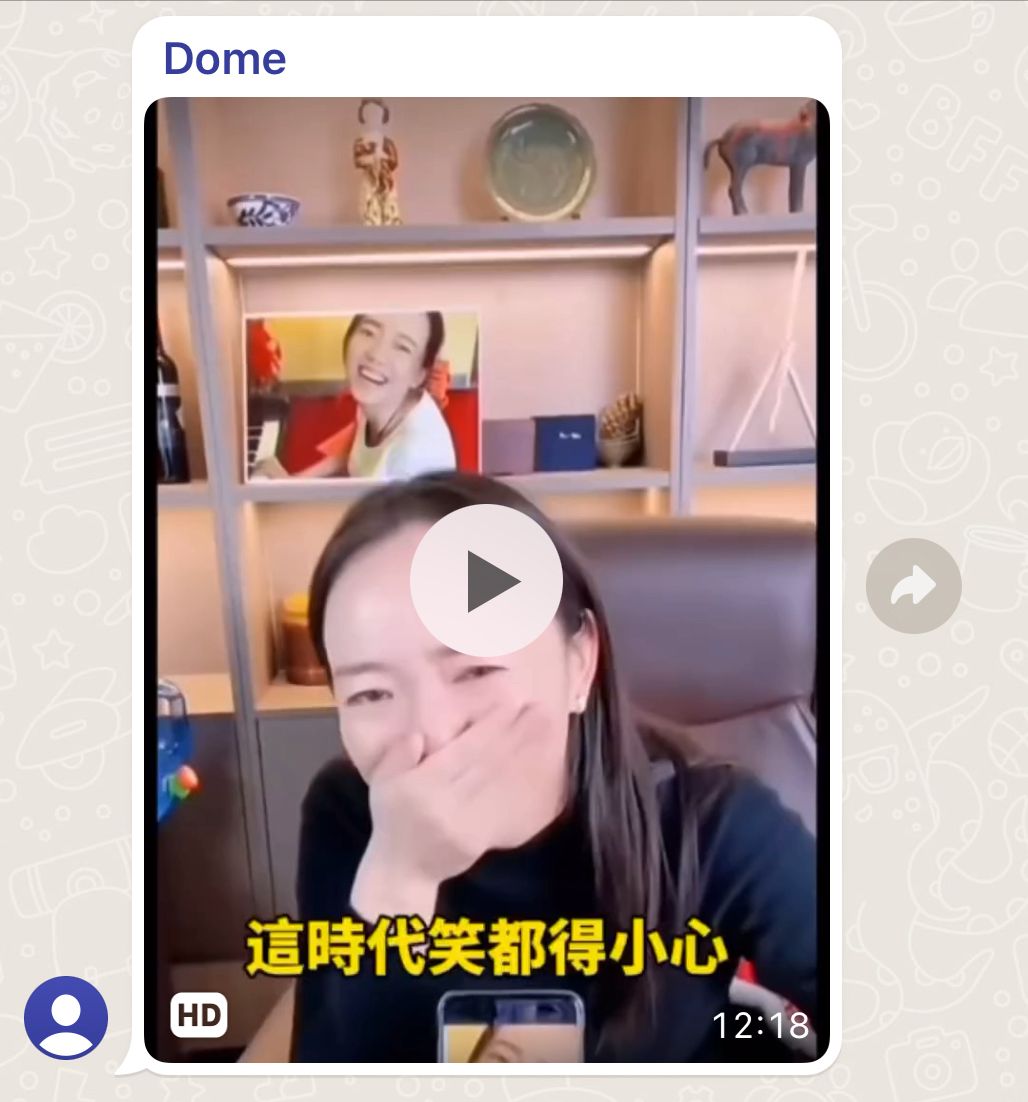
Can you please try recapturing the webhook response again for the IG reel video once and then map the media URL directly, since the file URL might not be available.
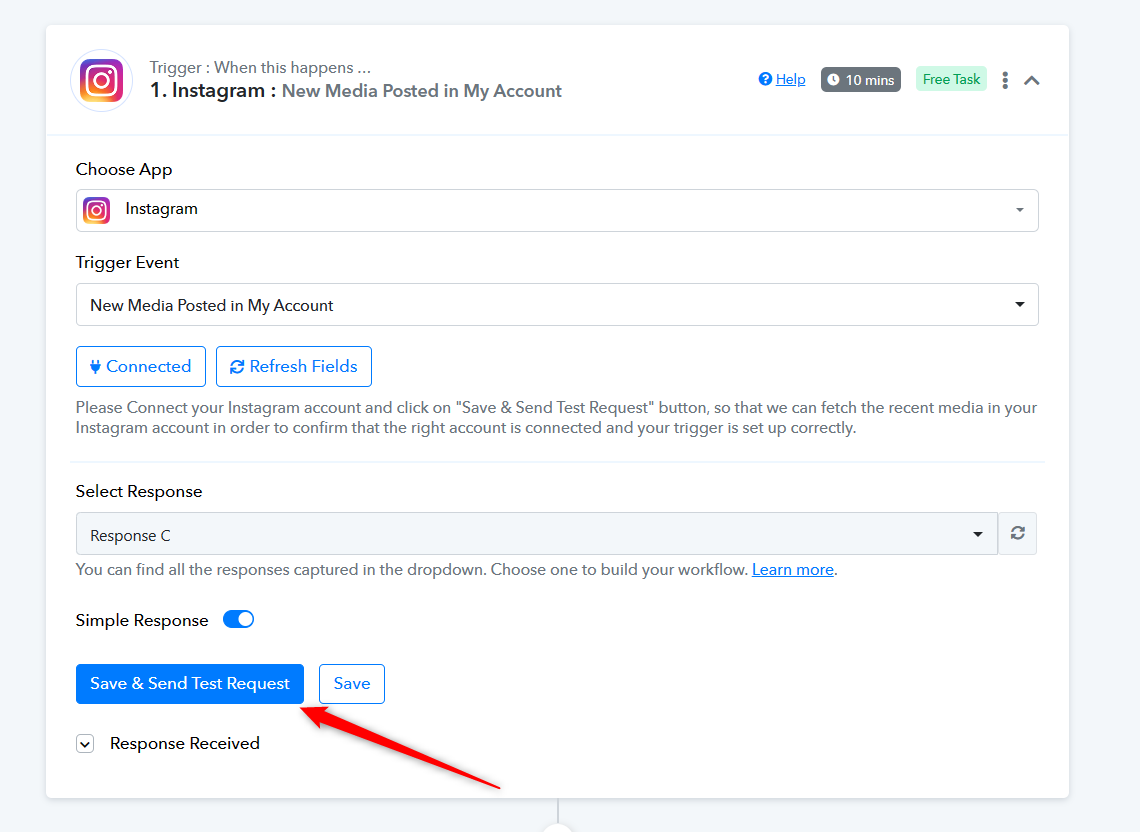
Can you please try recapturing the webhook response again for the IG reel video once and then map the media URL directly, since the file URL might not be available.
ok, I recaptured a new URL and put it. But the result is same old.
Attachments
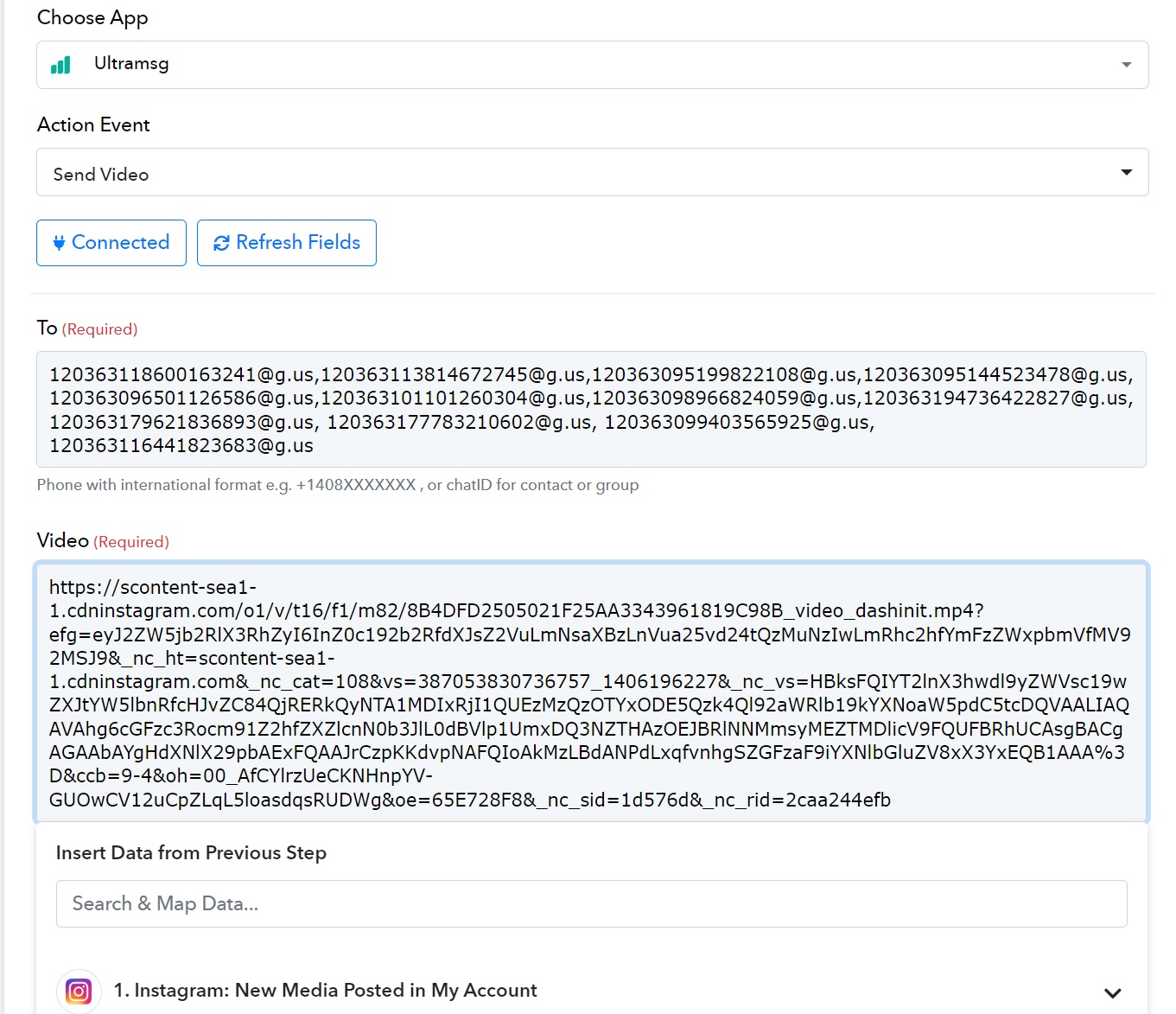
Kindly try passing the video file URL with the specific file extension, such as .mp4 or .mov. Currently, it appears that the URL you're passing does not have these required formats, leading to Ultramsg rejecting the API request for posting content.
To resolve this, you can employ the Createomate application in your workflow. This tool helps convert the file URL to your preferred file extension, ensuring compatibility for posting videos. Additionally, I recommend watching a video lesson on using Createomate, which can provide further guidance on this process.
Kindly try passing the video file URL with the specific file extension, such as .mp4 or .mov. Currently, it appears that the URL you're passing does not have these required formats, leading to Ultramsg rejecting the API request for posting content.To resolve this, you can employ the Createomate application in your workflow. This tool helps convert the file URL to your preferred file extension, ensuring compatibility for posting videos. Additionally, I recommend watching a video lesson on using Createomate, which can provide further guidance on this process.
Thanks information but it is different scenario.
The IG Video will not exist if cut off the URL. You can try:
https://scontent-sea1-1.cdninstagram.com/o1/v/t16/f1/m82/8B4DFD2505021F25AA3343961819C98B_video_dashinit.mp4
Attachments
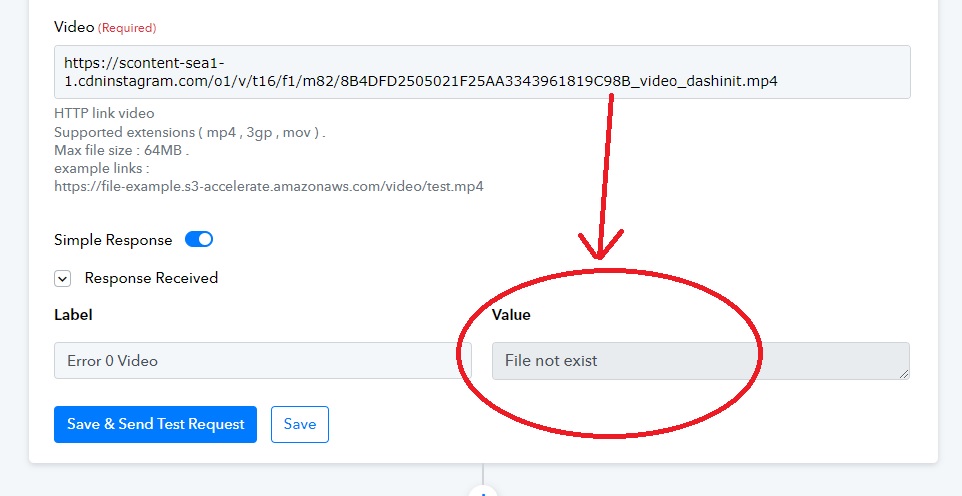
It seems like you haven't used Createomate to convert the video file to the .mp4 file extension. This conversion is necessary to proceed with the action step.
You can check the same by passing the .mp4 video URL sample video if UltraMsg sends the video in such a manner in the user's Whatsapp account.
It seems like you haven't used Createomate to convert the video file to the .mp4 file extension. This conversion is necessary to proceed with the action step.You can check the same by passing the .mp4 video URL sample video if UltraMsg sends the video in such a manner in the user's Whatsapp account.
It's too complicated steps. It can work before and no need to do this.
Pabbly should enhance and modify the function probably for users.
Currently, the only workaround we have for your use case is to use Creatomate to add the .mp4 extension.
Currently, the only workaround we have for your use case is to use Creatomate to add the .mp4 extension.
Sorry since it's too complicated procedues and not understand this workflow.
I prefer we can work easier like before.
Can you please update me after Pabbly fixed the issue?
Thanks!
Can you please update me after Pabbly fixed the issue?
If we find any alternate solution on that we will let you know.