Integration of Pabbly Connect with Excel for Whatsapp Automation
Status: Closed · Asked by Rahul on · 0 views
Hi Everyone,
I'm a very new user of Pabbly connect & learning how to "walk" Pabbly connect.
My purpose of using Pabbly connect is to automate/schedule some of the messages of my personal WhatsApp account. I saw one video of doing integration of Google sheets with WhatsApp.
I want to do the same task using Excel. How can I do that I couldn't find any video on this topic.
Please help.
Warm regards,
Rahul Dev
#DesigningLives
Rahul Dev
#DesigningLives
Hey @Rahul
Could you please elaborate on your use case once, so that we can look into it and can assist you accordingly? If you are looking for direct integration of MS Excel then Excel doesn't provide integration, instead, you can use "Airtable", "Stackby" etc.
Hi Supreme,
Greetings!
Thanks for replying quickly. I'm inspired by this Pabbly video:
youtube.com/watch v=H0aBHNl2ICc:1
I want a somewhat similar kind of integration.
Warm regards,
Rahul Dev
#DesigningLives
Rahul Dev
#DesigningLives
Hey @Rahul
You can try creating the desired workflow in your account first with the help of the tutorial video and then if you need any further assistance or get stuck at any step let us know.
Moreover, you can also refer to our other video tutorials for similar use cases.
https://www.youtube.com/c/Pabbly/search?query=bulk%20message
Thanks @Supreme I'll contact you again if I need any further help.
Rahul Dev
#DesigningLives
Hi @Supreme, I just tried creating a test workflow. I couldn't find Excel spreadsheets in the apps' list while creating action. Are there any plan to include Excel in Pabbly
I would also like to learn how to add images to WhatsApp messages. Can I use WhatsApp desktop instead of web WhatsApp
Warm regards,
Rahul Dev
#DesigningLives
Rahul Dev
#DesigningLives
[JUSTIFY]@Supreme, I tried creating a workflow using Google sheets. I am getting an error message when adding JSON extractor. I am sharing the screenshots:[/JUSTIFY]
SCREENSHOT 1
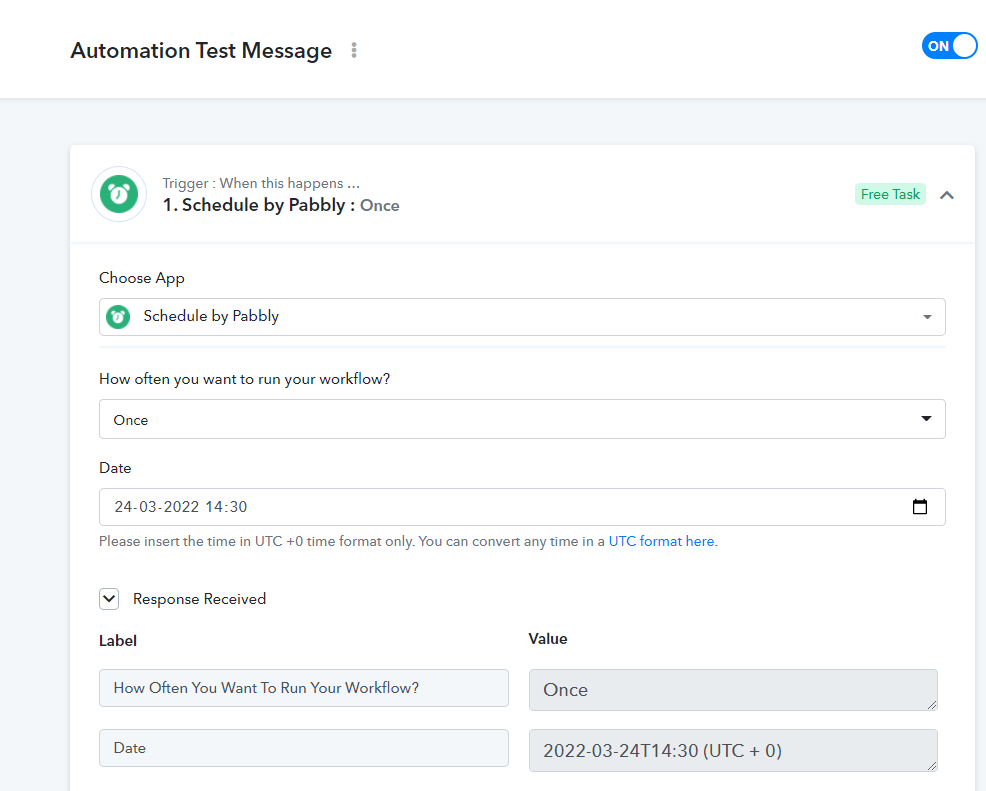
SCREENSHOT 2
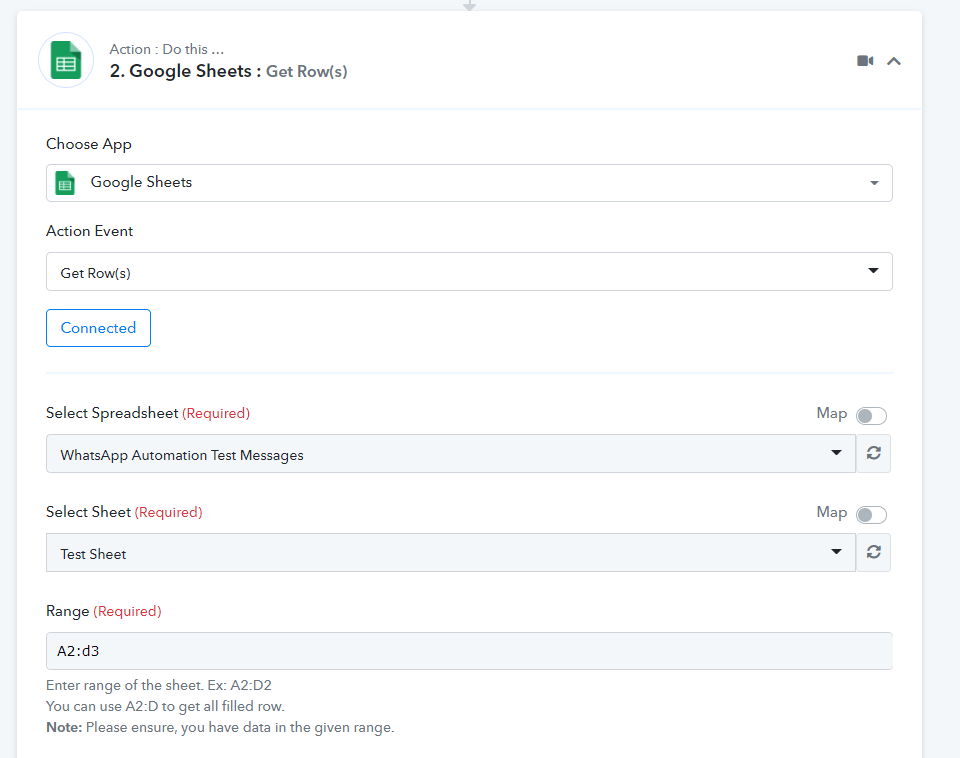
SCREENSHOT 3
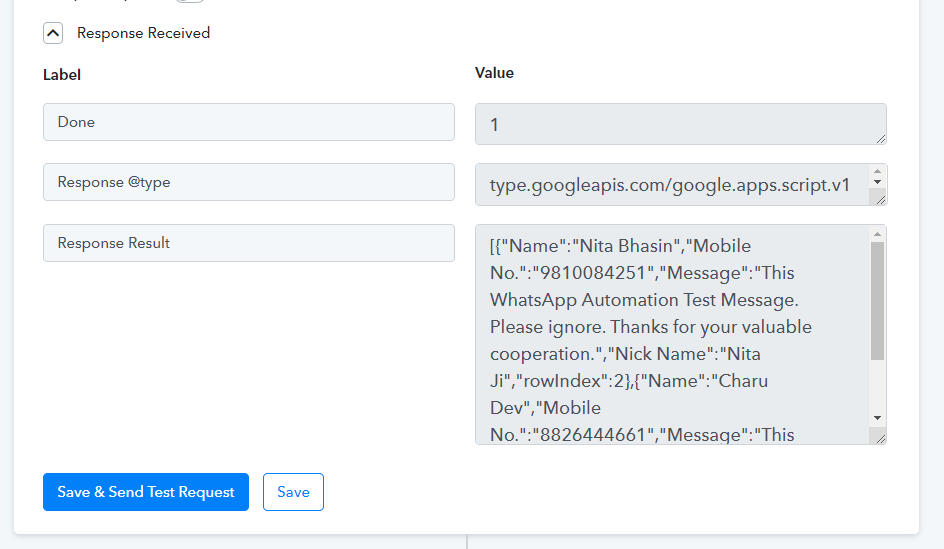
SCREENSHOT 4
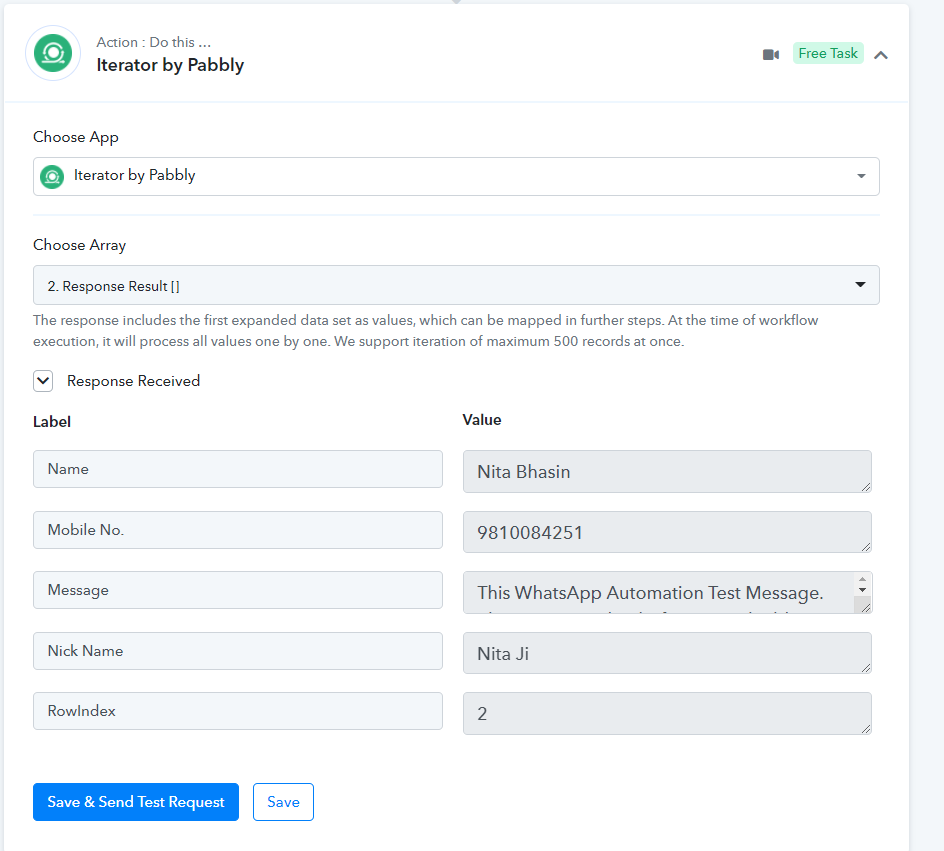
SCREENSHOT 5
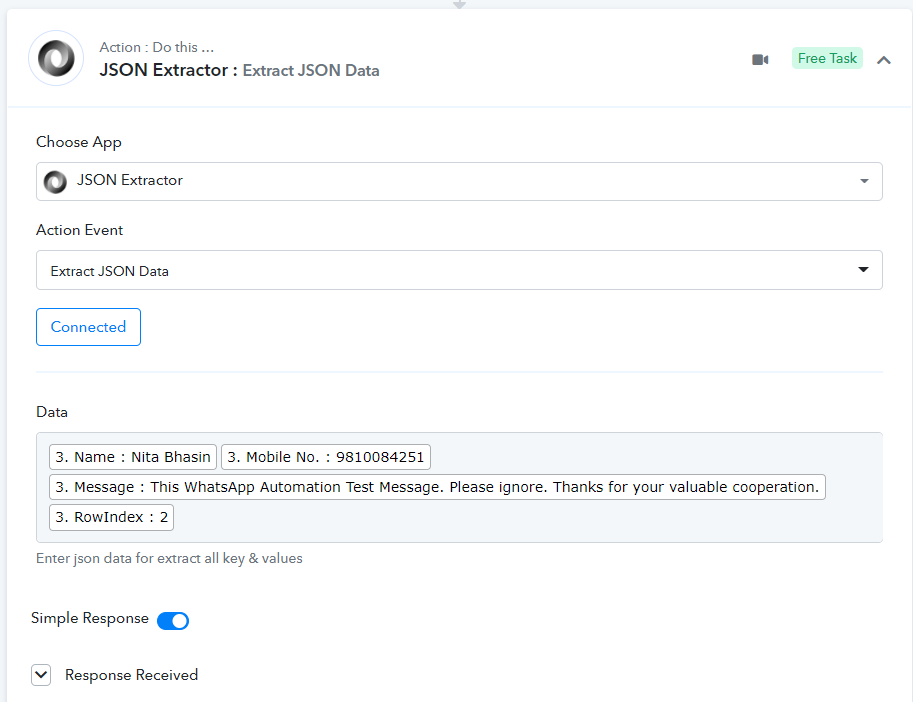
SCREENSHOT 6
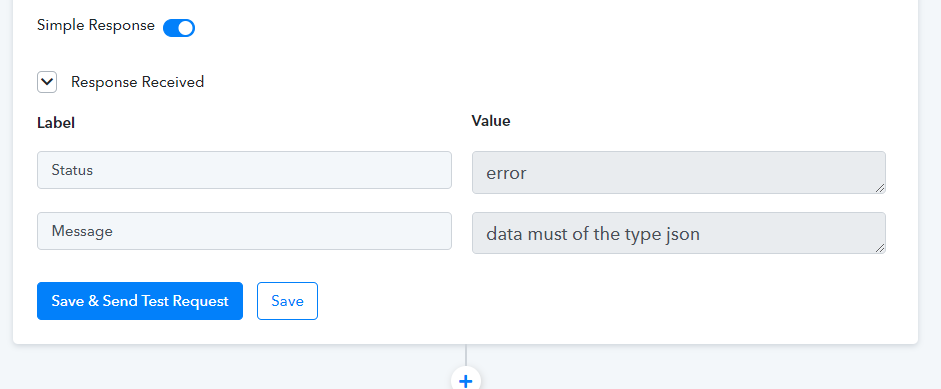
[JUSTIFY]Can you please help
[/JUSTIFY]
Warm regards,
Rahul Dev
#DesigningLives
Rahul Dev
#DesigningLives
Hi Everyone,
Greetings!
Can anyone reply to my query ASAP
Warm regards,
Rahul Dev
#DesigningLives
Rahul Dev
#DesigningLives
Hey @Rahul
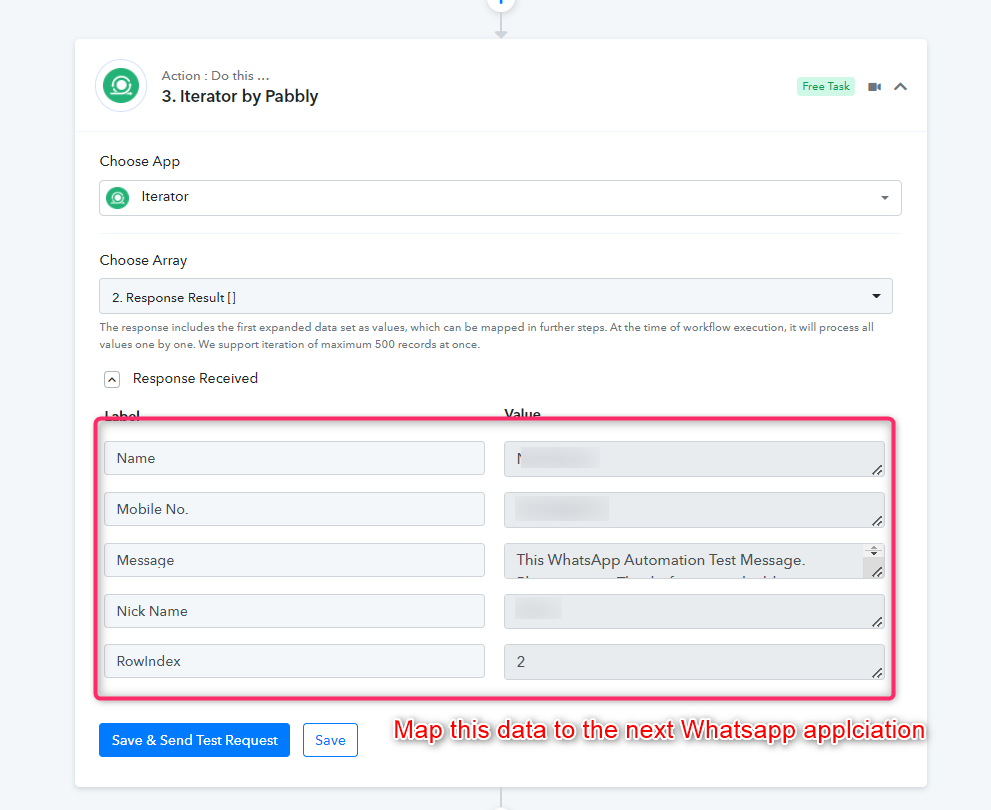
MS Excel doesn't provide direct integration, instead, you can use "Airtable", "Stackby" etc. As we can see you haven't added any Whatsapp application to send the messages.
Kindly pick the application through which you can send the messages to the user's WhatsApp as shown in the video tutorial.
EX- Chat API, WAATI, 360 Dialouge etc.
Once you added any of the Whatsapp applications after the Iterator action step kindly map the response from it to the Whatsapp application.
[JUSTIFY]@Supreme, I tried creating a workflow using Google sheets. I am getting an error message when adding JSON extractor. I am sharing the screenshots:[/JUSTIFY]
SCREENSHOT 1
SCREENSHOT 2
SCREENSHOT 3
SCREENSHOT 4
SCREENSHOT 5
SCREENSHOT 6
[JUSTIFY]Can you please help
[/JUSTIFY]
Warm regards,Rahul Dev
#DesigningLives
Hi @Supreme, Thanks for your reply to my previous message. Can you please tell me what mistake I am doing in getting JSON data Why I am getting the error as I shared in the screenshot
Warm regards,
Rahul Dev
#DesigningLives
Rahul Dev
#DesigningLives
Hey @Rahul
In the JSON extractor action event, you need to pass the Key values pairs in the proper format. Though in your workflow you don't need the JSON extractor. For a better understanding, you can refer to the following video tutorial.
Eg-
{
"sammy" : {
"username" : "SammyShark",
"location" : "Indian Ocean",
"online" : true,
"followers" : 987
},
"jesse" : {
"username" : "JesseOctopus",
"location" : "Pacific Ocean",
"online" : false,
"followers" : 432
},
"drew" : {
"username" : "DrewSquid",
"location" : "Atlantic Ocean",
"online" : false,
"followers" : 321
},
"jamie" : {
"username" : "JamieMantisShrimp",
"location" : "Pacific Ocean",
"online" : true,
"followers" : 654
}
}
I hope this might help you out.
This is the wrong video. not talking about json extractor at all.
Hey @Pabblybigfans
This is the wrong video. not talking about json extractor at all.
If you can share your query once, then we would assist you with the same accordingly.