Integration Problem
Status: Closed · Asked by sagarneogi on · 0 views
Facing Problem in integration. Please see the attachmnet
Attachments
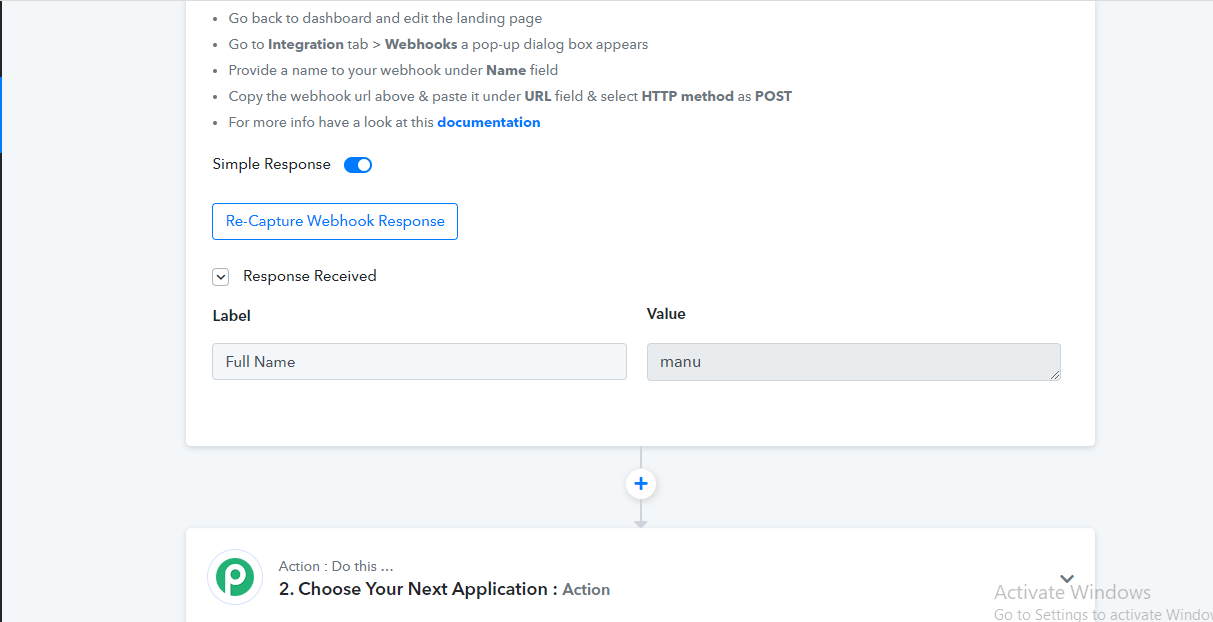
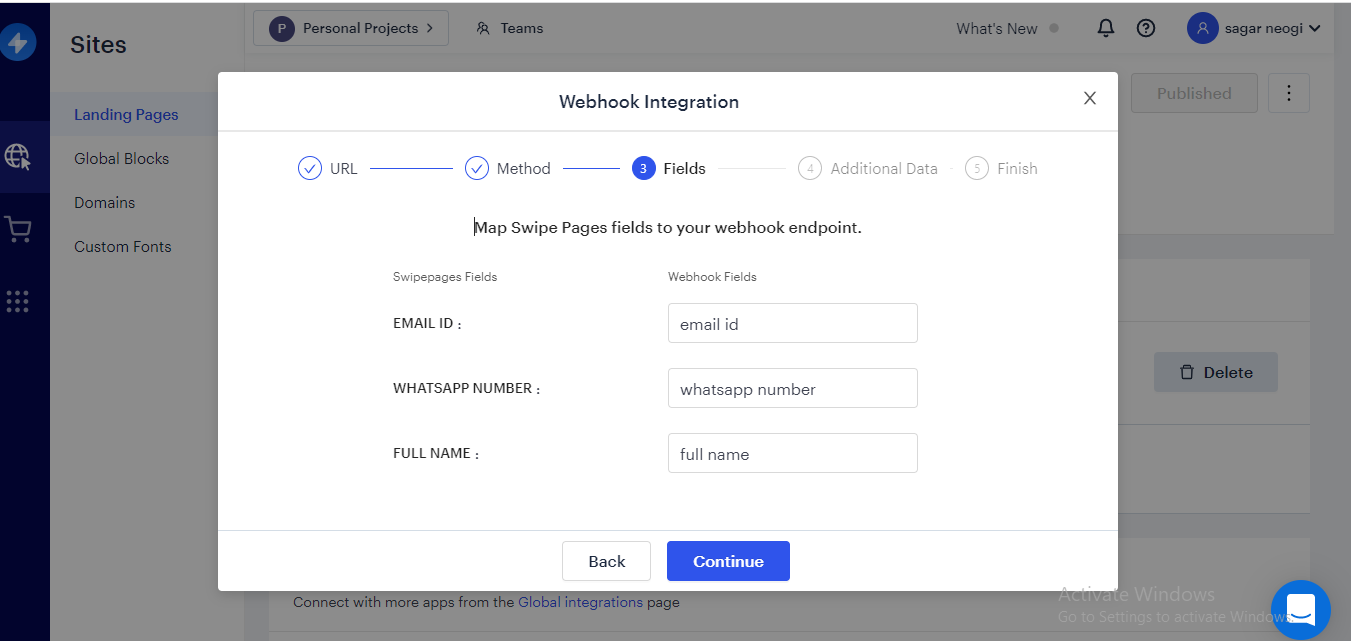
Hey @sagarneogi
Please share your concern in detail along with the workflow's name and usecase, so we can look into it and assist you accordingly.
Hello
work flow name - MED ASTRO FB
PABBLI & SWIPE PAGES INTEGRATION
Files attached of screnshots
Attachments
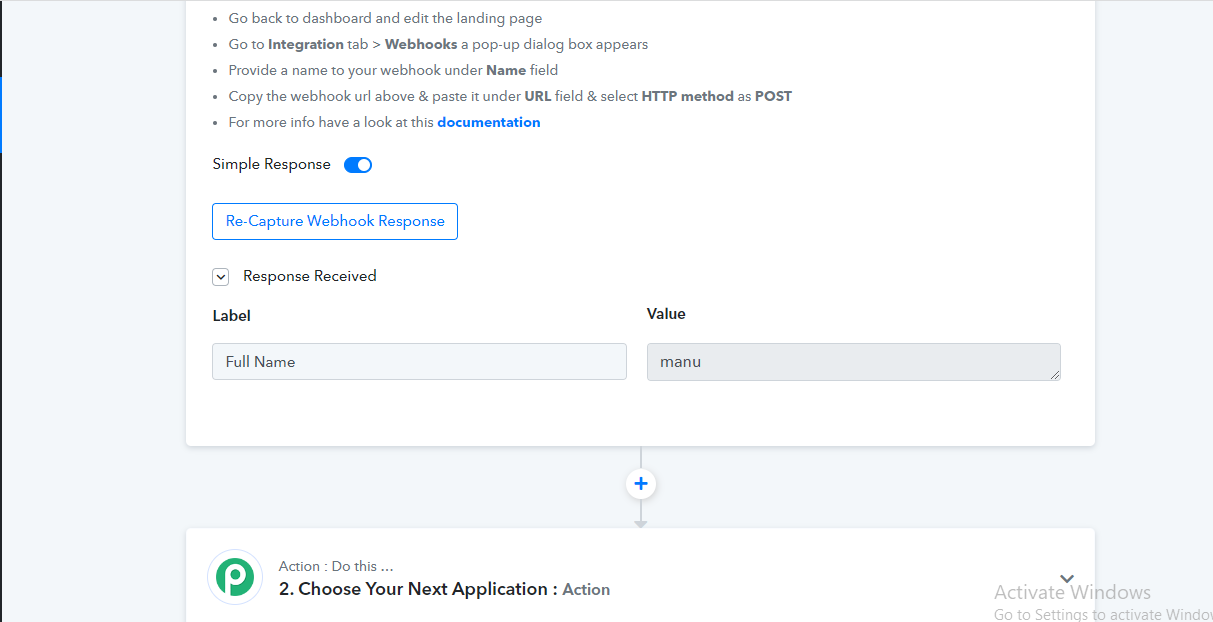
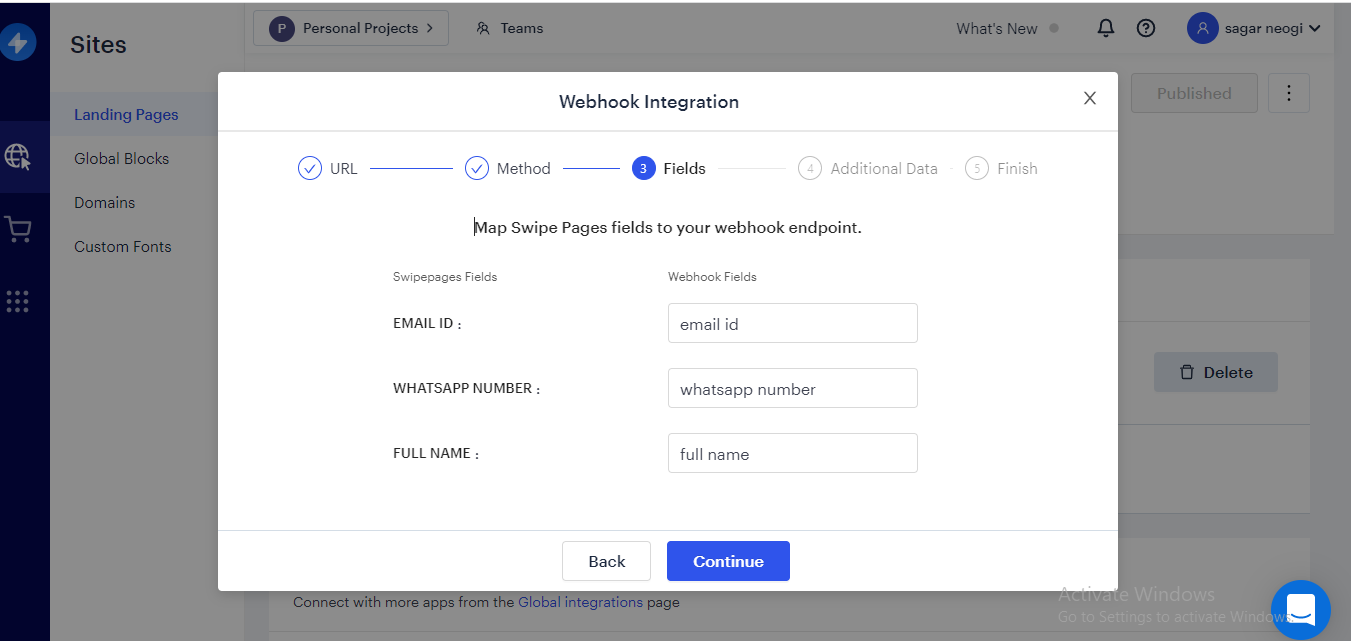
Hey @sagarneogi
Could you please recapture a webhook response once by passing a submission from your live swipe page?
I have done all , still same problem ......should i send you the SCREENRECORD ?
If no support from your end then I have to think otherwise
I have done all , still same problem ......should i send you the SCREENRECORD ?
Please record a short video on how you are capturing the webhook response.
PLEASE SEE THE ATTACHMNET SEEHERE
I tried to integrate My SendinBlue Form with Pabbly but it only picks the Email ID. Doesn't Pick up the Name and Number. Please help . I need to purchase the Subscription ASAP
IN MY CASE ONLY NAME , SUFFERRING SINCE LAST 24 HOURS
Hey @sagarneogi
The attachment which you have shared is not accessible, further please check the same with the Swipe Page team as well.
Also, the Swipe Page trigger is based on Webhooks. Pabbly Connect captures any webhook that is sent to it.
If your event is not arriving and not getting captured inside Pabbly Connect there is a good chance that it is not being sent to Pabbly Connect. In cases like these, you will have to contact the Swipe team to see why your event is not being sent from Swipe Page.
To double check, you can also confirm it through a webbooks testing site by the name of webhook.site.
You can copy the webhook URL provided by Webhook.site inside Swipe Page and do the test event inside Swipe to see if the webhook is being captured on not inside Webhook.site. This will double-confirm the issue.
Here is a sample video that you can follow to track the webhook issue:
youtube.com/watch?v=M_33qowkEgE
please check the integration here
I am also connecting with Swipe pages
Hey @sagarneogi
Please contact the Swipe Page support team and can test the same on the Webhook.site
To double check, you can also confirm it through a webbooks testing site by the name of webhook.site.You can copy the webhook URL provided by Webhook.site inside Swipe Page and do the test event inside Swipe to see if the webhook is being captured on not inside Webhook.site. This will double-confirm the issue.
Here is a sample video that you can follow to track the webhook issue: