Integration Sequence
Status: Closed · Asked by ellamarie on · 0 views
Hello,
I am wondering why our action in integration doesn't sort according to its date. Also, the utm source is not working. Thanks.
Hey @ellamarie
Can you please provide more details about what you mean by the integration not sorting according to its date?
Further, You can't pass UTM parameters with a webhook URL; they will not be captured.
Hello,
Here's our action sheet. If we are going to look at the date column, the 12/13/2023 should be at the most bottom part. However, there are still 12/13s being mixed up with 12/12/2023.
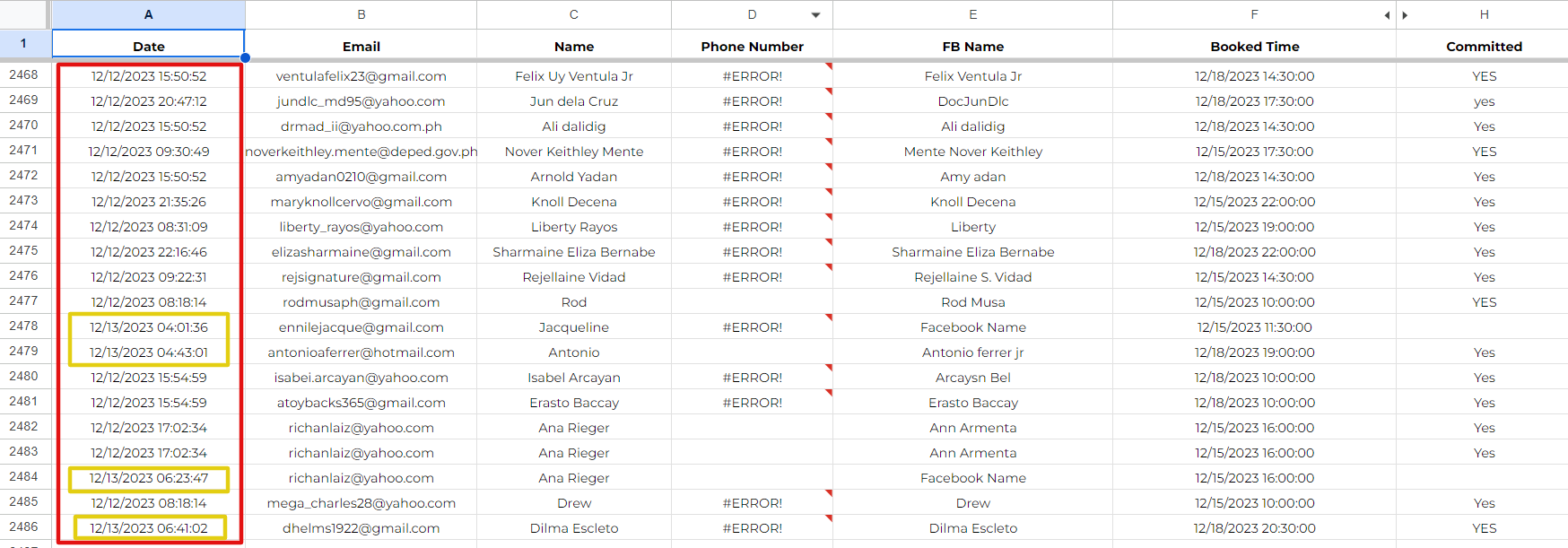
Also, is there any way that we can capture the utm source?
Thanks..
Can you please confirm whether these rows were initially empty before the data was filled in?
Yes, the below rows are empty before new data occupied.
Thank you for confirming.
This is the reason why your row was updated between the rows, as the row was empty.
In any rows that are empty, when the Google Sheet is updated, it will fill in the empty row, not the one below in the filled row.