Invalid JSON for Excel Action
Status: Open · Asked by Leo1995 on · 0 views
Your Workflow URL: https://connect.pabbly.com/workflow/mapping/IjU3NjcwNTZmMDYzMTA0MzQ1MjY1NTUzNDUxMzIi_pc
Consent to Access & Modify: I authorize Pabbly Support to log in to my account and make changes to the specified workflow for troubleshooting.
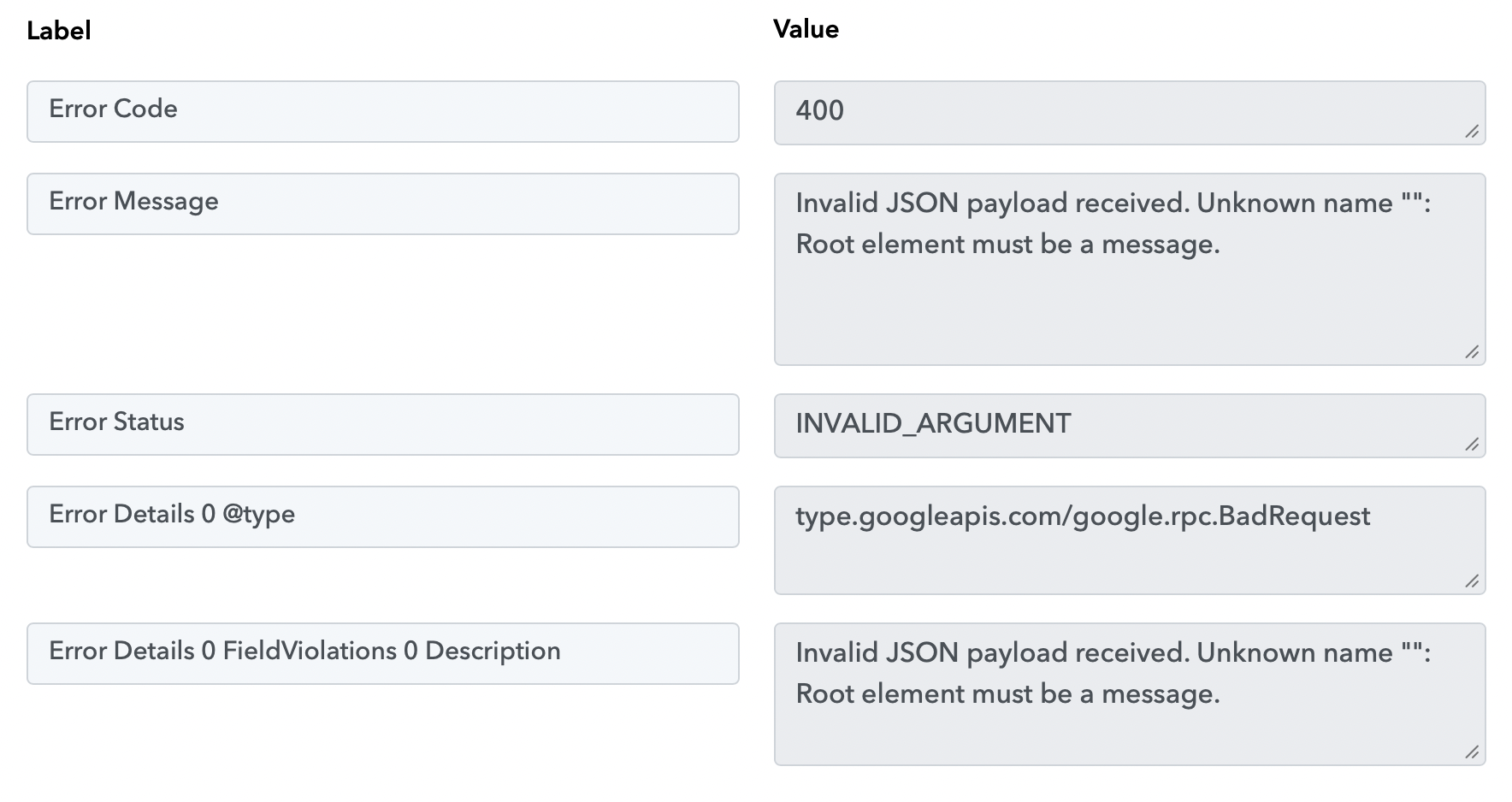
Hi, I'm having this error message when trying to execute the Excel action. What could be the problem?
Workflow ID: IjU3NjcwNTZmMDYzMTA0MzQ1MjY1NTUzNDUxMzIi_pc
Hi @Leo1995,
Thanks for reaching out.
Upon checking your workflow, it appears that you’re encountering this issue in the Google Sheets → Add New Row action because the selected sheet does not contain any headers.
Please follow these steps:
- Add headers (column names) in the first row of your Google Sheet.
- Go back to the action step in your workflow.
- Click on “Refresh Fields.”
- The headers will now appear—map the required values accordingly.
- Click on “Save & Send Test Request” to test the step.
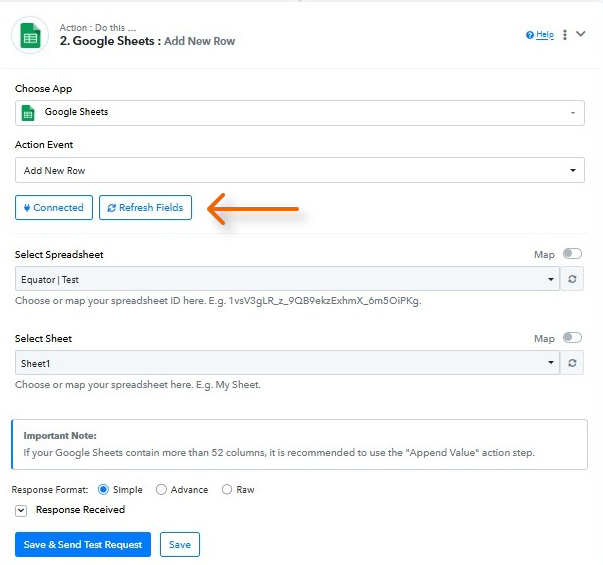
You can refer to this tutorial for a better understanding:
youtube.com/watch v=KKfvRE_iBEQ:319
Let us know how it goes—we’ll be happy to assist further if needed.
thank you dear! it works
Hi @Leo1995,
Glad to hear everything is working smoothly now!
Since your concern has been resolved, we’d really appreciate your feedback:
PS: We are closing this thread as the issue is resolved. Please feel free to reach out to us if you face any issues in the future.