Is all this supposed to be available and for use?
Status: Open · Asked by Grant Haberkorn on · 0 views
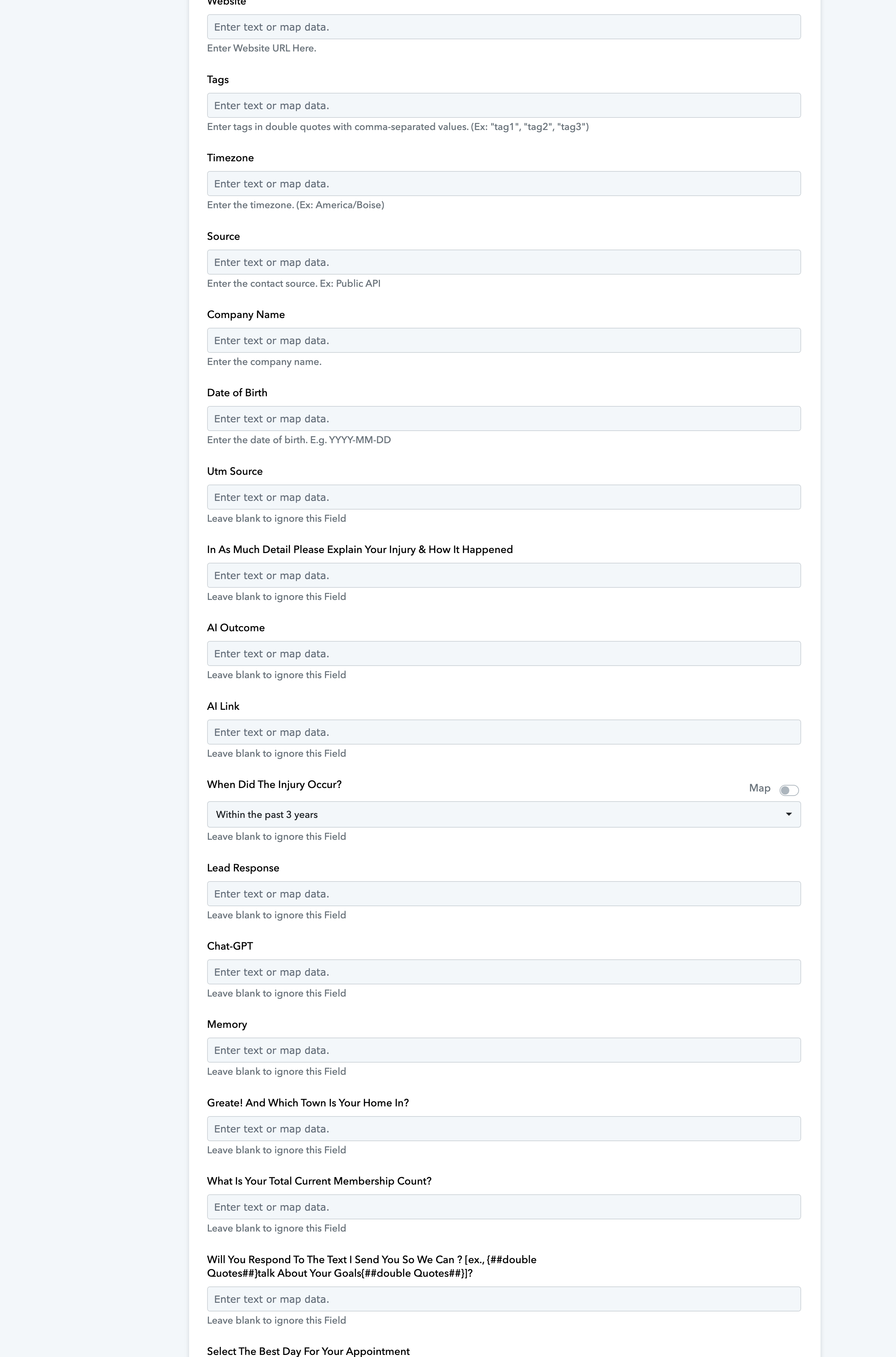
Is all this information supposed to be used with GHL? I am watching the video on how to install a google form with Pabbly and when I got to the step of information collected I have this screenshot as information and more to be collected? Is all this what is supposed to be available and to be collected? Can you please lmk if all of this information is correct and where it is stored?
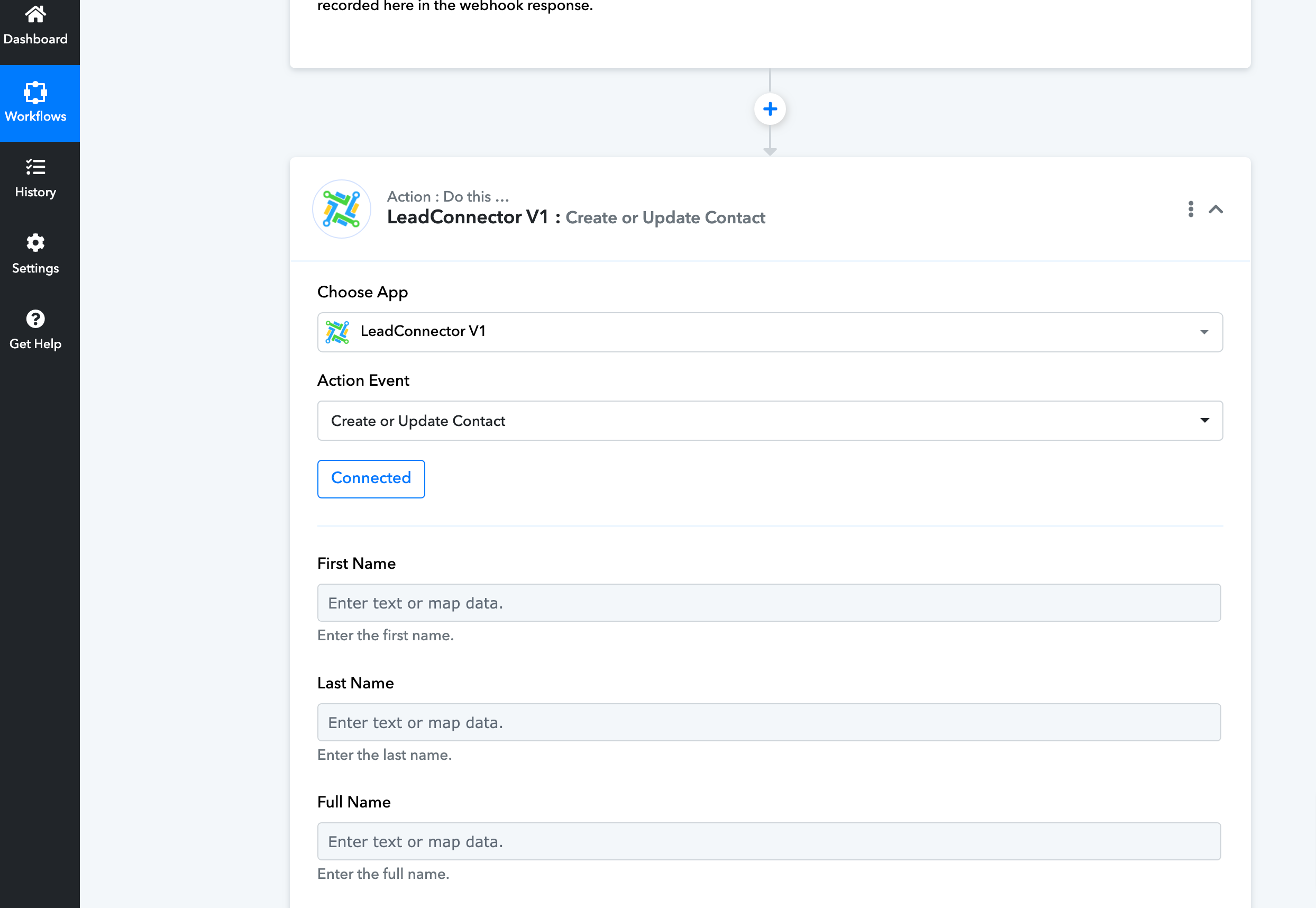
I am at this step where you are supposed to add in the information by choosing "google forms" option showing under the "first name" / "last name / etc. to choose? Where may I have missed a step in order for the google form to show up and select the necessary options?
Please advise if I need to go back and complete a step I may have done incorrectly or missed?
Ty
Hi @gjhabs,
It completely depends on you. If you are collecting that information from Google Forms, you can map the collected information into those fields. If not, you can skip those fields.
Please watch the action step of this video to understand how mapping works (Ignore the trigger application).
Hello,
What am I supposed to do about not having the "google forms" show up for the first question I had? Did I miss a step where I am supposed to have the "google forms" show up
I am also not getting a "webhook response" I followed the instructions but the webhook response just keeps "spinnin" and does not populate any information about the form responses I entered?
Can you please advise? This may also be the reason I am not getting any "google form" options in the last step?
TY,
Grant
Please inform me if I need to go back and complete the "population" of the form that receive the responses?....
As I just continued with the video instructions without populating the responses. If I need to start all over lmk and please inform me what step I may have missed so I can populate the responses from the form I created?
TY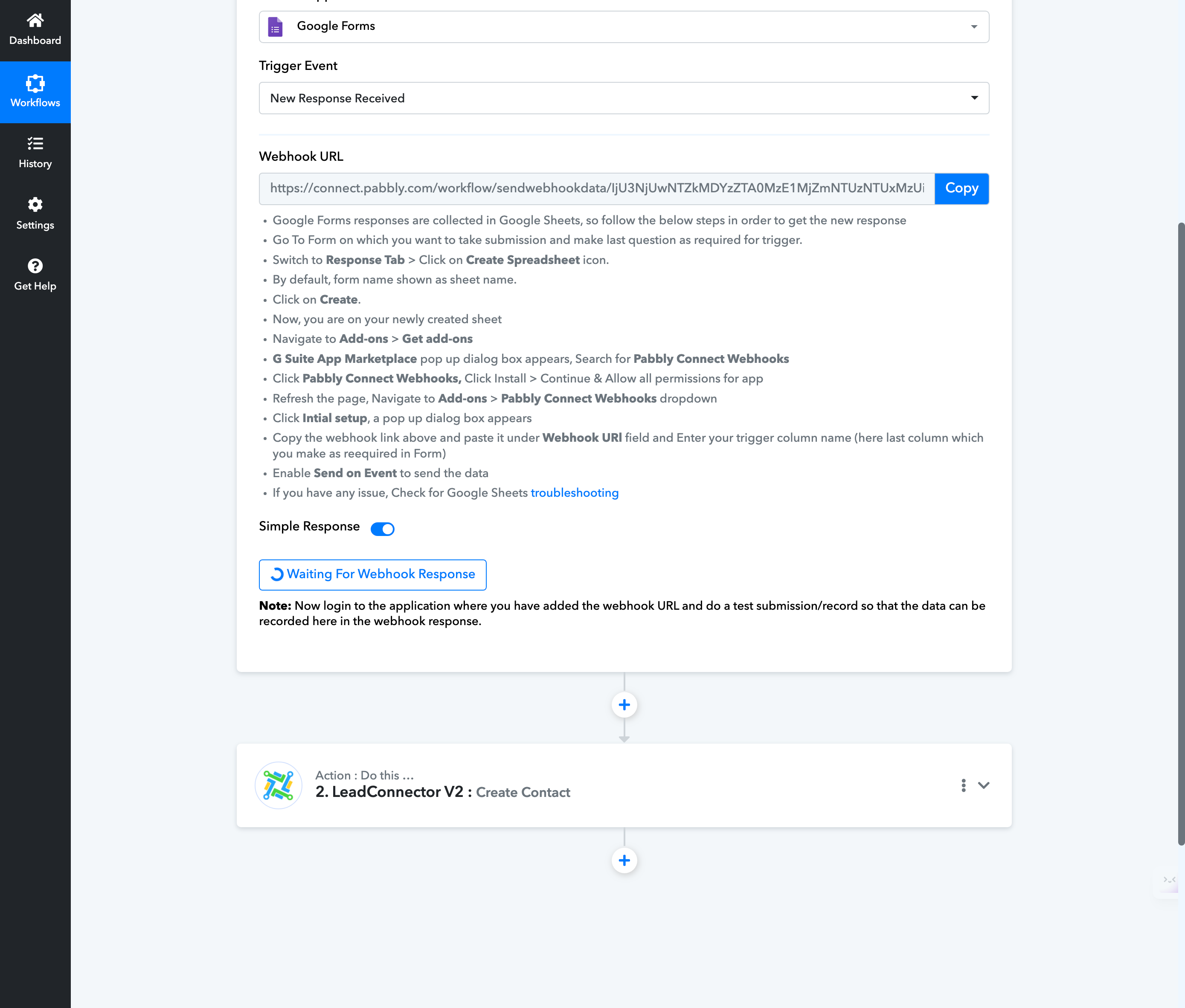
This is the screenshot after I finished with the instruction. It is still just "spinning" for Webhook responses? I am also unsure about the second action "Create Contact" I did this step without filling in the responses too. Is this correct or do I need to redo and what step should I do to get it to populate with responses and how to check that the responses were done correctly. If needed point me to the step in the video I did not do correctly?
Please follow the exact steps given in the video attached below to understand how you can setup Google Forms as your trigger application, and capture the responses.