Is it possible to send a email campaign in zoho campaigns from pabbly?
Status: Closed · Asked by Solar Labs on · 0 views
Hey, we wanted to initiate email campaigns from zoho if a new lead comes in.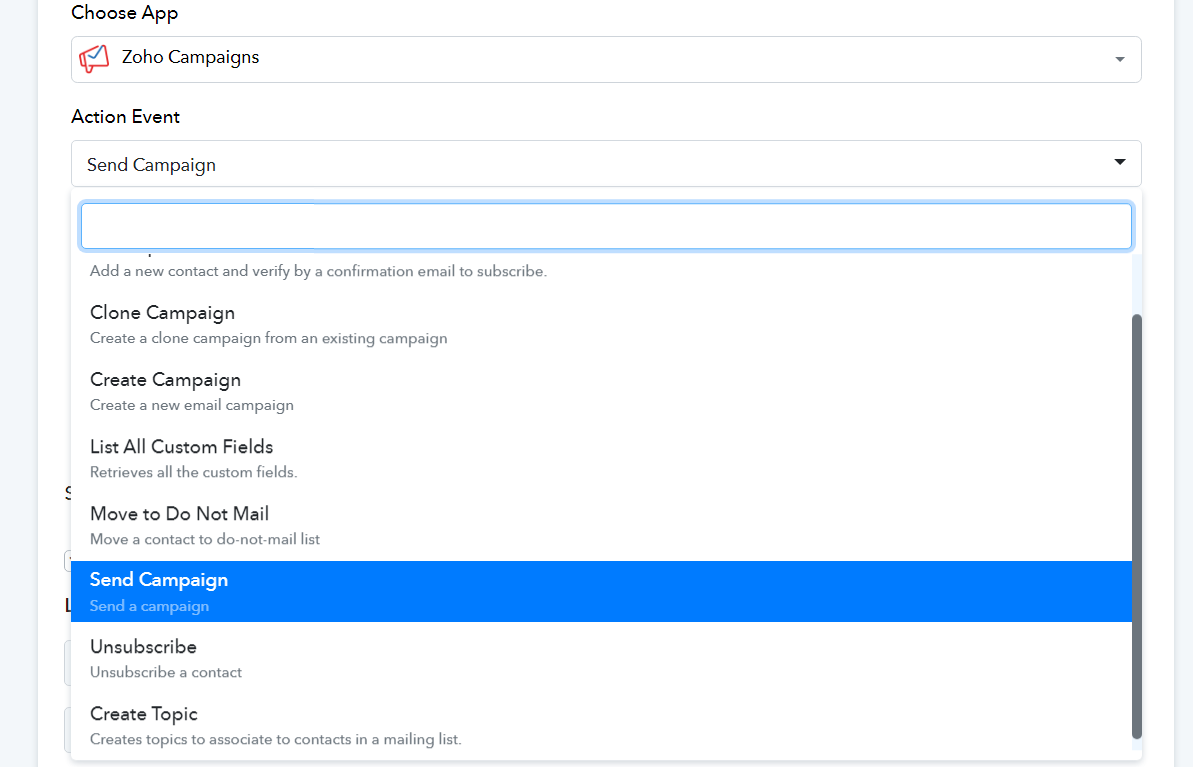
So i was checking the options available. Seems like i cant find any. Even the send campaign is something else.
Is there a way to do so?
Hey @Solar Labs
Can you tell us which action step you required from the following API documentation.
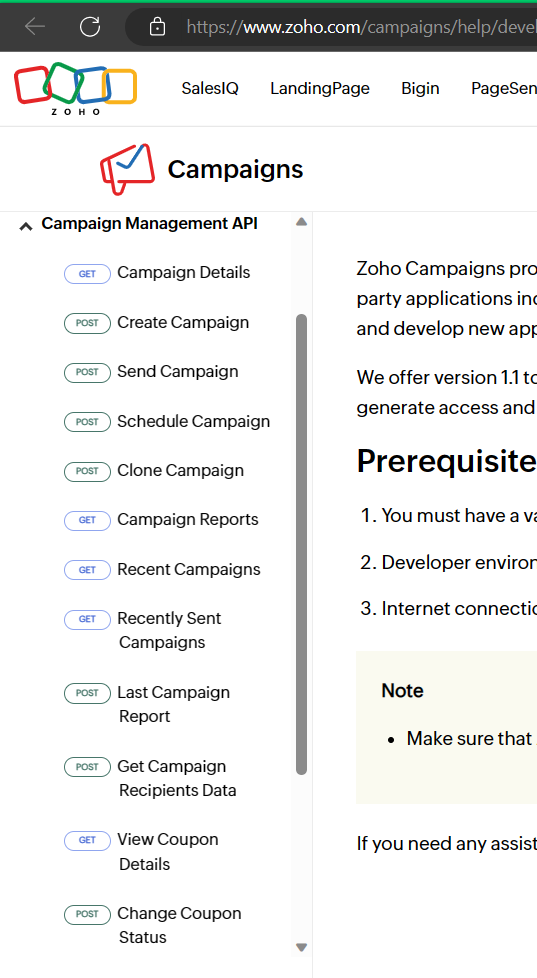
Hey @Solar LabsCan you tell us which action step you required from the following API documentation.
Send campaign.
It should be a campaign made in zoho. A email template
Send campaign.It should be a campaign made in zoho. A email template
Any update on this?
After investigating the API documentation regarding your concern, we couldn't find any option to initiate email campaigns.
After investigating the API documentation regarding your concern, we couldn't find any option to initiate email campaigns.
So there is no way to trigger any campaigns or workflow from pabbly on campaigns? I can see a lot of options tho..
Kindly clear the situation do you want the trigger events of the Zoho Campaign or action steps? Also since their API doesn't support such a feature then it is not possible to add such an option to the integration.
Kindly clear the situation do you want the trigger events of the Zoho Campaign or action steps? Also since their API doesn't support such a feature then it is not possible to add such an option to the integration.
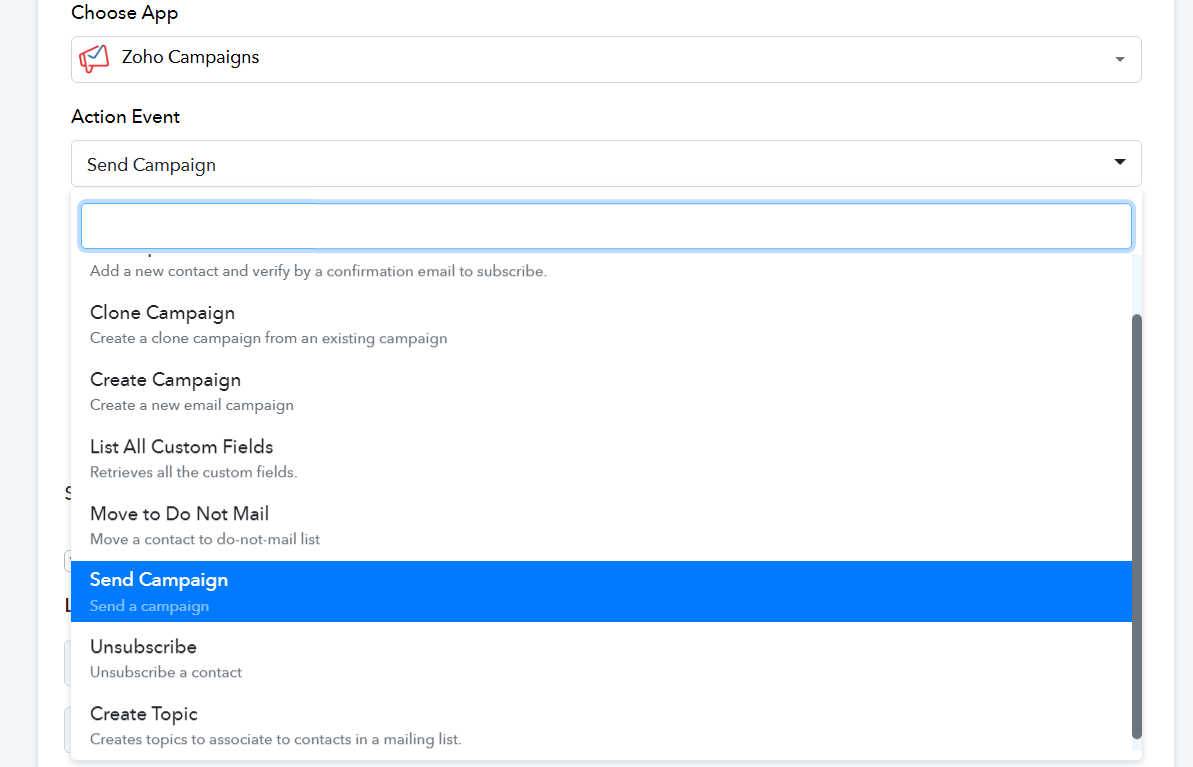
Then what are the dropdown options for?
Hey @Solar Labs
If you want to send the campaign then the action step you have shown in the screenshot will be used.
Or if you want to capture the response for the Campaign then there is no trigger event available.
Hey @Solar LabsIf you want to send the campaign then the action step you have shown in the screenshot will be used.
Or if you want to capture the response for Campagin then there is no trigger event available.
But i tried with "send campaign", nothing is working. Also where to specify which email address to sent the campaign?
The "Zoho Campaign: Send Campaign" action step sends the mail to the members who you have added to your Mailing list from your account.
Since the functionality works that way from their end only. So, we recommend you check the same from their end only.