Is there a way to make the text formatter conditional?
Status: Closed · Asked by Emerald Lake Books on · 0 views
I've got a workflow that's been working well for a few weeks now. So I was surprised when I received a notice about a recent execution.
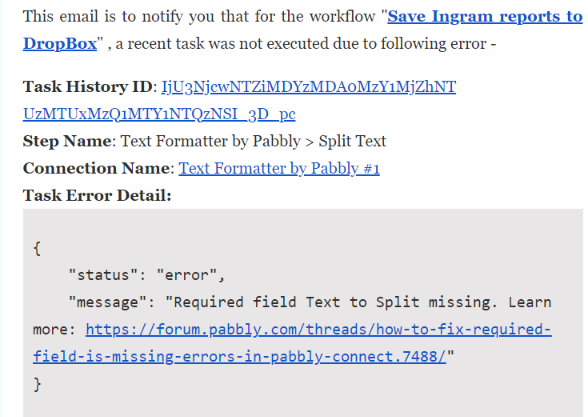
I understand what caused it. The way this workflow is defined, it's extracting a PDF attachment from my email and saving it to DropBox. Typically, this email contains two attachments, so after the first PDF is stored, I have it run a second time for the next attachment URL.
However, today, the email came with only one attachment. (No big deal. It happens sometimes.)
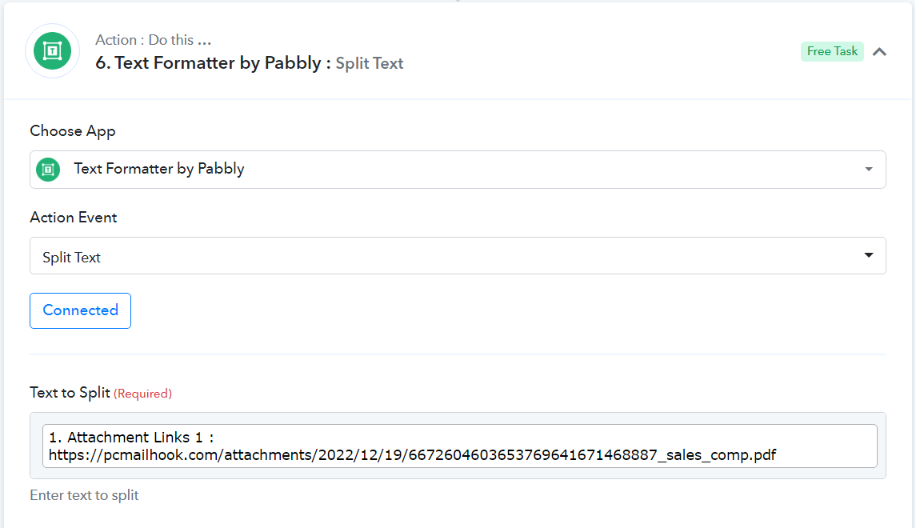
Is there a way to include this second Text to Split step so it only executes if there is actually a second URL?
Hey @emeraldlake
As we can see from your task history you didn't get another attachment URL from the trigger response and because of that missing attachment, your other DropBOx action step didn't work.
So, to avoid such situations you can use the filter action step before the last dropbox action step.
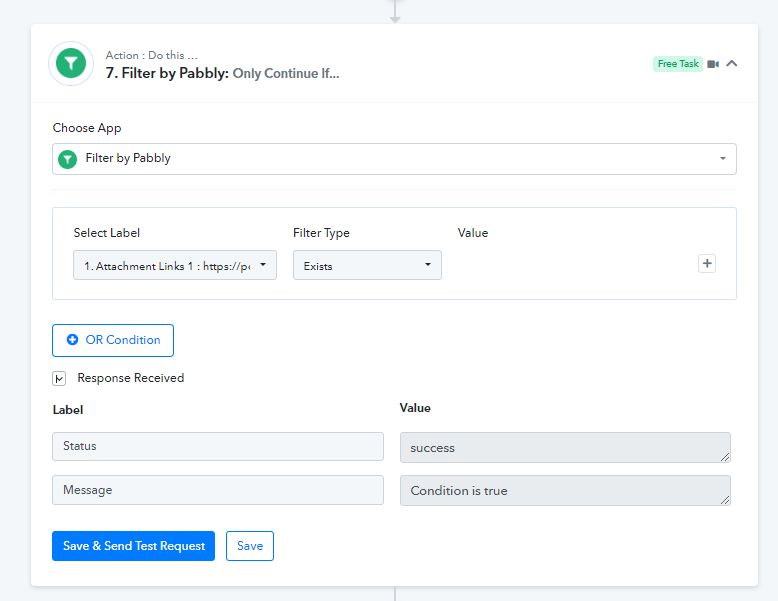
Wouldn't it need to be before the Split Text action? That one fails too because of the absence of a second attachment.
Wouldn't it need to be before the Split Text action? That one fails too because of the absence of a second attachment.
Yes, you can add the filter action step before the split text or after the trigger event which will work the same in your workflow.
Great. Thank you!