Issue in Twilio SMS format
Status: Closed · Asked by Digital Tamila on · 0 views
Hello Team
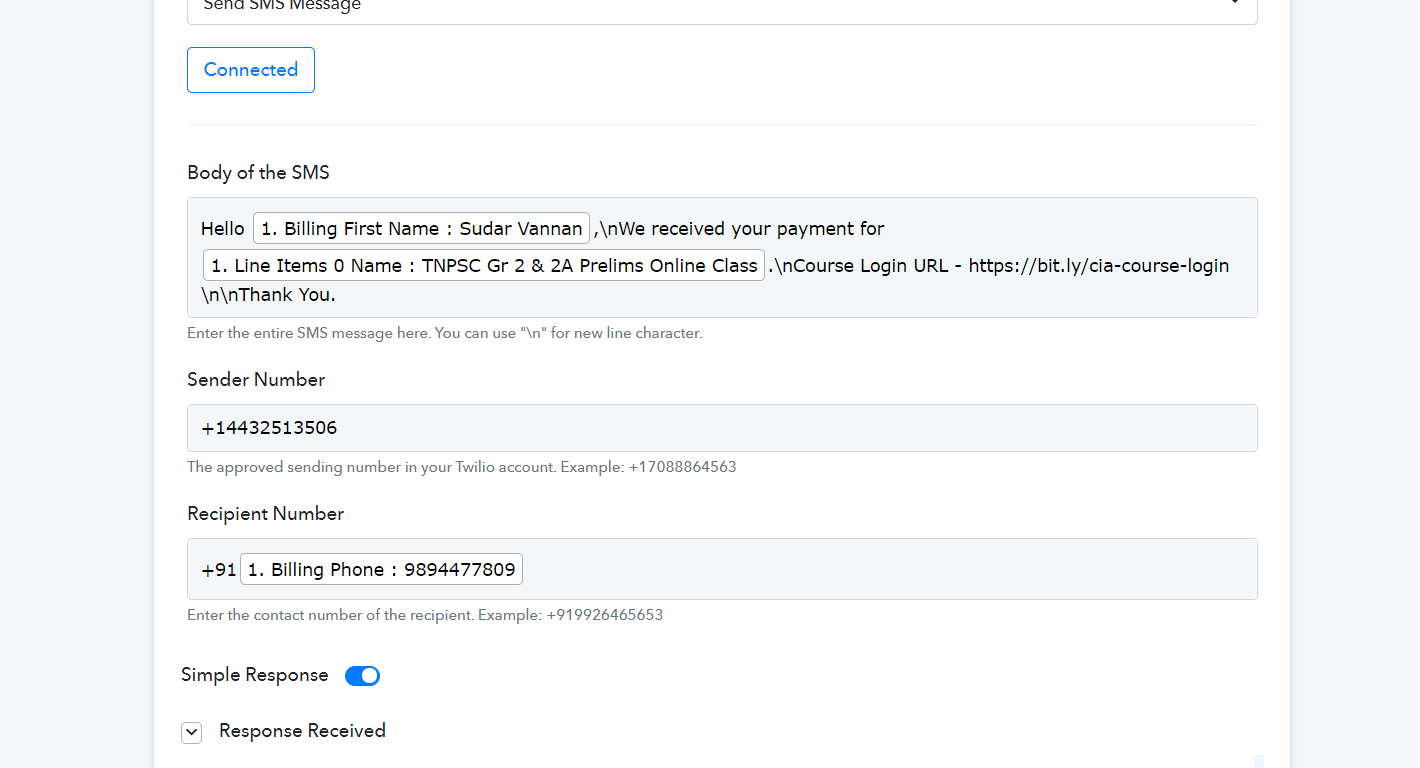
Even I add "\n" to the SMS content, It's not adding a new line. SMS is sent like continuous text content.
Workflow Name - CIA Online Course - Account Update
Thank You
Attachments
Hey @Digital Tamila
We re-created the same scenario and add the \n for spacing and it is working fine. Also, we checked this in your workflows' history section and it is in the correct format.
"Hello Axxxxxxxx M,
We received your payment for TNPSC Gr 2 & 2A Prelims Online Class. Course Login URL - https://xxxxxxxxxxx-login
Thank You."
Can you try once at your end and let us know if the issue perists?
It's fine now.
Thanks for the support.
Have a great time.
Hey @Digital TamilaWe re-created the same scenario and add the \n for spacing and it is working fine. Also, we checked this in your workflows' history section and it is in the correct format.
"Hello Axxxxxxxx M,
We received your payment for TNPSC Gr 2 & 2A Prelims Online Class. Course Login URL - https://xxxxxxxxxxx-loginThank You."
Can you try once at your end and let us know if the issue perists?
I seem to be having the same issue - I am new thought so might just be misunderstanding.
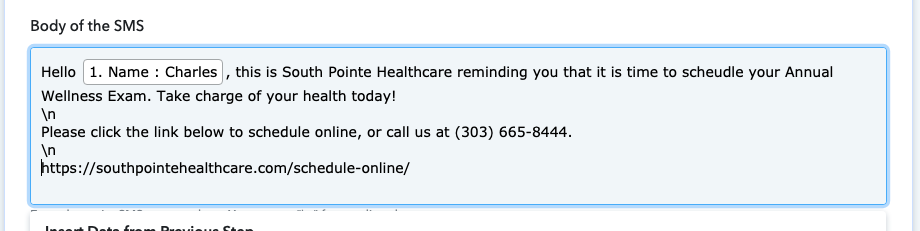
Using the \n but does not make a line break.
I have also tried \n inline instead of spaced out and same result.
Attachments
Hey @cfazio
We looked over your concern and did some changes in your Twillio's Action step and simply added \n in your content without spacing.
Although we have already done the changes and it seems like working accordingly. I hope this might help you.
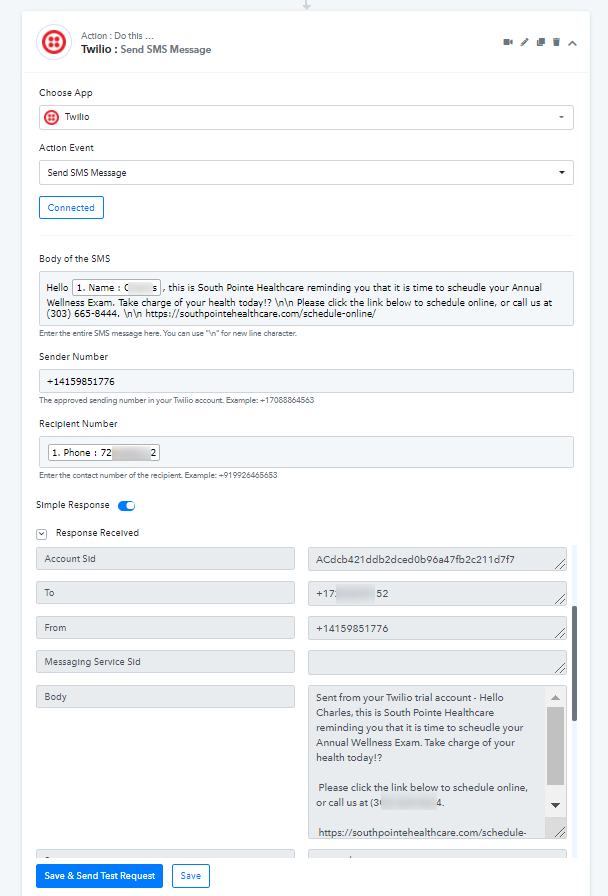
Hey @cfazioWe looked over your concern and did some changes in your Twillio's Action step and simply added \n in your content without spacing.
Although we have already done the changes and it seems like working accordingly. I hope this might help you.
Idk why this didn't work for me - but confirm it is working now! I also only did a single \n instead of double \n\n.
Also, I received 8 random sms to my test number ... not sure if this was testing from your end, or a Pabbly / Twilio error.
Just want to make sure before I sent this to actual clients.
p.s. Am I able to send images through the google sheets > pabbly > twilio? That would be awesome.
Hey @cfazio
I hope the Twillio Action step is working accordingly and the messages were sent due to some testing but this wouldn't happen in real-time.
Further, Twillio doesn't allow to send images from their platform.
Hey @cfazioI hope the Twillio Action step is working accordingly and the messages were sent due to some testing but this wouldn't happen in real-time.
Further, Twillio doesn't allow to send images from their platform.
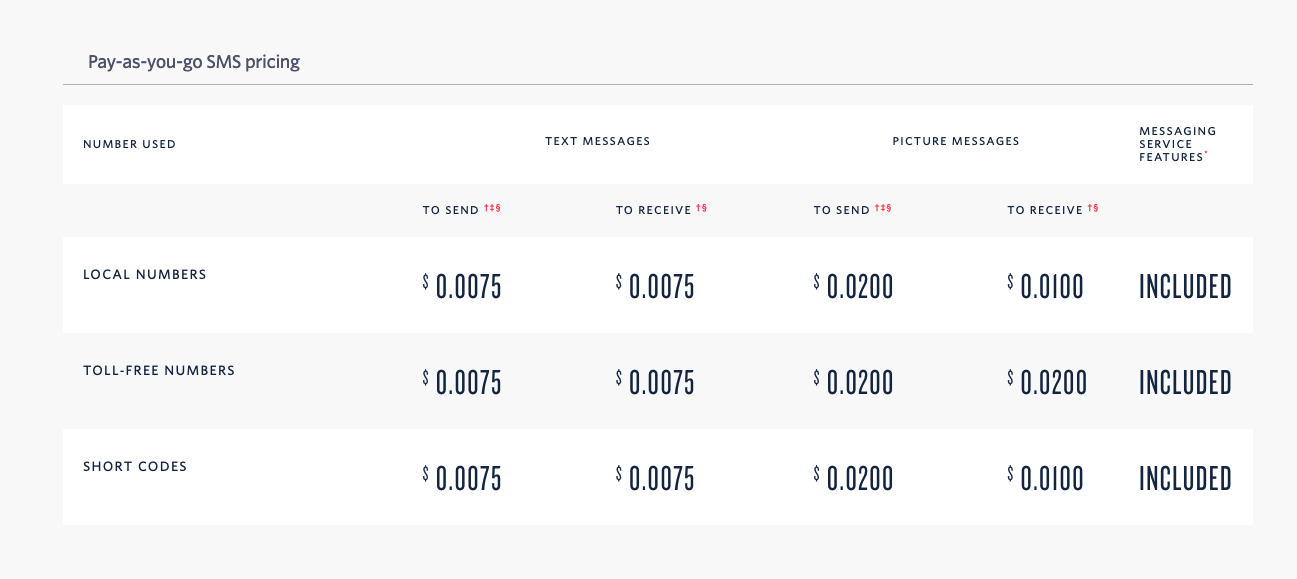
Ahh I did not know that ... on their pricing page it has values for "picture messages".
Is this just not something that would be available from the sheets > pabbly > twilio connection?
Attachments
Hey @cfazio
Is this just not something that would be available from the sheets > pabbly > twilio connection?
It seems like they don't provide such structure to send images from their API. So sending the image or image URL via API is not possible as of now.
Thanks!!
Hey @cfazioIt seems like they don't provide such structure to send images from their API. So sending the image or image URL via API is not possible as of now.
Thanks!!
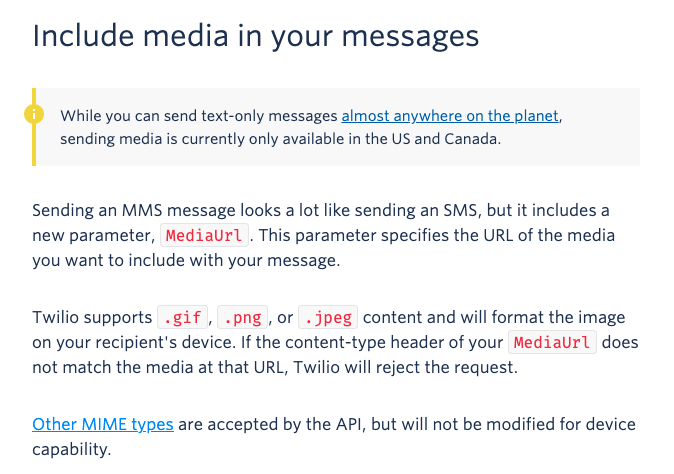
Was looking into it more ... looks like they do support image send through their API now? I might be misunderstanding the technicality of it ...
https://www.twilio.com/docs/sms/send-messages#post
Looks like it is done through MediaUrl parameter .. which should be able to integrate into google sheets?
Would just have to have an option in the pabbly connector to specify the URL for the image stored in twilio.
If this is possible it would be a great addition ... i am sure more potential customers besides myself would find value in this function.
Thanks again, I have been experimenting and the pabbly connector fits my needs, but icing on the cake would be image send functions.
Attachments
Hey @cfazio
We have passed the information to the integration team. They should be able to look over the possibility of supporting this as well. Further, you will be notified as we start supporting this.
Thanks!
Hey @cfazioWe have passed the information to the integration team. They should be able to look over the possibility of supporting this as well. Further, you will be notified as we start supporting this.
Thanks!
Hey :)
So ... I was actually going through more of the pabbly options and it is already a feature! I am sorry for not seeing this before ... but in the initial setup you just need to choose "MMS Message" not "SMS Message" and it works perfectly.