ISSUE - webhook workflow not working
Status: Open · Asked by mark young on · 0 views
So I have a webhook workflow, that takes data from prosp (https://prosp.ai/) and populates it on google sheet.
But one of the column doesnt seem to be populating, i have mapped the correct item still its same always, no population, check the video attached
Hey @mark-young,
Thanks for sharing the screencast.
Upon checking, we noticed that the key used for mapping in the workflow is EventData Content Message, whereas the key currently being captured in the task history is EventData Content. This mismatch is causing the issue.
Solution:
Please capture the latest response under the workflow trigger and then remap the fields using the correct key. This should resolve the issue.
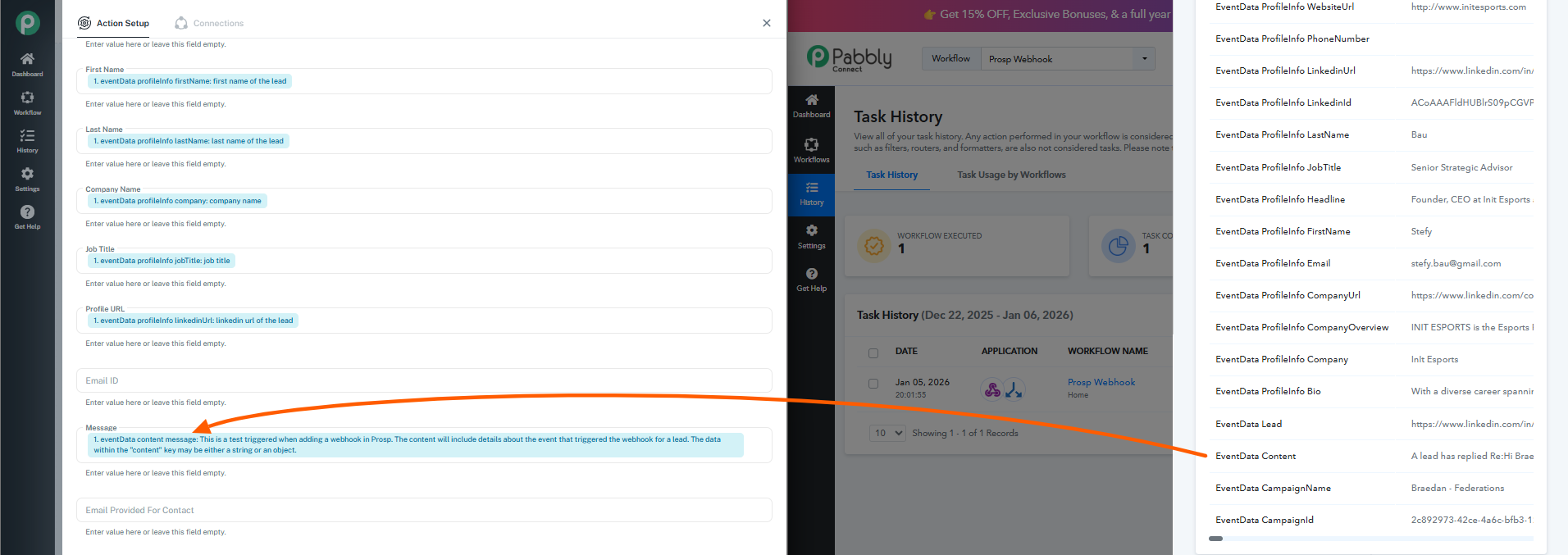
i feared that could the case, but when i test the webhook thats the only fields I see. in the task history theres no evendata content message and in test webhook data there is no evendata content
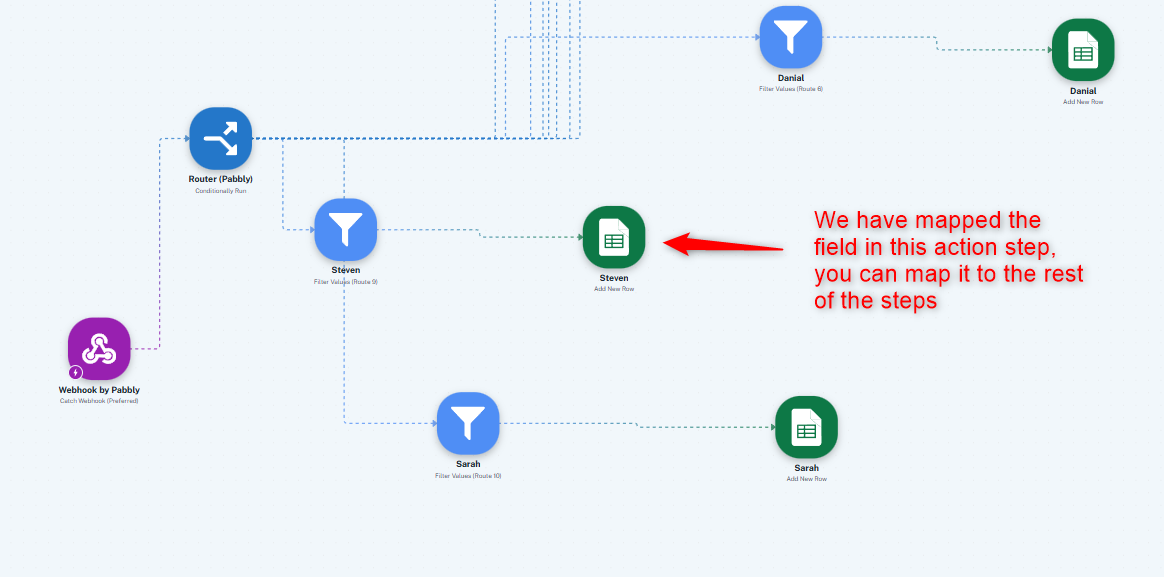
We have captured the latest data on your behalf and mapped it to one of your Google Sheets action steps. You can map it to the rest of your Google Sheets action steps and save them.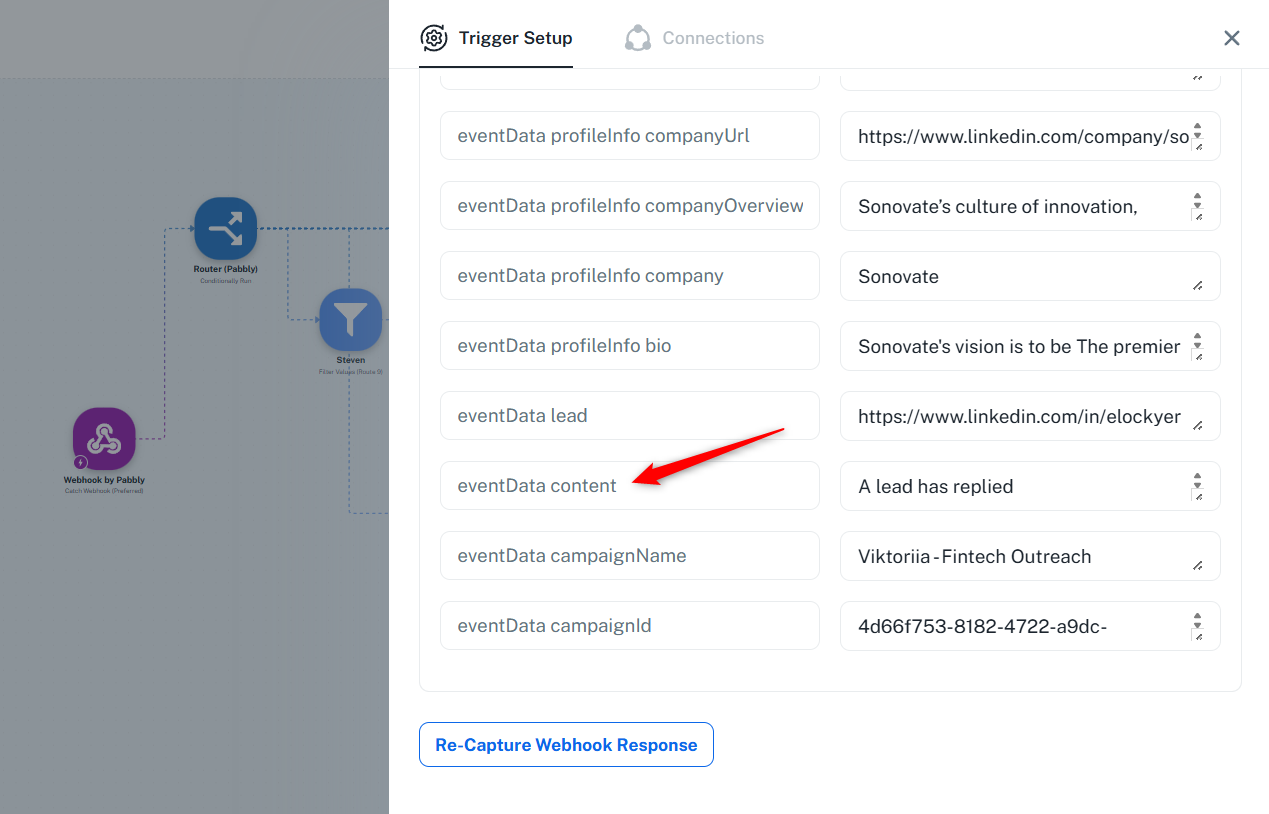
Thanks & Regards,
Arshil Ahmad
Customer Support Associate
Pabbly.com
?Rate your support