Issue with GOOGLE MY BUSINESS!!!
Status: Closed · Asked by Best Startup srl on · 0 views
It does NOT show properly the ACCOUNT NAME Drop Field!!!!
So I cannot choose the Right ones into the over 50 I own!!?!??
Awaiting
Valerio
Attachments
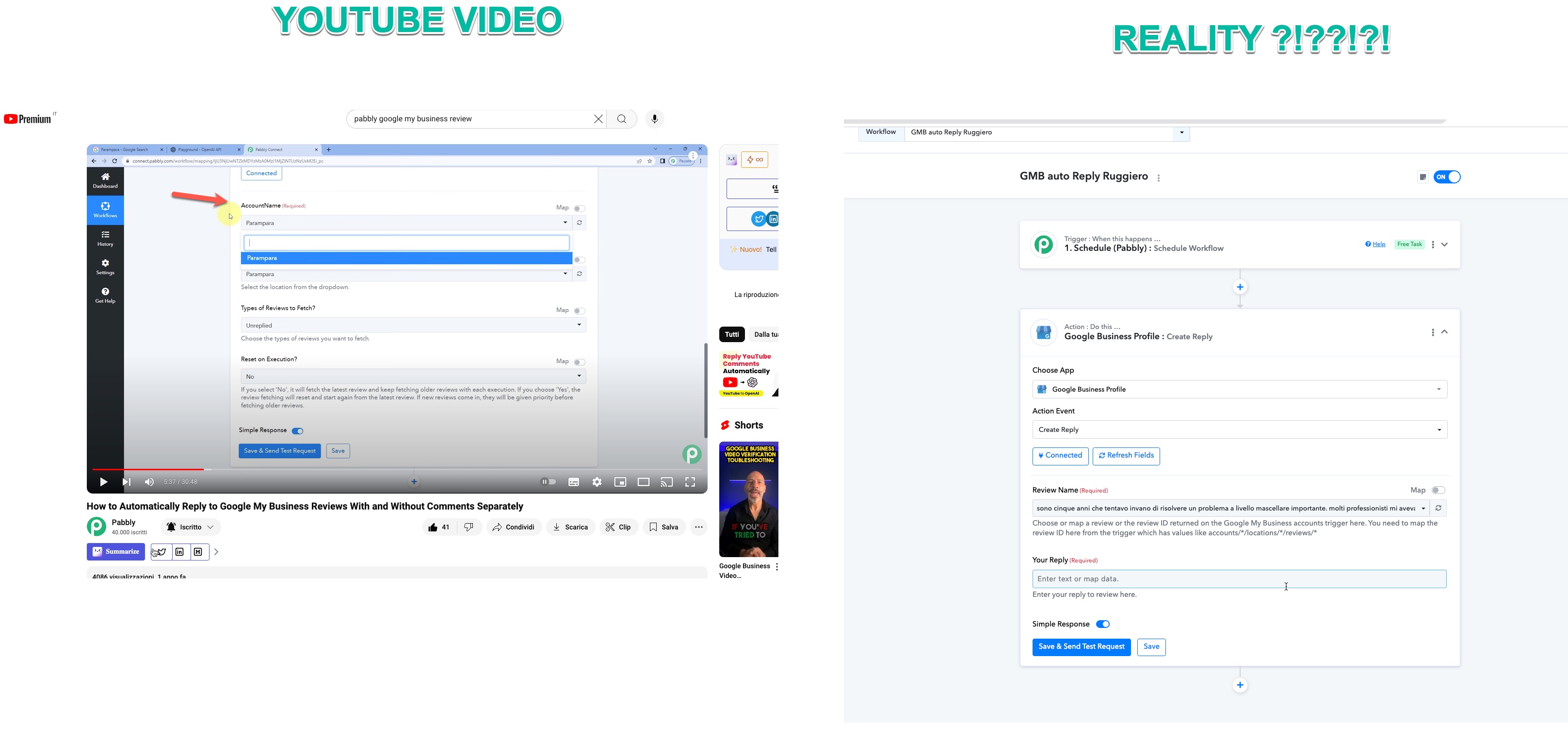
Hey @Valerio !
Can you please check on the video tutorial once if you have used the correct action event for Google Business Profile or not?
Because the screenshot from the Video and from your account action step are both different-
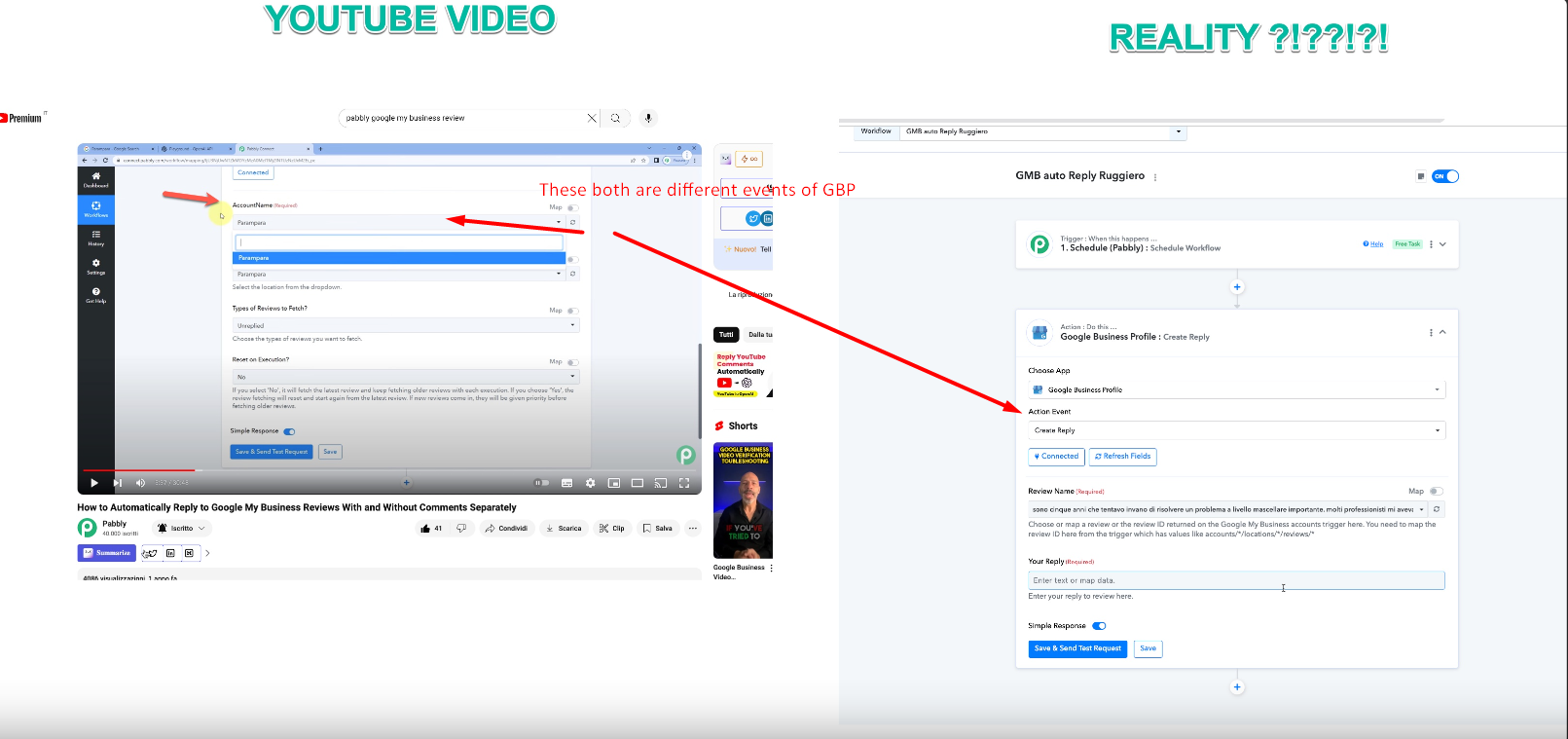
Do check on the video tutorial which action step is used and check for the same in your Pabbly Connect workflow.
It will show you all the details.
No GUYS... actually in PABBLY I cannot find GOOGLE MY BUSINESS as per video but only GOOGLE BUSINESS PRofile!|!!!
And when I selected GBProfile there are not the same field as per video!!!!
HELP!!!!
Hey @Valerio !
Google My Business is now Google Business Profile in Pabbly Connect.
Only the name is changed, rest all the fields inside it are the same.
Furthermore, do provide us with the video tutorial you are referring to, so we can guide you on it.
URGENTTTT
here the video
Hey @Valerio !
We are not sure which Pabbly Connect video tutorial you have seen and getting confused here.
The Google Business Profile event Create Reply doesn't show which account to choose, as it is only replying back for the review which you have received. You can refer to this video tutorial-
youtube.com/watch?v=xu1Y3C4wVw0
Furthermore, seeing on the Scheduler you are using, then here is a video tutorial that can help you with your concern-
youtube.com/watch?v=nPW5eNaOhnE
Hope, this clears your doubt.
????
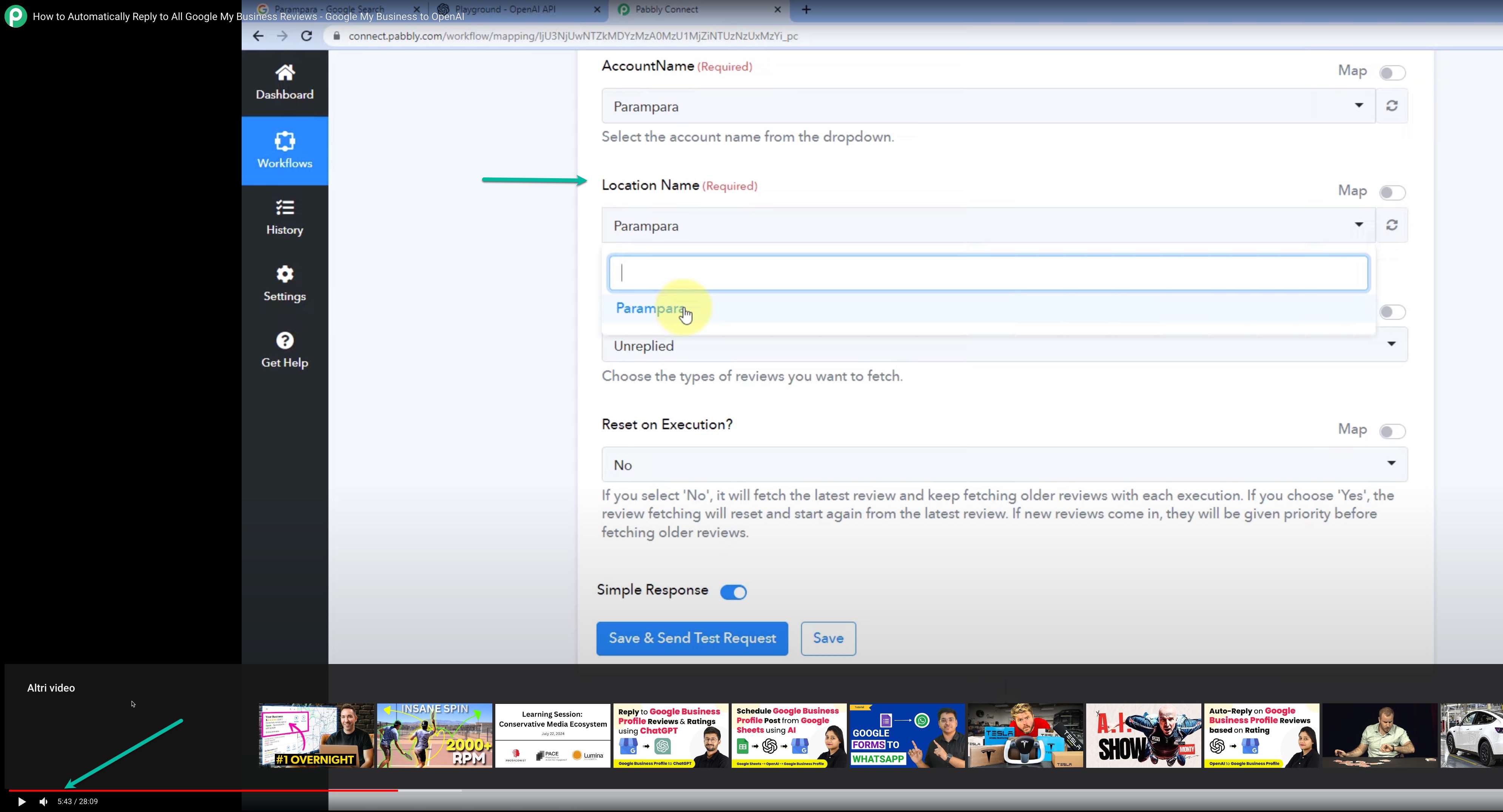
This as per screenshot!!!!
Attachments
Hey @Valerio !
Use this event-
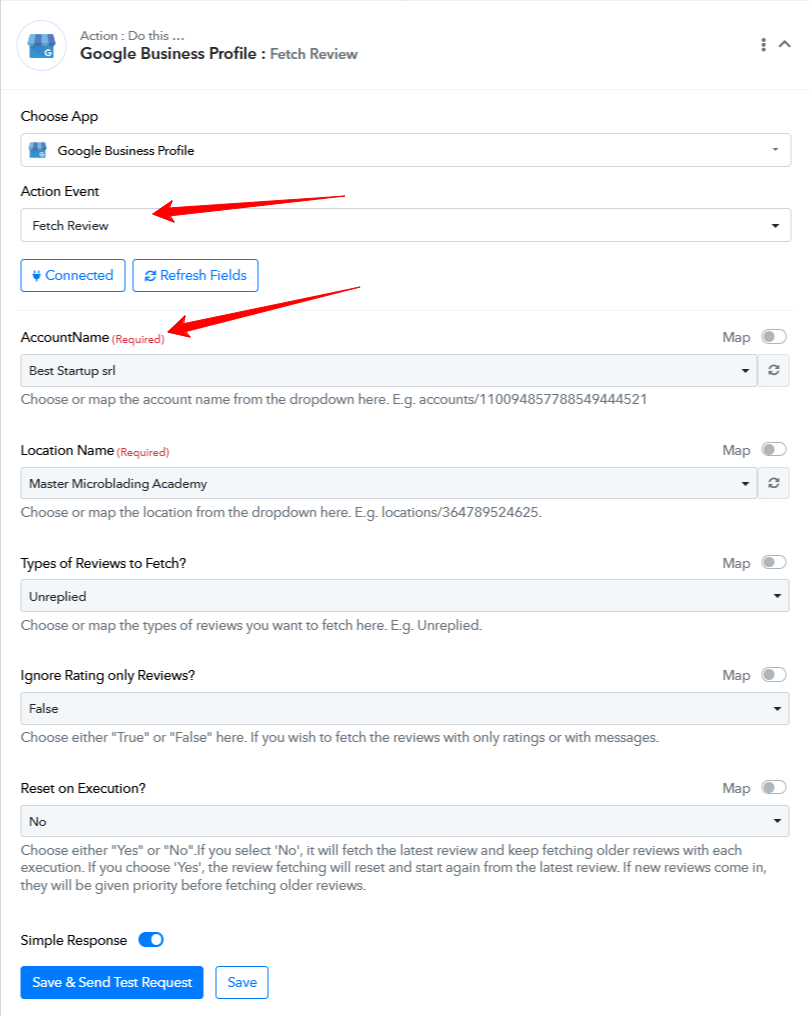
Hope this works for you.