Issue with Meistertask
Status: Closed · Asked by joopleberry on · 0 views
I can't add a label to a task. Are you able to make it so that when creating a task, we can add a label as well? the "Add label to task" doesn't seem to work either.
Attachments
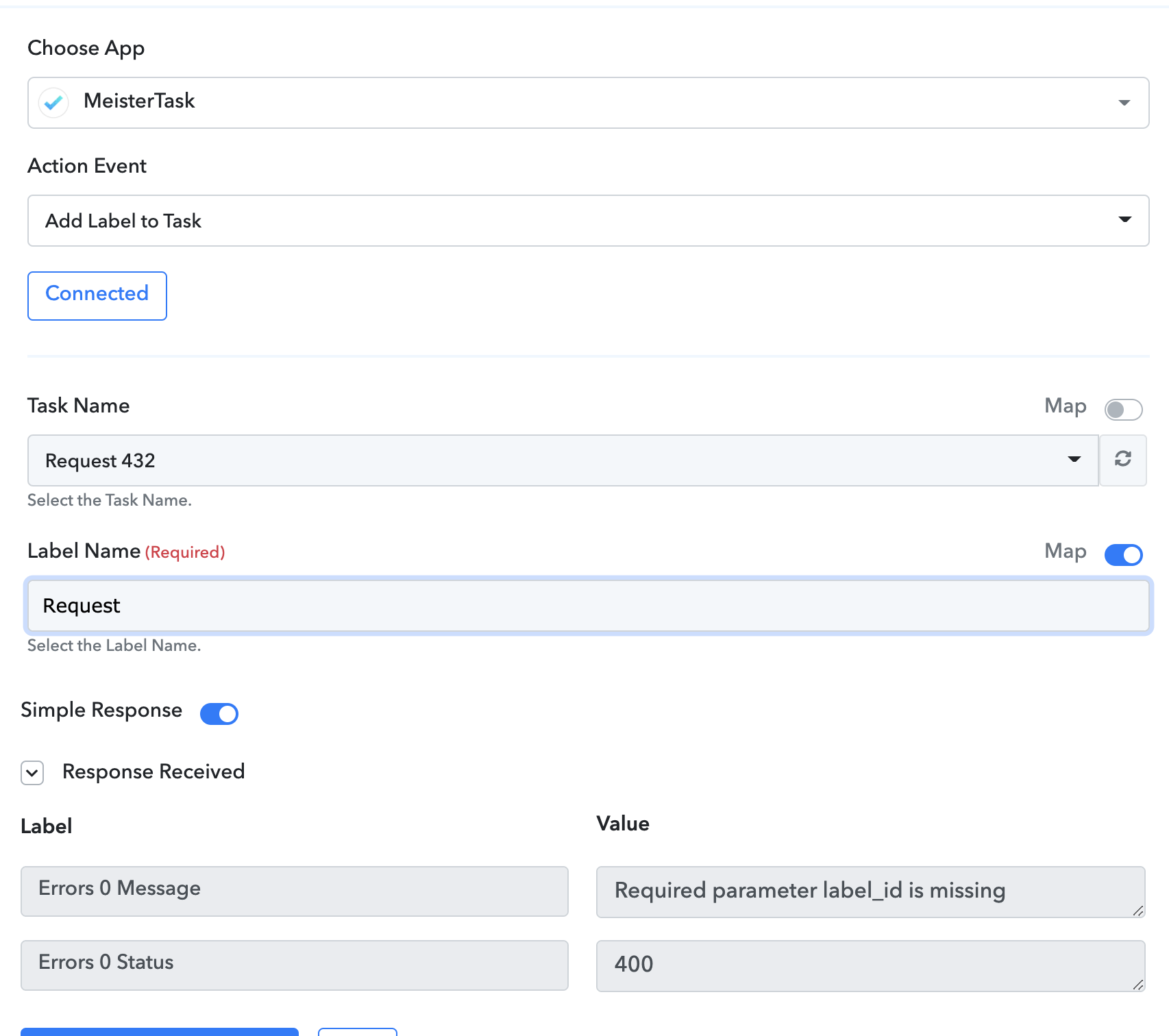
Hey @joopleberry
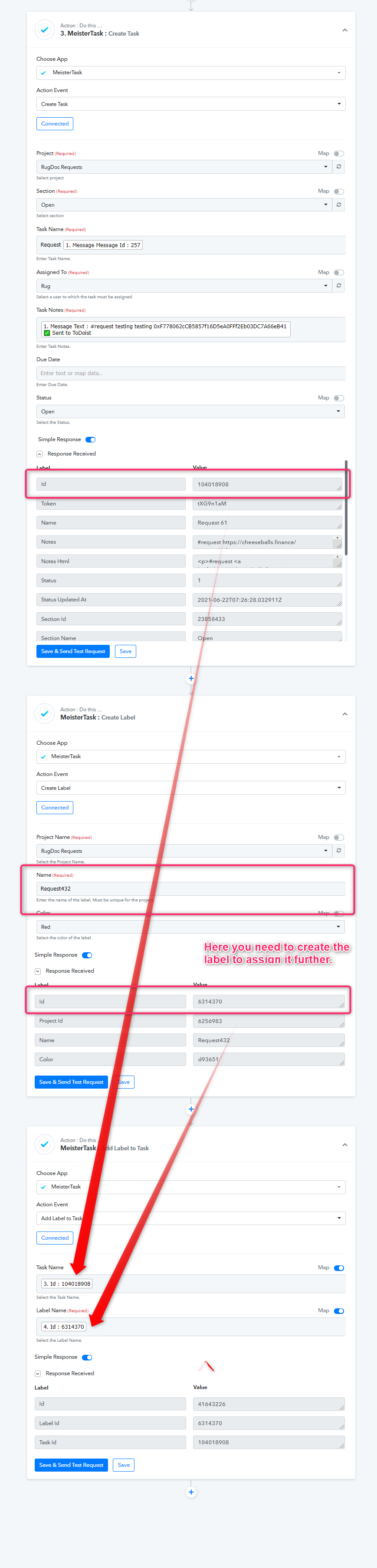
We looked into your concern and you may need to create the label first before adding a label to the task.
Please check the following screenshot. Although we have already set that up in your workflow, we hope this might help you.
Hi, but I don't wish to create a new label every time. I want to assign a label that has already been created in meistertask...
Hi, but I don't wish to create a new label every time. I want to assign a label that has already been created in meistertask...
Hey @joopleberry
Sorry to say that's the only way you can assign labels to a task and Meister has the limited option to assign labels.
That’s not true though. I see there’s a way for the api to assign labels to a specific task. https://developers.meistertask.com/docs/post-task-label
you just need to create a front end in Pabbly to do this.
I tested using their tool in the link above and could assign an existing label to an existing task using the task id and label id.
you can also get all labels of a project using this: https://developers.meistertask.com/docs/get-project-labels
Please allow some time to check on this. We will keep you posted.
Great thank you so much, this would be awesome if you can implement it.
Hey @joopleberry
We have successfully added the dropdown in the "Add label to a task" so that you can pick the label which you have created earlier without creating a new one.
Further, the label has to be present for that particular task.
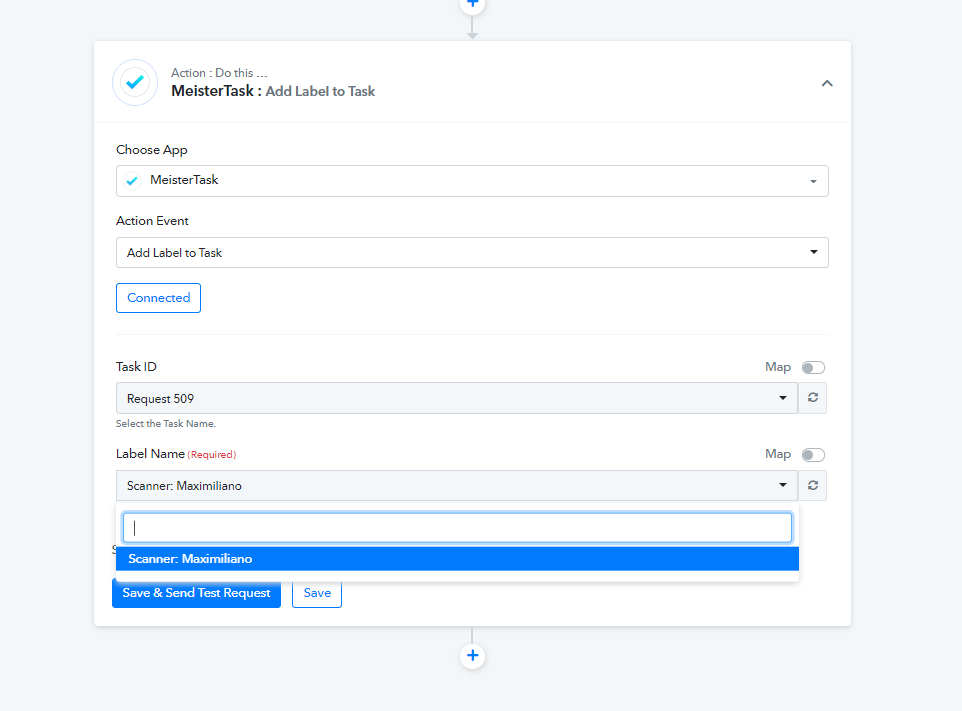
Hi, is it possible to pick a label that I have already created for the project in meistertask? Can you get a list of labels in the project using this so I can pick one of them? https://developers.meistertask.com/docs/get-project-labels
It doesn't make sense to add a label that the task already has ?
My use case is : pick up specific requests from telegram bot
If it has #request, add a label called "request". If it has #update, add a label called "Update".
I've already created both labels in meistertask and need to assign it in pabbly workflow.
Hey @joopleberry
Hi, is it possible to pick a label that I have already created for the project in meistertask? Can you get a list of labels in the project using this so I can pick one of them? https://developers.meistertask.com/docs/get-project-labelsIt doesn't make sense to add a label that the task already has ?
My use case is : pick up specific requests from telegram bot
If it has #request, add a label called "request". If it has #update, add a label called "Update".
I've already created both labels in meistertask and need to assign it in pabbly workflow.
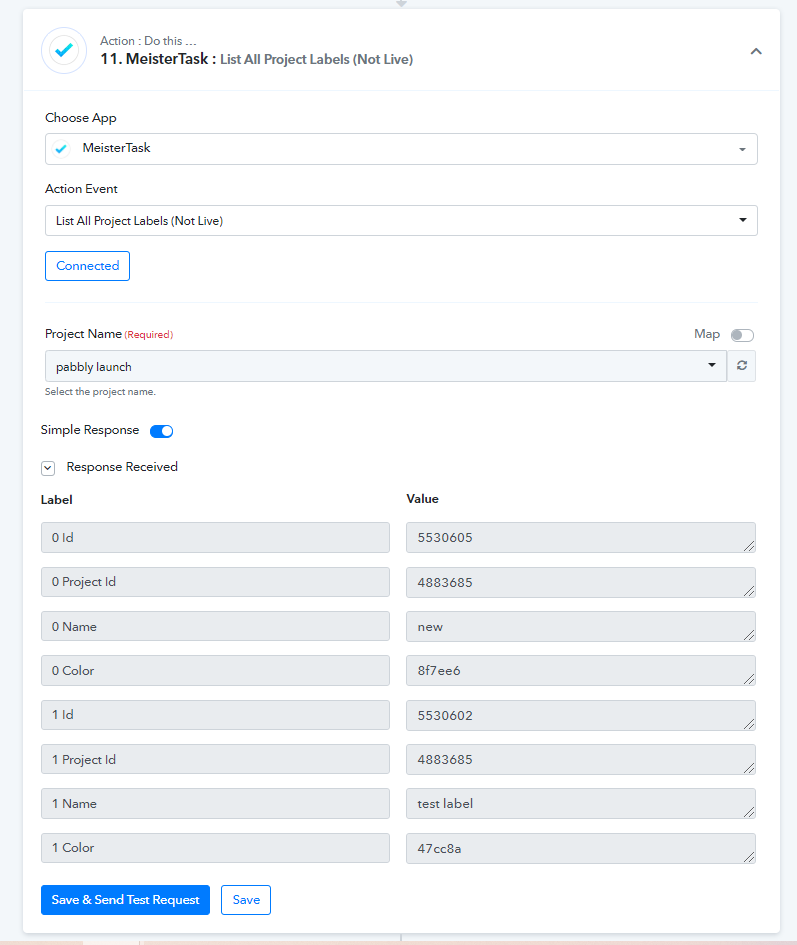
We made some changes as per your concern and add a new endpoint to get all the project's labels.
Please check out the following screenshots. Further, please try this at your end and we hope this might help you.
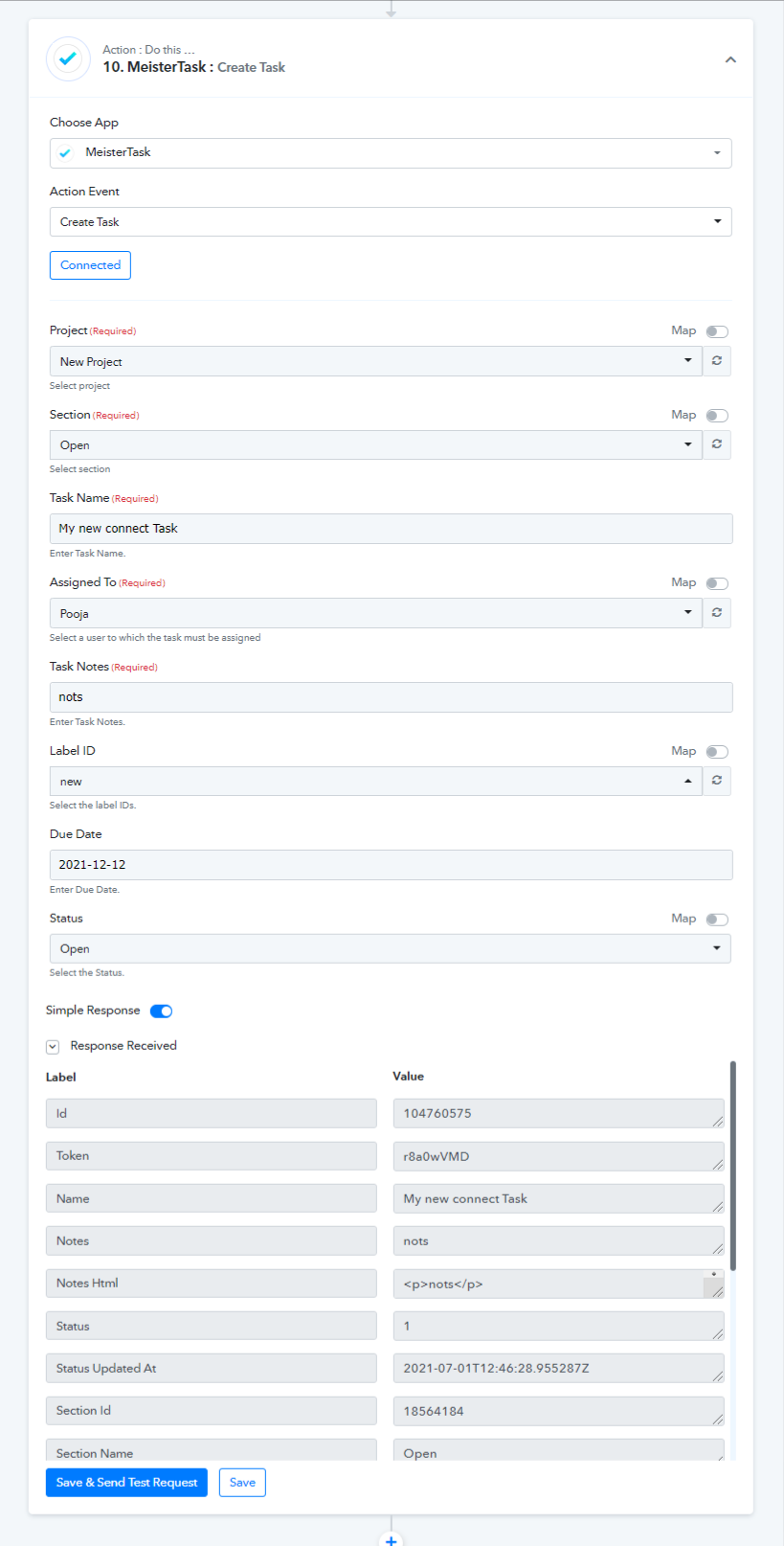
To get the list of all the projects labels.
Awesome Thank you!!
Hi, sorry reopening this issue, is it possible for us to add multiple labels when creating a task? currently i am only able to add one.
Also "add label to task" still doesn't get all labels available, it's showing a blank.
Thank you!
Attachments
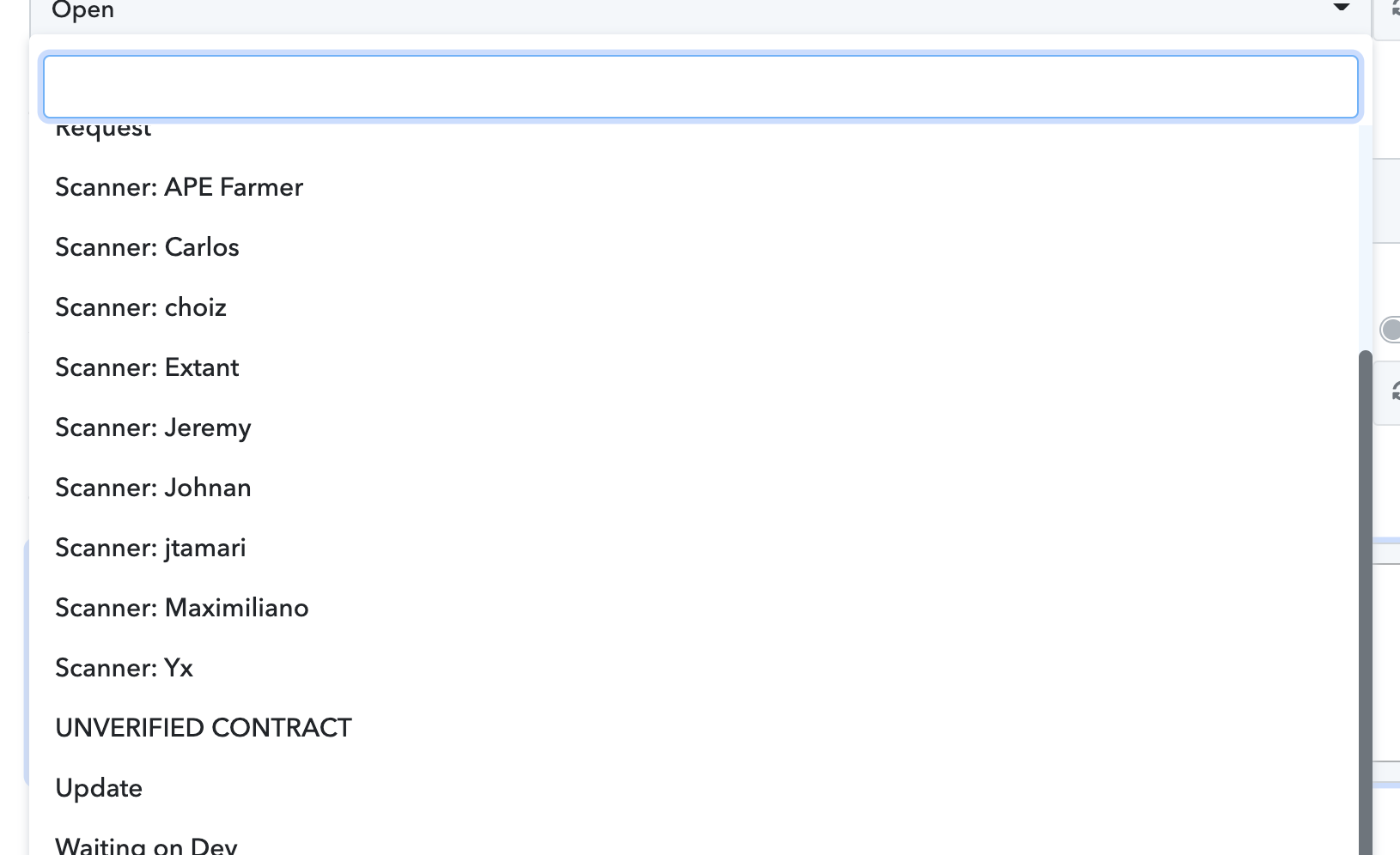
Hey @joopleberry
Please refer to our previous reply -
We have successfully added the dropdown in the "Add label to a task" so that you can pick the label which you have created earlier without creating a new one.Further, the label has to be present for that particular task.
[IMG width="620px" alt="2021-07-01_12h15_01.png"]https://forum.pabbly.com/attachments/2021-07-01_12h15_01-png.1993/[/IMG]
As I can see the action is providing all the labels, else if you want to map it you can check it with " List All Project Labels ".
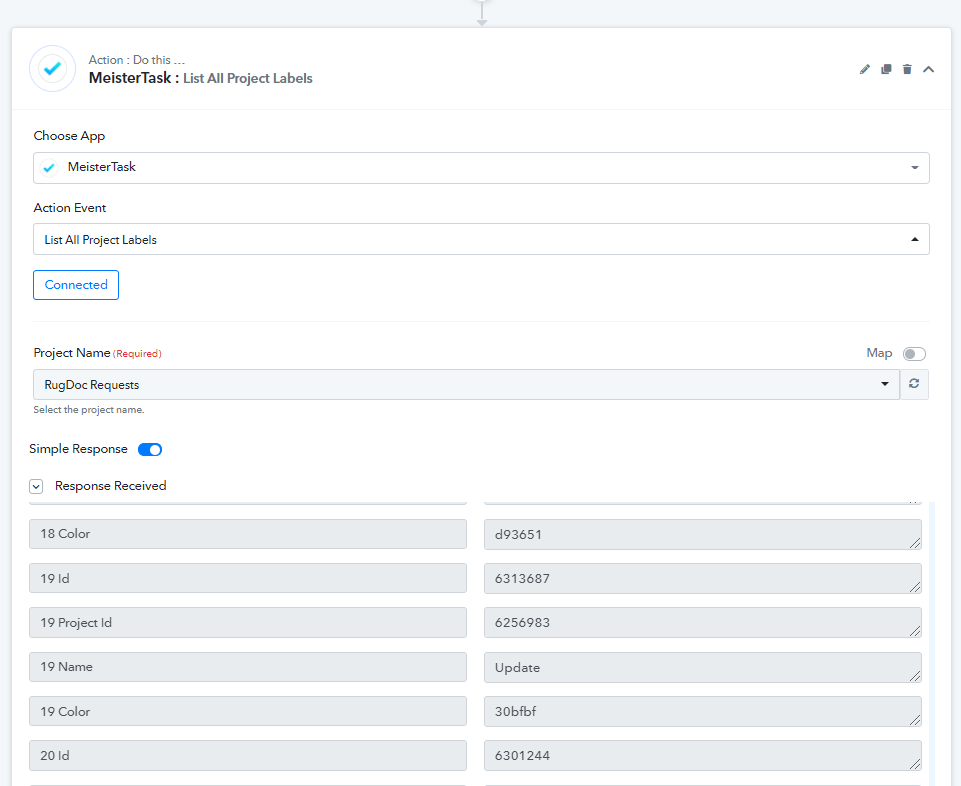
And you can add the id like this manner -
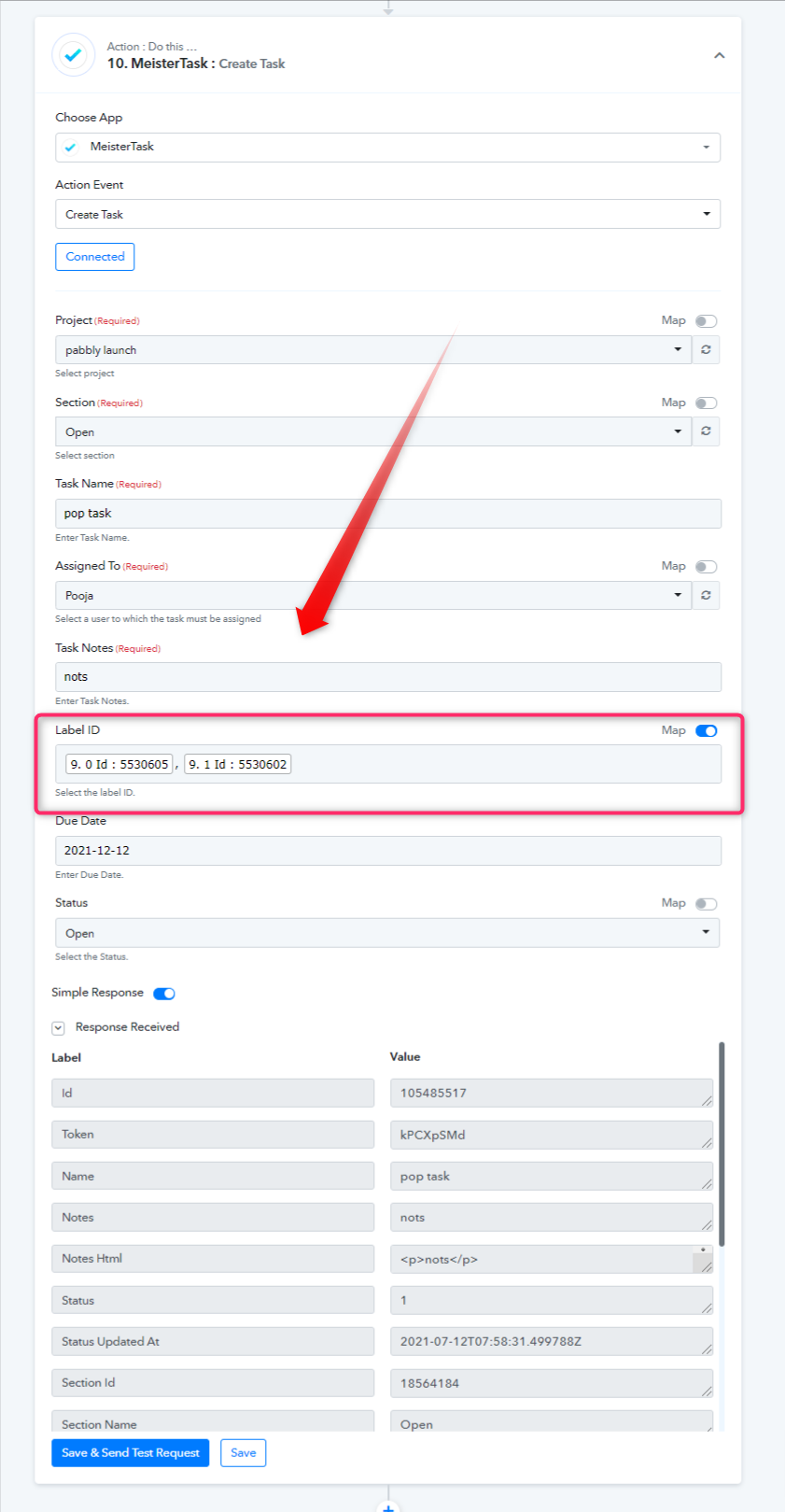
Ok all works thank you!