Issue with new contact from Hubspot to Moneybird
Status: Closed · Asked by TheSessions on · 0 views
Hi all,
I'm setting the integration so that when a new contact is created in Hubspot a corresponding contact is created in Moneybird.
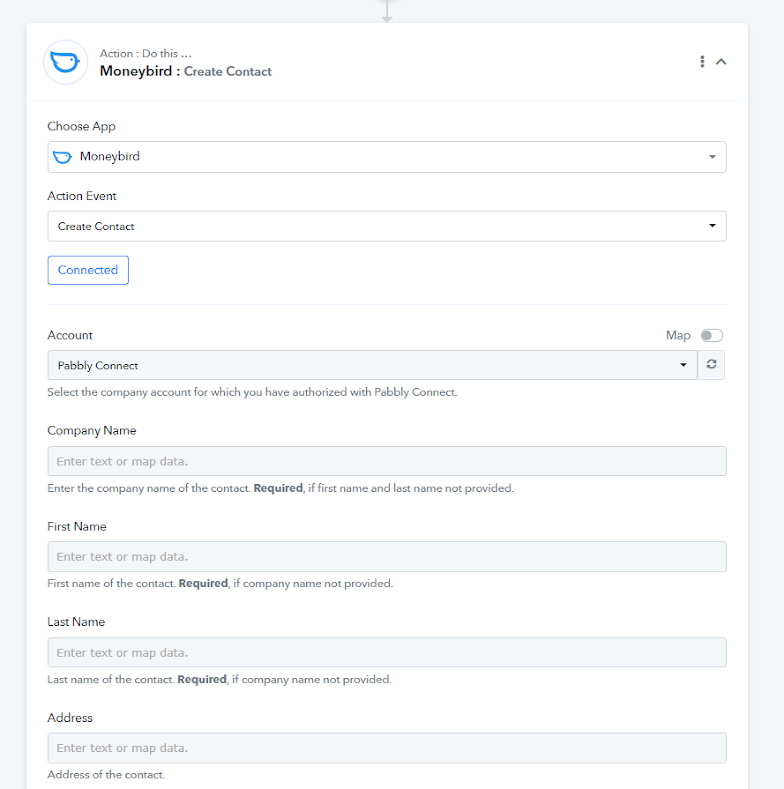
The issue is that when mapping the data I'm forced to provide a company name for Moneybird. My clients are consumers, so I don't want to use this field.
When I use zapier, It states that either company, first name, or last name must be filled, so basically the integration runs fine with Zapier. Does anyone have a solution?
Hey @TheSessions
We have updated the "Create Contact"action event of the MoneyBird and made the changes as per the API documentation.
Please check now and try again.
Wow that was a quick response! I'm impressed and very appreciative.
What you did worked, but the following fields in the Moneybird connection are gone, but they do show up in the "response received" section.
Send Invoices To Attention
Send Estimates To Attention
Attention
Address2
Are you able to help me with this too? or should I open another ticket?
Hey @TheSessions
Please allow us some time, we are currently looking into it.
Thank you!
Hey @TheSessions,
We have made some adjustments as per the requirements and it should populate the fields accordingly.
Added the following fields in the new action: Create Contact. Please check now and let us know if you face any issues.
Regards,
Nivesh
Pabbly.com