issue with systeme.io add tag to contact
Status: Closed · Asked by Jenny.Jordan22 on · 0 views
hi, i got this error with the add tag to contact step on my workflow
https://tinyurl.com/2yr5ut9v
Please help.
Hey @jennyjordan
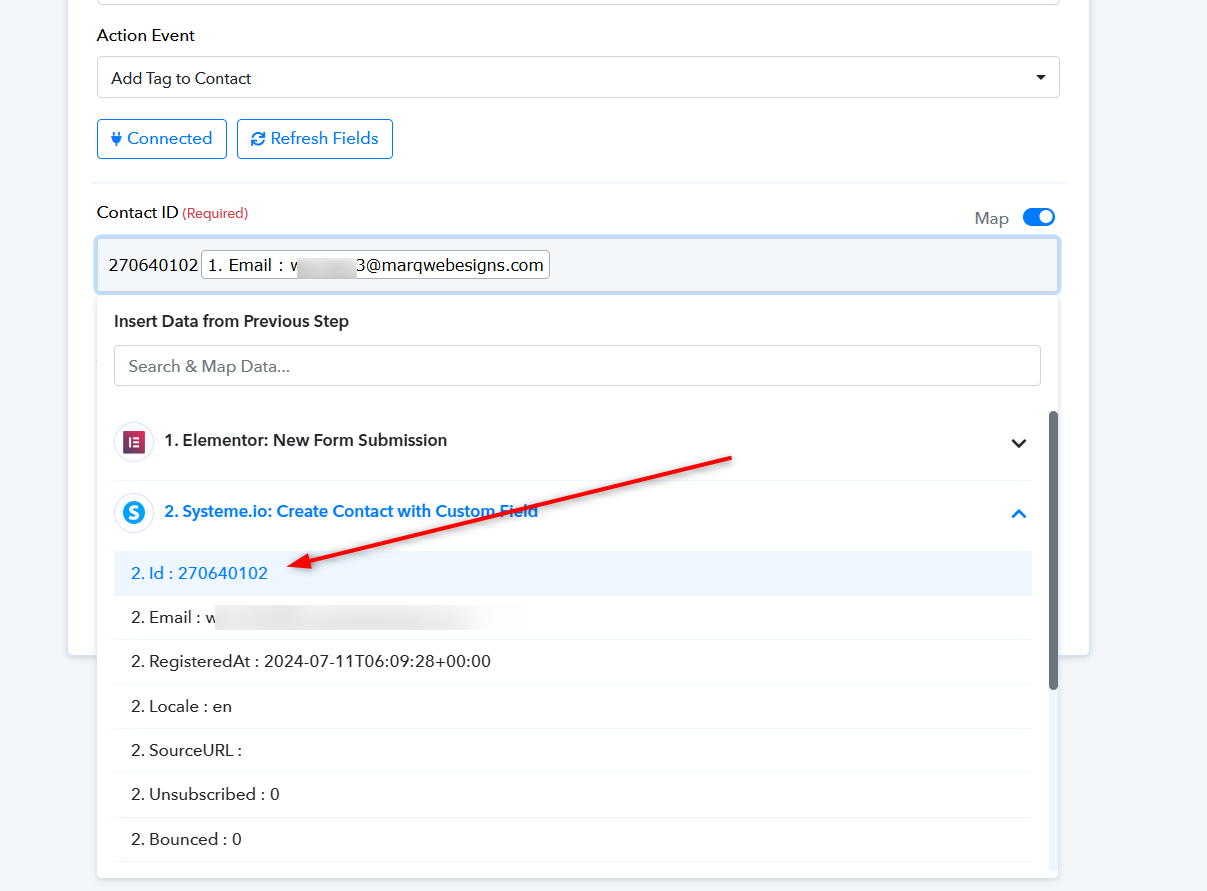
In the 'Add Tag to Contact' step, you need to map the contact ID from the 'Create Contact' action step's response instead of the email address in the Contact ID field. Please ensure the ID is correctly mapped and then try again.
Thanks Supreme,
I tried it and got this new error
https://tinyurl.com/2pnt4cta
Hey @jennyjordan
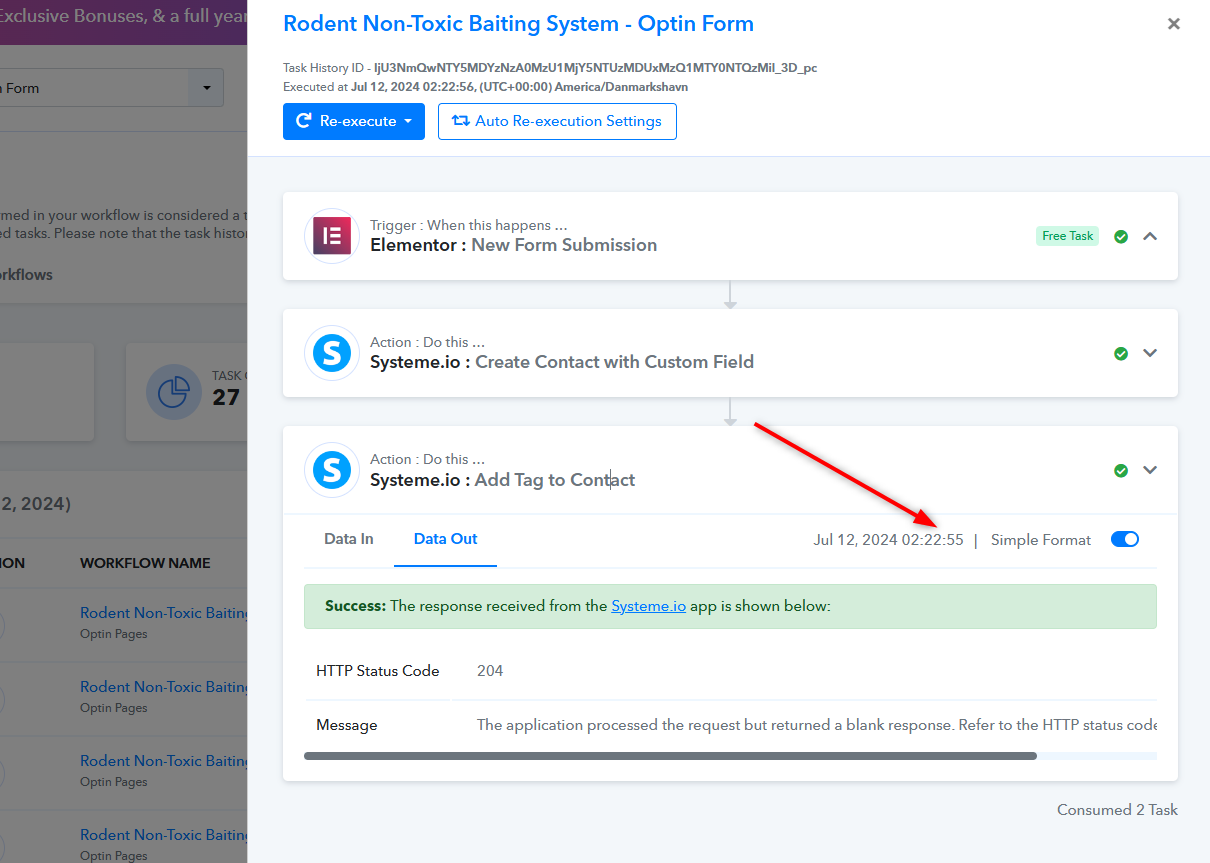
The status code that you are getting in the API response is a success status of the API call.
Further, this is the status code coming from the API which states that the application has processed your request successfully but is unable to show the response. Please check the contact in your Systeme.io action step to see whether it has been tagged or not.
The application processed the request but returned a blank response. Refer to the HTTP status code above for details.
hi Supreme,
Upon checking the contact has been added and the tag has been applied. BUT after 4 hours??? Why does it take so long unlike just adding the contact without the tag it only take few seconds.
Could you please provide a reference indicating that the tags are being added after 4 hours? According to the task history of your workflow, it appears that the tags are being added immediately once the form entry arrives.
hi Supreme,
Sorry i wasnt able to get back to you. Unfortunately, the test contacts were already deleted.. I will let you know once I have a sample.. We have another issue because the system throws an error if the email already exists even if the email signed up to a different optin form.
How can we resolved that?
Hey @jennyjordan
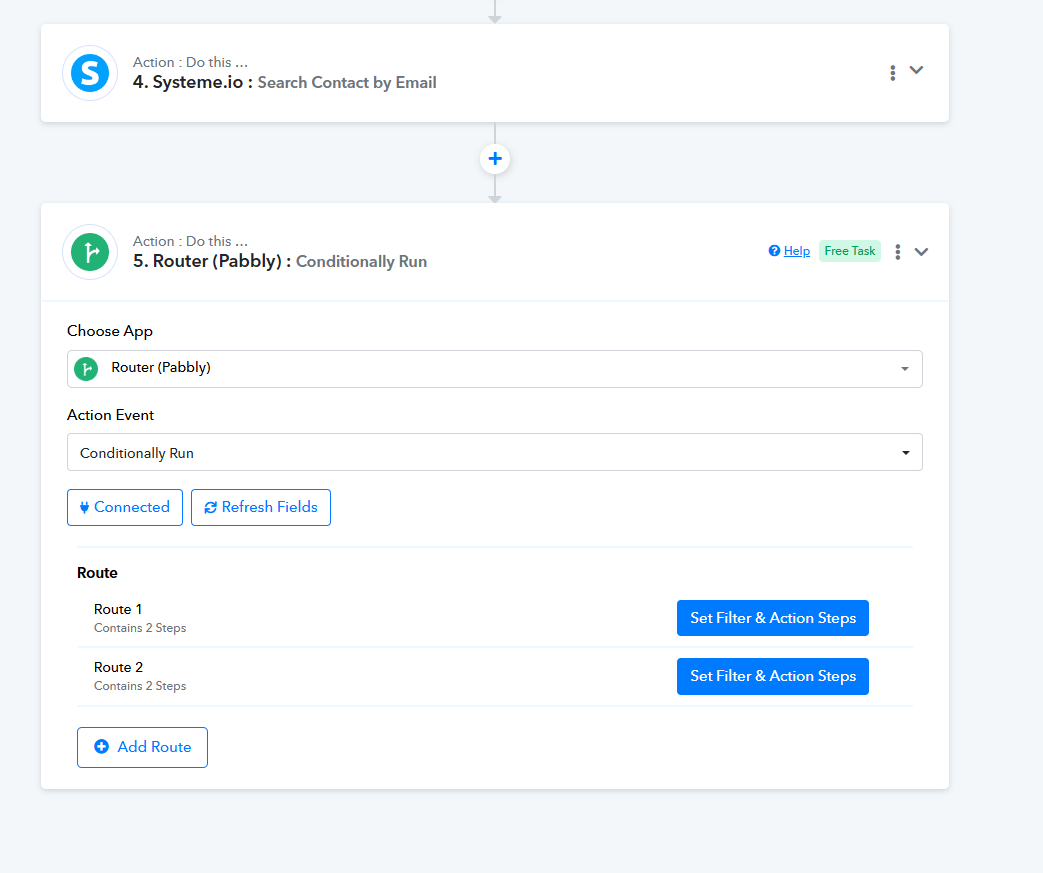
You can use the Router action step where you can set two routes and create conditions to create the item and update the contact accordingly. To check if the contact already exists on your Systeme, you can use "Systeme.io: Search Contact by Email" in the automation process.
hi Supreme,
Thank you for your this. I already applied the Router action and i already did a lot testings.. and encountered this bug.. Not sure why it throws a NOT FOUND error.. https://tinyurl.com/2cnfmw7l
My previous tests were successful until this one.
Heres the link to the workflow https://connect.pabbly.com/task/history?filter_status=applied&filter_by_workflow_id=IjU3NjUwNTY0MDYzNzA0M2M1MjY5NTUzMTUxMzIi_pc#
Hey @jennyjordan
You can use the Router action step where you can set two routes and create conditions to create the item and update the contact accordingly. To check if the contact already exists on your Systeme, you can use "Systeme.io: Search Contact by Email" in the automation process.
I have set up the router and configured the action step within the route as per your requirements. Please review it I hope it will be of assistance to you.