Issue with the Fluent CRM Fields
Status: Closed · Asked by Sanskar Jaiswal on · 0 views
Hey Pabbly Team
I need some help, I am stuck in the updating the contacts in fluent crm
I have an autmations where I am gettings ones data filled on a particular form
I am able to just able to add name and email to the crm
And when I try to add a custom filed on phone number it is not getting uploaded.
Please help me out
Which form you r using to import those customers data in fluentcrm?
I'm using google forms
Hey @sanskar
Kindly share the name of the workflow and the action step in which you are having such trouble. So that we can look into it and can assist you accordingly.
Sure
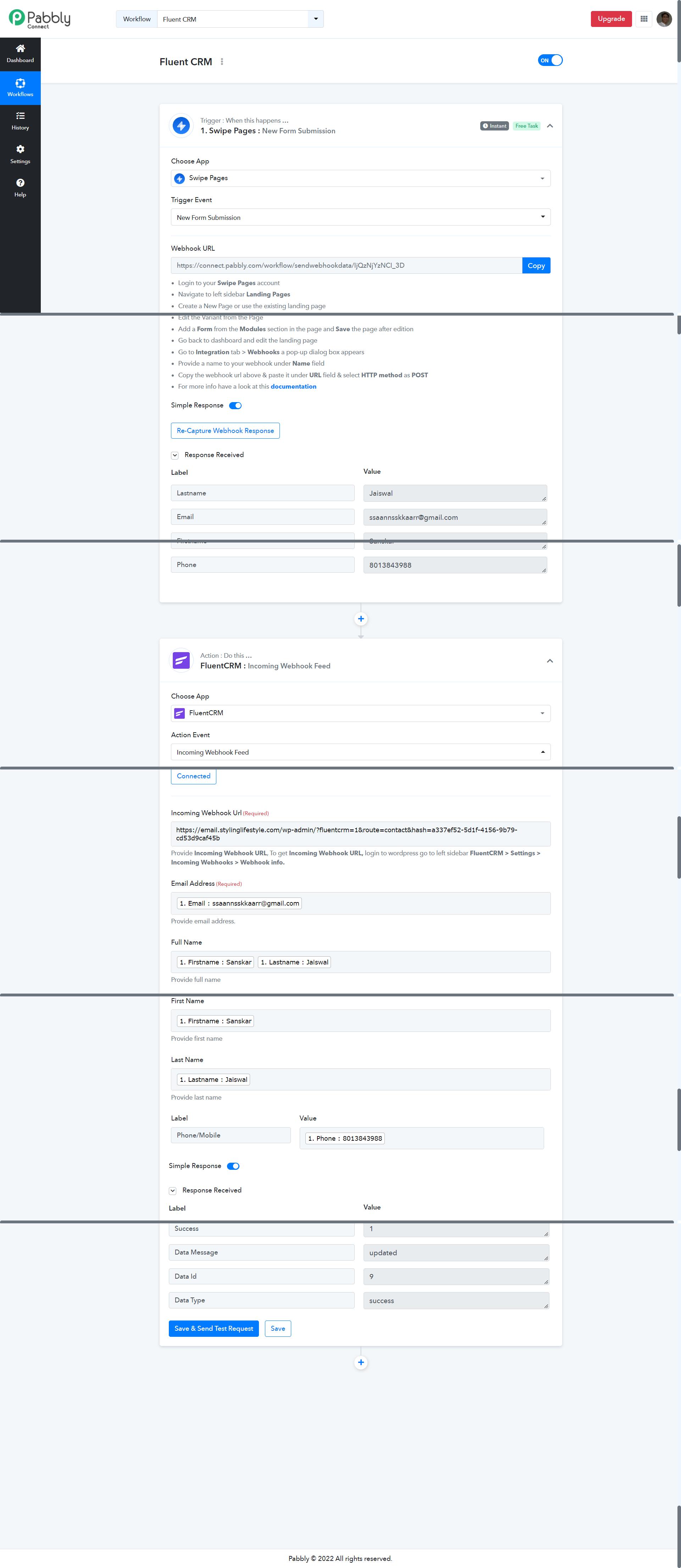
Here's the workflow name- Fluent CRM
Workflow url - https://connect.pabbly.com/workflow/mapping/IjQzNjYzNCI_3D
Use Case- I am trying to get the data (name, email, phone number ) from swipe pages and then send it to fleunt crm
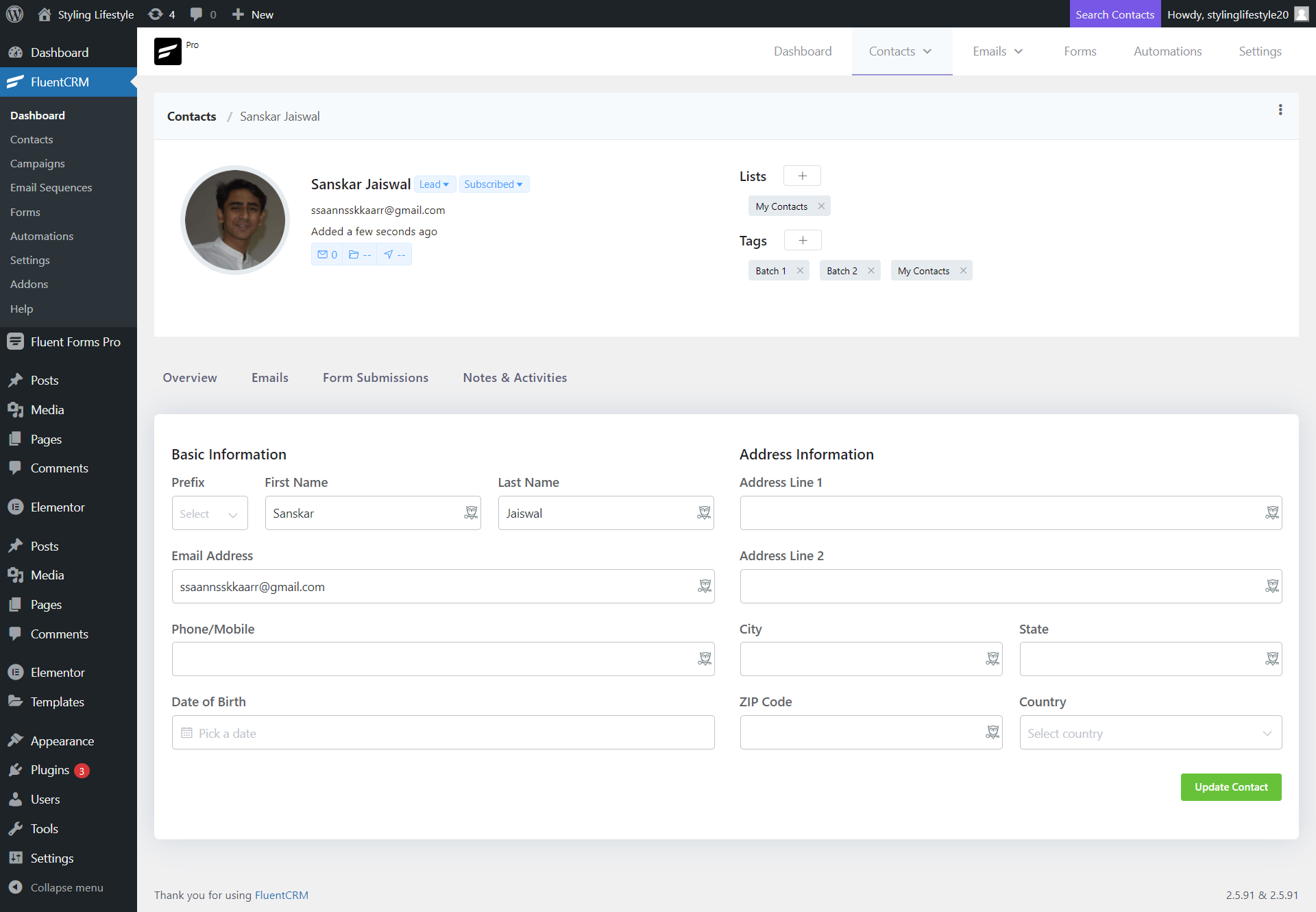
Problem Facing - I am able to send the basic data only, that is f-name, l-name, full name and email only. I am not able to add other details like phone number.
How do I add that to the CRM to the contacts
Please help me out
Attachments
Hey @sanskar
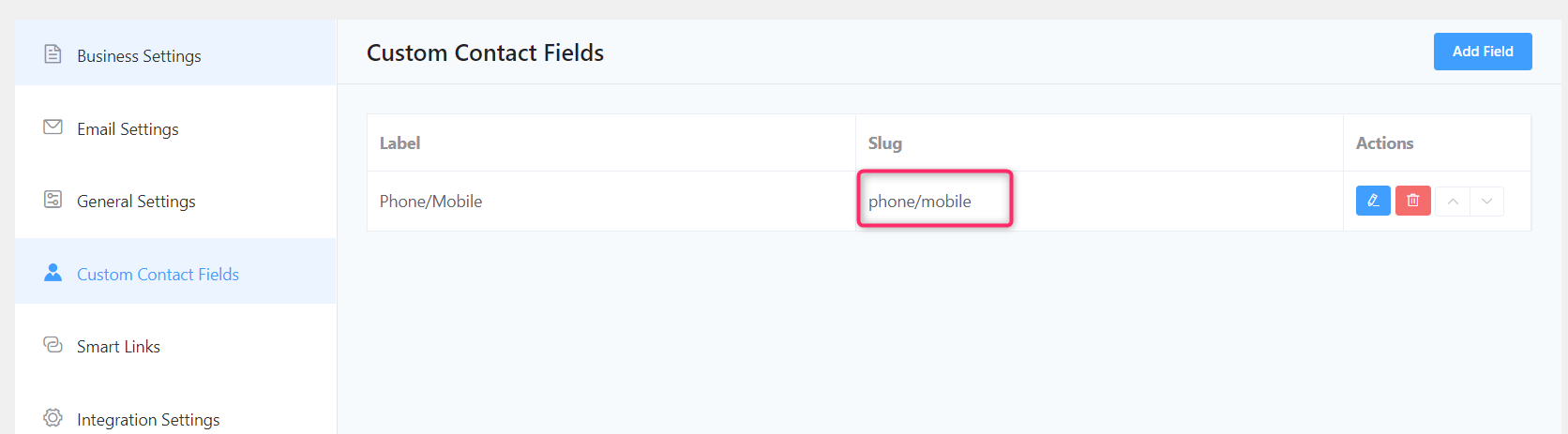
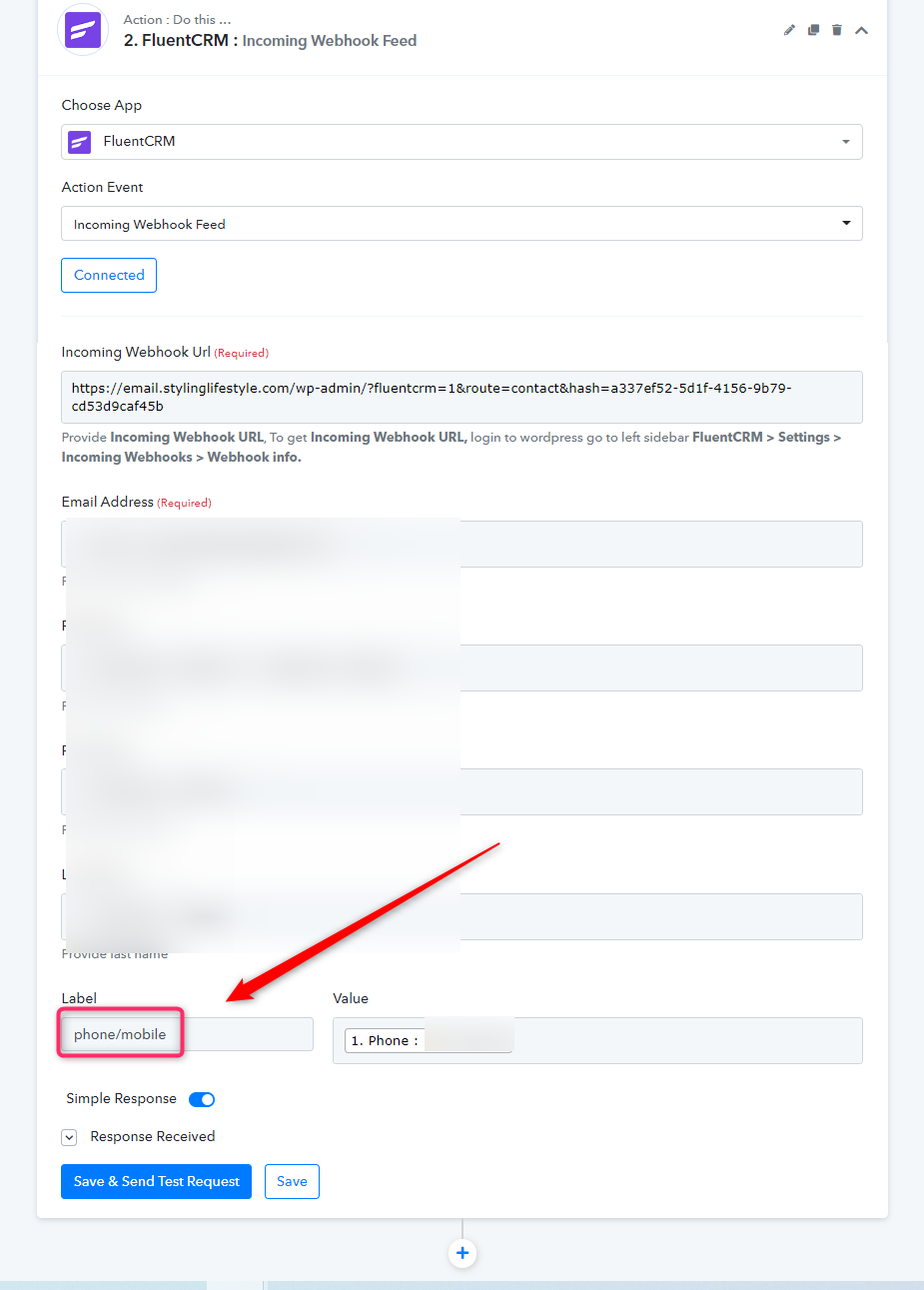
In the Phone/Number custom field you have passed the field name whereas you have to pass the label of the custom field which is in lowercase.
Okay, Done
I will check it right away
Thank you once again for helping me out