Issues connecting Pabbly with G-sheet
Status: Closed · Asked by nicholasKV on · 0 views
When I go through the tutorial and try to install Pabbly Connect as an add-on to G-sheets I get an error
Video of the issue:
https://www.berrycast.com/conversations/db2aeaa4-7a5d-5cc3-b4b4-84cdf0766612
Hey @nicholasKV
Please try establishing the webhook URL of Google Sheets in Incognito mode of your browser, since you may have logged in to many Google Accounts in your browser. Please configure it in incognito mode and try again.
Hey I unfortunately have a followup question regarding this:
https://www.berrycast.com/conversations/e2dea95f-09cb-539a-b003-b93eafee619d
Hey @nicholasKV
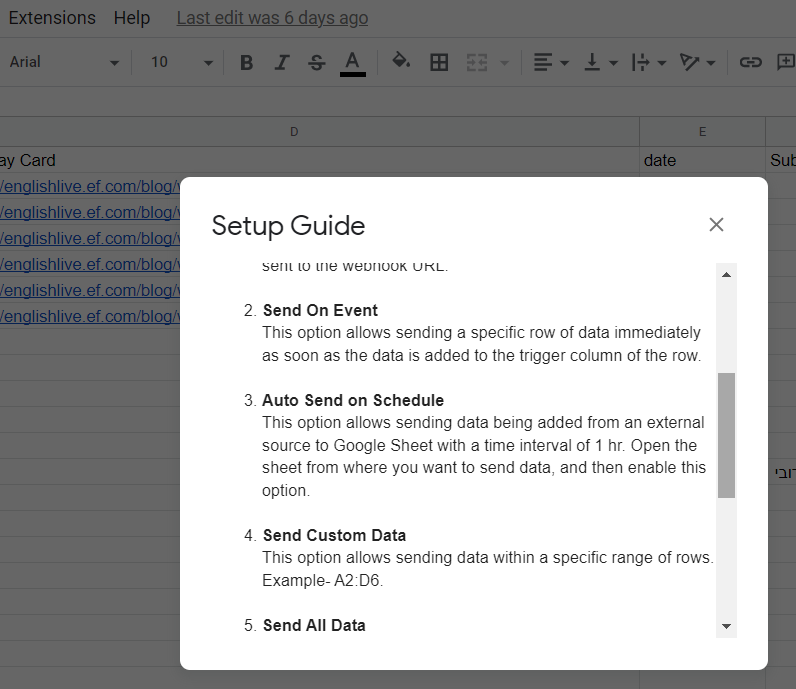
You can only use "Send On Event" when setting up Google Sheets if the data is coming from a Google application or if you manually enter it. If the data is coming from a third-party application, however, you may need to choose "Auto Send On Schedule" or "Send on Event" which will forward the data in exactly one hour.
Additionally, make sure the data is filled up to your trigger column.