Iterator not working?
Status: Closed · Asked by salasia on · 0 views
Hi,
I've created a workflow with email parser as a trigger. The email body consists of a list of several file names with their path, like this
< /volume1/video/Company_ES/folder/video1.mp4
< /volume1/video/Company_ES/folder/video2.mp4
< /volume1/video/Company_ES/folder/video3.mp4
I was able to fetch the parts I needed with a regex and then I was trying to run the workflow for each file with Iterator, but it looks like it runs only for the first video. Any idea why?
Here's the Iterator output from workflow's history:
{
    "Output": "[{\"response\":\"Company_ES\\/folder\\/CRECOZS1E002_TartaDeLim\\u00f3nSinH_FB_11_CAPTIONS.mp4\"},{\"response\":\"Company_ES\\/folder\\/CRECOZS1E003_DespacitoElFamoso_FB_11_CAPTIONS.mp4\"},{\"response\":\"Company_ES\\/folder\\/CRECOZS1E001_PalitosDePatataY_FB_11_CAPTIONS.mp4\"}]"
}
It looks ok, but the workflow was applied only for the first file (CRECOZS1E002_TartaDeLim\\u00f3nSinH_FB_11_CAPTIONS.mp4), not for the other two. Am I doing anything wrong? Please advise.
The workflow's name is "Shared start of workflow"
Thanks so much
Sergio
Hey @salasia
We are currently checking on it and it might take some time. So kindly allow us some time and your kind patience will be highly appreciated.
Hi @Supreme, is there any news about this issue?
Today it looks like the email parser wasn't working properly either, see screenshot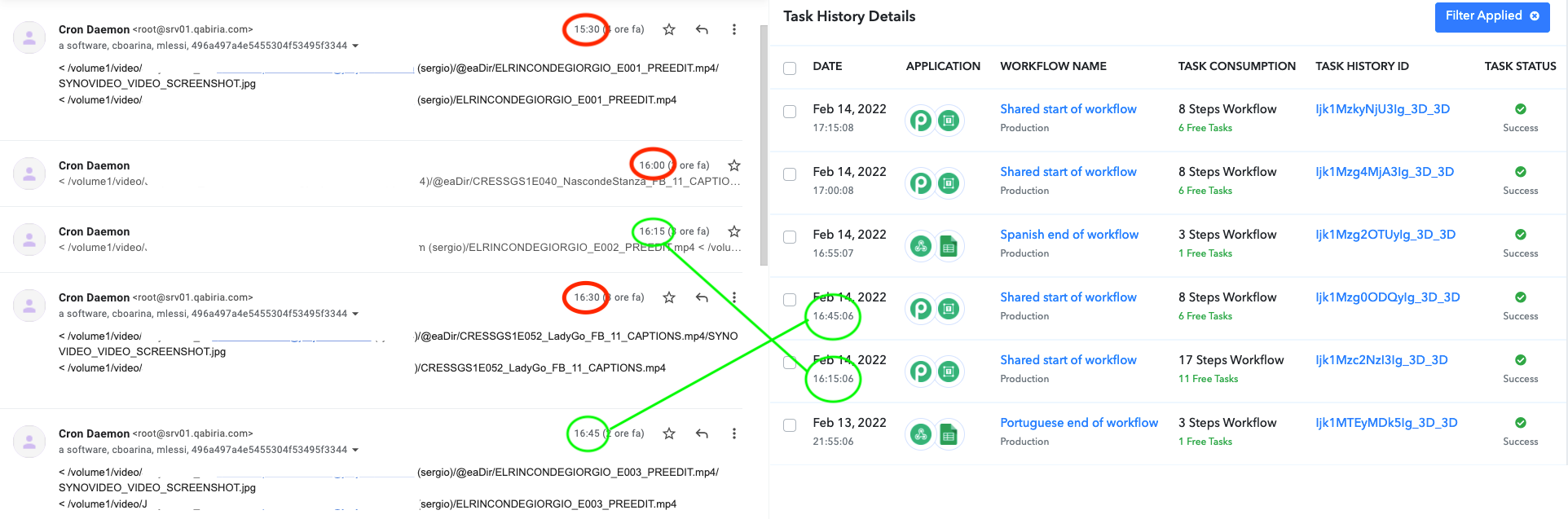
Only 2 out of 5 emails between 15:30 and 16:45 triggered our workflow.
We need to be able to rely on Pabbly to do its job, otherwise our business can be affected. I would expect this from a free service, but a paid service shouldn't have these kinds of glitches.
Best regards
Sergio
Hi @Supreme, is there any news about this issue?
Today it looks like the email parser wasn't working properly either, see screenshot
Only 2 out of 5 emails between 15:30 and 16:45 triggered our workflow.We need to be able to rely on Pabbly to do its job, otherwise our business can be affected. I would expect this from a free service, but a paid service shouldn't have these kinds of glitches.
Best regards
Sergio
Sorry for the inconvenience. Could you please forward the email address at admin@pabbly.com for which you have set the email parser?
TIA!
Ok while you investigate the trigger issue, could you please give me an update about the Iterator not working?
Thanks!
Sergio
Hi again @Supreme,
any news about this?
Best regards
Sergio
Hey @salasia
We are still working on the use case with the Iterator action step and it might take couple more days.
Sorry for the inconvenience.
Hi @Supreme, now it looks like Iterator is working as expected but I've encountered another issue.
There are several steps at the beginning of my workflow that work perfectly, until I use an API step to search for a particular file name and gather its data. The search field is mapped to the name of the file that was just uploaded in the previous step (after a short delay that allows the upload and processing to complete), but if there are more than 1 iteration of the workflow, it will search for the second file name.
Example:
- Upload "first_video.mp4" to "folder"
- Delay 5 minutes
- API search for [file from step 1]
- Send data from step 3 to webhook
- Repeat from step 1 to 4 for "second_video.mp4", etc...
In the first iteration of the workflow, on step 3 Pabbly will search for "second_video.mp4" instead. So it will send the same data to the webhook twice, because on the second iteration it will search again for "second_video.mp4".
It's such a strange behaviour that I've run multiple tests and double-checked my setup, before deciding to send this message.
Thanks in advance
Sergio
Hey @salasia
As we see from your workflows' history log, it seems like the array which you are trying to pass is not in the correct format and because of that the Iterator is getting the single file (Line Item) from the above action step.
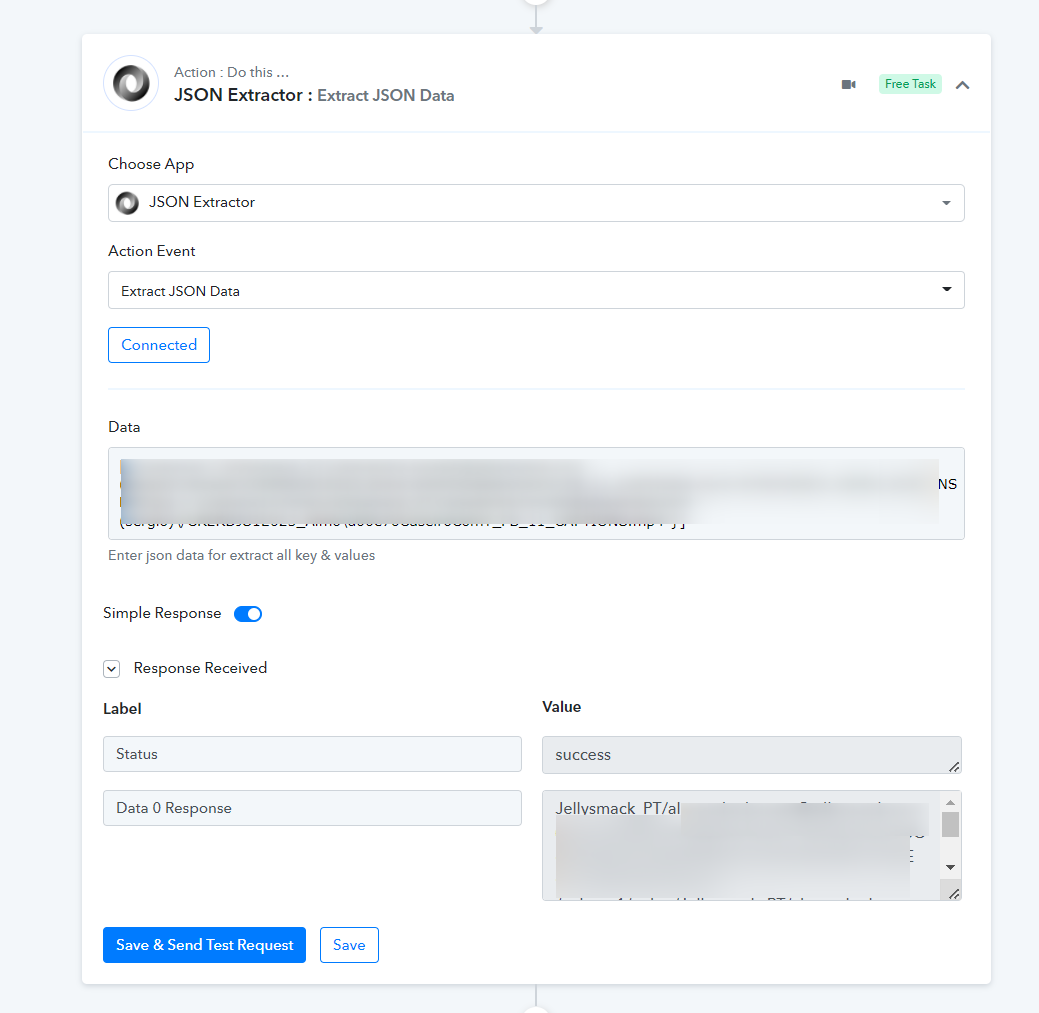
Ok, so you mean I should use the JSON extractor instead of what step?
Thanks
Hey @salasia
The above action step was just an example that the JSON which you are providing basically contains the single line entity and because of that, you might be iterating the same file.
I see, there was a problem with the regex I used to extract the data.
Thanks!
Sergio
Hi again @Supreme,
I've fixed the regex but Pabbly is still behaving weird.
I've recorded a couple of gifs in order to show you:
Here's what should happen
Here's what actually happens
(links will expire after 1 view, but you can download the gifs for yourself)
Also, I've just noticed that the history panel isn't in the right order, the first actions are ordered, but after the first iteration they are in random order and it's difficult to check what happened exactly, because some later events are shown before earlier events.
Thanks in advance
Sergio
Hey @salasia
The gif which you have shared is clear, so could you please share the workflow name and the use case which you are looking for.
Also, if you can record a short video on this would be better to understand your concern.
Workflow name is "Shared start of workflow".
My concern is that I cannot rely on Pabbly when more than 1 item is being processed, because -like I said in my previous message- it doesn't behave as expected and I don't understand if I'm doing something wrong.
Thank you
Sergio
Hey @salasia !
Can you provide us with the Task History ID from your workflow history, which according to you is executing incorrectly, so we can check it with the tech team on it.
Hope, to hear from you soon.
Hi @Subin
thank you for your reply.
Please compare this IjEwNDAyODcxOCI_3D, in which 3 items were processed incorrectly, to this IjEwNDA1NTAzMyI_3D, with just 1 item, and it was processed correctly.
Kind regards
Sergio
Hey @salasia
We are currently looking into it, please allow us some time.
Hey @salasia
Currently, the Iterator action step is not working as it should be with the delay action step. The team is working on it and we should update you soon!
Thanks!
Hi, any news about this?
Thanks in advance!
Sergio
Hey @salasia
It will take a little bit longer time than we assume, kindly allow us some time and will let you know once we have any update on it.
No problem, thanks for the update.
Best regards
Sergio
Hi @Supreme,
just touching base regarding this issue.
If you can't fix it within the next few days I'll need to find another solution, because it's affecting our workflow and it's been already several weeks.
Anyway I'd really appreciate an update.
Kind regards
Sergio
Hey @salasia
Sorry for the inconvenience, our tech team is still working on it. Though as a solution you can use the "Data Forwarder by Pabbly: Forward Custom Data" action step in place of individual routers which will allow you to forward data from your existing workflow to your other Pabbly Connect workflows and use another workflow as a router.
Kindly try this workaround at your end and let us know if that works for you. You can also refer to the following thread on the "Data Forwarder by Pabbly: Forward Custom Data" action event for a basic understanding.
https://forum.pabbly.com/threads/data-forwarder-by-pabbly-forward-custom-data.4946/
Hi @Supreme
thank you for your suggestion. Two questions:
Should I use the Data Forwarder before or after the delay step?
Should I use the Data Forwarder for each delay (there are 2) or just for the first one?
Kind regards
Sergio
PD: Does Data Forwarder perform the same action as the API action sending data to webhook (see attachment)?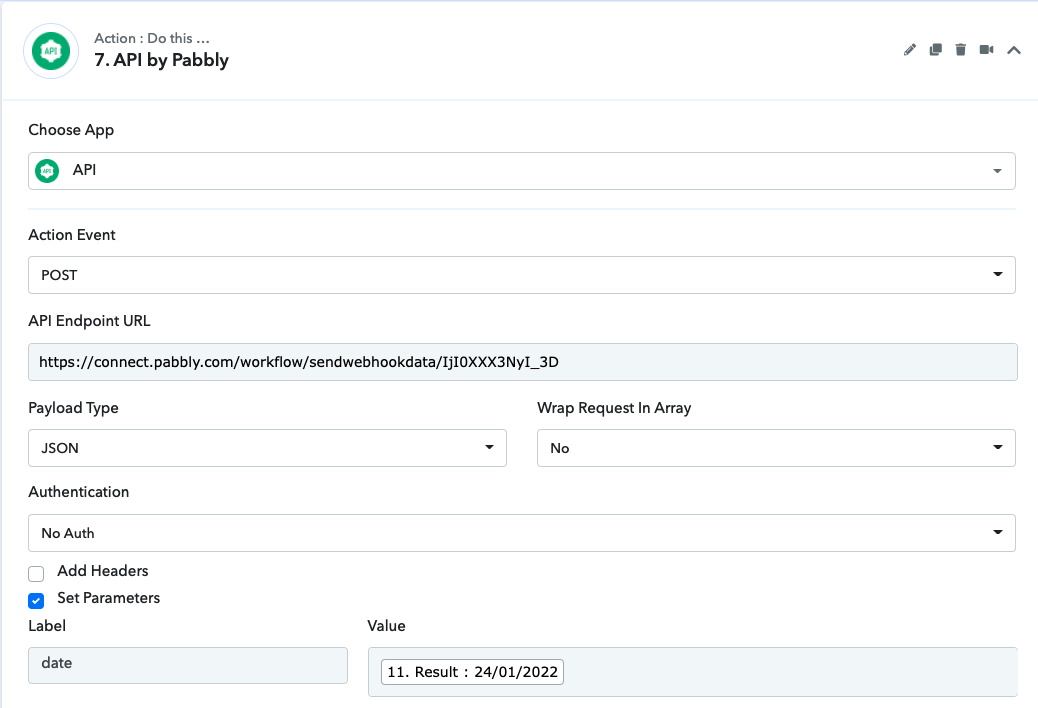
Hey @salasia
You have to place the Data Forwarder in place of the router which you have created and in place of every route you have to add the Data Forwarder.
And in the forwarding workflow add the exact action events you are willing to use in the individual route.
Eg -
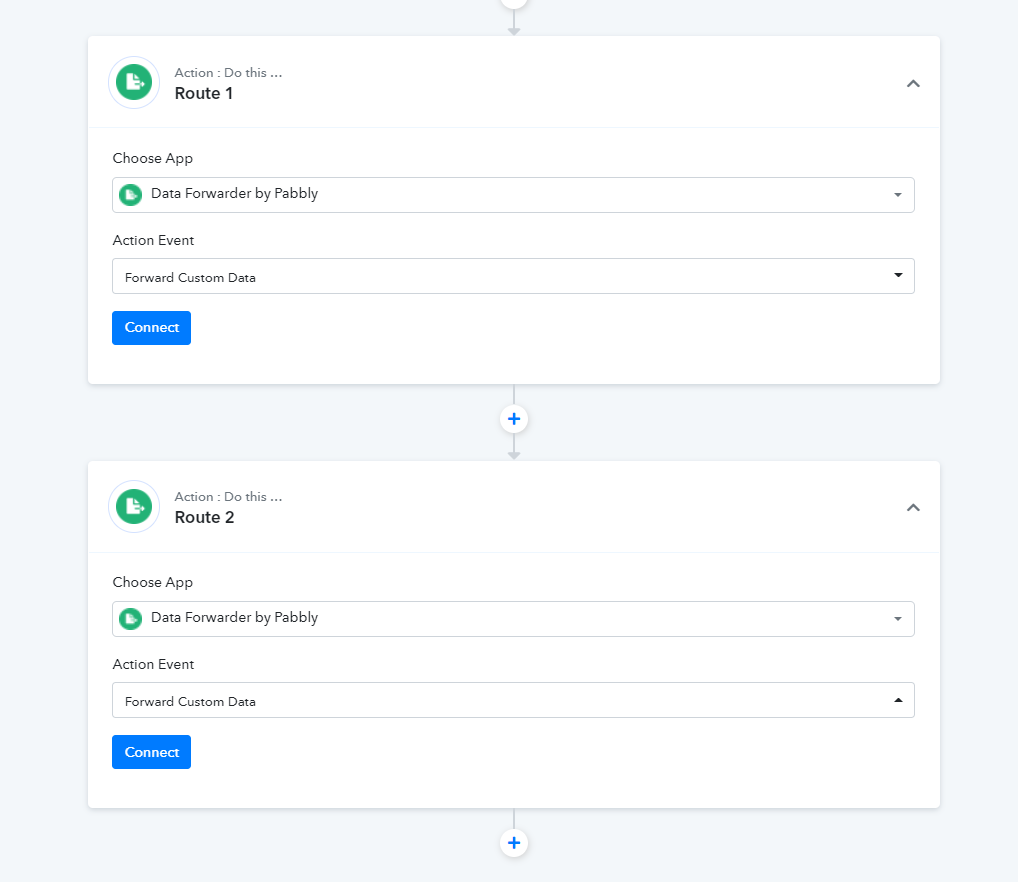
I don't understand what the Router has to do with Iterator and Delay not working well together.
Thanks!
Sergio