Javascript
Status: Closed · Asked by sotongking on · 0 views
May I know do you guys have a timeline to add an ability to input your own javascript just like (code or node.js function in zapier)? Thanks! I think this will be very crucial unless there is a workaround currently available.
You can check the Pabbly Connect Roadmap here - https://pabbly.hellonext.co/
If you want to request for building any core features, you can send the request here and upvote it - https://pabbly.hellonext.co/b/Feature-Request
May I know do you guys have a timeline to add an ability to input your own javascript just like (code or node.js function in zapier) Thanks! I think this will be very crucial unless there is a workaround currently available.
Check this -
You can check the Pabbly Connect Roadmap here - https://pabbly.hellonext.co/If you want to request for building any core features, you can send the request here and upvote it - https://pabbly.hellonext.co/b/Feature-Request
Seriously: The JavaScript function makes little sense without that feature. I added a core feature request for it and hope you will add this very soon. Thanks.
Here is the featur request for others to support it: https://pabbly.hellonext.co/p/javascript-needs-input-variables
Seriously: The JavaScript function makes little sense without that feature. I added a core feature request for it and hope you will add this very soon. Thanks.Here is the featur request for others to support it: https://pabbly.hellonext.co/p/javascript-needs-input-variables
You can pass variable values by mapping values from previous steps.
Thanks for your reply! I tried this by just adding the values in quotation marks right in the code. But I got a syntax error. Now I tried again and the error is gone.
Maybe I got the syntax error because there was a " in the value itself. Can I encode that to avoid that error?
Thanks for your reply! I tried this by just adding the values in quotation marks right in the code. But I got a syntax error. Now I tried again and the error is gone.Maybe I got the syntax error because there was a " in the value itself. Can I encode that to avoid that error
Let me tag their team @Supreme
Please let us know the workflow name and the action step in which you have tried the same.
Hi @Supreme!
This is the JS-solution I mentioned in the other thread seconds ago. :-)
The question is:
Is there a *safe* way to transfer input to JavaScript. Right now I have to drop it into the JS code directly - which will cause a syntax error if it contains a " in my case. (Or an ' in other cases.) I could add another function before to escape these special characters. But maybe there is a more elegant way for that.
Maybe something like this in JS:
let twitterhandle = pabblyinput[0];
let hashtags = pabblyinput[1];
let othervalue = pabblyinput[2];
Worksflow is "BC Liste: Neuer Eintrag", Step 5 "Add to suggested Tweet".
Right now it is running. But I wonder if there is a better solution for this.
Jan
Hey @Jan
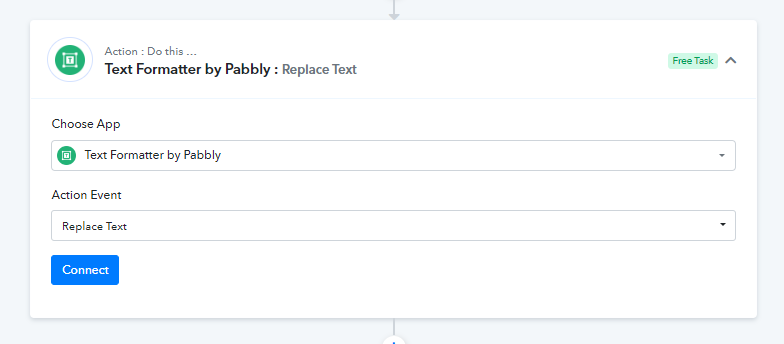
As a workaround to remove the error from you the JS code action step you can use the "Text Formatter: Replace Text" action step to replace the double quotes with single quotes.
Hi @Supreme!
I understand. But I need this code three times (later four times) in my workflow. Each time I need two or three variables. That will add about ten extra steps to my flow which could be avoided... And this is just a very simple use case for the JS code. It could be much worse...
Jan