JSON code for PUT API in Pabbly
Status: Closed · Asked by Durkis on · 0 views
Hi,
I am trying to do a PUT API request to Plutio. Its for a custom field in the Proposals section. I have looked on the API page and looked at examples, but I must have the syntax wrong. can you help?
The automation is Here, but I have a screenshot below which may make my mistake clear.
thank you again for your help.
Stu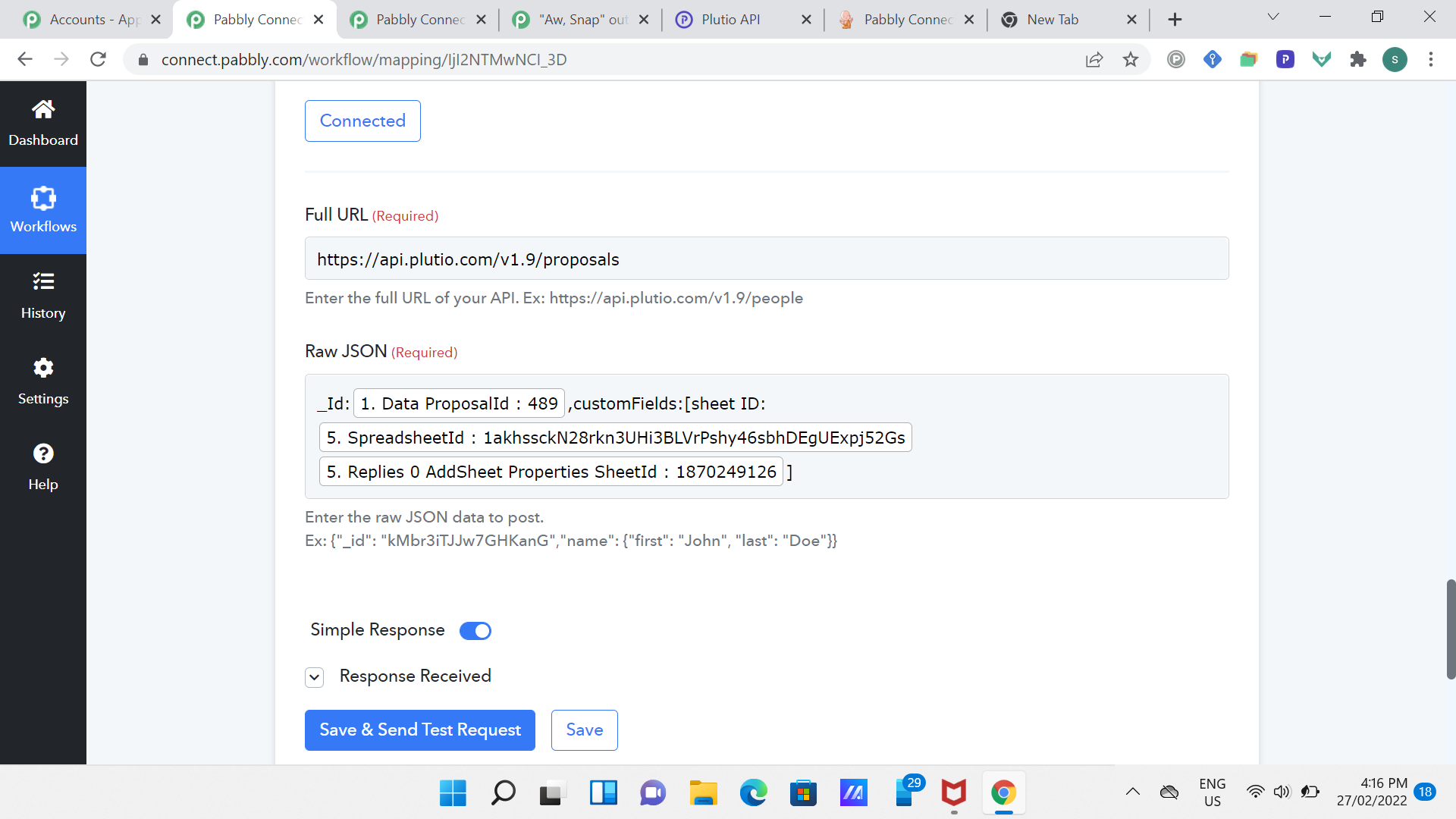
Looks like you have not added { } for JSON.
You can validate JSON syntax on https://jsonlint.com/ and then copy-paste from there to pabbly and add the mappings.
Looks like you have not added { } for JSON.You can validate JSON syntax on https://jsonlint.com/ and then copy-paste from there to pabbly and add the mappings.
Thanks man, that's a great tip. I will try it out.
OK. that's a great tool. I have validated the JSON code and I get this error:
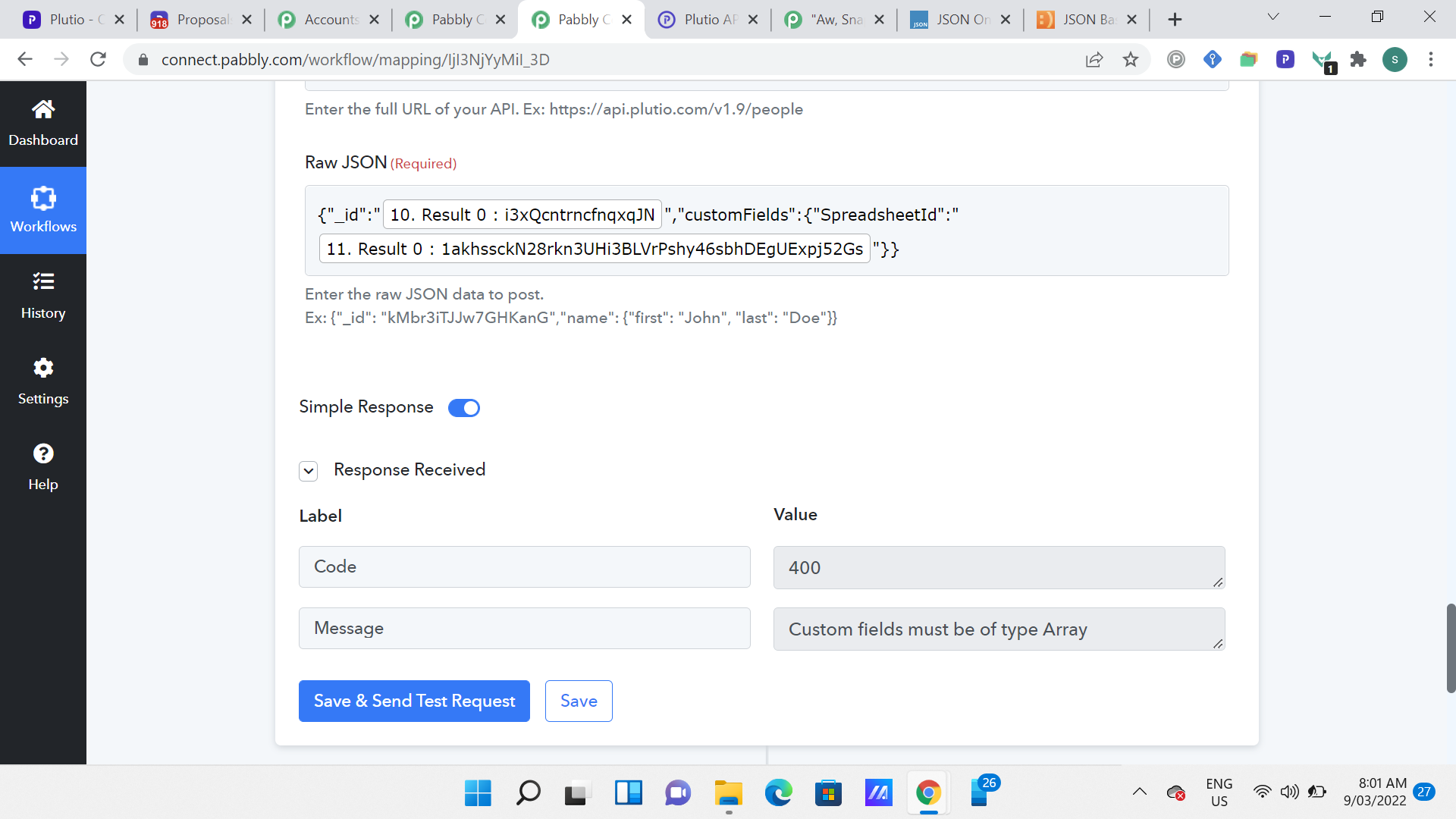
So now I am trying to represent the custom fields as an array but after playing around with square brackets and commas and getting errors or bad code, I am not sure how to represent this. Can anyone help?
Hey @Durkis
Please allow us some time, we are currently looking into it.
Please use this:
"customFields" : [
{
"_id" : "PLbDXZKuH22Scn9Ya",
"value" : "{{__data.entity}}"
}
Please use this:
"customFields" : [
{
"_id" : "PLbDXZKuH22Scn9Ya",
"value" : "{{__data.entity}}"
}
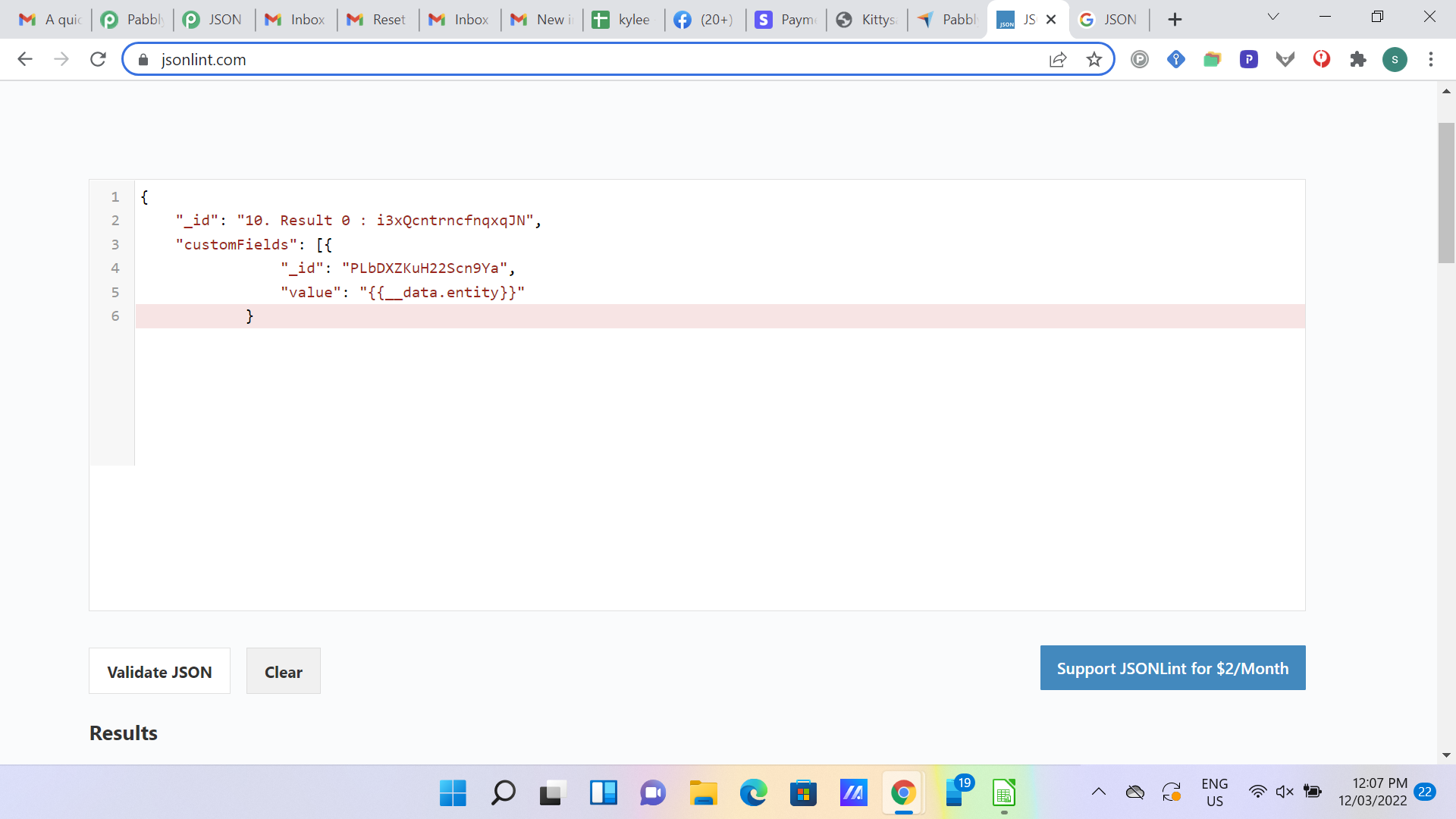
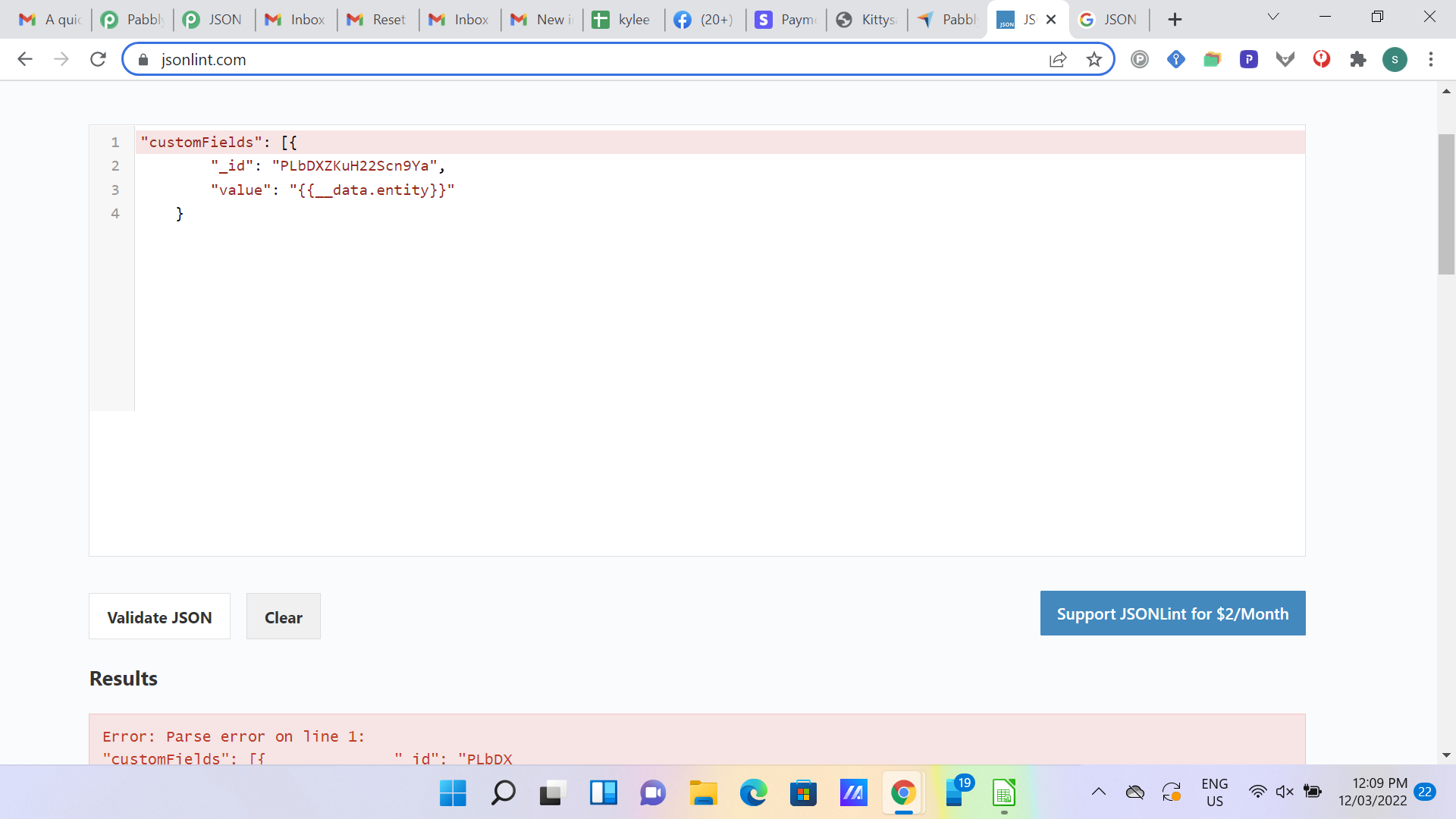
Hi, Hermes, thanks for that. I must be using this wrongly, because JSONlint is giving me parse errors, both using the code as is, and trying to insert it where I had the "Customfields" name before hand. Can you help?
Attachments
**bump** can anyone help with this JSON code?