JSON data error (only works via Postman)
Status: Closed · Asked by Mathew Kulkewycz on · 0 views
I use FluentForms and use the inbuilt webhook option to post the data to Pabbly Connect, as JSON format.
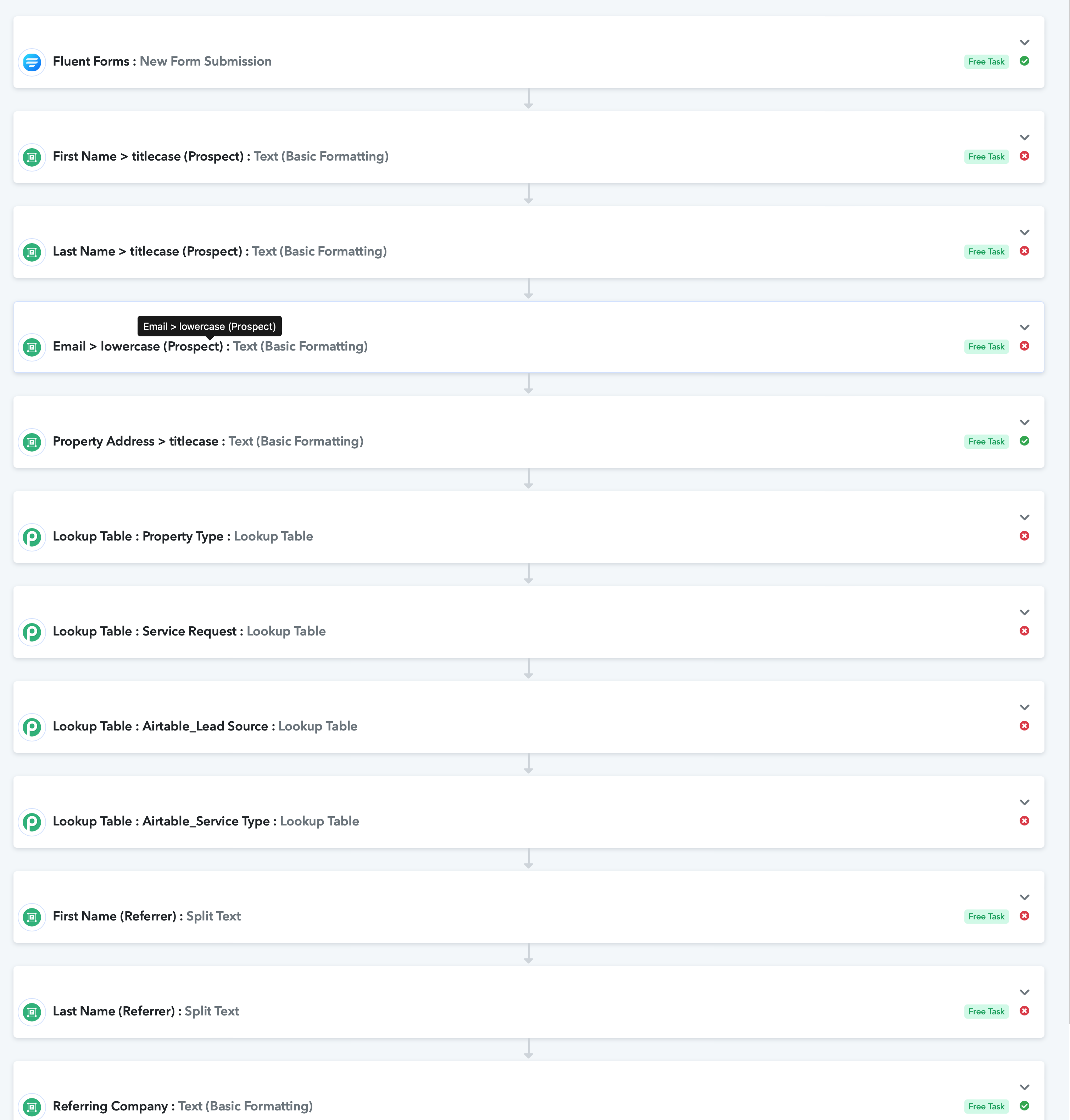
If sending from my website, the workflow has multiple errors (note the random "Property Address' field which in fact worked.
Error message": "Required field String missing."
Oddly, if I copy and paste the exact some payload (output bundle, same data from Make) into Postman and send via webhook (as JSON) to Pabbly, there are no errors?
Not sure the where the problem lies?
Thanks
 .
.
Oddly, if the data is coming from the website it looks like the pic below (all errors)
Hey @Mmmk
As we can see from your workflow's latest task history Id, it appears that you are getting the data in different data labels on the next execution.
And because of that it is not matching the data labels which you mapped earlier. So please try recapturing the webhook response with the new form submission and pick the fields which you are required to as the fields are coming in different data labels.
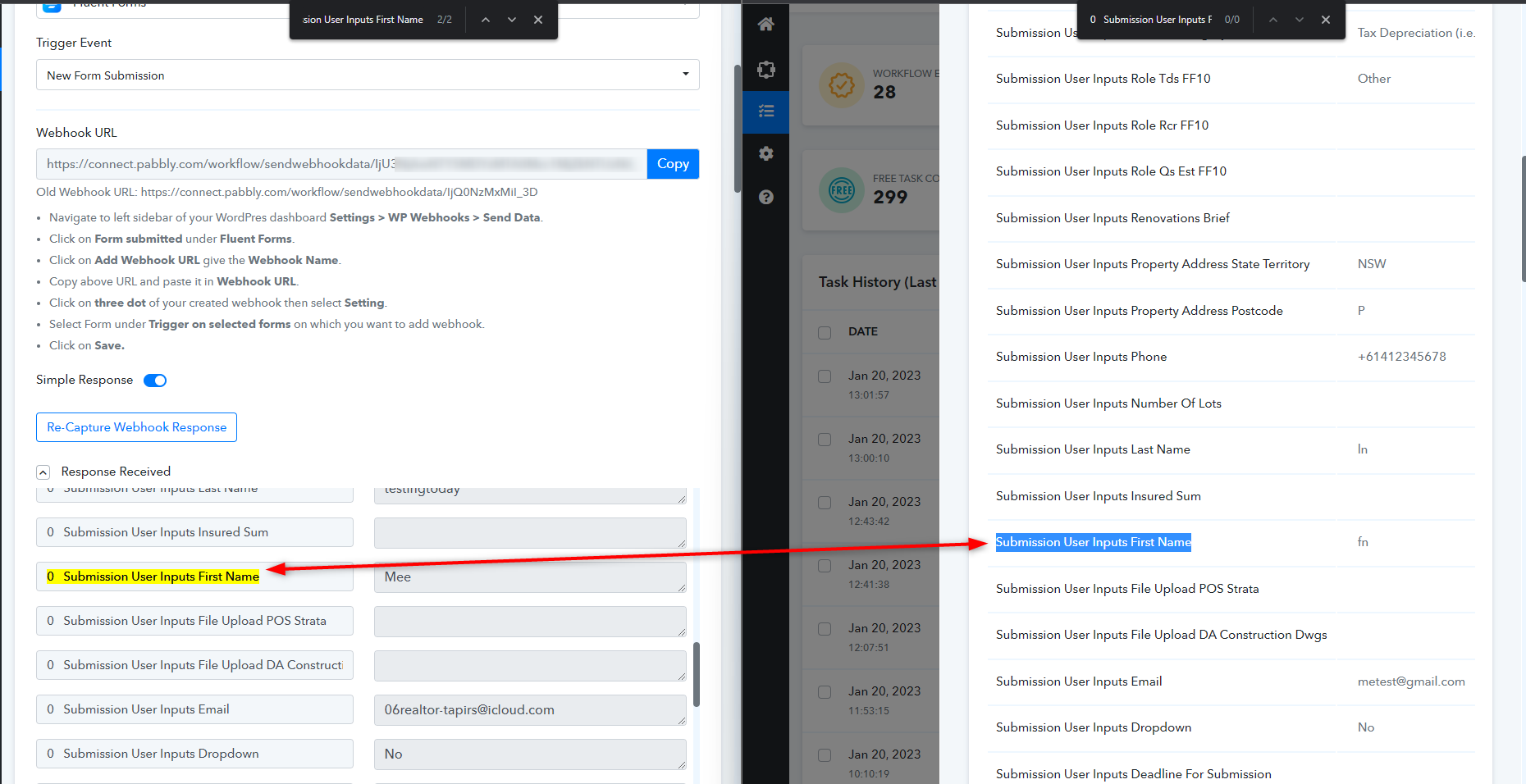
Hey @MmmkAs we can see from your workflow's latest task history Id, it appears that you are getting the data in different data labels on the next execution.
And because of that it is not matching the data labels which you mapped earlier. So please try recapturing the webhook response with the new form submission and pick the fields which you are required to as the fields are coming in different data labels.
Irrespective of which field I map, the error persists.
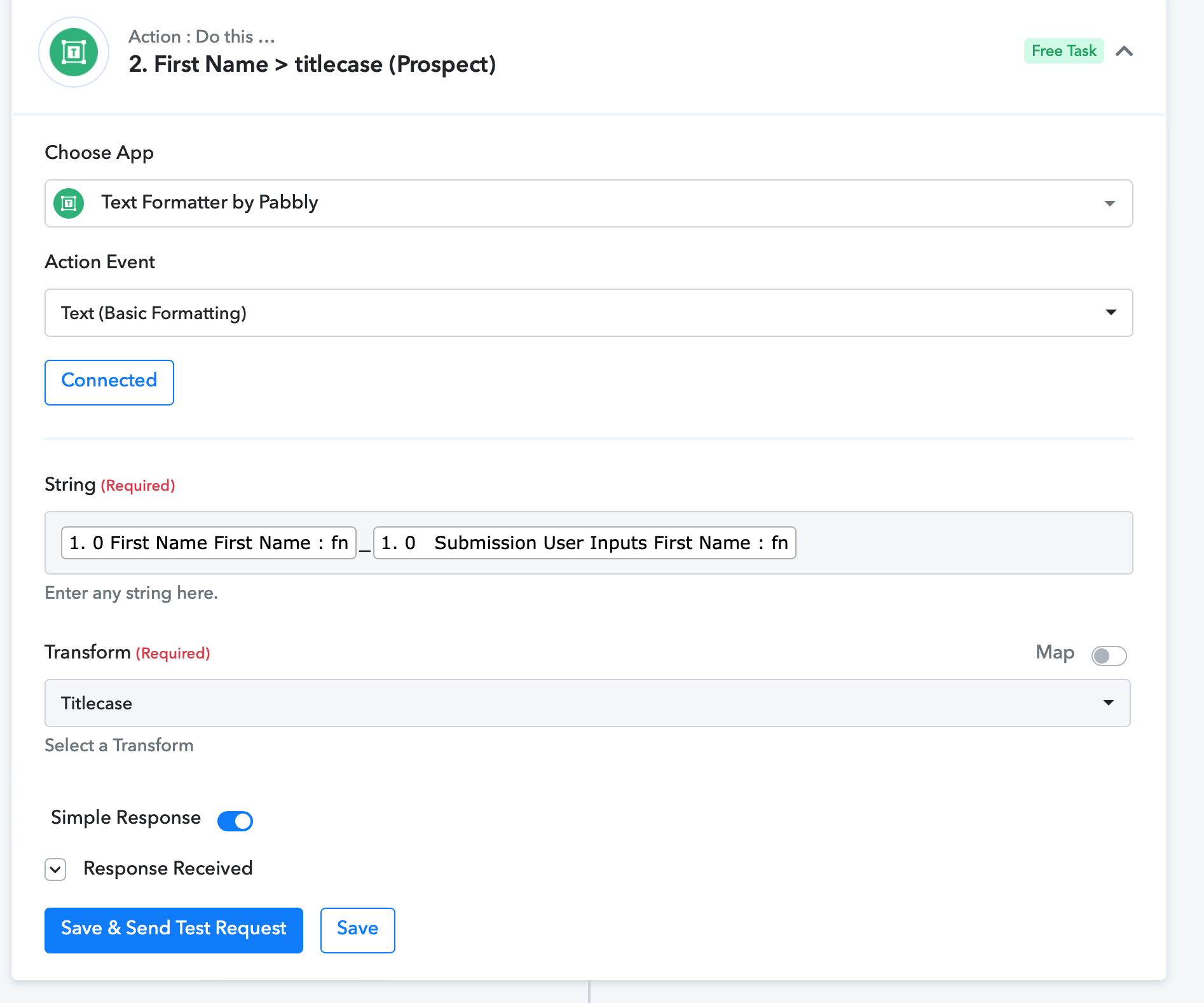
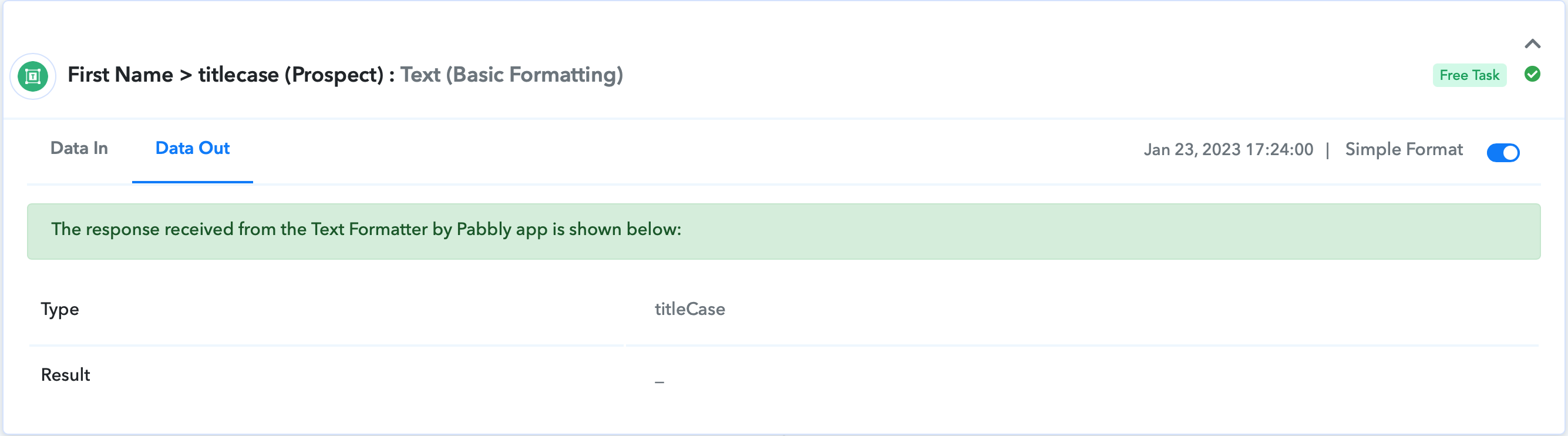
Test example below (for First Name):
Pic 1. Mapped both possible variables for first name
Pic 2. the results were 'blank' for both examples
What am I missing? Thanks
Attachments
Please double-check the task history Id to see if the mapped data is appearing in the action step or not.
Please double-check the task history Id to see if the mapped data is appearing in the action step or not.
Appearing in Trigger step, not displaying in Action steps (as per previous screenshots).
Please advise. Thanks
Hey @Mmmk
Please check carefully the mapped data labels are not coming from the trigger response as you have used from Fluent form and because of that the action step didn't get the name to convert the title case.
So, kindly recapture the webhook response in which you get the required data to form your Fluent Form.
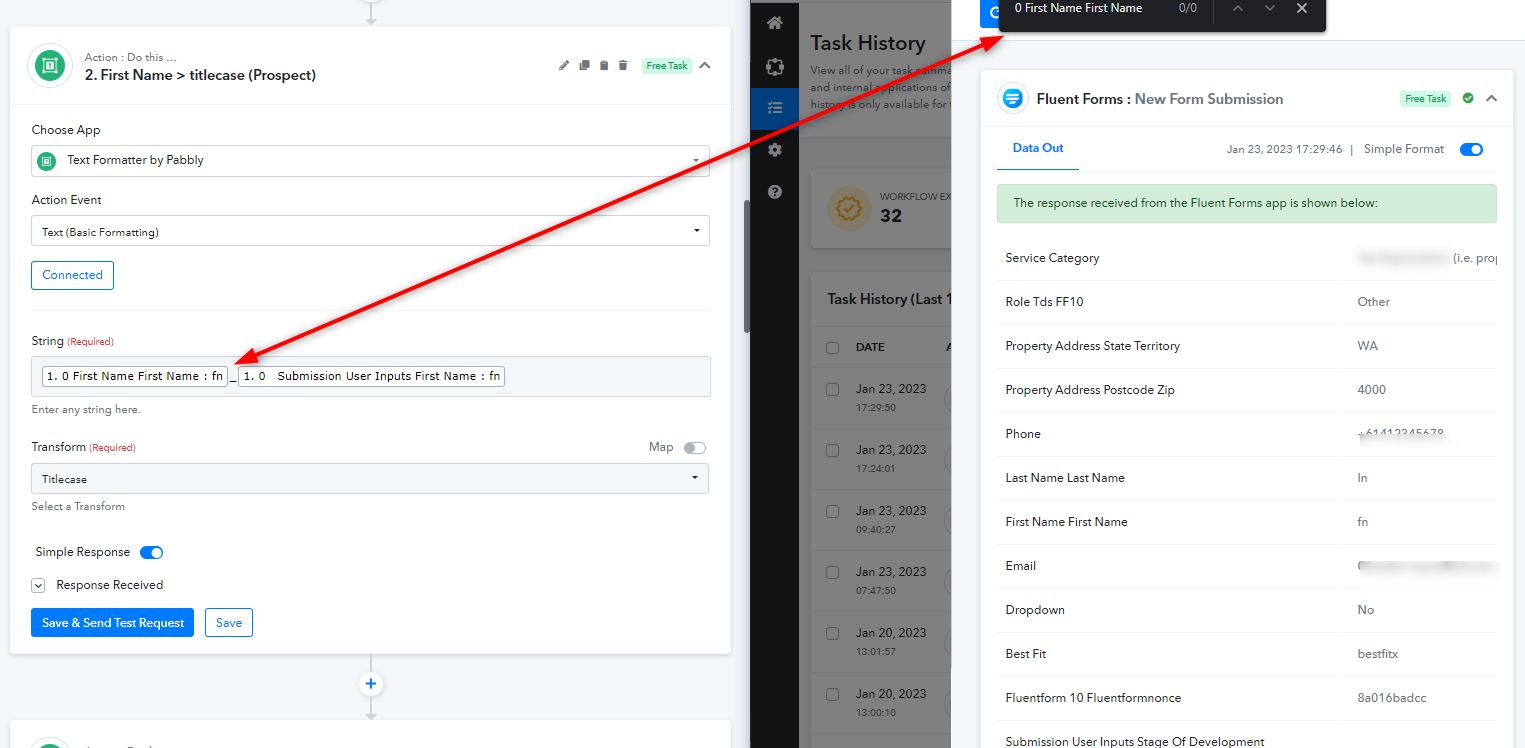
Hey @MmmkPlease check carefully the mapped data labels are not coming from the trigger response as you have used from Fluent form and because of that the action step didn't get the name to convert the title case.
So, kindly recapture the webhook response in which you get the required data to form your Fluent Form.
What should it be? I am lost...
thanks
So, kindly recapture the webhook response in which you get the required data to form your Fluent Form.
Please try this!