JSON error when updating row in Google sheet
Status: Closed · Asked by Lars on · 0 views
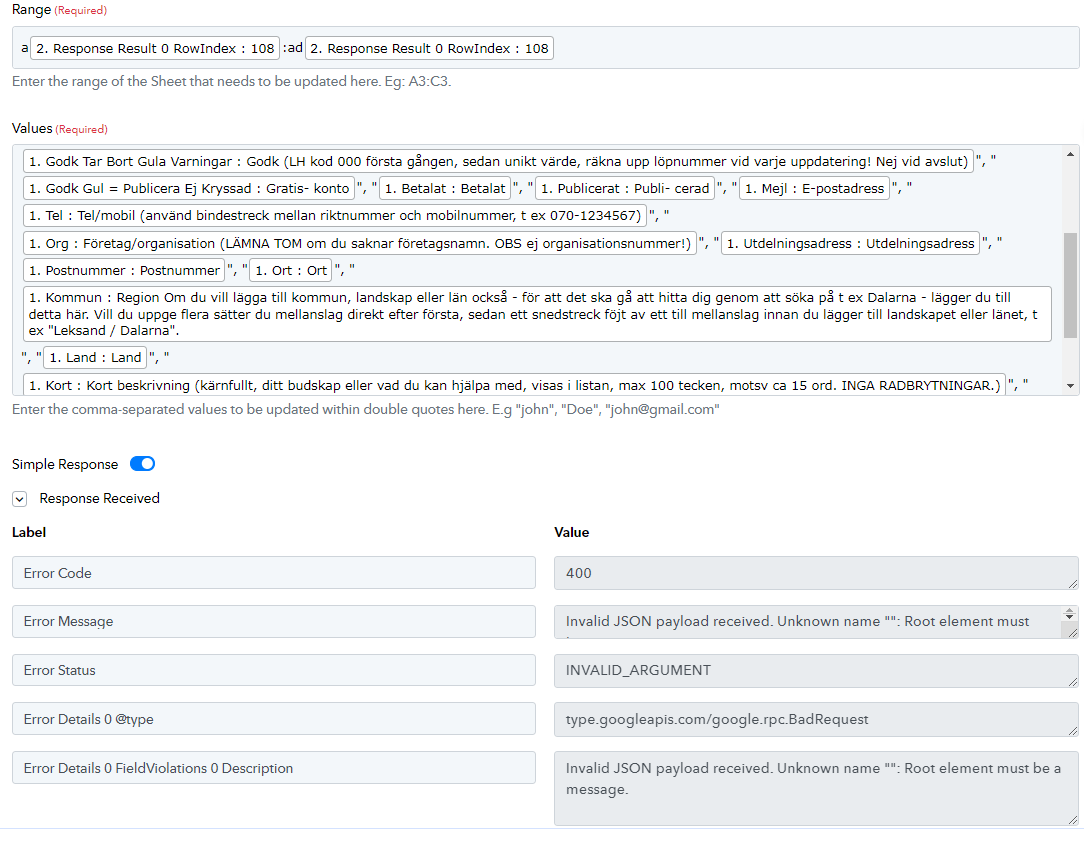
My workflow at https://connect.pabbly.com/workflow/mapping/IjU3NjUwNTZiMDYzNTA0M2M1MjZmNTUzMzUxMzMi_pc is suddenly returning a JSON error on update of row in Google sheet. The steps:
- Lookup first available spreadsheet row
- Update row with values from other sheet
I've checked the mappings, no errors. So I'm at a loss as to what is causing this. Please assist ASAP!
Best,
Lars.
Hey @Lars
The mapped data indicates that even after encoding, the values from your Google Sheets still contain double quotes, leading the API to assume there are additional fields to process.
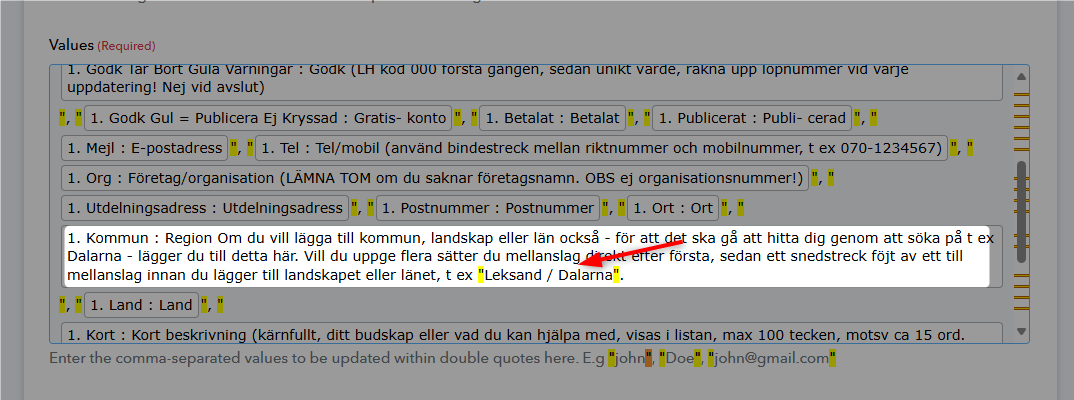
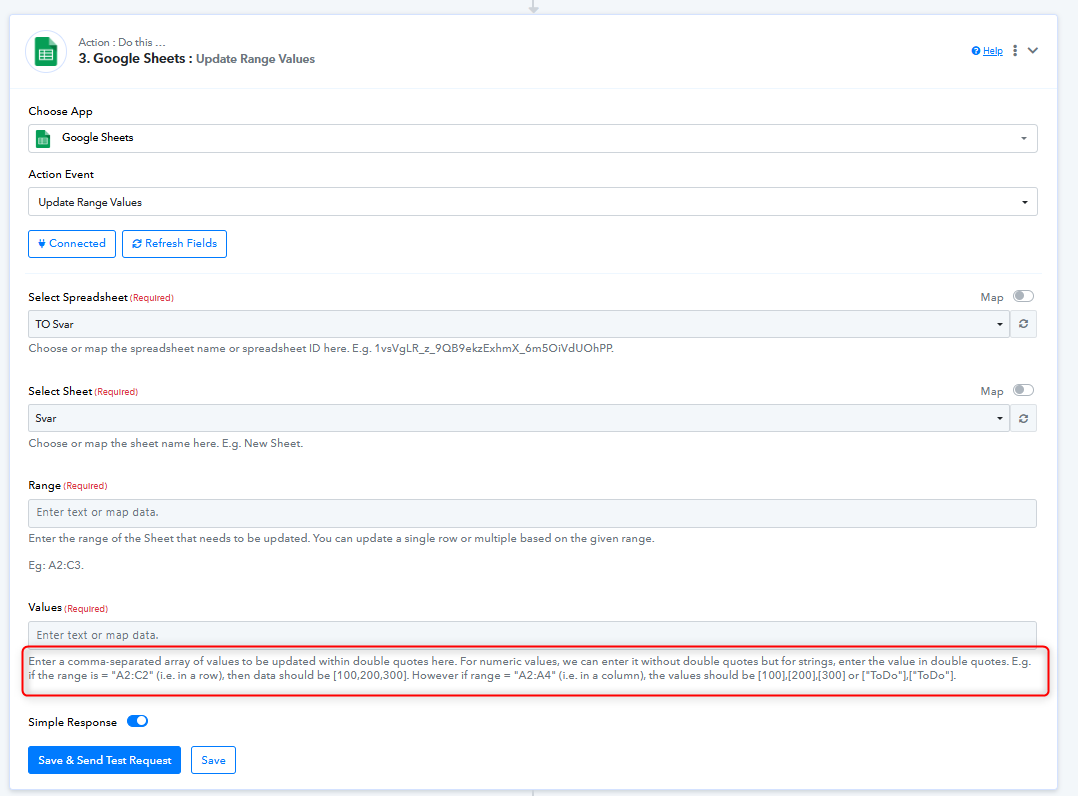
To resolve this, you could use the 'Update Range Values' action step, ensure there are no double quotes in the values from your Google Sheets, or replace the double quotes with single quotes.
Right, perhaps worth testing - and the existing setup has worked well for many months, so I'd like to understand what's suddenly causing the error?
Again, heres the workflow: https://connect.pabbly.com/workflow/mapping/IjU3NjUwNTZiMDYzNTA0M2M1MjZmNTUzMzUxMzMi_pc
Best,
Lars.
nd the existing setup has worked well for many months, so I'd like to understand what's suddenly causing the error?
The main issue was that the additional double quotes in the Google Sheets value prevented the defined number of Google Sheets fields from being passed correctly.
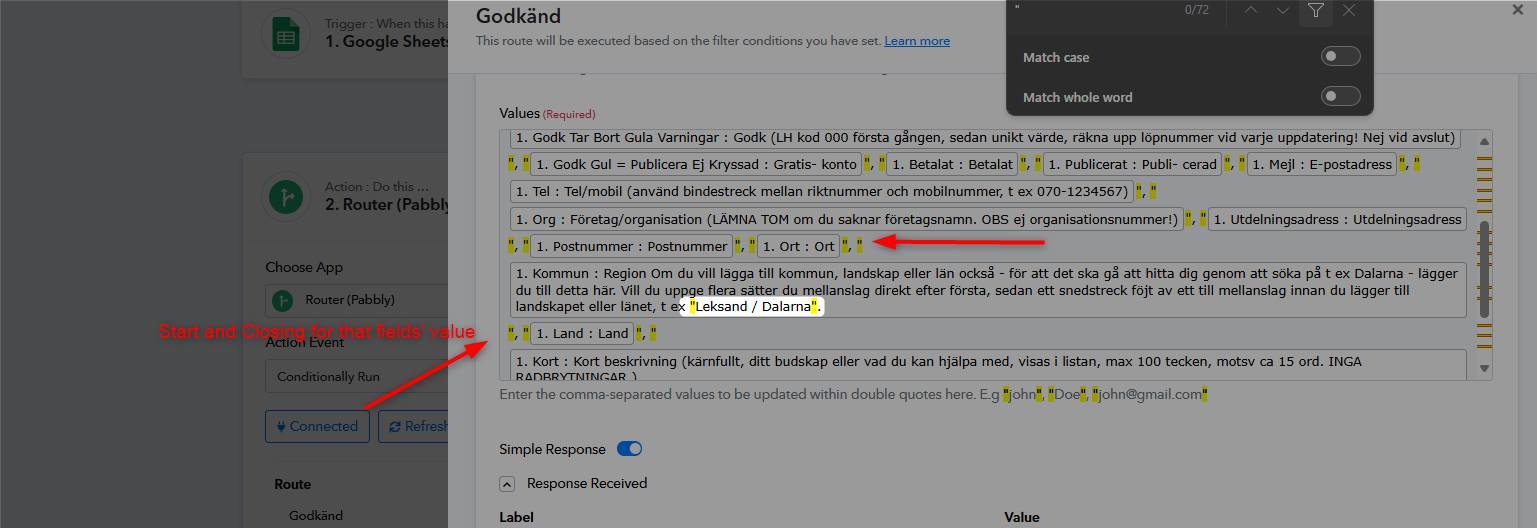
Hey @LarsThe mapped data indicates that even after encoding, the values from your Google Sheets still contain double quotes, leading the API to assume there are additional fields to process.
To resolve this, you could use the 'Update Range Values' action step, ensure there are no double quotes in the values from your Google Sheets, or replace the double quotes with single quotes.
Ah, now I see it. Thanks! :)