JSON is sent in quotes and therefore not processed as JSON by customer.io
Status: Closed · Asked by HarryK on · 0 views
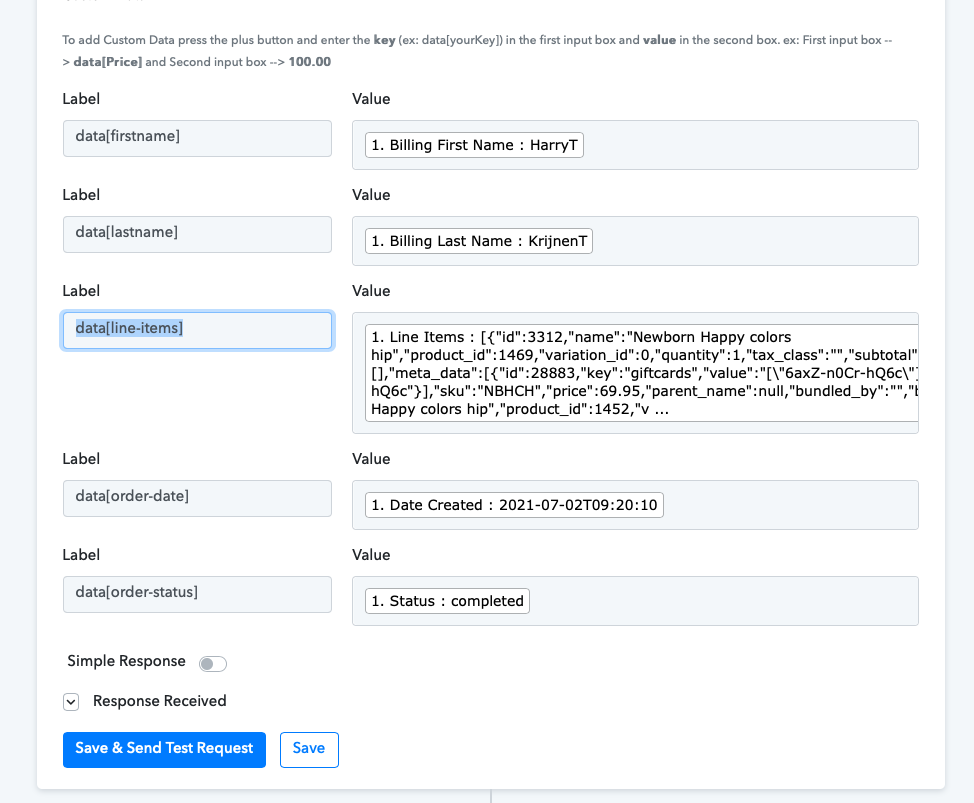
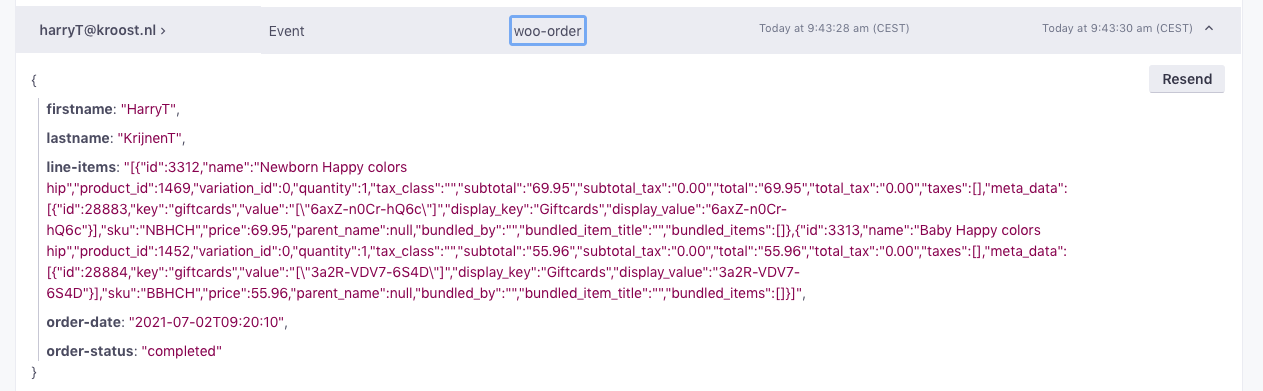
I have a workflow with Woocommerce and Customer.io. I send Woocommerce order details to customer.io using the customer.io create event action. In the custom data section I have a label data[line-items] with a value of the line-items from the Woocommerce order. This is a JSON with all order lines. (see screenshot) The event is sent successfully to customer.io. BUT... the line-item attribute contains the JSON in double quotes. Because of the double quotes the JSON is not a JSON in customer.io but a string (see other screenshot). How can I omit or remove the double quotes?
Attachments
You can text formatter for replacing the double-quotes - https://nimb.ws/RBdIHh
I tested your solution, but it removes all " (quotes) in the JSON but I need to remove the outer quotes which are not visible in pabbly. So I tested a little bit more and found that any data is sent as a string. Also if I sent the order amount then in customer.io it is received as a string. How can I send data as JSON or number ?
Please try creating the workflow in the following format - https://nimb.ws/yfYp1s
You should be able to get the results in the following format - https://nimb.ws/zYdpeG
Hopefully this should work for you.
Thanks for your support. But I need the JSON because I do not know how many order lines are in the order. And also all values including amounts become strings in the customer.io event. My conclusion is now that this integration does not work in an useful way. Again, thanks for your time & effort.