JSON parse error | Payment | Xperiencify
Status: Closed · Asked by Daniel Palhares on · 0 views
I'm trying to connect a payment method to Xperiencify.
To be able to release the course if the student has made the payment.
Cancel access if payment is cancelled.
I copied the Webhook URL
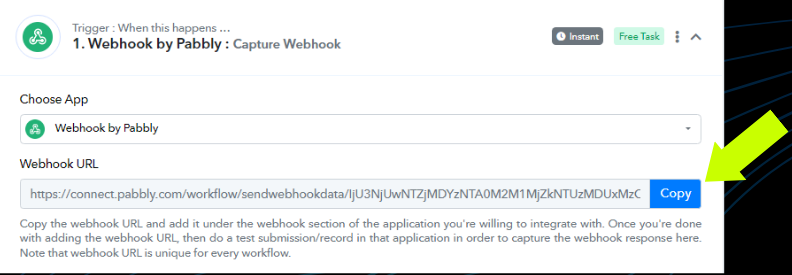
and pasted it into the payment method:
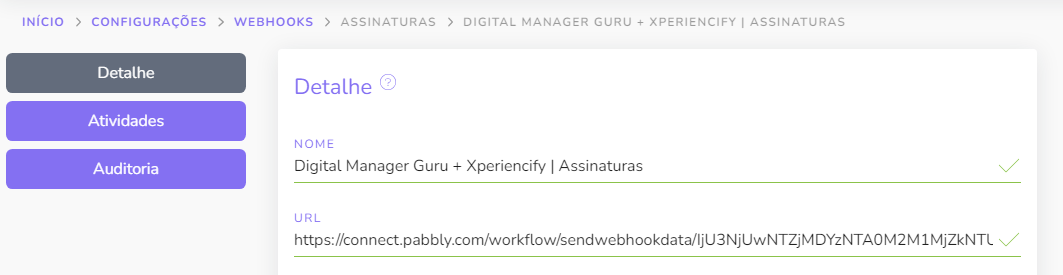
I did a test submission/record in that application in order to capture the webhook response.
The fields appeared in Pabbly's filling:
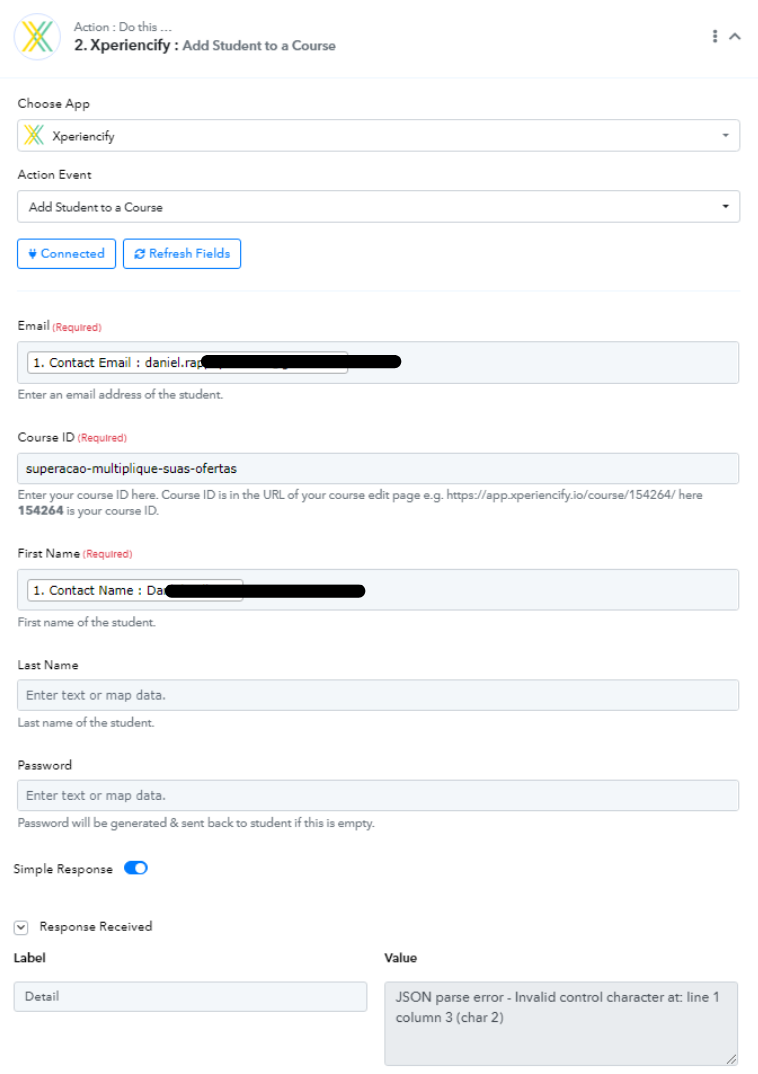
I was able to find the email and first name fields.
In the Course ID field I went to Xperiencify and got the end of the URL
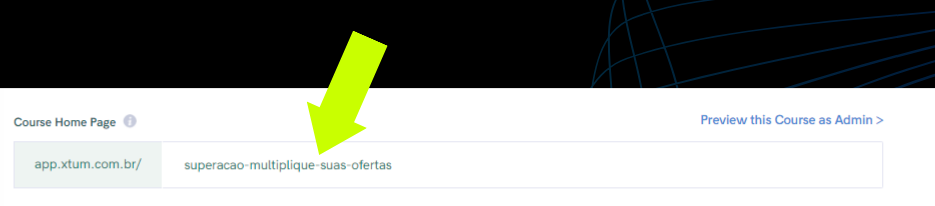
and filled in the field manually in Pabbly.
When I save, the error appears:
JSON parse error - Invalid control character at: line 1 column 3 (char 2)
Am I doing something wrong? Can you help me please?
Thanks
Daniel
Hey @Daniel Palhares
As we can see from your action step you haven't passed the Course ID correctly, please check the help text and then try accordingly.

You can also refer to the 2nd part of the video lesson on the same.
Thank you very much!
The above explanation and video helped a lot.
I was able to do the integration.
I have one more question about the integration.
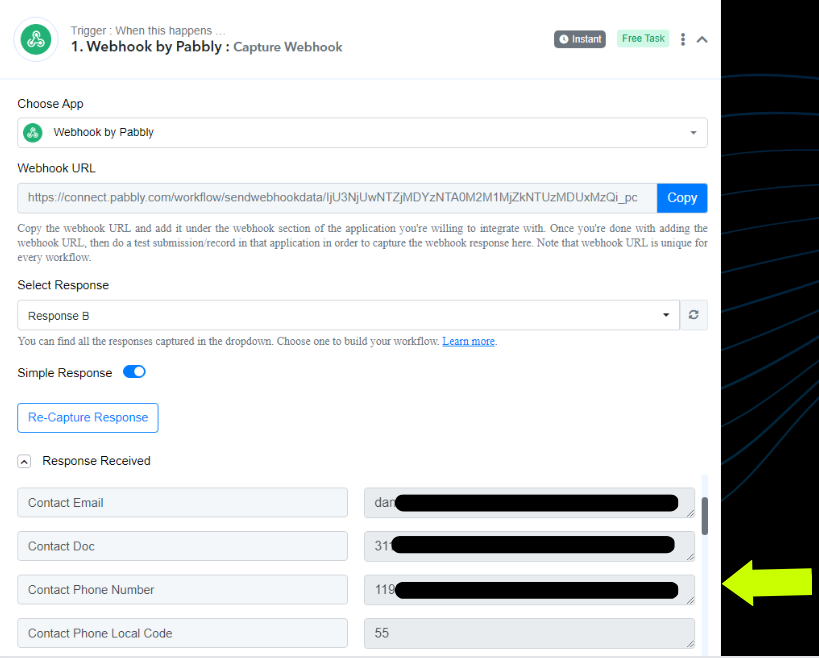
In addition to email, Course ID, First Name, Last Name and Password, I also need to send the the Student's Phone Number to Xperiencify.
From Pabbly
To Xperiencify
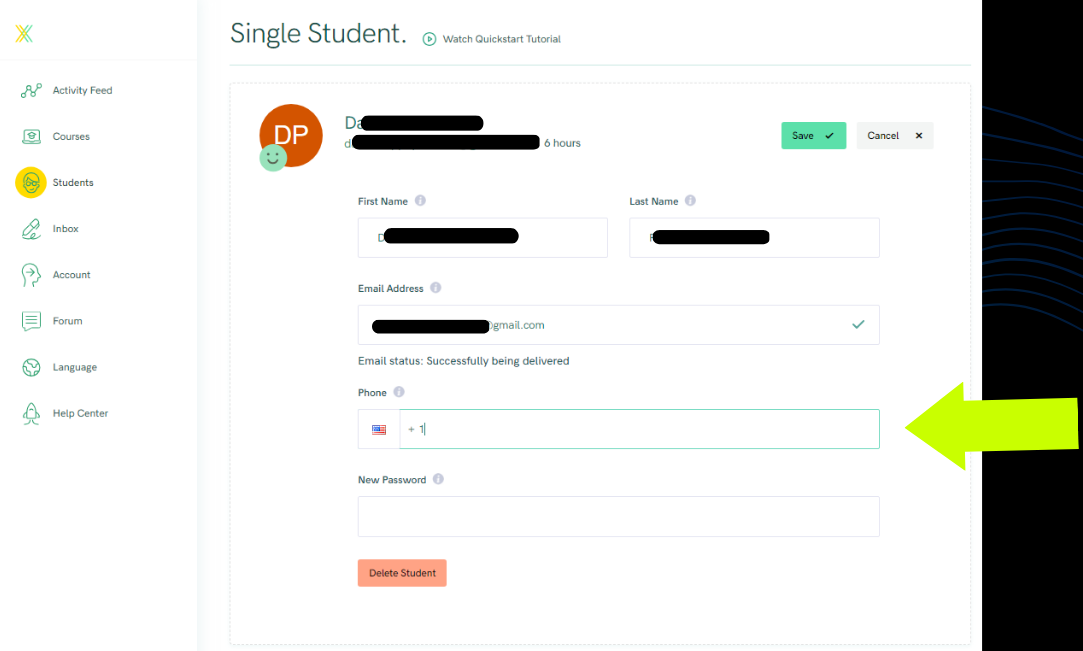
How do I do this please?
Thanks!
Daniel
Hey @Daniel Palhares
We have added the phone number field as per the API documentation and you can now check the phone number field by pressing the Refresh button.