Jumbled Up Fields and Can't Edit a Task
Status: Open · Asked by Digi Creators on · 0 views
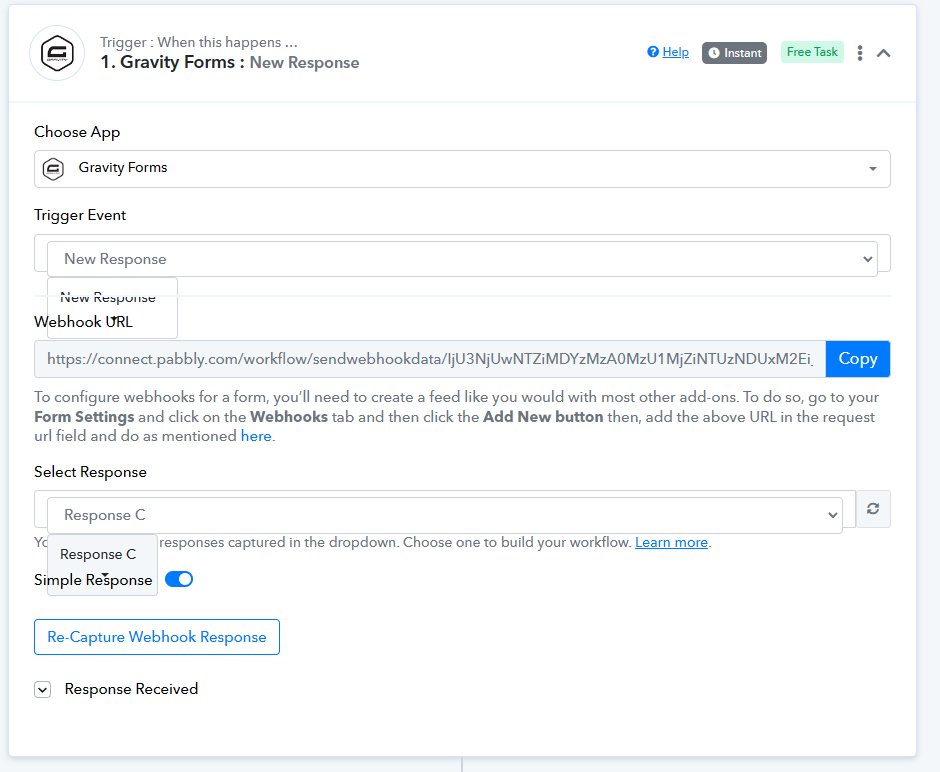
The fields are a mess. Nothing happens if I try to edit a task or add a new task. How to fix this?
Attachments
Hi @DigiCreators,
Could you please share the Workflow URL in which you have this concern?
I couldn't even share the workflow. But here's the video screenshot of what is going on.
https://www.awesomescreenshot.com/video/28331289?key=e52ceb39da23f90a958e3cbc17f074f8
Please hard refresh your browser or try using a different browser/device to access your Pabbly Connect account and see if that fixes your issue.
I also tried opening it in a different browser (Edge) and also used Incognito. The same problem.
Please try clearing your browser's cache memory once and then check again.
From our end, the trigger event is displayed correctly.
I tried using another computer with a new browser. Still the same issue.
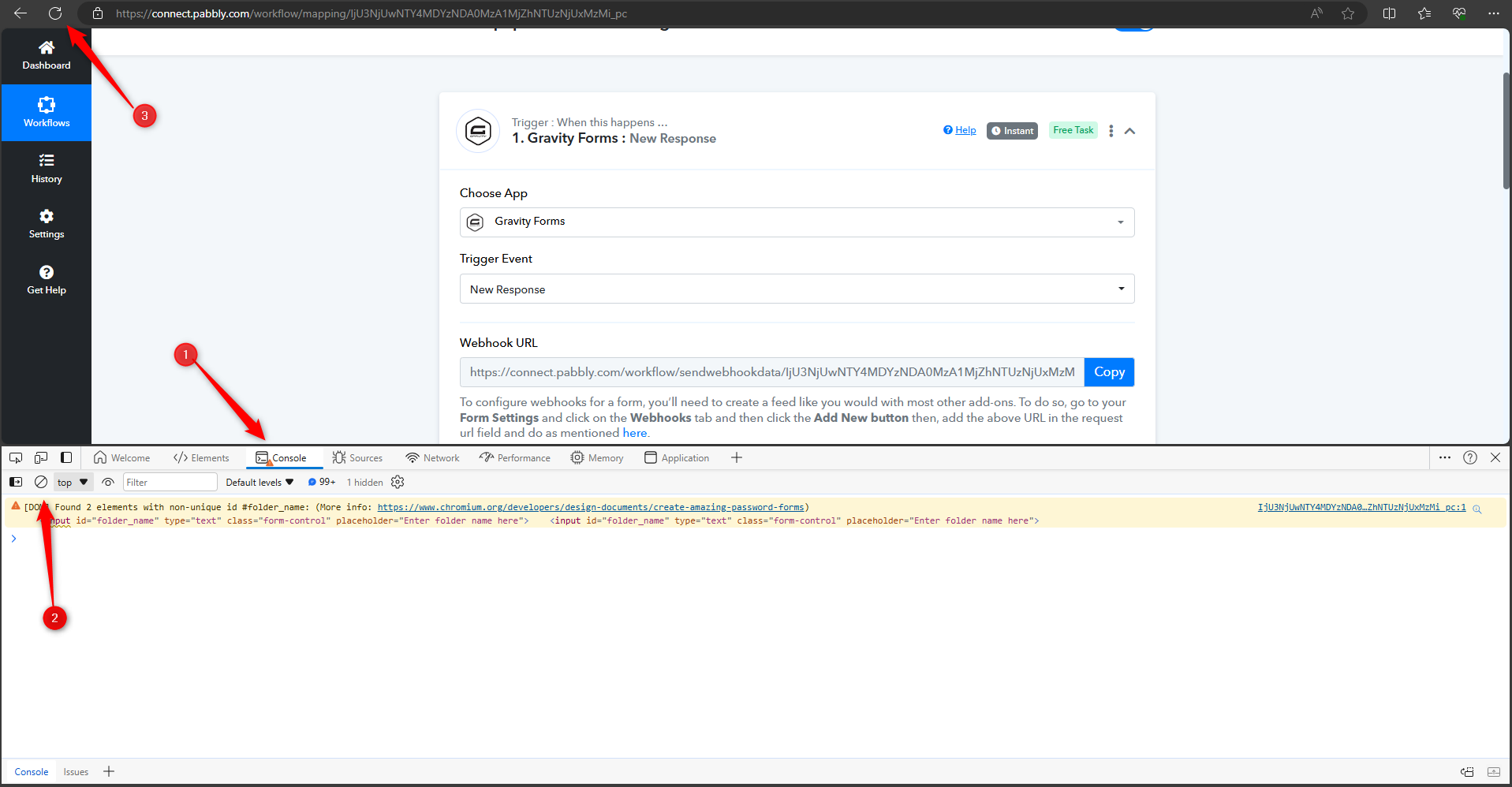
Please let us know the region from which you are attempting to operate the Pabbly Connect workflow, and provide a screenshot of your browser's console displaying the error, if any.