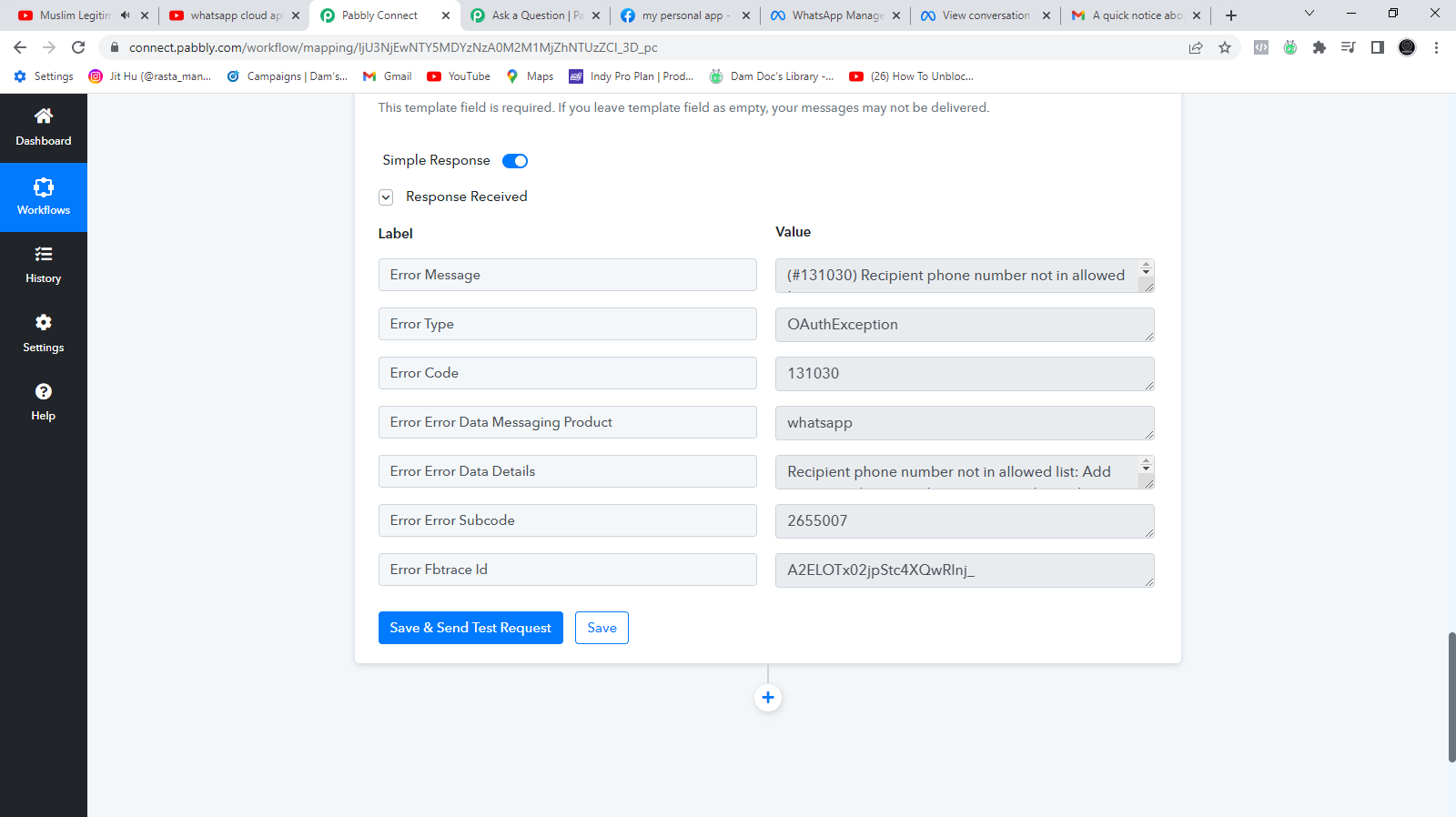
label error
Status: Closed · Asked by anto on · 0 views
"error > message": "(#131030) Recipient phone number not in allowed list",
"error > type": "OAuthException",
"error > code": 131030,
"error > error_data > messaging_product": "whatsapp",
"error > error_data > details": "Recipient phone number not in allowed list: Add recipient phone number to recipient list and try again.",
"error > error_subcode": 2655007,
"error > fbtrace_id": "APivskjpLoVZENCfU5ZSUUh"
}
Attachments
Hey @anto
Seems like you haven't authenticated your Cloud API account correctly whereas you need to verify your main WhatsApp number from their end.
You can refer to the following video tutorial for the same.
My message template is pending Active – Quality pending . I am getting same error message Recipient phone number not in allowed list: Add recipient phone number to recipient list and try again.
Please help
Hey @Pradeep Gopi
Seems like you haven't verified your phone number in your Cloud API in-correctly and because of that, you are getting the error message.-
Please refer to the following video tutorial on how you can configure your WhatsApp Cloud API.
(Watch the first part of the video)
I have added now but I am getting error "Messaging may be unavailable. Review issue"
Hey @Pradeep Gopi
As we can see from your workflow your WhatsApp cloud API action is sending the messages to the respective recipients accordingly.
Let us know if the issue still persists.
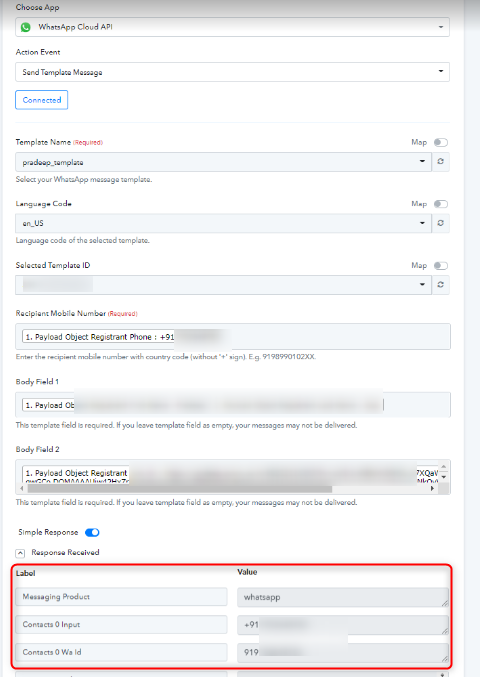
Hey @Pradeep GopiAs we can see from your workflow your WhatsApp cloud API action is sending the messages to the respective recipients accordingly.
Let us know if the issue still persists.
Thanks it worked