Lead Connector 401 Error with Custom API
Status: Open · Asked by sjl on · 0 views
Hello,
Anyone else receive The token is not authorized for this scope error with custom api?
Trying with products and invoice, but received unauthorized error.
Thank you
Hi @sjl,
Could you please share the Workflow URL in which you have this concern?
Hello @ArshilAhmad
Below is the workflow URL. I changed it to simple request of getting the list of contacts and still gives the same error.
https://connect.pabbly.com/workflow/mapping/IjU3NjUwNTZhMDYzMDA0MzA1MjZhNTUzNTUxMzEi_pc
Please login to your GHL and Pabbly Connect account in an Incognito, and try establishing a new connection.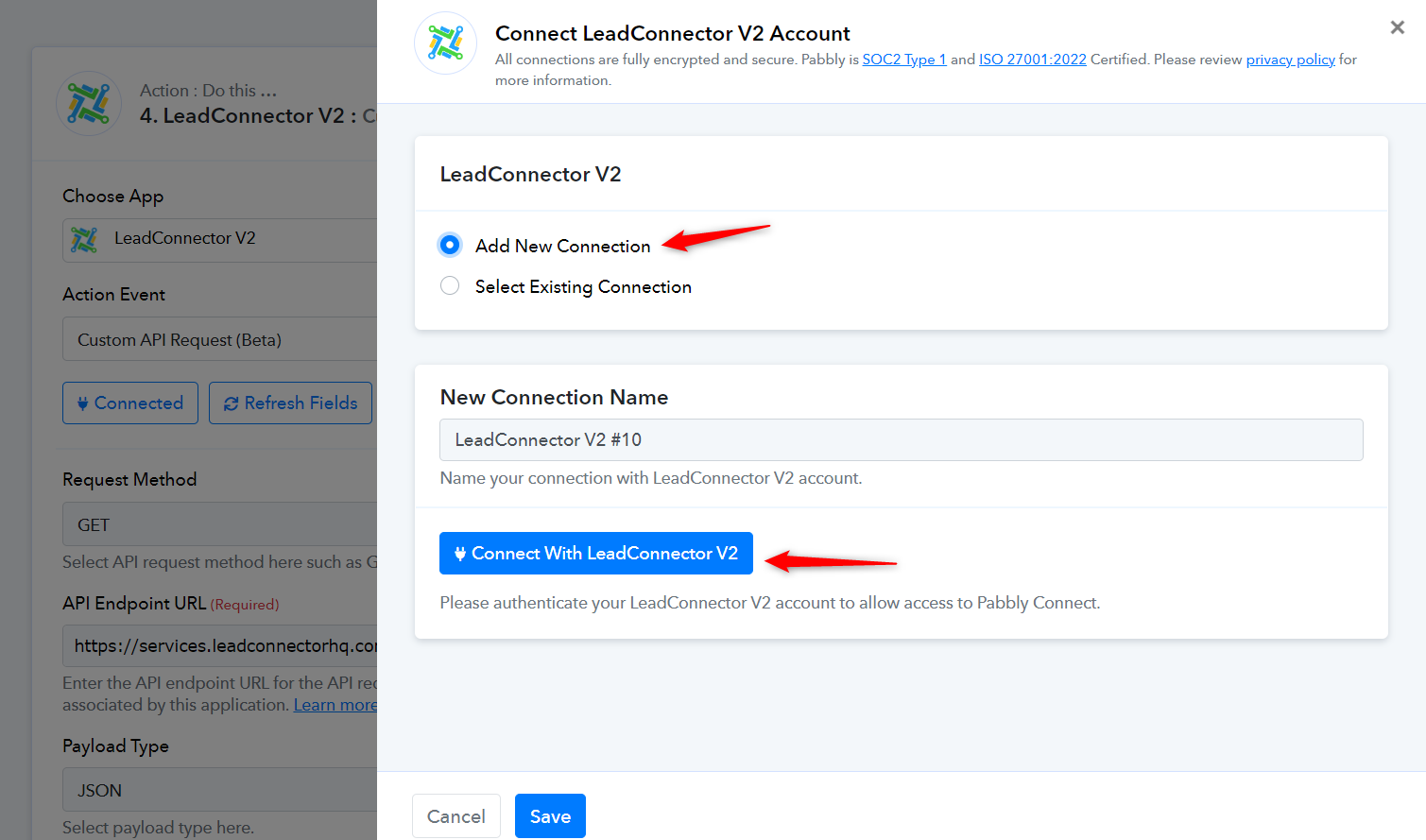
Then try setting up the endpoint in this manner.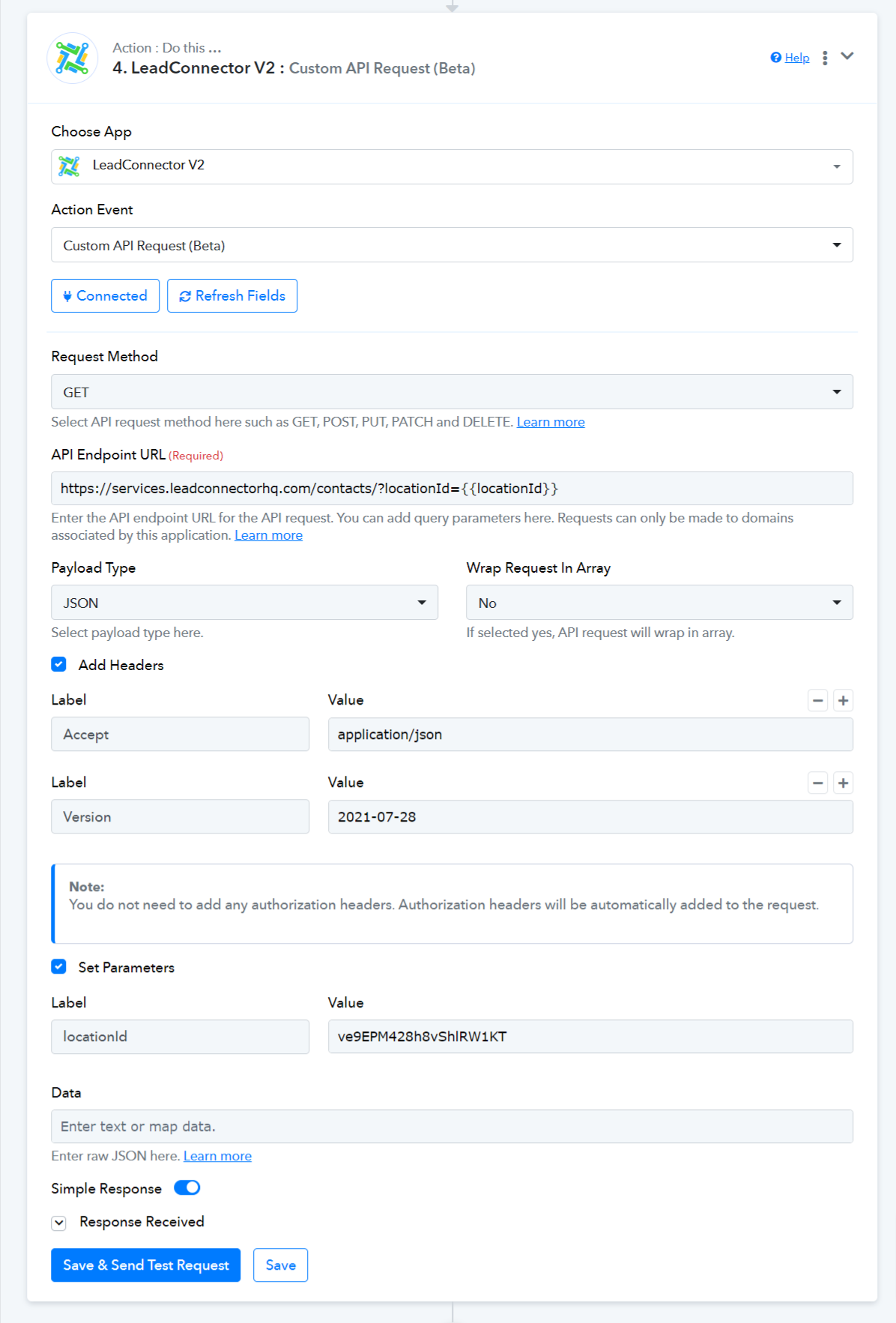
@ArshilAhmad
I am receiving 403 The token does not have access to this location.
Thank you
Could you please confirm whether you have permissions to fetch contacts associated with this Location?
Yes, only the custom API is giving the error. I authorized it using my agency account.
Yes, only the custom API is giving the error. I authorized it using my agency account.
Can you please try using your Sub_account connection of LeadConnector to get the details of the contacts?
I am using sub_account connection, but it doesn't work. Only the custom API is giving the error.
I tried simple get request on a different location but it is giving, The token is not authorized for this scope. 401 error.
Could you please make a new connection with your subaccount once and then give it a try?