LeadConnector Custom Opportunity Fields
Status: Closed · Asked by djelal on · 0 views
HighLevel has updated the API to allow custom fields for the opportunity objects. I can push data to these via Zapier but they're not showing in Pabbly. It is a recent update so it may just be that but can it be updated to include the new fields?
Hey @djelal
Kindly use the new and updated integration of GHL on the platform with LeadConnector.
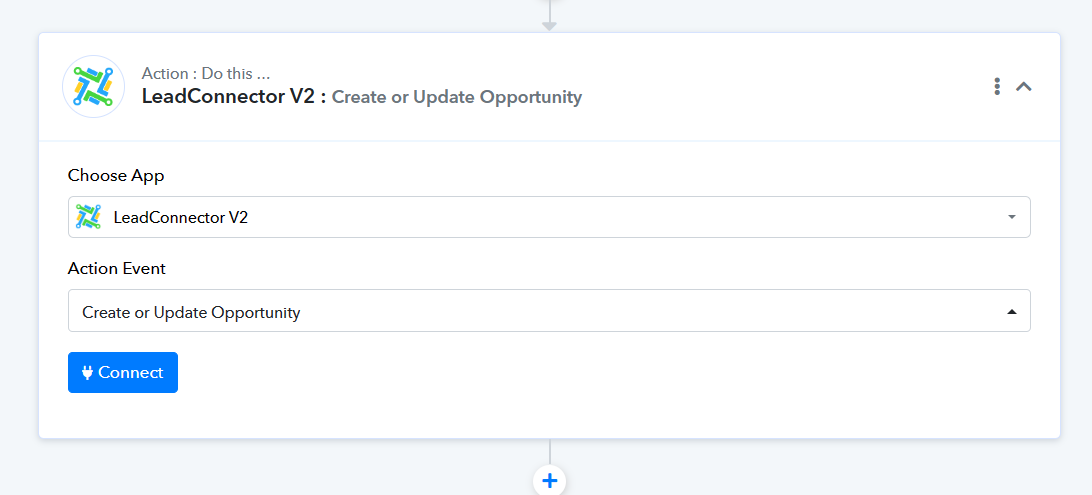
Have tried but no matter how I search for an opportunity to match I keep receiving the error below and not able to continue.
Using the older integration (v1), I can at least get the 'opportunity' but it doesn't show the custom fields.
The workflow URL is: https://connect.pabbly.com/workflow/mapping/IjU3NjUwNTZmMDYzMjA0Mzc1MjZhNTUzMjUxMzUi_pc
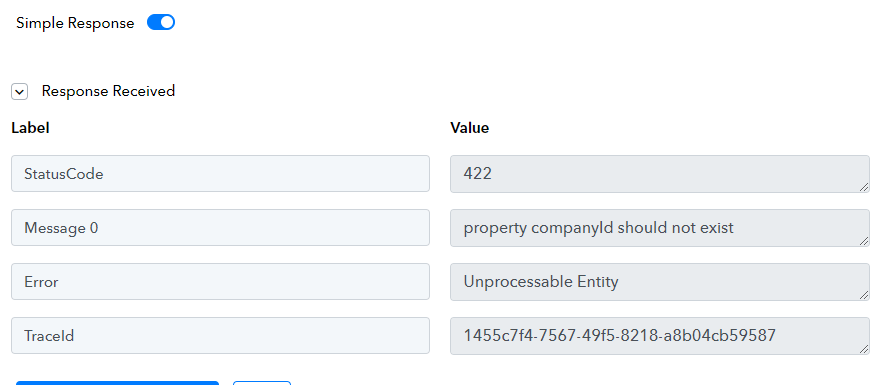
Hey @djelal
We have tried the same action step in your workflow and it is working fine.
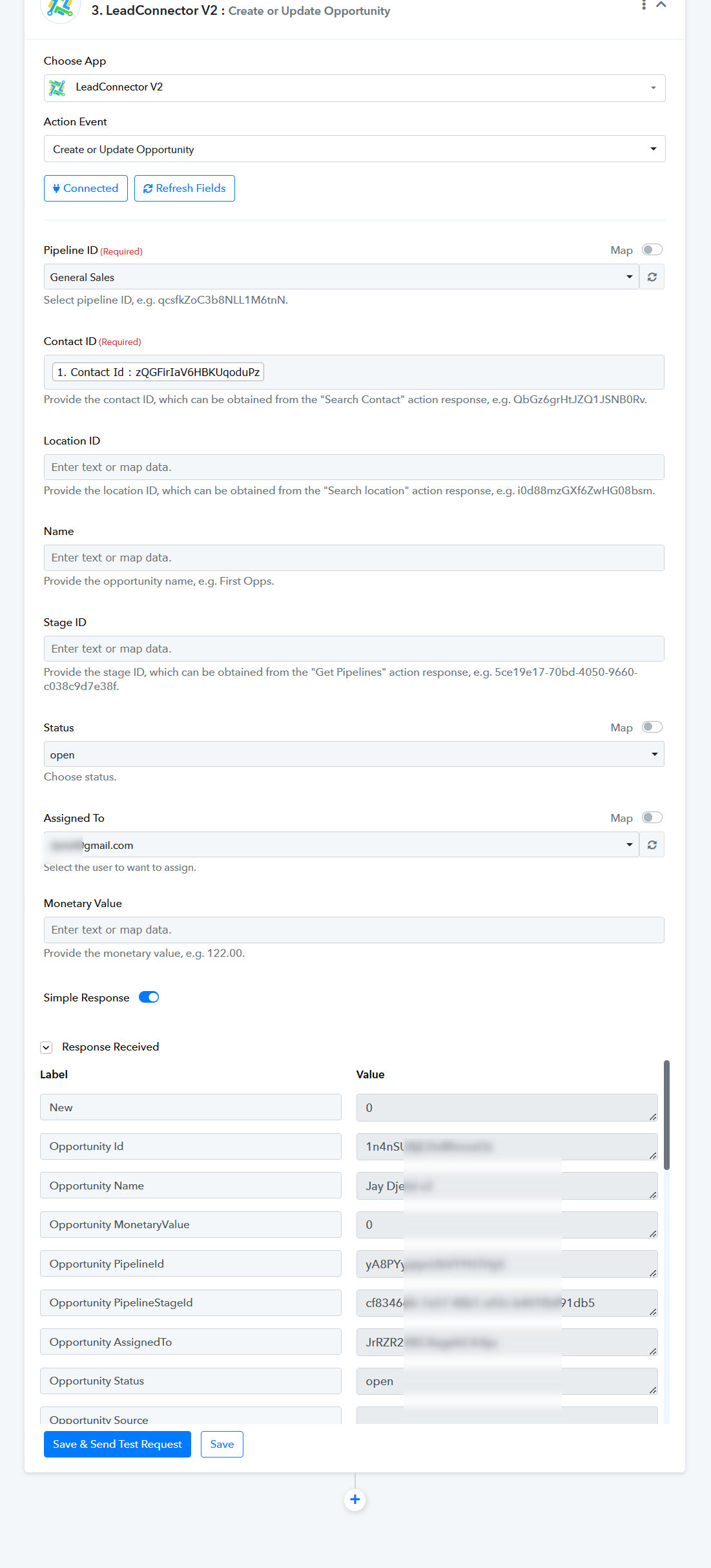
ok - I get results from the 'create or update opportunity' action but not 'search opportunity' or 'update opportunity' actions.
However, the results returned using 'create or update opportunity' are still just the standard fields. It's not pulling through the custom fields.
Hey @djelal
We have tried the "Search Opportunity" in your workflow with LeadConnector V1 & V2 and it is working fine.
Please take a look and try again. Perhaps you were passing the contact ID in the field and because of that, it might not be working.
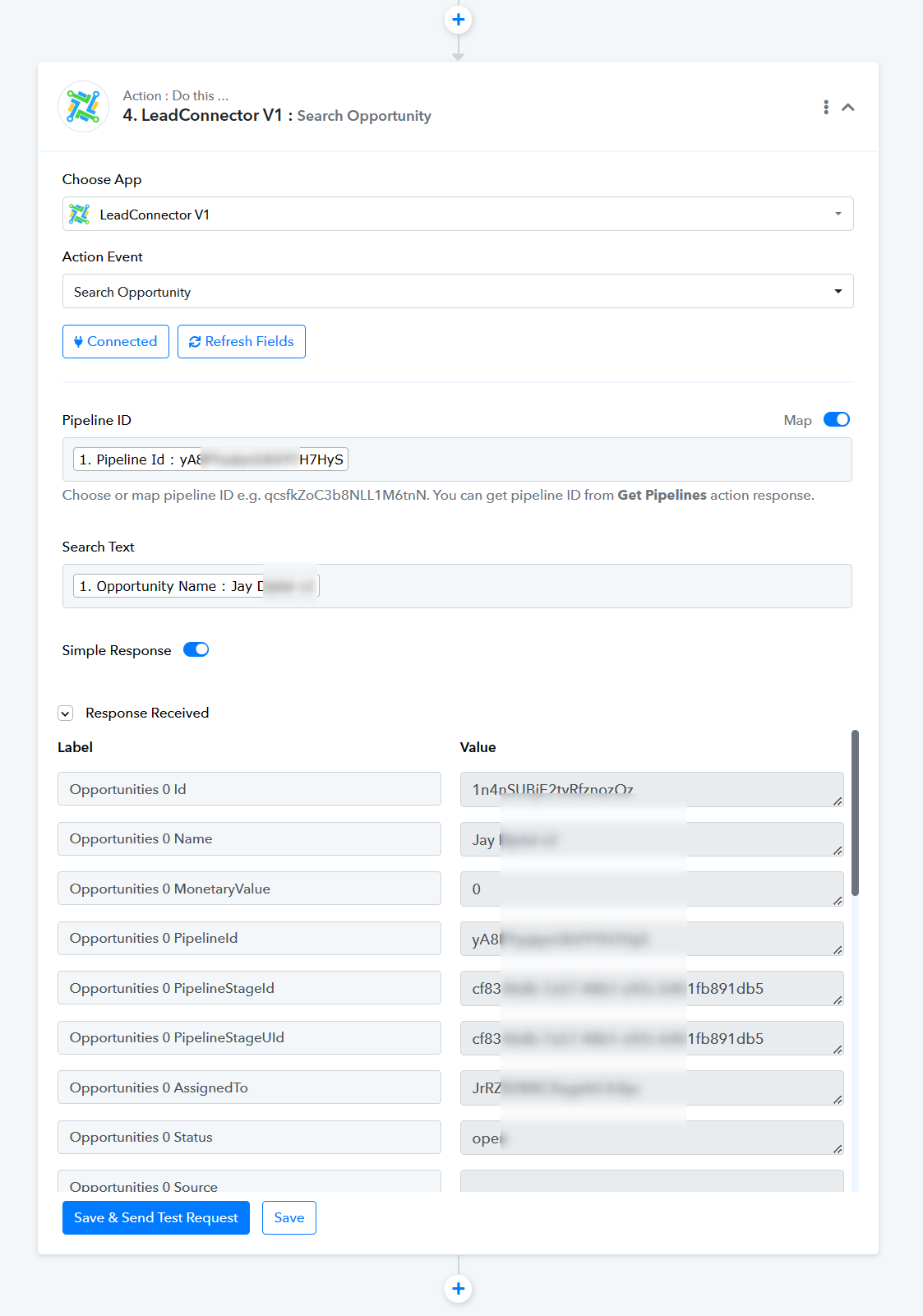
Hi - thank you, no longer receiving an error but only 'search opportunity' is returning the custom fields and only if they are already populated. If the field is empty, the custom field doesn't get returned in the step.
The second issue, even when the field is populated and is returned under the 'search opportunity' step, the custom field is not appearing in the next step for either 'create or update opportunity' or 'update opportunity'.
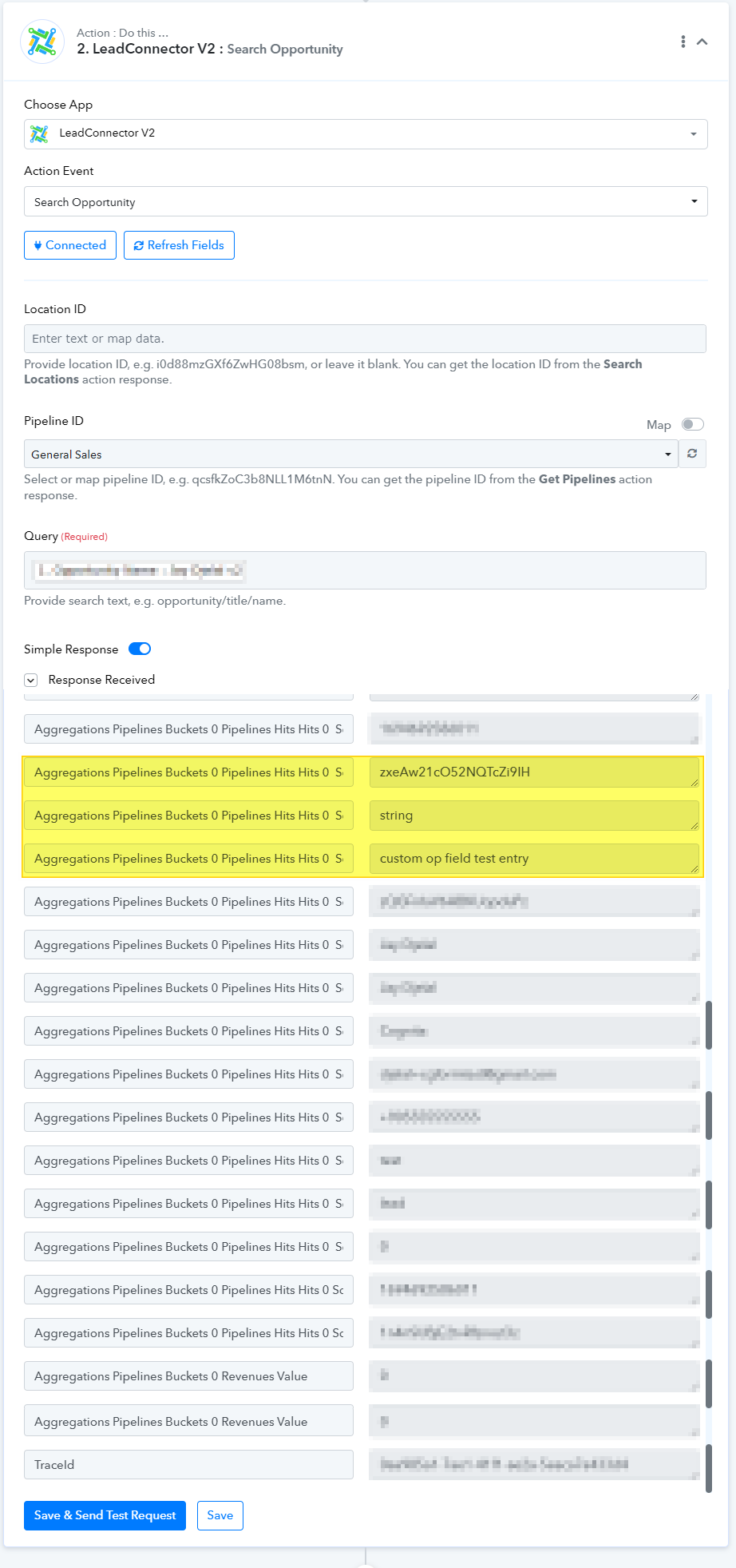
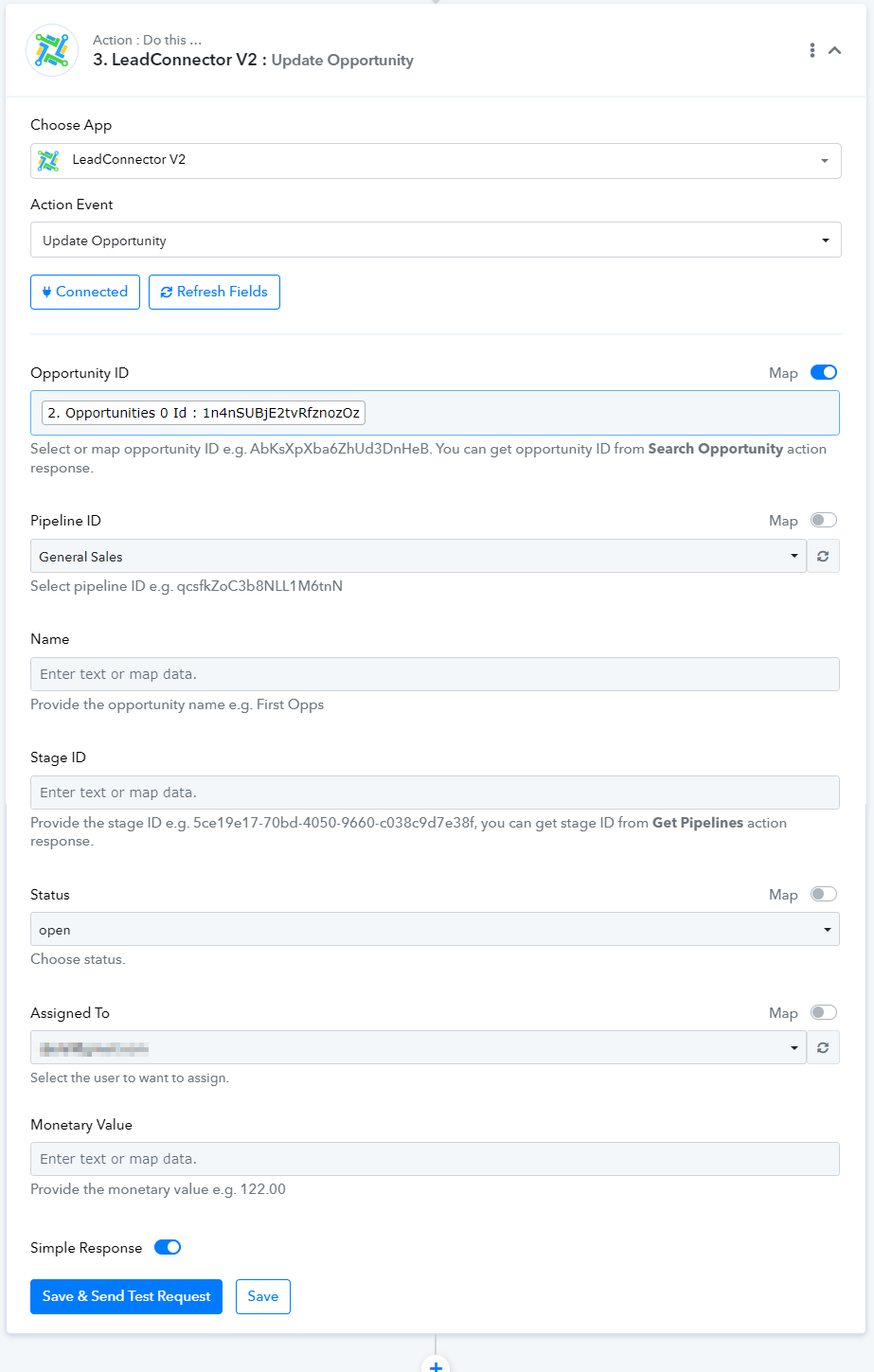
Please generate a submission on HelloNext at https://pabbly.featureos.app/b/Feature-Request and provide an upvote. This will enable our technical team to establish endpoints to add the custom fields in the LeadConnector to your requirements.
added.
Hey @djelal,
We would like to bring to your attention that our team has successfully implemented the required actions with custom fields as per your requirements.
The added actions are:
1. Create opportunity with custom fields
2. Update opportunity with custom fields
3. Create or update opportunity with custom fields
We trust that you will encounter a seamless experience without any errors. However, should you encounter any challenges, please do not hesitate to inform us, and we will promptly address any issues you may face.
Best regards,
Nivesh
@Nivesh Thank you. That's exactly what we needed.