Leadconnector search contact in locationID returns Unauthorized
Status: Open · Asked by COBEAS on · 0 views
In my agency in GHL I have multiple sub-accounts. I send the location ID to a webhook for the location I want to search a contact in.
When I set-up the Search Contact action it asks me for a location ID and an Email address. I connect with my agency connection and when I test the action I get an Unauthorized response. Am I doing this correctly or not?
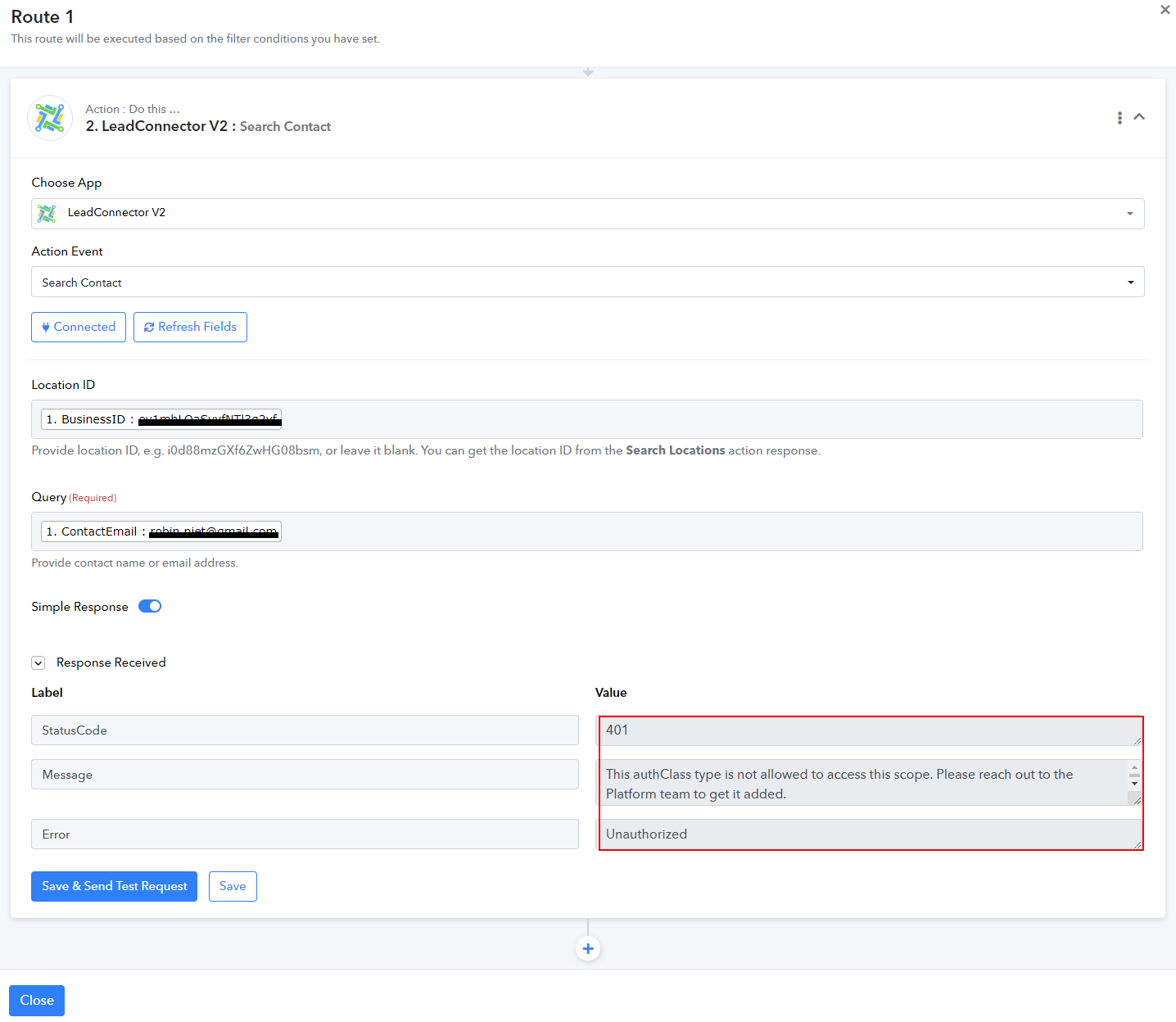
Please share the Workflow URL in which you encountered this issue.
Is this the url you wanted? How else do I get the right URL?
Please log in to your Pabbly Connect account and the account where this contact (the contact you are trying to search) is present, in an Incognito Tab. Establish a new connection with your LeadConnector account and see if this fixes the issue for you.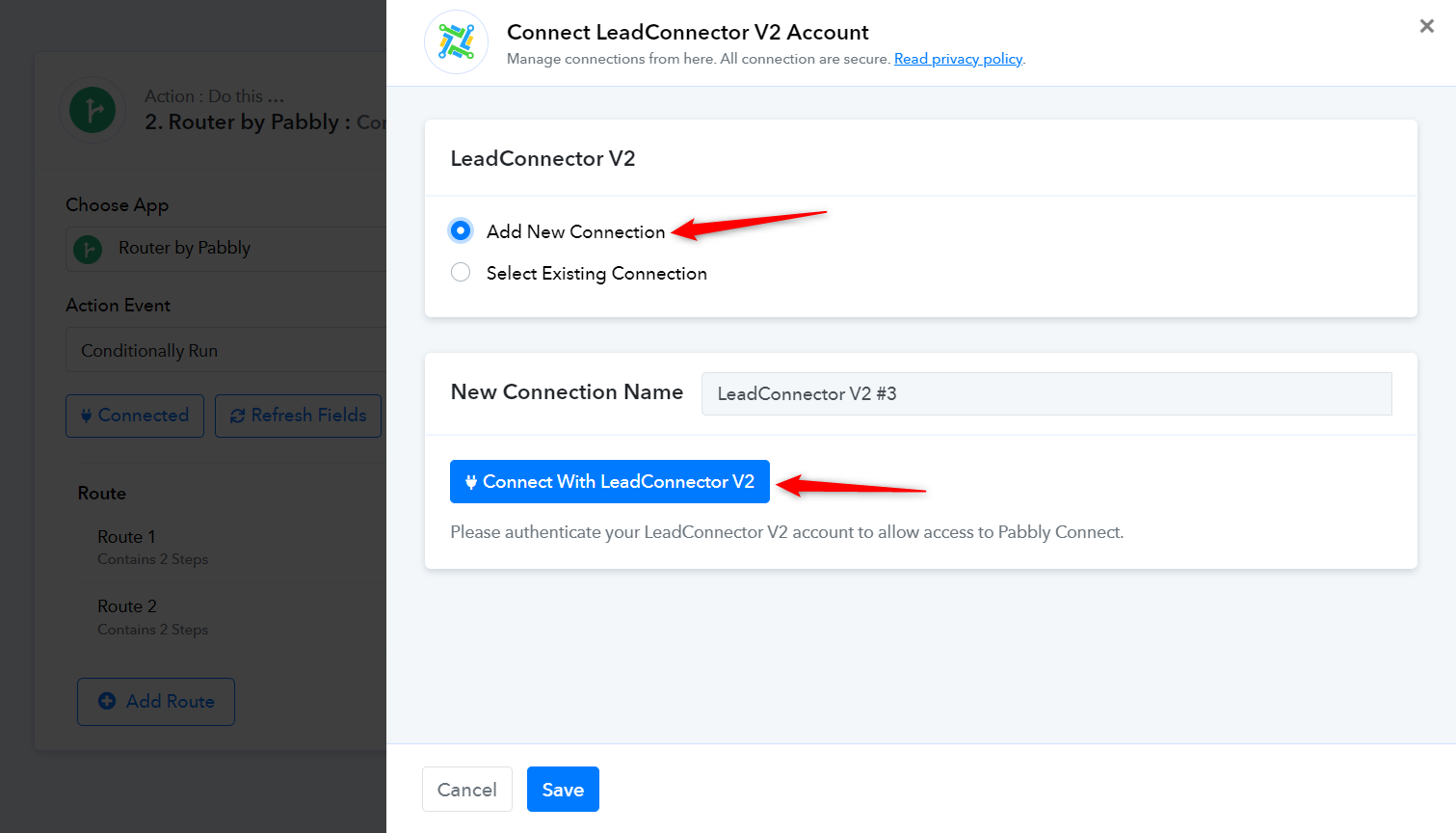
Yes of course that works but that is not what I am asking. So I'm trying to be more clear:
I have a connection with my AGENCY account that I gave permission to all my sub-accounts. What I want to do is this:
Send the following data to a webhook; location ID, email address of contact inside that location, a tag I want to add to that contact, an action description like add tag
Now what I need Pabbly to do is this:
Receive the webhook response > If the action description is "add tag" than take route 1 > find a contact ID within the location specified with the location ID provided > return the contact ID and use that to add a tag (specified in the webhook response) to that contact with that ID
If I connect my SUB-ACCOUNT to Pabbly I can only work with contacts from that location but I need to find contacts within ALL my sub-accounts
Please allow us some time, we are currently looking into it.
You need to establish a connection with your sub-accounts for this to work. Given that your sub-accounts will constantly change in your case, the use case you are describing doesn't appear to be possible.