LeadDelta to Notion using tags
Status: Open · Asked by justs on · 0 views
I have setup an automation between LeadDelta to Notion where LeadDelta entries are added to a Notion database when a new tag is applied. The problem is that every entry in LeadDelta that I tag ends up on the Notion database. I only want entries with specific tags to make it onto the Notion DB. I can't seem to figure out how to do this. Any thoughts?
Hi @justs,
You can add a Filter to your workflow and specify the TagId for which you want the next step to be executed. I have added a Filter to your workflow on your behalf, which will prevent the addition of data to your Notion if the applied tag is not *SL Resource. You can add multiple OR CONTITIONS to your workflow in case you want to specify other tags as well.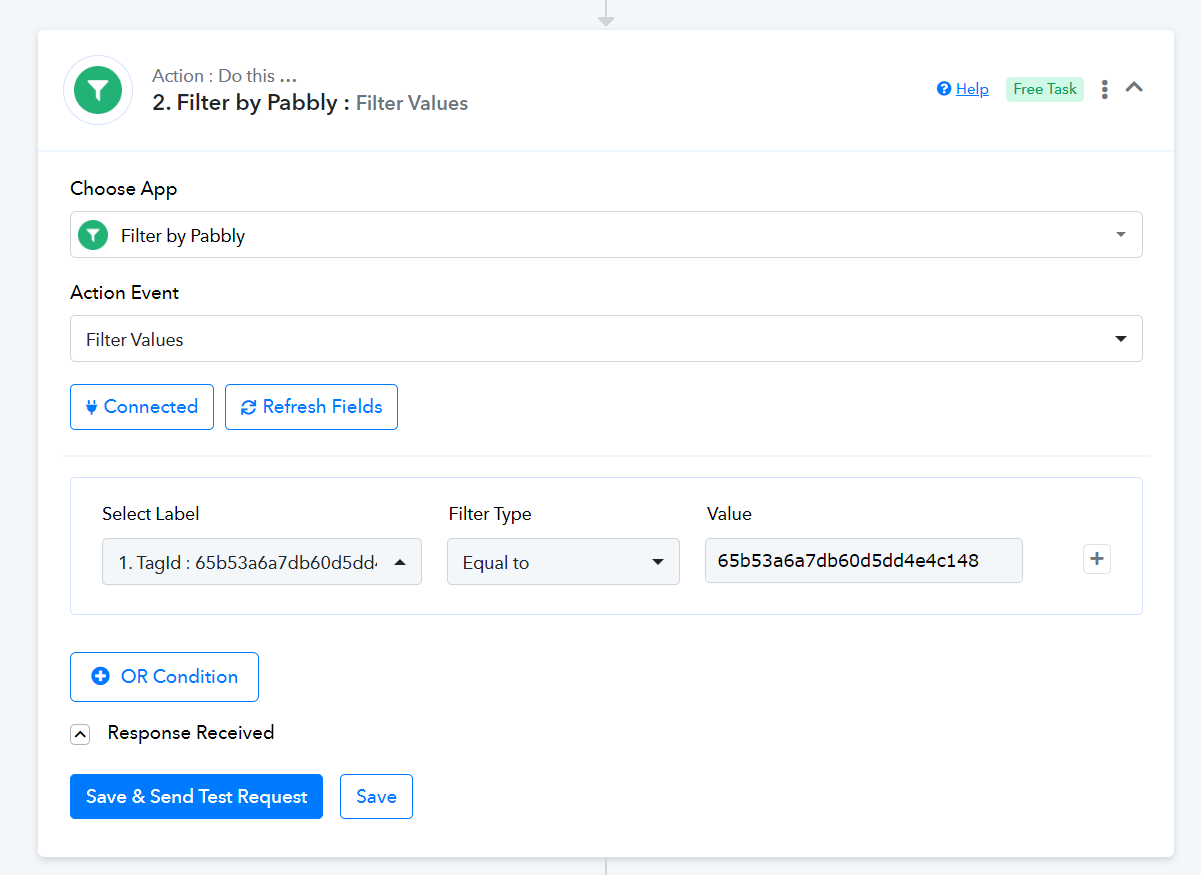
Hi @justs,You can add a Filter to your workflow and specify the TagId for which you want the next step to be executed. I have added a Filter to your workflow on your behalf, which will prevent the addition of data to your Notion if the applied tag is not *SL Resource. You can add multiple OR CONTITIONS to your workflow in case you want to specify other tags as well.
Thank you! I actually deleted that filter becasue I had no idea how it got there. LOL Now I know and I also now know how to get the results I wanted. Thanks again for the prompt action!
On another note, it appears that only new items are actionable with LeadDelta+Notion. Any chance that the ability will be added so that we can update a Notion record when a LeadDelta condition is met?
You can follow the steps given in the video shared below to update a particular item in your Notion database.
One last question, anything that can be done about this error? About 60% of my connections have commas in their industry label. 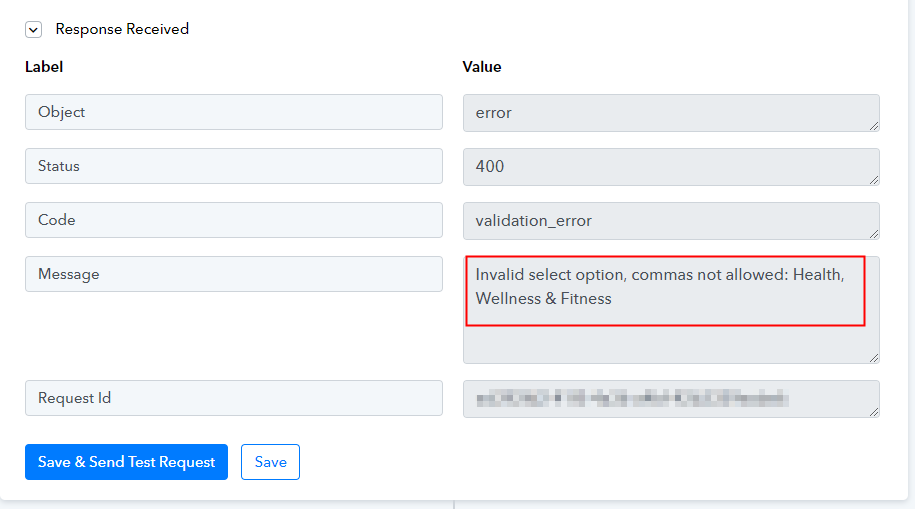
One last question, anything that can be done about this error? About 60% of my connections have commas in their industry label.
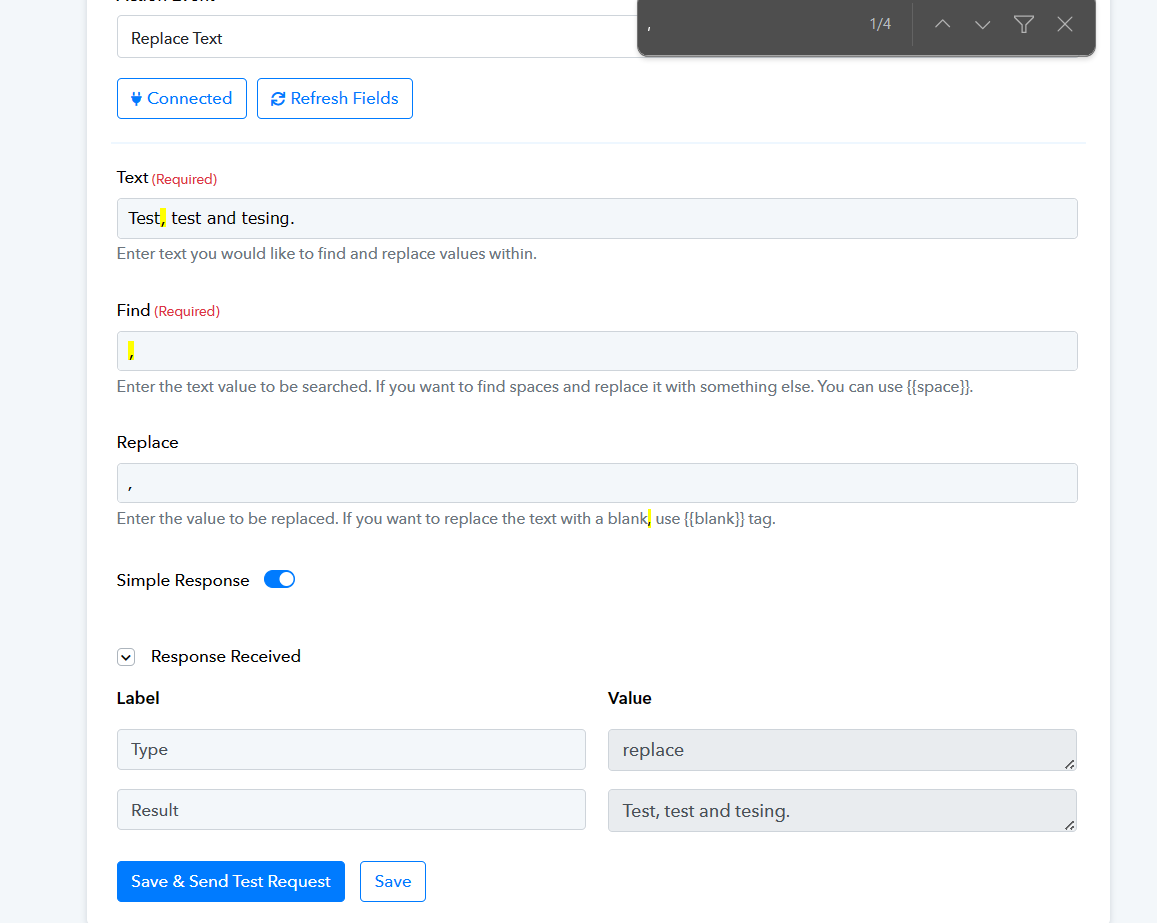
We have a workaround related to your concern where we have found a lookalike of a comma symbol which you can use to replace in your string.
Single Low-9 Quotation Mark (‚): This character resembles a comma but is oriented differently.
That would be great except that I don't control the comma, LinkedIn does. This is the way it appears on LinkedIn and how it is imported during the automation.
As far as I can tell there's no way to change or create some type of rule or something that changes the comma during the synchronization process.
Could you please share the Workflow URL in which you have this concern?