Lookup Spreadsheet Rows not returning row index
Status: Open · Asked by ValeP on · 0 views
Hi,
I'm trying to create an automation similar to this:
youtube.com/watch?v=T_IKCubDNfU
I have a google sheet lets say "sheet A" where I want to monitor if any row is updated. I used the trigger "new or updated row in google sheet" and it works. In the trigger I get the data of the updated row.
Then I need to look for the matching row in another file, lets say "sheet B".
I tried to use "Lookup Spreadsheet Rows" I selected "sheet B" as file where to look for the info,
Lookup Column(s) "B" that is the only column wher to search for the info
Lookup Value (Required): the mapped field from the trigger step
I only get 3 lines as response and there's no "row index" like in the tutorial...
having no row index I cannot copy updated info from "sheet A" in the right row of "sheet B"
Attachments
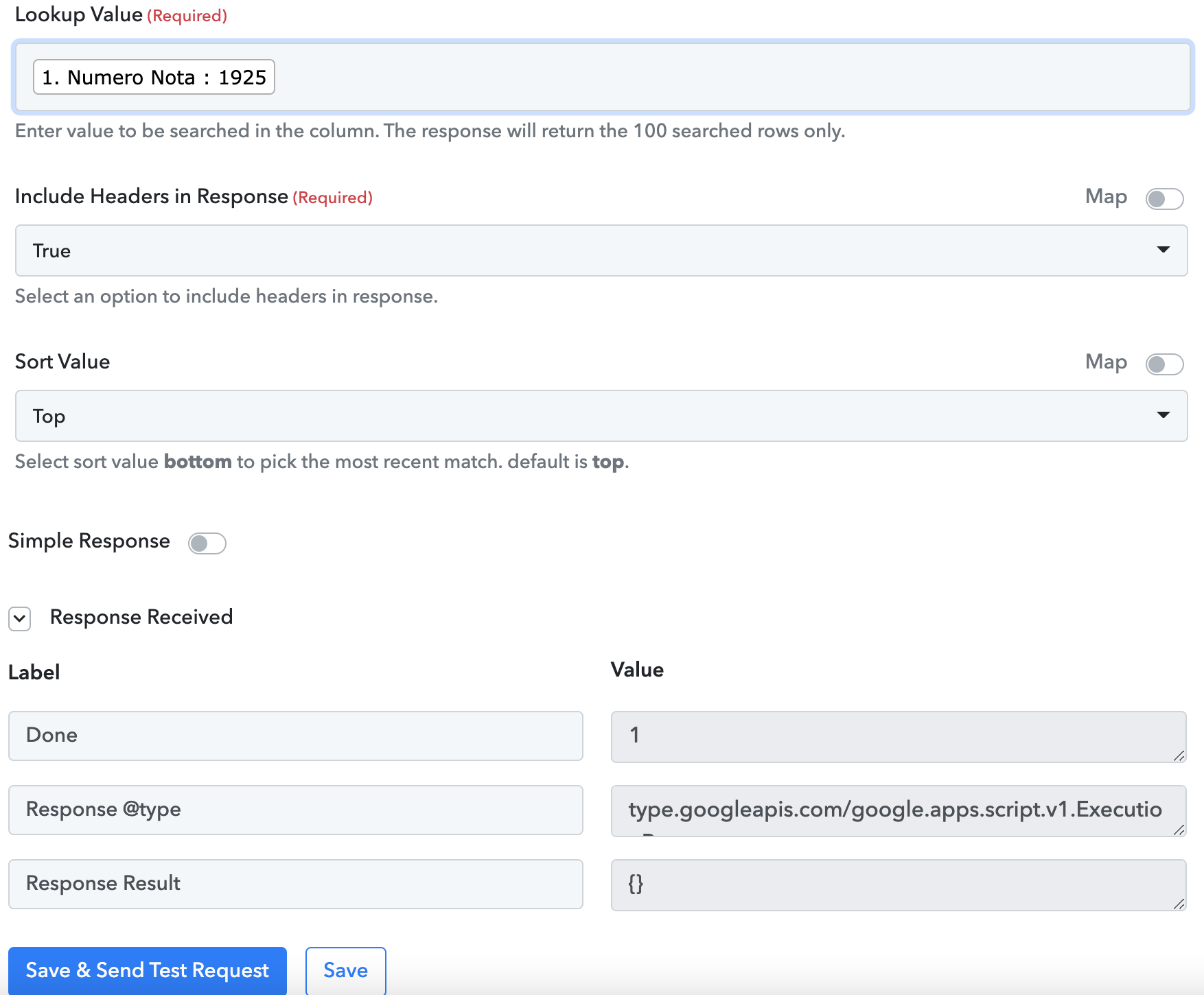
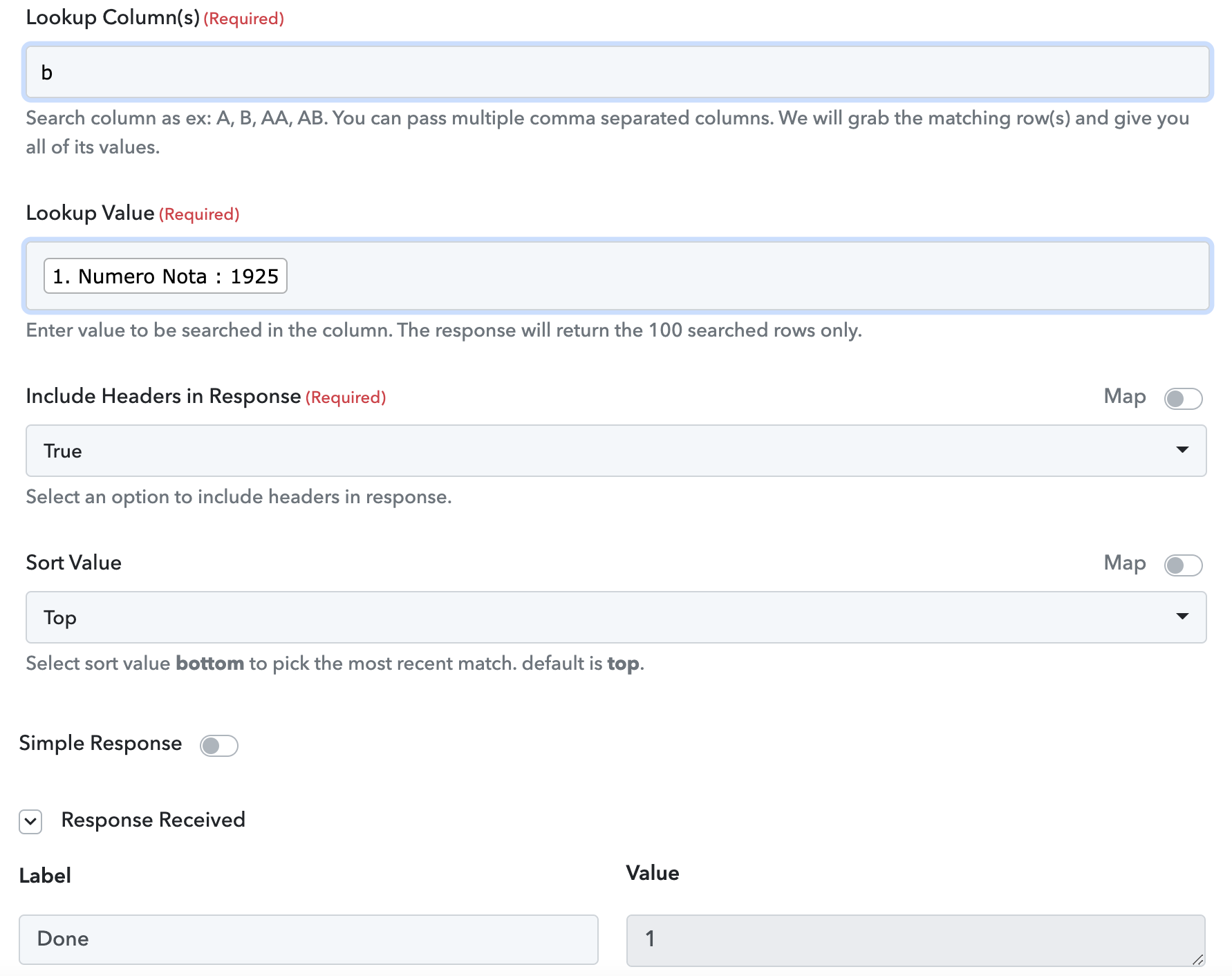
Type capital letter B in looup column field and make sure the value you're searching for is available in the Sheet B's column B.
Type capital letter B in looup column field and make sure the value you're searching for is available in the Sheet B's column B.
It doesn't work even with the capital B and yes, the value I'm searching is available in that column...
@ValeP I have the same issue. I thought it is isolated to my account only.
Let's wait for pabblyconnect team to respond.
I am also facing the same problem
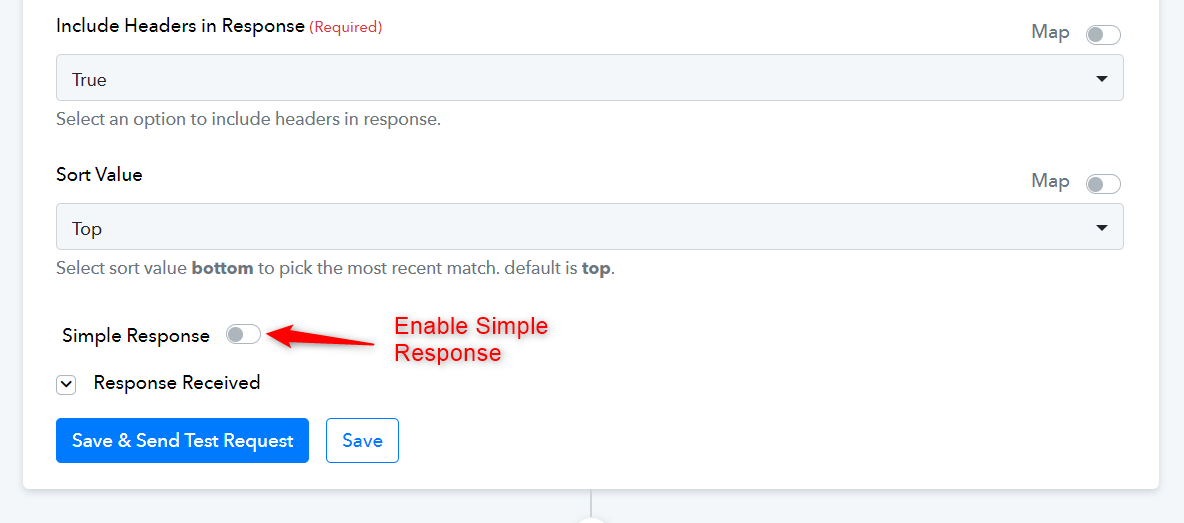
@Omkar Bhagwat, Please enable the Simple Response then click on 'Save & Send Test Request'.