Mailchimp Integration error
Status: Closed · Asked by jpamkt on · 0 views
I get this error using "Add New Member (Legacy)" action in Mailchimp:
[EMAIL][email hidden][/EMAIL] is already a list member. Use PUT to insert or update list members.
There is any action in mailchimp that can Add New Member Or Update it ??
Or how can do this inside the workflow: Adding IF member already exists THEN Updating?
Thanks
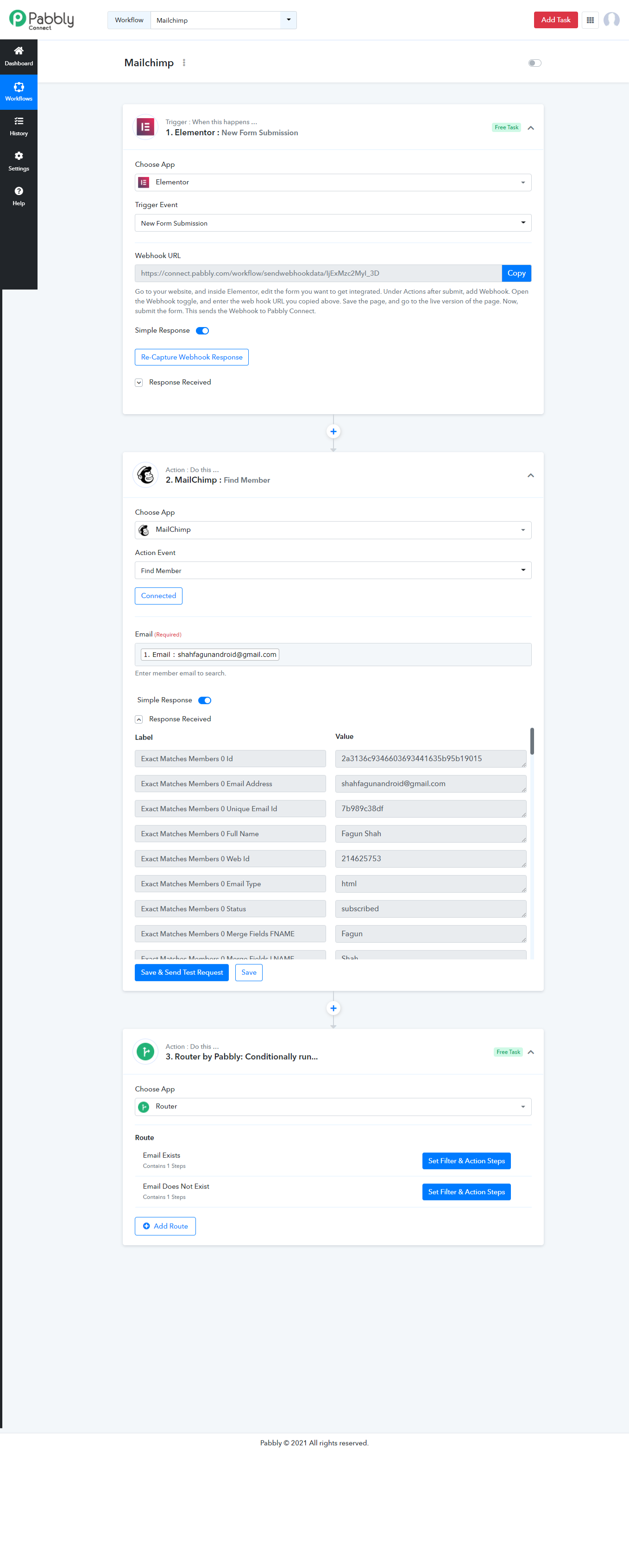
You need to use Find Member first to check if the member already exists in Mailchimp or not.
And then setup router based on If Exist and If Does Not Exist -
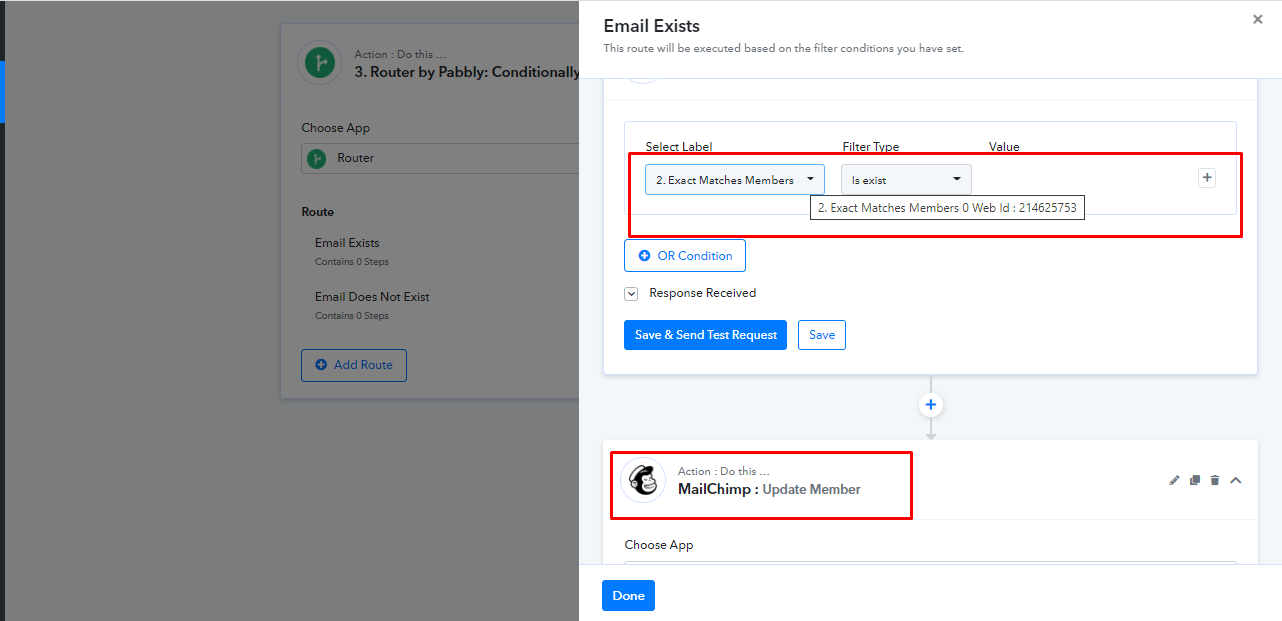
And then if Web Id exists then Update the member -
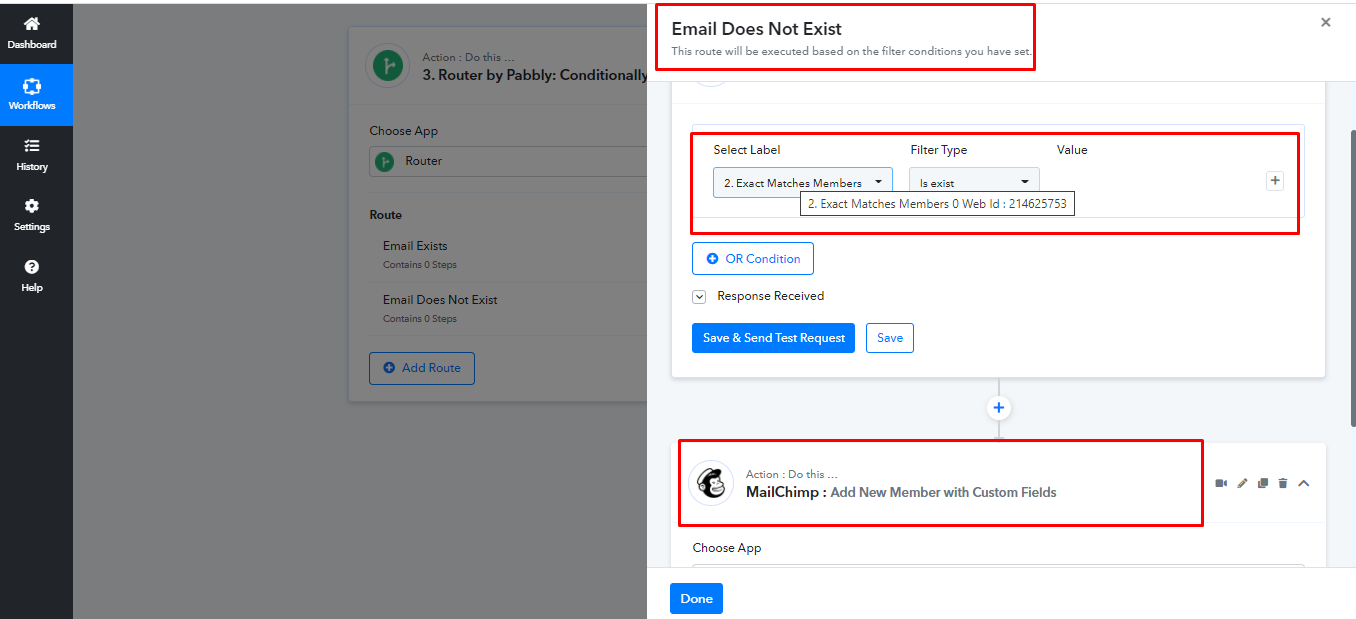
If web id does not exists then add new member -
Copy workflow from here, make sure you add Router steps as per your requirements -
https://connect.pabbly.com/workflow/share/XRVXZQdACCAHTglzBWBWNAAXCiMDSVEHBGMHFQ##
Hello @Fagun Shah , when the email exists and you are updating member, the options require a specific member email to update ?. How do you map this to a field, eg if abc@abc exists, then update member abc@abc, As now it will only let you select an individual single email address to update.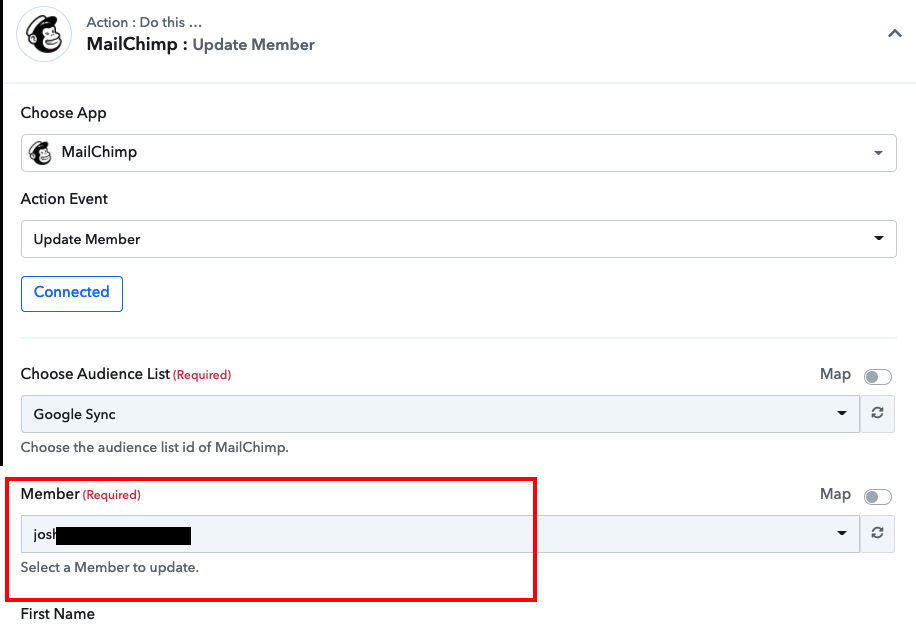
If the Member Exists it means you must be getting Member'sunique id in the response.
You need to map that ID in there after toggling on the Map - 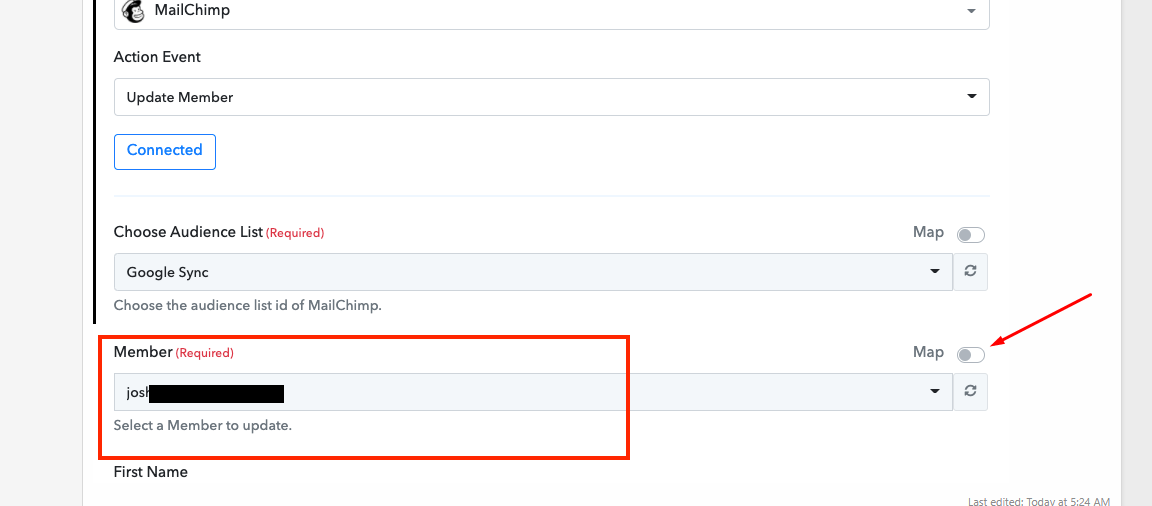
Thank you very much. The only thing is now we cant update custom fields. Do you know of any solution for this ?
I have no idea, tagging @Pabbly @Supreme Verma for help.
@Supreme Verma Are you able to help with this please ?
Hey @simong
I have forwarded your query to our integration team and they are currently looking into it.
Hey @simong
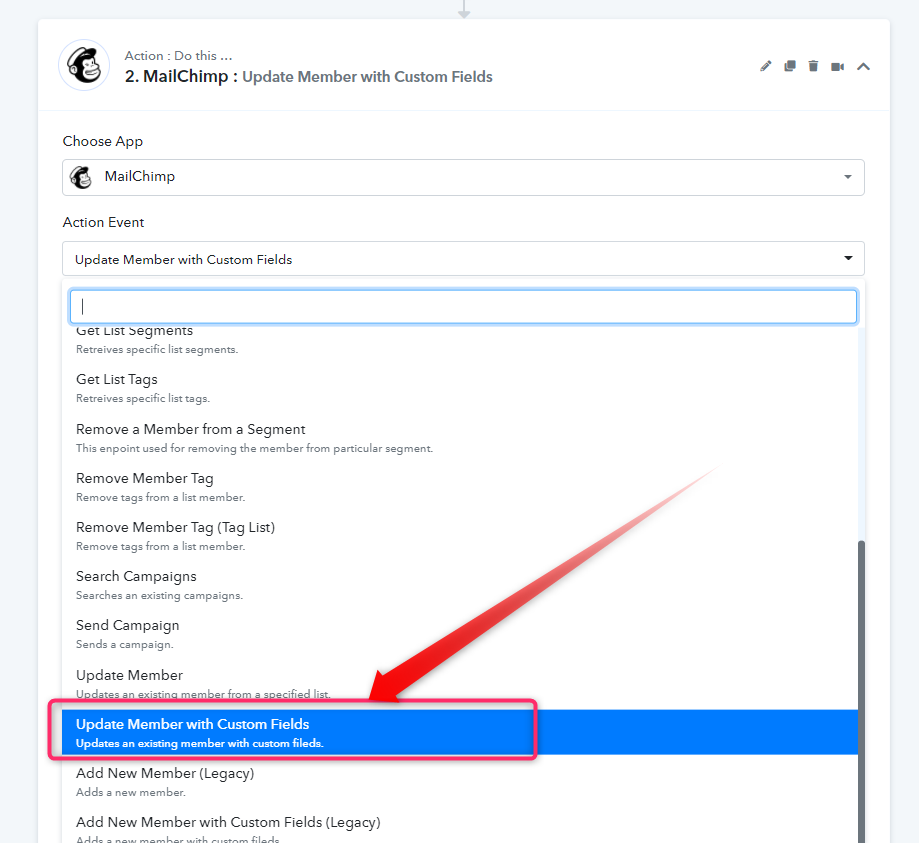
For your concern, we have added the custom fields in the "Update Member with Custom Fields" action event. Kindly try the action event at your end and let us know if that works for you.
Thanks!
Hello,
We are currently using the Update Member with Custom Fields and it doesn't seem to be updating or making the custom fields when we update or make a new member for Mailchimp. It adds the tags and the e-mail without any problem, but the rest doesn't get send over.
Is there a solution for this? If there is I hope to hear of it soon.
Kind regards
Hey @vuurrood veiligheid
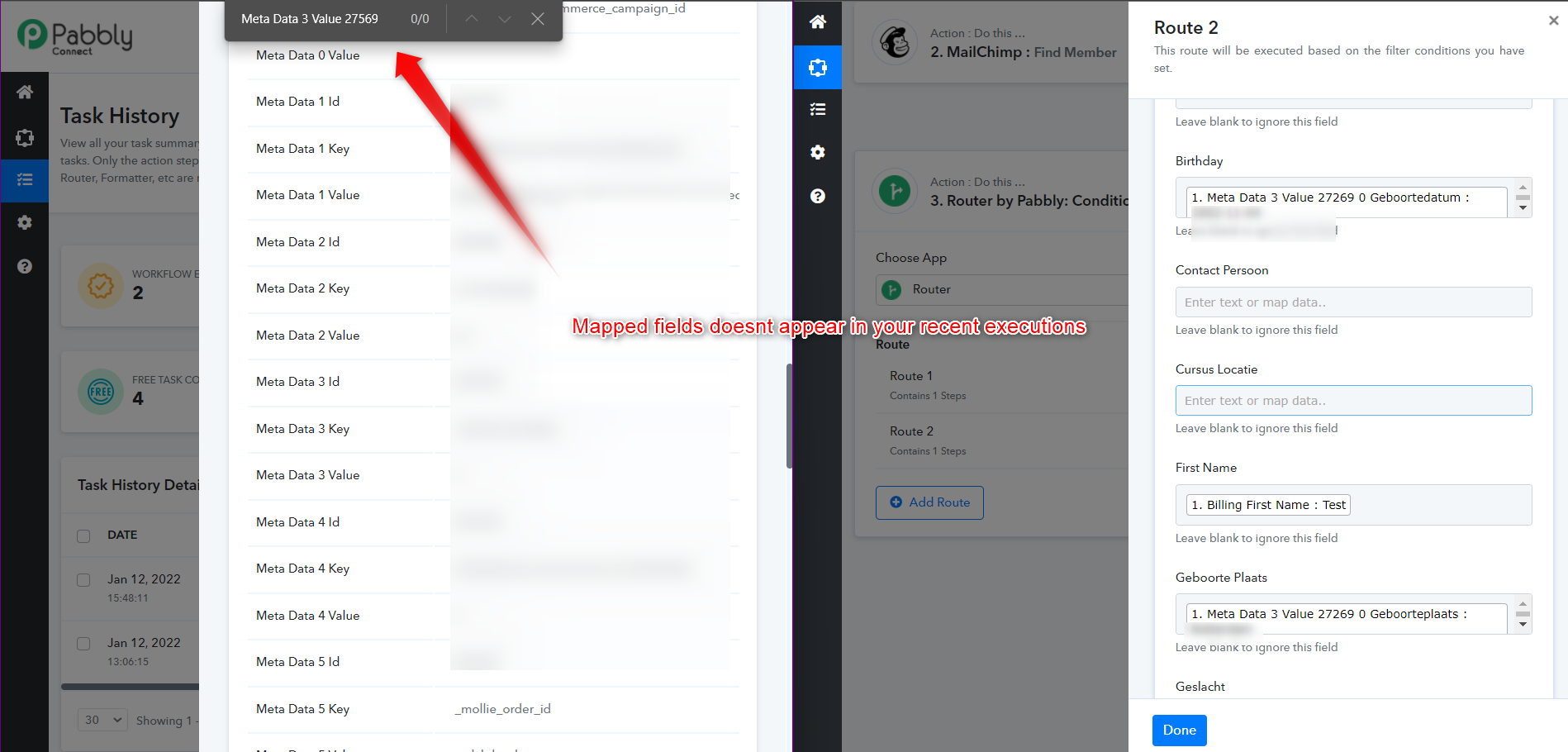
We looked into your workflow and it seems the issue is originated from the fields which you have mapped in your Mailchimp's action step. And because the map fields didn't appear while execution the custom fields didnt update on Mailchimp.
Kindly map the correct essential fields which are constantly coming from your WooCommerce.
we are going to look into it, thank you for the help
Hey,
We have continued working on making things work, and we have found out why the meta wasn't appearing. But there are also fields that we do get from WooCommerce that it doesn't fill in. This is mostly a concern for the Address. Any advise.
Kind regards
Hey @vuurrood veiligheid
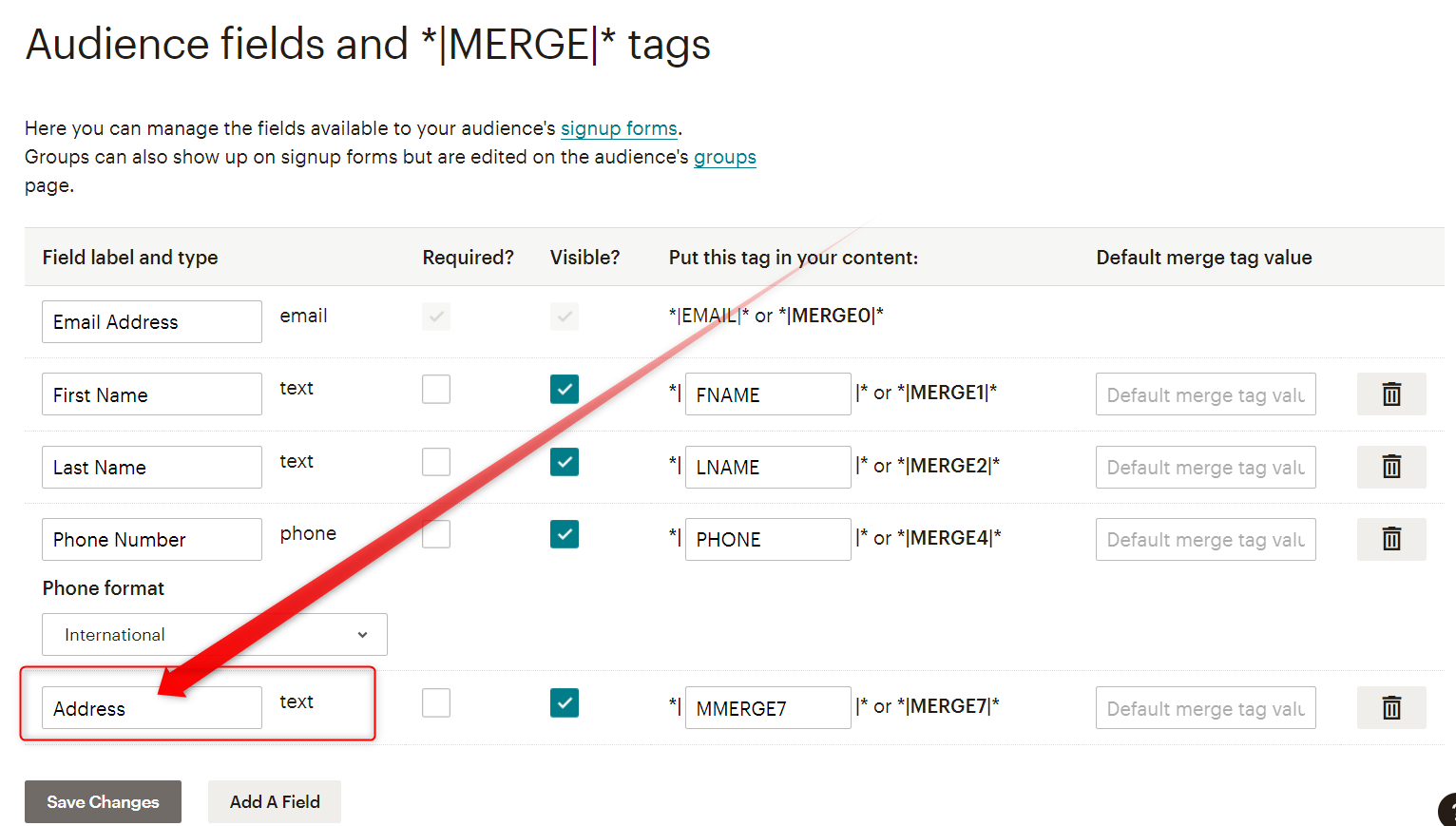
It seems like you have selected the address custom field in your MailChimp as an address field type, kindly use the text type field and can rename it to the Address field.