Mailchimp Integration response not capturing
Status: Closed · Asked by Shankar Sha on · 0 views
Hello, I have tried making MailChimp Integration, made it as a trigger, and followed steps, but it's not capturing the response even after pasting the webhook URL properly inside MailChimp. Any suggestions on how to check this issue and resolve it
?
Hello, I have tried making MailChimp Integration, made it as a trigger, and followed steps, but it's not capturing the response even after pasting the webhook URL properly inside MailChimp. Any suggestions on how to check this issue and resolve it
?
Please check the tutorial here to know how to capture the webhook response inside MailChimp and try once -
youtube.com/watch?v=-4k8saZ4BVA
Let us know if it works for you.
Thanks for your reply! I have tried just like the tutorial and when doing the capturing response; it is working and adding the subscriber into the Kirim. email as well. But when I try the actual one, the same subscriber is not adding up inside Kirim. email from Mailchimp.
Thanks for your reply! I have tried just like the tutorial and when doing the capturing response; it is working and adding the subscriber into the Kirim. email as well. But when I try the actual one, the same subscriber is not adding up inside Kirim. email from Mailchimp.
We have mapped the field again in your workflow. It's working fine. Please check at your end now.
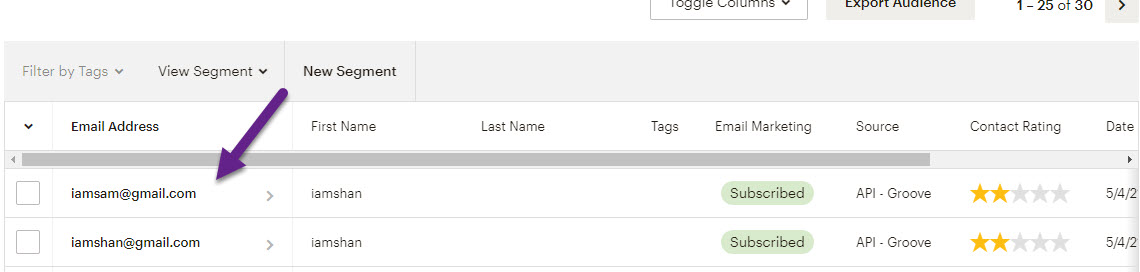
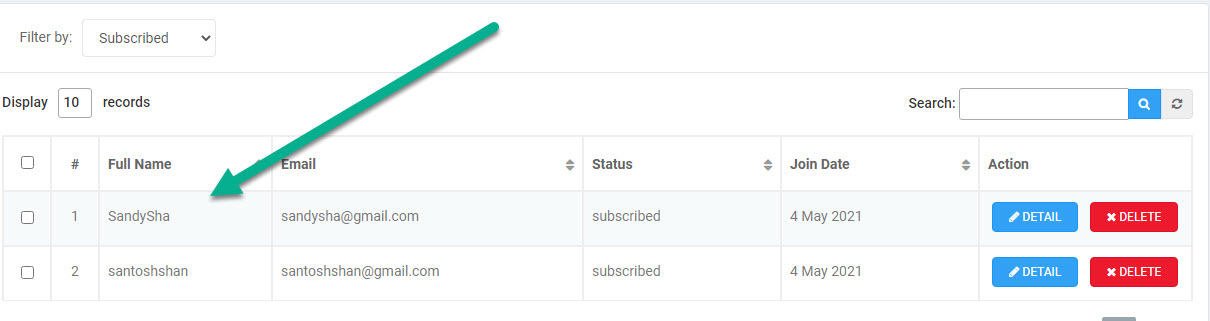
As you can clearly see in the image below, the subscriber is added to my Mailchimp audience list using Groove API but the same audience is not adding up in the kirim audience list. Checked my workflow as well. It seems to have no error. Does that take a longer time to add the subscriber?
Audience shows In the second screenshot is added up manually while capturing response using Pabbly. But actual subscriber is not adding u.
Attachments
Can you confirm if you have selected the API as well while setting up the webhooks? If not, then please select it, and capture the webhook response again.
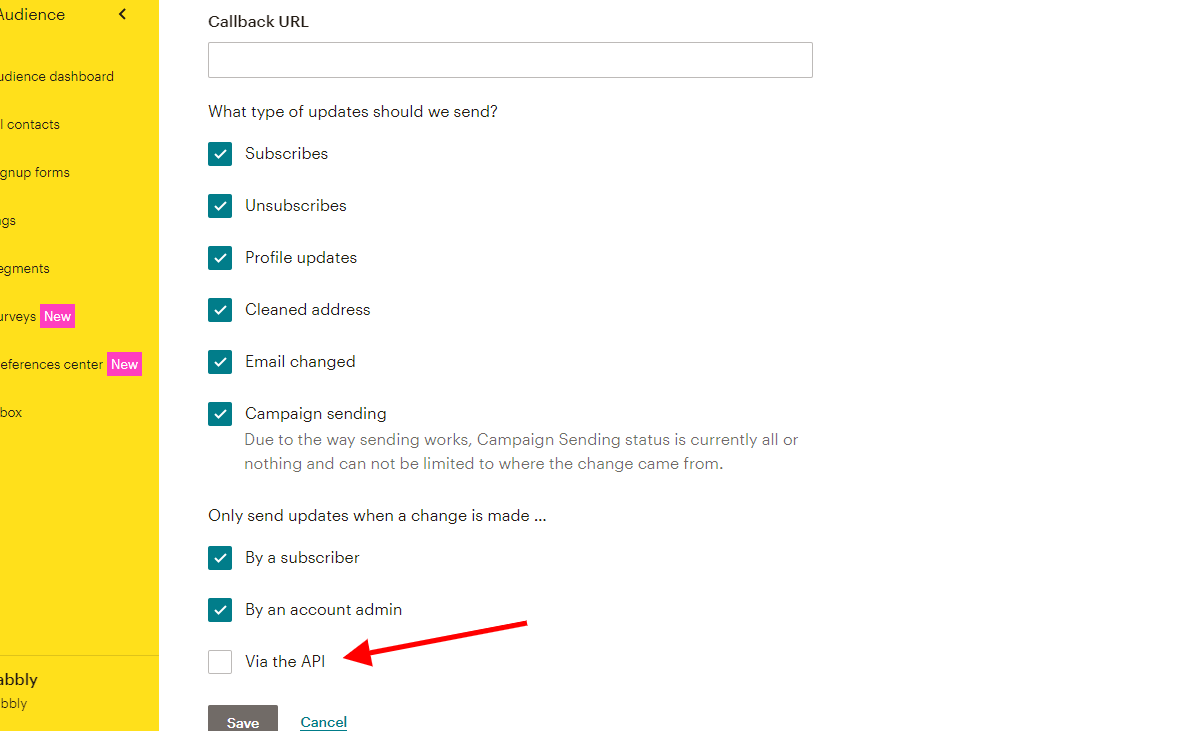
Oh, I see! I haven't selected it before. Now it works fine. Thank you so much for your wonderful help!